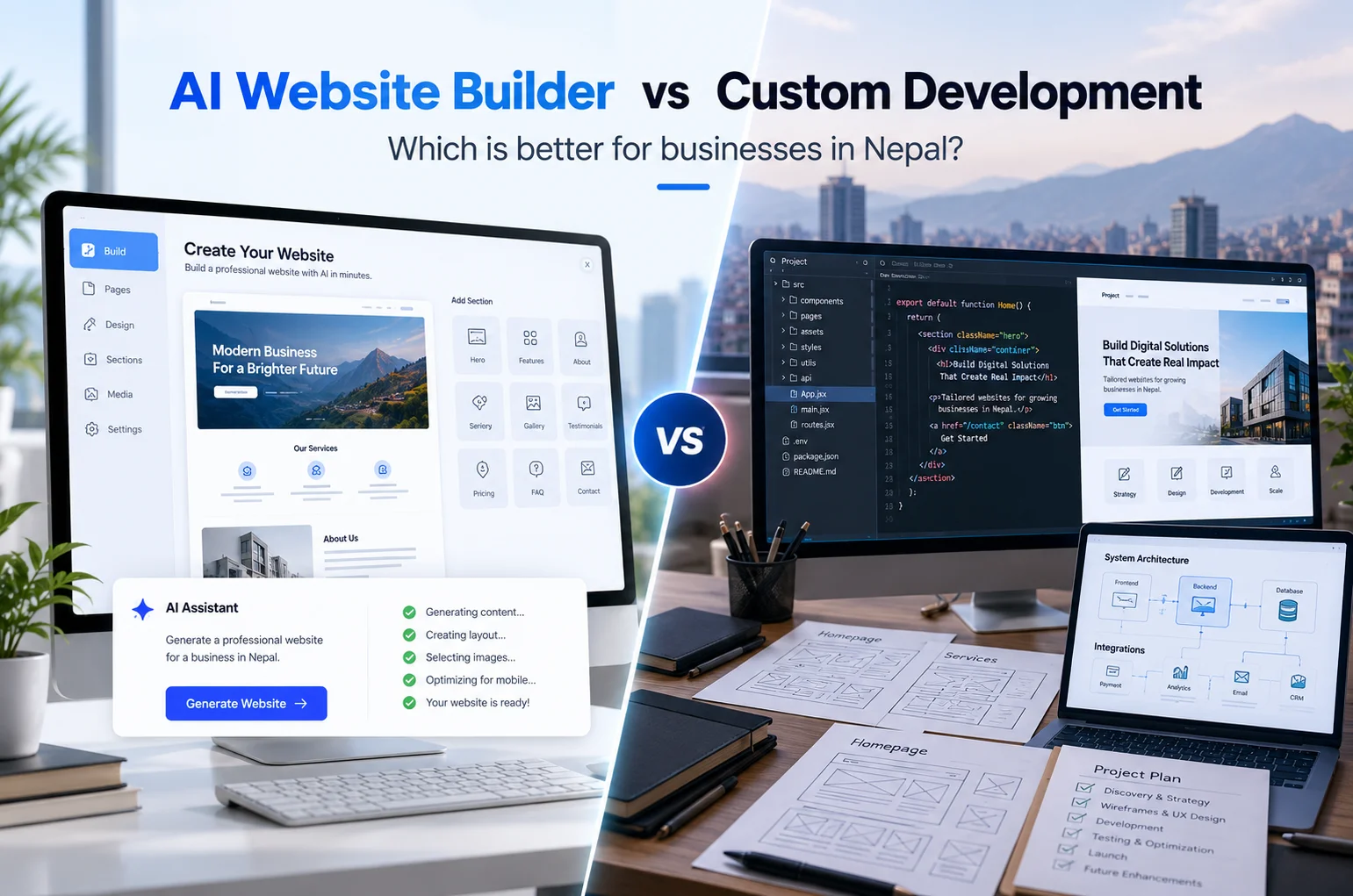
AI Website Builder vs Custom Website Development in Nepal: Which Is Better?

AI can now create a basic website in minutes. Enter your business name, describe what you do, choose a style, and an AI website builder can generate pages, text, images, layouts, and contact forms with surprisingly little effort.

That sounds attractive, especially for a startup or small business trying to reduce costs.

But getting a website online and building a website that supports a real business are not always the same thing.

For some businesses in Nepal, an AI website builder may be perfectly adequate. For others, particularly companies that depend on search traffic, enquiries, ecommerce, integrations, custom functionality, or future expansion, professional website development can offer much more flexibility.

The right decision depends on what the website needs to accomplish.

This guide compares AI website builders vs custom website development across cost, speed, design, SEO, performance, ownership, integrations, security, scalability, and long-term business value.

What Is an AI Website Builder?

An AI website builder is a platform that uses artificial intelligence to help create websites with minimal manual design or development work.

Instead of starting with an empty page, you usually answer questions about your business, industry, preferred style, and required pages.

The platform may then generate:

  • A homepage layout
  • Service pages
  • About and contact pages
  • Written content
  • Images
  • Colour combinations
  • Navigation
  • Forms
  • Calls to action
  • Basic SEO settings

Tools from companies such as Wix, Squarespace, Hostinger, and other website platforms increasingly include AI-assisted website creation.

You can then edit the generated website through a visual editor rather than writing code.

That makes AI builders particularly attractive to people who want to create something quickly without hiring a designer or developer.

What Is Custom Website Development?

Custom website development starts with the needs of the business rather than the limitations of a predefined website generator.

A web design and development team in Nepal typically considers the following factors:

  • Your business goals
  • Customers and target market
  • Website structure
  • User journeys
  • Branding
  • Content
  • Required functionality
  • Search visibility
  • Mobile experience
  • Integrations
  • Security
  • Future expansion

The website may be developed using platforms such as WordPress or WooCommerce, or frameworks and technologies such as Laravel, React, Next.js, Node.js, or a custom content management system.

“Custom” does not always mean every line of code has to be created from scratch.

It means the solution is selected and configured around the requirements of the project instead of forcing the business into a fixed website template.

AI Website Builder vs Custom Website Development: Quick Comparison

Factor AI Website Builder Custom Website Development
Initial cost Usually lower Usually higher
Setup speed Very fast Takes more planning and development
Technical knowledge Little required Development handled by professionals
Design flexibility Limited by the platform Much greater flexibility
Unique branding Moderate High
Custom functionality Limited to supported features Can be built around business needs
SEO control Suitable for basic SEO Greater technical and structural control
Integrations Platform dependent Much more flexible
Scalability Can become restrictive Can be planned for growth
Maintenance Mostly platform managed Depends on the technology and support plan
Ownership/control Platform dependent Usually greater control
Best for Simple sites and testing ideas Businesses with long-term digital goals

Neither option wins every category.

The question is which limitations you are willing to accept.

Where AI Website Builders Work Well

AI website builders have improved considerably.

They can be a sensible choice when your requirements are straightforward.

1. You Need a Website Quickly

If you need a simple online presence for an event, temporary project, personal portfolio, or newly tested business idea, speed may matter more than advanced functionality.

An AI builder can create a usable starting point much faster than a traditional design and development process.

2. Your Budget Is Very Limited

A new business may not be ready to invest in a professionally developed website.

Using an AI builder can provide a low-cost way to establish an initial online presence while the business validates its idea.

3. Your Website Is Simple

Suppose your website only needs:

  • Home
  • About
  • Services
  • Contact
  • A basic enquiry form

An AI builder may handle those requirements reasonably well.

There is little benefit in overengineering a website that genuinely only needs a few straightforward pages.

4. You Want to Manage Everything Yourself

Many AI website platforms are designed for nontechnical users.

Changing text, replacing photos, creating a new page, or updating contact details can often be done visually.

For owners who want complete day-to-day control without depending on a developer for small changes, that simplicity can be useful.

Where AI Website Builders Start to Become Restrictive

The limitations usually become clearer when the website has to do more than present basic information.

Customisation Is Limited by the Platform

An AI builder may generate a polished design, but you are still working inside the system provided by that platform.

You can change many things, but not necessarily everything.

If your business later needs an unusual customer journey, custom database, specialised booking process, quotation system, customer portal, or integration, you may discover that the builder cannot support it cleanly.

Your Website Can Look Generic

AI tools create designs using established layout patterns because those patterns work across many industries.

That is convenient, but it can also make websites look similar.

For businesses competing on reputation, trust, premium positioning, or brand identity, a recognisable design may be more important than simply having an attractive template.

Integrations Can Become Difficult

Businesses rarely operate using only a website.

A growing company may need to connect the site with:

  • Customer relationship management software
  • Accounting systems
  • Booking software
  • Inventory systems
  • Email marketing tools
  • Payment gateways
  • Internal business applications
  • APIs
  • Customer databases

Some AI builders provide integrations through apps or plugins.

The problem appears when the integration you need is not supported or does not work in the way your business operates.

Custom development provides more options for connecting systems where suitable APIs or technical access are available.

Why Custom Website Development Makes Sense for Growing Businesses

Custom development costs more because more planning, design, technical work, testing, and quality control are involved.

But businesses are not paying only for more code.

They are paying for greater control over how the website supports the business.

1. The Website Can Be Planned Around Your Customers

A professional website project usually starts before visual design.

For example, imagine a trekking company in Nepal.

Visitors may arrive looking for:

  • Trek packages
  • Difficulty levels
  • Best travel seasons
  • Itineraries
  • Prices
  • Accommodation details
  • Permits
  • Enquiries
  • Custom trips

A generic template might simply list all services.

A properly planned website can organise this information around how travellers actually compare and choose trekking packages.

The difference is not just visual.

It changes how easily a potential customer can make a decision.

2. You Get Greater Design Freedom

A custom website can reflect the personality and positioning of the company rather than adapting the company to a theme.

Designers can make decisions around:

  • Typography
  • Brand colours
  • Page hierarchy
  • Interactive elements
  • Mobile layouts
  • Visual storytelling
  • Calls to action
  • Forms
  • Navigation
  • Content presentation

This matters most where the website contributes directly to perceived credibility.

Banks, healthcare organisations, educational institutions, hotels, professional service firms, manufacturers, NGOs, and established companies often need more control over how their brand appears online.

3. Custom Functionality Can Support Real Business Processes

This is often the strongest reason to move beyond an AI website builder.

A website may need to:

  • Generate quotations
  • Accept bookings
  • Process applications
  • Sell products
  • Manage members
  • Provide customer accounts
  • Search large databases
  • Display property listings
  • Connect to inventory
  • Publish large volumes of content
  • Support multiple branches
  • Handle subscriptions
  • Integrate payment systems
  • Connect with internal software

At that point, the website is becoming part of the company’s operational infrastructure.

Building around those requirements normally makes more sense than continuously adding workarounds to a limited platform.

What About SEO? Does Google Prefer Custom Websites?

No.

Google does not rank a website simply because it was custom coded, nor does it automatically penalise a website because AI helped create it.

Google says its systems focus on whether content is useful, original, reliable, accurate, and created primarily to help people. Using generative AI by itself does not provide a ranking advantage or disadvantage.

The same principle applies to websites.

A poorly planned custom website can perform badly in search.

A well-built website created through a website builder can perform well.

What matters is what the final site provides.

For SEO, important factors include:

  • Crawlable pages
  • Logical website architecture
  • Useful content
  • Clear titles and headings
  • Internal linking
  • Mobile usability
  • Page performance
  • Image optimisation
  • Structured data where relevant
  • Correct canonicalisation
  • Indexability
  • Helpful user experience

Google’s current guidance for generative AI experiences also continues to emphasise foundational SEO and unique, useful, noncommodity content rather than special “AI optimisation” tricks.

So the real SEO question is not:

Was this website created with AI?

It is:

Does the platform give you enough control to build and maintain a strong website?

AI Generated Content Still Needs Human Review

One area where AI website builders require particular attention is content.

An AI tool can quickly produce:

  • Service descriptions
  • Headlines
  • FAQs
  • Calls to action
  • About page copy

That can save time.

But publishing generated content without checking it can create problems.

AI generated text may be:

  • Too generic
  • Similar to competitor content
  • Incorrect
  • Overconfident
  • Repetitive
  • Poorly matched to your customers
  • Missing important local context
  • Filled with claims the business cannot support

Google specifically recommends focusing on accuracy, quality, relevance, and original value when using generative AI for content.

AI can help with the process.

It should not replace knowledge of your own business.

What About AI Search, AEO and GEO?

Businesses are increasingly thinking beyond traditional Google results.

People now use AI-powered search and assistants to research products, services, companies, and questions.

This has led to terms such as AEO, or Answer Engine Optimization, and GEO, or Generative Engine Optimization.

You may see claims that a particular website technology automatically makes a business more visible to AI systems.

That is too simplistic.

Google’s 2026 guidance on generative AI search says the foundations remain familiar: create technically accessible websites and publish useful, original content that provides real value.

Clear information can help search and AI systems understand:

  • What your company does
  • Where you operate
  • Which services you provide
  • Who those services are for
  • Why your company is credible
  • How customers can contact you

A custom website can give you more freedom to structure this information properly, but simply having a custom website does not guarantee visibility.

Content quality and business credibility still matter.

Which Option Gives You Better Website Performance?

There is no universal winner.

Some hosted website builders have highly optimised infrastructure.

Some custom websites are extremely fast.

Others are slow because they contain oversized images, unnecessary scripts, poorly configured plugins, excessive tracking tools, or inefficient code.

Performance depends on implementation.

Custom development can provide greater control over:

  • Code
  • Hosting
  • Caching
  • Image delivery
  • Scripts
  • Databases
  • Third-party resources

But that control is only valuable when used properly.

When comparing options, ask developers or platform providers how they handle performance rather than assuming that one technology is automatically faster.

What About Website Ownership?

This is an important issue that businesses sometimes overlook.

With many hosted website builders, the website operates inside the provider’s ecosystem.

You may own your domain, content, branding, and uploaded materials, but moving the exact website to another platform may not be simple.

If you later decide to leave, you might have to rebuild parts or all of the site elsewhere.

A custom website can often provide greater portability and technical control, particularly when it is built using widely supported technologies and the client receives appropriate access.

Before starting any website project, clarify:

  • Who owns the domain?
  • Who controls hosting?
  • Who controls the CMS?
  • Who has administrator access?
  • Can the website be migrated?
  • Who owns custom code and design files?
  • Are there proprietary dependencies?
  • What happens if you change providers?

These questions matter regardless of whether you use AI or a web development company.

AI Website Builder vs Custom Development Cost in Nepal

AI builders usually win on initial price.

You may only need to pay a monthly or annual platform subscription, depending on the service and plan.

Custom development requires a larger upfront investment because it involves human planning, design, development, testing, and project management.

For some local context, Webtech Nepal’s published 2026 pricing currently lists starter websites from NPR 25,000 to NPR 60,000, while its business website packages are listed from NPR 75,000 to NPR 150,000. More advanced ecommerce and custom development can cost significantly more depending on requirements.

Prices can change, so these figures should be checked before budgeting.

The cheapest option is not necessarily the least expensive over several years.

Consider the total cost of:

  • Platform subscriptions
  • Premium plugins or applications
  • Transaction fees
  • Developer assistance
  • Hosting
  • Maintenance
  • Redesigns
  • Integrations
  • SEO work
  • Rebuilding the site if you outgrow the platform

If you expect to replace an inexpensive website after twelve months because it cannot support the business, the initial saving may disappear.

On the other hand, paying for a large custom solution when your business only needs five simple pages is unnecessary.

Match the investment to the problem.

When Should You Choose an AI Website Builder?

An AI website builder can be a sensible choice when:

  1. You are testing a new business idea.
  2. You need a simple website immediately.
  3. Your budget is very limited.
  4. You only need a few informational pages.
  5. You do not require specialised integrations.
  6. Your website is not central to your sales process.
  7. You are comfortable working within platform limitations.
  8. You expect the site to remain relatively simple.

For example, a freelance consultant who mainly receives referrals and only needs a short profile, list of services, and contact form may not require custom development initially.

When Should You Choose Custom Website Development?

Custom development becomes more worthwhile when:

  1. Your website generates leads or sales.
  2. Search visibility is important to customer acquisition.
  3. You need custom workflows or functionality.
  4. You have a strong or established brand.
  5. You need integrations with other software.
  6. Your site contains large amounts of content.
  7. You operate an ecommerce business.
  8. You expect traffic, products, locations, or services to grow.
  9. You need greater technical control.
  10. Your website is part of a larger digital platform.

A large educational institution, ecommerce company, travel business, corporate organisation, news portal, financial service provider, or multi-location business will usually have very different requirements from a one-person startup.

Their websites should not necessarily be built the same way.

Is a Hybrid Approach Better?

Often, yes.

AI website builder vs custom development does not need to be an all-or-nothing argument.

Professional development teams increasingly use AI too.

AI can assist with:

  • Early wireframe ideas
  • Content planning
  • Coding assistance
  • Image concepts
  • Quality checks
  • Content organisation
  • Research
  • Testing
  • Documentation

The difference is that AI becomes a tool within a professional process rather than the process itself.

A developer can use automation to save time while still making deliberate decisions about architecture, design, security, integrations, performance, content, and usability.

For many businesses, this is likely to become the normal approach.

Questions to Ask Before Choosing Either Option

Before deciding how to build your website, answer these questions.

What Should the Website Achieve?

Do you simply need credibility when someone searches your company name?

Or should the website generate enquiries, bookings, applications, subscriptions, or ecommerce sales?

The more responsibility you give the website, the more carefully it should be planned.

What Will You Need in Two Years?

Avoid planning only for launch day.

Think about whether you may later add:

  • New locations
  • More languages
  • Ecommerce
  • Customer accounts
  • Online payments
  • A mobile application
  • CRM integration
  • Hundreds of products
  • Large content libraries

You do not need to build every future feature today.

But you should avoid choosing a platform that makes predictable growth unnecessarily difficult.

How Important Is Organic Search?

If SEO is expected to become a major acquisition channel, check how much control the platform provides over technical SEO, page structure, redirects, metadata, internal linking, structured data, indexing, and content expansion.

Who Will Maintain the Website?

A custom website that nobody can update is not useful.

An AI website that is easy to edit but impossible to extend may create a different problem.

Choose a system that fits both your technical requirements and the people responsible for managing it.

What Happens If You Want to Leave?

Ask this before signing up, not after.

Your website should not become a business dependency you cannot easily control.

Common Mistakes Businesses Make When Choosing a Website Platform

Choosing Only on Price

Price matters, but website requirements should come first.

A cheap solution that cannot perform an essential function is not cheap.

Buying More Technology Than You Need

The opposite problem is equally common.

A small business does not need an enterprise development stack simply because it sounds impressive.

Use the simplest solution that comfortably supports your current and reasonably expected future needs.

Assuming AI Automatically Means Better

AI can speed up website creation.

It cannot automatically understand your market, customers, competitive positioning, internal workflow, or business strategy.

Those still require human decisions.

Assuming Custom Development Automatically Means Better

Custom websites can also fail.

Poor planning, weak design, slow development, bad SEO implementation, unnecessary features, and difficult administration can make a custom project worse than a good website builder.

Evaluate the people and process, not just the technology.

How Webtech Nepal Approaches Website Development

Webtech Nepal develops business websites, ecommerce stores, WordPress websites, web applications, mobile apps, and other digital platforms for organisations in Nepal and international clients.

Our current website development process begins with understanding the business, audience, content, requirements, and goals before moving into website structure, UI design, development, optimisation, testing, and launch.

Depending on the project, our team works with technologies including WordPress, WooCommerce, Laravel, React, Next.js, Node.js, and other appropriate tools.

That means the recommendation does not have to be the same for every client.

A startup that needs a simple website should not receive the same technical solution as an ecommerce company, large publication, or organisation requiring custom software integration.

The platform should fit the business.

Frequently Asked Questions

Is an AI website builder good for a small business in Nepal?

Yes, if the website is simple and the business mainly needs a basic online presence. It can be an economical way to test an idea before investing in a larger website. Businesses expecting ecommerce, advanced SEO, integrations, or significant growth should examine platform limitations carefully.

Can an AI website rank on Google?

Yes. Google does not automatically reject websites or content because AI was involved in creating them. The final website still needs useful content, sound technical SEO, good user experience, and information that genuinely helps visitors.

Is custom website development better for SEO?

Custom development provides more control, which can make advanced SEO implementation easier. However, custom coding alone does not improve rankings. Content quality, technical implementation, authority, relevance, and user experience still matter.

How much does custom website development cost in Nepal?

Costs vary significantly depending on design, features, integrations, content, technology, and project size. Webtech Nepal currently publishes starter website packages from NPR 25,000 to NPR 60,000 and business website packages from NPR 75,000 to NPR 150,000. More complex ecommerce sites and applications require custom estimates.

Can I start with an AI website and move to a custom website later?

Yes, but migration difficulty depends on the platform. Content, images, products, and data may sometimes be transferable, while the design and functionality may need to be rebuilt. Check export and migration options before choosing a platform.

Does Webtech Nepal use AI in website development?

AI can be useful as part of modern design, content, research, and development workflows, but technology should support rather than replace project planning, professional design, development, testing, and human judgment. The most suitable workflow depends on the project.

Conclusion

Choosing between an AI website builder and custom website development comes down to what role the website plays in your business.

If you need a simple online presence, want to test an idea, or have a very limited budget, an AI website builder may be enough.

If the website needs to generate business, support complex functionality, integrate with other systems, strengthen a distinctive brand, grow with the company, or provide greater technical control, custom website development is usually worth considering.

Do not choose custom development simply because it sounds more professional. And do not choose an AI builder simply because it is faster.

Start with the business requirements.

If you are unsure which approach suits your project, Webtech Nepal can review your website goals, required features, future plans, and budget and recommend an appropriate development approach.
WordPress Web Development: Complete Guide, Frameworks, Programming Languages

Building a website is one thing. Managing it after launch is another.

Think about a hotel that regularly updates its room packages, a school that publishes notices, or a company that needs to add new services to its website. Making these changes should not require a developer every time.

This is one reason WordPress has become a popular choice for business websites. It allows owners and content teams to manage everyday updates while giving developers the flexibility to build custom designs and features.

But installing WordPress is only the beginning. The quality of a website depends on how it is planned, designed, developed, secured, and maintained.

In this guide, we explain what WordPress web development involves, the technologies developers use, the steps required to build a professional website, and the costs businesses should consider. We will also discuss how to decide whether WordPress is the right platform for your business.

What Is WordPress Web Development?

WordPress web development is the process of creating, customizing, and maintaining websites using the WordPress content management system (CMS). It covers website design, theme development, plugin integration, content management, security, and performance optimization.

WordPress is an open source platform that allows businesses to publish and manage website content without writing code for every change.

For example, an organization can use WordPress to publish news, update staff information, upload annual reports, and manage service pages through a central dashboard.

Developers can go further by creating custom themes, building new functionality, and connecting WordPress to other business systems.

WordPress development generally involves two areas.

Frontend development focuses on everything visitors see and interact with. This includes the website layout, navigation, typography, images, contact forms, and mobile responsiveness.

Backend development handles how the website works behind the scenes. It includes content management, databases, user permissions, plugins, integrations, and administrative functionality.

A professional WordPress website brings both areas together so visitors can find information easily and the business can manage its website efficiently.

WordPress.org vs WordPress.com: What Is the Difference?

These two names often confuse business owners.

WordPress.org provides the open source software that can be installed on a hosting server of your choice. WordPress.com is a managed hosting service built using WordPress software.

With self hosted WordPress, businesses can choose their hosting provider, develop custom themes, install plugins, and manage their technical environment.

WordPress.com includes hosting and manages many technical tasks, although the level of customization and available developer tools can depend on the selected plan.

For businesses that need full control over their hosting, custom code, and integrations, self hosted WordPress is often a practical option.

Why Do Businesses Choose WordPress for Website Development?

WordPress is popular because it can support straightforward business websites as well as more demanding projects.

However, its real value depends on choosing the right development approach.

1. Easy Website Content Management

One of the biggest advantages of WordPress is the ability to manage content through an administrative dashboard.

A business owner can publish a blog post, replace an image, or edit service information without opening a code editor.

Suppose a travel agency in Kathmandu introduces a new trekking package. Its team can update the package description, itinerary, photographs, and contact information from the WordPress dashboard.

With an appropriately designed content system, the website can remain consistent even when several employees are responsible for updates.

2. Flexible Website Design

WordPress does not restrict a business to one type of website design.

Developers can create custom layouts, navigation menus, page templates, and content sections that reflect the company’s visual identity.

A professional services firm may prefer a clean corporate website, while a restaurant may need prominent food photography, menus, and booking options.

The same platform can support both.

Businesses looking for a distinctive visual identity can combine WordPress development with professional website design services to ensure the website looks appropriate for their audience.

3. Suitable for Different Business Requirements

WordPress can be used for corporate websites, online stores, educational websites, portfolios, news portals, membership platforms, and nonprofit websites.

Its functionality can also be expanded as requirements change.

A company might launch with five service pages and a contact form. Later, it may add a resource library, recruitment section, multilingual content, or customer portal.

Not every feature can be implemented through an existing plugin. Complex requirements may need custom development, but WordPress provides a flexible starting point.

4. Search Engine Optimization Support

WordPress gives developers and content managers control over many important SEO elements.

These include page titles, descriptions, URL structures, heading tags, image descriptions, internal links, and XML sitemaps.

Plugins such as Yoast SEO and Rank Math can help manage some of these settings.

However, installing an SEO plugin does not automatically improve Google rankings. Website speed, content quality, page structure, mobile usability, and search intent still matter.

An experienced development team should consider these requirements before building the website, rather than attempting to correct everything after launch.

5. Control Over Website Ownership

A properly configured self hosted WordPress website allows businesses to control their content, hosting environment, files, and database.

This is important when changing hosting providers or development agencies.

Before starting a project, the business should confirm who owns the domain, hosting account, website files, purchased licenses, and administrative access.

Keeping these details under company control makes future maintenance and migration easier.

6. Room for Future Improvements

As a business grows, its website requirements may change.

WordPress supports new pages, custom content types, additional languages, business integrations, and online sales.

A good development approach also considers the long term. The website should be structured so new features can be introduced without repeatedly rebuilding existing sections.

What Types of Websites Can Be Developed Using WordPress?

WordPress supports several website categories. The right configuration depends on what the website needs to achieve.

Business and Corporate Websites

Corporate websites usually include company information, services, project portfolios, team profiles, contact details, and news sections.

WordPress is suitable for these websites because staff can maintain content after the initial development is complete.

For a construction company, for example, developers can create a project management section where staff enter project names, locations, photographs, descriptions, and completion dates.

The information can then appear in a consistent layout across the website.

Ecommerce Websites

WordPress can support online shopping through WooCommerce.

WooCommerce adds product management, shopping carts, checkout, order management, and other commerce features.

A business in Nepal may also require local payment options, delivery settings, inventory controls, and customized checkout fields.

Webtech Nepal provides WooCommerce development services for businesses that want to sell products through their own websites.

For more on planning an online store, read our guide to ecommerce website development in Nepal.

Educational and Institutional Websites

Schools, colleges, training institutes, and educational organizations can use WordPress to publish academic notices, admissions information, downloadable forms, events, and institutional news.

Custom functionality can also be added for course listings, staff directories, or online applications.

The exact implementation depends on whether the institution needs a public information website or a more complex student management system.

News Websites and Online Publications

WordPress was originally developed for publishing content, and it remains well suited to news websites, magazines, and blogs.

Editors can organize articles using categories, tags, authors, and publication dates.

Larger publications may require custom editorial workflows, caching, content permissions, and infrastructure capable of handling sudden increases in traffic.

Membership and Service Platforms

WordPress can also power websites where users create accounts, access restricted information, or subscribe to services.

Examples include professional associations, training platforms, and member resource libraries.

These projects require careful planning around login security, payments, permissions, personal information, and integration with external systems.

Different Approaches to WordPress Website Development

Not every WordPress website needs to be built from scratch.

There are several development approaches, each with advantages and limitations.

Ready Made WordPress Themes

A ready made theme provides an existing website design that can be installed and customized.

This approach can work for businesses with simple requirements and limited design budgets.

The main consideration is flexibility. Some themes include numerous features, scripts, and settings that a business may never use.

A theme should be evaluated for performance, accessibility, update history, compatibility, and ease of maintenance before adoption.

Custom WordPress Theme Development

Custom WordPress development starts with a design and structure created for the business.

Developers then build the necessary templates, styles, components, and content management features.

This approach offers greater control over branding, website performance, and the editing experience.

For example, a real estate agency may need a property listing system with locations, prices, property types, photographs, and inquiry forms. Custom development can provide a structured administrative interface instead of forcing the team to create each property as a standard page.

WordPress Block Themes

Modern WordPress supports block themes and the Site Editor.

Block themes let site editors work with page sections, templates, headers, footers, and other design elements using WordPress blocks.

Developers can also create custom blocks and reusable patterns so employees can assemble pages while maintaining the company’s design standards.

This approach is useful for businesses that publish content frequently and want more control over page layouts.

Headless WordPress Development

Headless WordPress separates content management from the website’s frontend.

WordPress continues to manage content, while another technology such as Next.js or React handles the visitor experience.

Content is delivered through APIs.

This approach may suit businesses with demanding frontend requirements, multiple digital channels, or an existing application architecture.

However, headless development introduces additional complexity in previewing content, managing hosting, integrating SEO features, and maintaining the frontend.

For most ordinary business websites, traditional WordPress development is easier to manage and may be more cost effective.

What Programming Languages Are Used in WordPress Development?

WordPress combines several web technologies. Understanding their roles helps businesses appreciate what developers do beyond installing themes.

PHP

PHP is the primary server language behind WordPress.

It handles WordPress functionality, processes requests, generates pages, and supports themes and plugins.

Developers use PHP to create custom features, display database content, and extend how WordPress behaves.

HTML

HTML defines the structure of website content.

Headings, paragraphs, images, navigation, forms, and other elements are represented through HTML.

Clear HTML structure is important for accessibility and helps search engines interpret the content of a page.

CSS

CSS controls the appearance of a website.

Developers use it to manage colors, typography, spacing, page layouts, and responsive designs.

A carefully organized CSS system helps keep the website consistent across devices.

JavaScript

JavaScript manages interactive behavior.

It can support dynamic forms, navigation menus, filters, interactive components, and other features that respond to user actions.

Modern WordPress block development also uses JavaScript and React.

MySQL and MariaDB

WordPress stores content and configuration data in a database.

This includes posts, pages, user accounts, settings, and other structured information.

MySQL and MariaDB are supported database systems used in WordPress hosting environments.

Database performance and maintenance become especially important for websites containing large amounts of content or complex functionality.

WordPress REST API

The WordPress REST API allows other applications to communicate with WordPress.

For example, developers can use it to display WordPress content in a mobile application or connect website functionality to a separate frontend.

Websites requiring more advanced integrations may also use custom API endpoints and additional authentication controls.

Which Frameworks and Development Tools Are Used with WordPress?

WordPress development can involve frameworks, starter themes, editors, and development utilities.

These tools serve different purposes, so the right choice depends on the project.

Gutenberg Block Editor

wporg 69 build

Gutenberg is WordPress’s block editing system.

It allows editors to build content using paragraphs, images, columns, buttons, galleries, and custom blocks.

Developers can create reusable blocks that follow brand guidelines and limit the risk of inconsistent page designs.

Genesis Framework

Genesis provides a theme development foundation for WordPress.

It has traditionally been used to build structured WordPress themes with reusable functionality.

Before selecting Genesis for a new project, developers should review whether its current capabilities and ecosystem suit the site’s requirements.

Sage by Roots

Sage is a WordPress starter theme for developers who prefer a more structured workflow.

It supports modern tooling and can help teams organize templates, assets, and application logic.

It is generally more appropriate for developers comfortable with custom development than for business owners seeking a simple installation.

Underscores

Underscores, also known as _s, is a starter theme associated with traditional WordPress theme development.

It gives developers a minimal starting point for creating a classic theme.

For a new website, developers should assess it alongside current block theme practices rather than assuming an older starter theme is always the best choice.

WP CLI and Git

WP CLI allows developers to manage WordPress from the command line.

It can assist with installations, updates, database tasks, and administrative operations.

Git helps development teams track code changes, collaborate, and restore earlier versions of their work when required.

Professional teams commonly combine these tools with a separate staging website for testing changes before they go live.

The important point is that a website does not become better simply because more frameworks or tools are used. A smaller, well planned setup can be easier to maintain than a complicated system with unnecessary dependencies.

How to Develop a Professional WordPress Website: Step by Step

WordPress website development should follow a clear process.

Skipping planning or testing may save time initially, but it often creates extra work after launch.

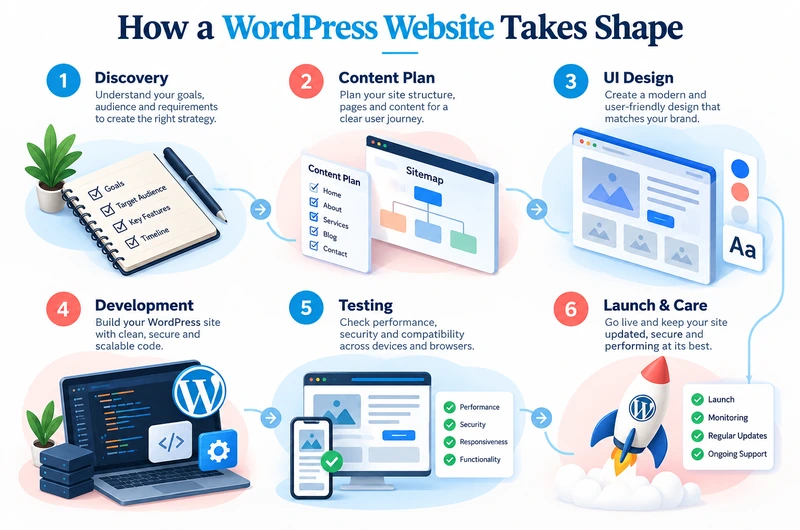
Six steps of WordPress website development from planning and design to testing and launch

Step 1: Understand the Business Requirements

Before choosing a theme or writing code, define what the website needs to accomplish.

A company may want more service inquiries, an educational institution may need to publish information, while an online retailer may want to manage orders.

These goals affect the website structure and required features.

At Webtech Nepal, our planning process begins with understanding the client’s business, audience, content, and technical requirements.

It is also useful to identify who will update the website after launch.

A marketing team may need flexible landing pages. An administrative department may only need controlled fields for updating notices and documents.

Step 2: Plan the Website Structure

The next step is deciding how pages and information will be organized.

For a typical business website, the main pages may include Home, About, Services, Portfolio, Blog, and Contact.

However, the structure should reflect what customers actually need to find.

A company offering several services may benefit from dedicated pages rather than placing everything on one long page.

A sitemap helps the development team plan navigation, page hierarchy, and internal links before building the website.

Step 3: Design the Website Interface

Once the structure is approved, the design stage begins.

Designers prepare layouts for important pages and consider typography, colors, navigation, images, buttons, and content spacing.

Mobile design deserves particular attention because visitors may access the website from smartphones with varying screen sizes and connection speeds.

The design should make important actions easy to find.

For example, a service company may want visitors to request a quotation, while a school may prioritize admissions information and notices.

A successful design helps people complete these tasks without confusion.

Step 4: Set Up WordPress and Develop the Website

Developers create a development environment, install WordPress, and configure the necessary components.

The next tasks include building templates, adding content fields, configuring plugins, and developing custom functionality.

Depending on the requirements, this may involve creating a custom theme, configuring a block theme, or extending a carefully selected existing theme.

The development team should also configure user roles so employees receive only the administrative permissions they need.

Changes should be tested in a staging environment before being published to the live website.

Step 5: Add Content and Prepare the Website for SEO

Content should be treated as part of development, not something added hurriedly before launch.

Service pages need clear descriptions. Important pages should contain accurate contact details, suitable images, useful headings, and relevant calls to action.

The team should also review page titles, meta descriptions, image alt text, URL structures, internal links, and indexing settings.

If the website replaces an older one, existing URLs should be checked carefully.

Where URLs need to change, appropriate redirects help visitors and search engines find the new pages.

Webtech Nepal’s SEO services cover technical improvements and content optimization that can support the website after launch.

Step 6: Improve Website Speed and Security

Before launch, developers should check how the website performs.

Large images, unnecessary scripts, poorly developed themes, and inefficient plugins can increase loading times.

Image compression, caching, properly configured hosting, and selective script loading can improve performance.

Security work should include SSL configuration, strong administrator credentials, access controls, updates, and reliable backups.

The website should also be designed with a practical recovery plan in case a future update causes problems.

Step 7: Test the Website Thoroughly

Testing should cover both appearance and functionality.

A website may look correct on a desktop computer but display poorly on a smaller screen.

The team should test navigation, buttons, forms, images, internal links, administrative workflows, and browser compatibility.

For ecommerce websites, testing should also cover product variations, delivery calculations, payment flows, order notifications, and stock updates.

For content websites, editors should confirm they can publish and update information without accidentally damaging the layout.

Step 8: Launch and Maintain the Website

After testing is complete, the website can be published.

The launch process may include domain and DNS configuration, hosting setup, SSL verification, redirects, analytics, and search engine indexing checks.

Development does not end when the website becomes public.

WordPress core, themes, plugins, hosting systems, and content all require attention over time.

Our website maintenance and support services help businesses manage updates, technical issues, and ongoing website improvements.

How to Make a WordPress Website SEO Friendly

A WordPress website becomes SEO friendly when its technical structure, content, and user experience are planned around how people search and navigate. WordPress provides useful tools, but rankings are not guaranteed by the platform.

For effective WordPress SEO, pay attention to the following areas.

Create a Clear Page Structure

Every important service or product category should have a logical place on the website.

Use descriptive URLs and headings that explain what each page covers.

For example, a separate service page for WordPress development can provide much more useful information than a brief sentence buried inside a general services page.

Avoid creating multiple pages that repeat the same content with only minor keyword changes.

Write Content That Answers Real Questions

Search visitors often want specific information.

Someone searching for WordPress website development may want to know how it works, what it costs, how long it takes, or whether they can manage the website themselves.

Good content answers these questions directly.

A clear question followed by a useful explanation can also make the information easier for search engines and AI based search systems to interpret.

However, there is no special writing formula that guarantees inclusion in AI generated answers.

Accuracy, original information, clear organization, and trustworthy sources remain important.

Connect Related Pages Through Internal Links

Internal links help readers discover related information and help search engines understand how pages on the website are connected.

For example, a blog explaining WordPress development can naturally link to WordPress services, WooCommerce development, hosting, maintenance, and relevant pricing guides.

The anchor text should describe the destination instead of relying on generic phrases such as “click here.”

Optimize Images Properly

Use relevant images that help readers understand the topic.

Compress files before uploading them and choose appropriate image dimensions.

Write descriptive alt text for informative images. Decorative images may not require descriptive alternative text.

Good image handling improves accessibility and can reduce unnecessary page weight.

Monitor Performance and Indexing

Tools such as Google Search Console and Google PageSpeed Insights can help identify issues affecting the website.

Look for indexing errors, broken pages, mobile usability problems, and performance concerns.

Google’s Core Web Vitals also provide useful measurements of loading, responsiveness, and visual stability.

These improvements support the overall visitor experience, even though no single performance score determines search rankings.

Keep Business Information Accurate

For businesses serving customers in Nepal, clearly display the company name, location, services, and contact details.

Where appropriate, use consistent information across the website and business profiles.

Content should identify the author or organization responsible for it, especially when providing advice, prices, or technical recommendations.

Relevant structured data may help search engines understand certain details, but it should accurately reflect information visible on the page.

WordPress Website Speed, Security, and Maintenance

A WordPress website needs regular care to remain reliable.

Performance and security depend on hosting quality, code, configuration, plugins, and maintenance practices.

Choose Suitable Hosting

The hosting environment influences how quickly the server responds and how reliably the website operates.

A small informational website and a busy ecommerce store may have very different hosting requirements.

Choose hosting that supports current WordPress requirements, offers reliable backups, and provides appropriate security controls.

For businesses reviewing their options, Webtech Nepal offers web hosting solutions alongside its development services.

Avoid Unnecessary Plugins

Plugins are useful, but every additional plugin introduces code that needs to be reviewed, updated, and maintained.

Choose plugins based on the features the website genuinely needs.

Check whether they are actively maintained, compatible with the installed WordPress version, and suitable for the hosting environment.

Quality matters more than plugin count alone.

Keep WordPress Updated

Core updates, themes, and plugins may contain security fixes and compatibility improvements.

Test significant updates before applying them to a live business website, especially if the site includes custom functionality.

Maintain Reliable Backups

A backup is valuable only if it can be restored successfully.

Businesses should keep appropriate backup copies of website files and databases, store them securely, and test recovery procedures.

Backup frequency should reflect how often the website changes.

An online store processing daily orders generally needs a different backup policy from a small informational website updated once a month.

For a more detailed explanation, read our article on why WordPress maintenance is essential for website success.

How Much Does WordPress Website Development Cost in Nepal?

The cost of WordPress website development in Nepal depends on the design, number of pages, required features, integrations, and level of customization. There is no single price that applies to every project.

A simple informational website built with an existing theme usually requires less development work than a custom corporate website.

An ecommerce store with product variations, payment integration, delivery rules, and inventory management requires additional development and testing.

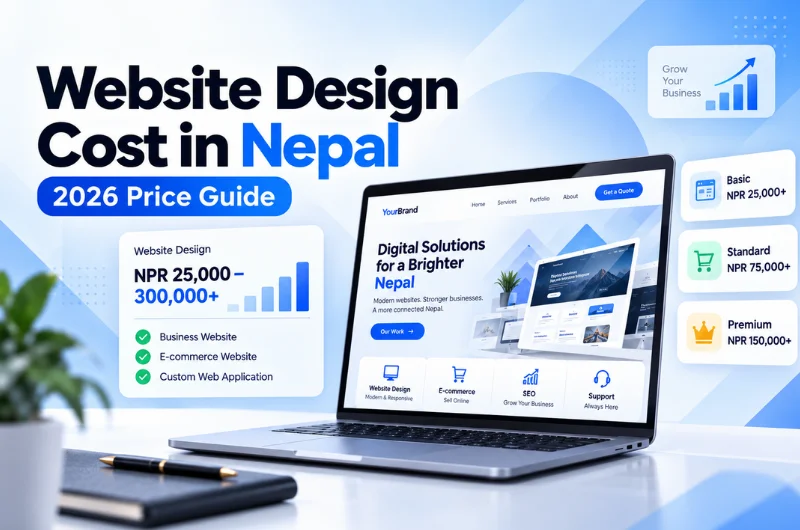
As a general website budgeting reference, our Website Design Cost in Nepal: 2026 Price Guide provides the following indicative market estimates:

Website type Estimated development cost
Small business website NPR 30,000 to 80,000
Professional corporate website NPR 60,000 to 150,000
Ecommerce website NPR 70,000 to 500,000+
Custom web application NPR 200,000 to 1,000,000+

These figures represent broad website development categories, not fixed WordPress packages or a quotation from Webtech Nepal.

The final price also depends on content preparation, custom design, licenses, hosting, domain registration, language support, and post launch maintenance.

When comparing development quotations, ask what is included.

A less expensive quotation may exclude content migration, technical SEO, premium plugin licenses, staff training, security configuration, or maintenance.

Understanding these details helps businesses compare the actual value of different proposals.

Common WordPress Development Mistakes to Avoid

Many WordPress problems begin with decisions made during the initial build.

Choosing a Theme Based Only on Appearance

A theme may look impressive in a demonstration but perform poorly with real content.

Review its speed, editing experience, support, and compatibility before using it.

Adding Plugins for Every Small Requirement

Too many overlapping plugins can make maintenance difficult.

Some features may be better implemented through the theme, a custom block, or a small custom plugin.

Ignoring Mobile Users

A desktop design should not simply be squeezed onto a phone screen.

Menus, buttons, images, forms, and content spacing need to work comfortably on smaller devices.

Neglecting Website Security

Weak passwords, excessive administrative access, outdated software, and missing backups can expose a website to avoidable risks.

Security should be planned before launch and maintained afterward.

Forgetting About SEO During Development

Changing URLs without redirects, blocking search engine access accidentally, duplicating content, or leaving important pages without internal links can cause problems.

SEO requirements should be reviewed before the website goes live.

Choosing Hosting Without Considering Future Needs

A hosting package suitable for a basic website may struggle with a large WooCommerce store or a content platform receiving substantial traffic.

Review resource needs, backup policies, support, and upgrade options.

Launching Without Staff Training

A website is harder to maintain when employees do not understand how to use it.

Training should cover the tasks the business performs regularly, such as updating pages, uploading images, publishing notices, and managing user accounts.

How to Choose the Right WordPress Development Company

Choosing a WordPress developer should involve more than comparing design samples and prices.

Start by reviewing the company’s experience with projects similar to yours.

Ask how its developers approach custom themes, content management, performance, security, and plugin selection.

A reliable development partner should be able to explain why a particular approach suits your requirements.

It is also important to discuss what happens after launch.

Find out whether training is included, who handles technical updates, how problems are reported, and whether you will receive access to the website’s administrative accounts and source files.

Look at completed projects and assess how easy they are to navigate, particularly on mobile devices.

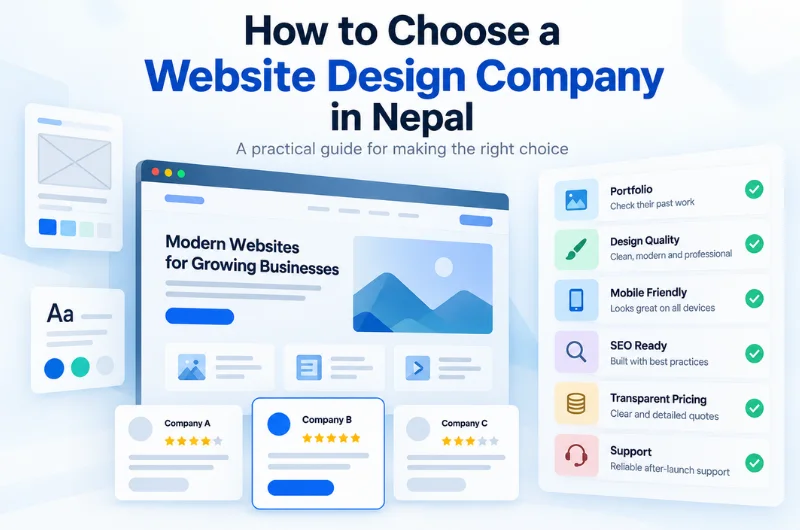
You can also read our guide on how to choose a website design company in Nepal for more practical selection criteria.

WordPress Web Development Services at Webtech Nepal

Webtech Nepal is a website design and development company based in Hattigauda, Kathmandu. Since 2017, our team has worked with businesses, educational institutions, organizations, and growing companies in Nepal and abroad.

We develop WordPress websites for clients who need an attractive website without making everyday content management unnecessarily difficult.

Some projects require a straightforward corporate website. Others involve custom themes, WooCommerce stores, multilingual content, integrations, or improvements to an existing website.

Our work can cover website planning, interface design, WordPress development, performance optimization, security configuration, content migration, testing, and support after launch.

We also help businesses evaluate whether an existing WordPress website should be improved or rebuilt.

For an older website with design or usability problems, our website redesign services provide another option.

The aim is to recommend an approach that matches the business requirements rather than introduce features that increase costs without providing meaningful value.

You can explore our WordPress web development services in Nepal to learn more about what we build.

Frequently Asked Questions About WordPress Web Development

1. Is WordPress good for business websites?

Yes. WordPress is suitable for many business websites, including corporate websites, service websites, blogs, portfolios, and online stores. It allows employees to manage content while developers can customize the design and functionality. Its suitability depends on the business requirements and development approach.

2. Do I need coding knowledge to manage a WordPress website?

No. Most routine content tasks can be completed through the WordPress dashboard. You can update text, upload images, and publish articles without programming knowledge. Custom functionality, technical troubleshooting, and complex design changes may still require a developer.

3. How long does it take to develop a WordPress website?

The development timeline depends on the website’s size, design, features, content readiness, and approval process. A small website using a prepared theme can be completed faster than a custom corporate website or WooCommerce store. A realistic timeline should be agreed upon after reviewing the complete project requirements.

4. Is WordPress good for SEO?

Yes. WordPress supports important SEO practices such as editable page titles, clean URLs, heading structures, image alt text, and internal links. However, strong search visibility also depends on useful content, technical quality, website performance, and competition. WordPress alone does not guarantee high rankings.

5. Can I build an ecommerce website using WordPress?

Yes. WooCommerce allows WordPress to support product listings, shopping carts, checkout, payments, and order management. Businesses can also add custom features and connect approved payment providers. More complex stores may require additional development, testing, and hosting resources.

6. Is WordPress secure for business use?

WordPress can be secure when it is properly configured and maintained. Businesses should use trusted themes and plugins, apply updates, manage access permissions, enable HTTPS, maintain backups, and monitor for vulnerabilities. No website platform is completely immune to security risks.

7. What is the difference between a WordPress theme and a plugin?

A WordPress theme controls the website’s presentation, including templates and visual styling. A plugin adds or extends functionality, such as contact forms, SEO settings, booking systems, or ecommerce features. Custom development may involve both.

8. Can an existing website be moved to WordPress without losing SEO rankings?

An existing website can be migrated to WordPress while preserving important SEO elements, but rankings cannot be guaranteed. The migration should account for existing URLs, redirects, page content, metadata, internal links, and search engine indexing. Testing before and after launch is essential.

9. How much does WordPress development cost in Nepal?

WordPress development costs vary according to design complexity, page count, custom functionality, and integrations. A theme based business website generally costs less than a custom corporate website or ecommerce platform. Request a detailed quotation that includes development, hosting, licenses, and maintenance.

10. Does a WordPress website need maintenance after launch?

Yes. WordPress websites need software updates, security monitoring, backups, performance checks, and occasional technical improvements. Regular maintenance helps reduce compatibility problems and keeps the website functioning as business needs change.

Final Thoughts

WordPress is a practical website platform for businesses that want control over their content without sacrificing design flexibility.

It can support a small company website, a large publication, an online store, or a customized business platform. The important decision is not simply choosing WordPress, but deciding how it should be developed for your requirements.

A well planned website should be easy for visitors to use and straightforward for your team to maintain. Its design, content structure, technical setup, and ongoing support all contribute to that result.

If you are planning a new WordPress website or considering improvements to an existing one, Webtech Nepal can help you review the options.

Discuss Your WordPress Website Project with Webtech Nepal

Tell us about your business, the pages or features you need, and any problems with your current website. Our team can review your requirements and recommend a suitable development approach.

Contact Webtech Nepal for a WordPress Development Consultation

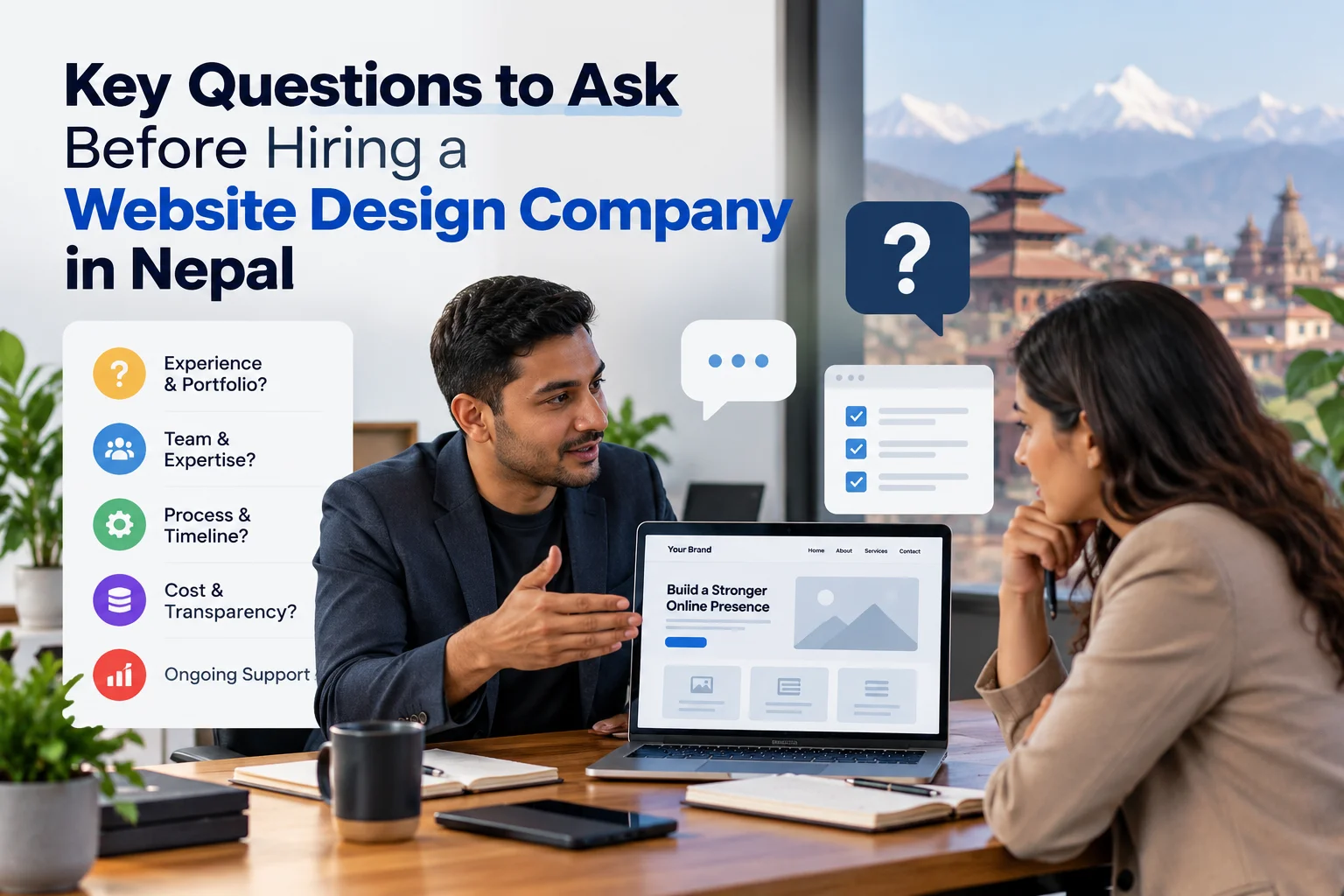
6 Key Questions to Ask Before Hiring a Website Design Company in Nepal

Many buyers choose a website design company in Nepal based on one thing: the cheapest quote they can find. It’s an understandable instinct, but it often leads to predictable trouble, a site that loads slowly, an agency that stops responding after launch, and a business that Google can’t find. That pattern tends to repeat itself, and it’s largely avoidable if you know what to ask before you sign anything.

We’ve spent years building websites across tourism, healthcare, SaaS, and ecommerce for clients ranging from Nepali startups to established enterprises. The pattern we see repeatedly is that businesses that ask better questions upfront spend less money fixing problems later. This guide gives you a practical set of questions and a hiring checklist designed to filter out the wrong agencies fast, so you can shortlist the right ones with confidence.

1. Does their portfolio actually match your type of project?

The first filter most buyers skip is industry fit. A portfolio full of restaurant websites tells you nothing about whether an agency can build a booking-driven trekking platform or a WooCommerce store with inventory management. Visual polish is easy to fake with a premium theme. What matters is whether the agency has delivered comparable functionality to what you actually need.

How to read a portfolio beyond aesthetics

Ask for a live URL for a project similar to yours, not a screenshot or a Behance mockup. Load it on your phone. Fill out a form. Click through the navigation. A site that looks good in a screenshot can be completely broken in practice. What you want to verify is functional evidence: inquiry forms for tourism companies, product catalogs with payment integrations for ecommerce, role-based dashboards for SaaS products.

The evaluation framework that works: prioritize business and audience similarity first, then functionality and conversion evidence, then live technical quality, and visual style last. An agency with beautiful but unrelated work has not demonstrated that it can solve your industry’s specific problems.

Industry-specific examples to look for

Different sectors have very different technical requirements. Tourism and trekking companies need SEO-friendly, inquiry-driven sites with multilingual support. Ecommerce businesses need secure checkout and eSewa/Khalti integrations, along with reliable inventory management. SaaS products require scalable architecture and admin panels that non-technical team members can actually use. When reviewing a portfolio, check that the agency has delivered at least one project with requirements close to yours, not just something in a broadly similar industry.

The case study test

Ask for one specific case study that details the problem, the scope, and a measurable result. A strong case study explains the client’s challenge, the design decisions made, and what changed after launch.

If they can’t produce one, that’s your answer.

2. Hiring a Website Design Company in Nepal: What to Ask About Pricing

Vague quotes are a red flag. Any reputable web development company in Nepal should be able to give you a price range upfront based on your page count, features, and CMS requirements. Agencies that hedge on price before the project starts will hedge on scope during it.

2026 market rates by project type

Based on quotes and published rate data across the Nepal web market, a basic company website with 5 to 15 pages typically runs NPR 25,000 to NPR 150,000. A professionally designed corporate site with CMS and basic SEO commonly lands between NPR 100,000 and NPR 200,000.

Ecommerce websites with payment integration run NPR 80,000 to NPR 500,000 or more, depending on inventory complexity and integrations. Custom web applications, including booking systems, dashboards, and SaaS products, typically start at NPR 150,000 and can reach NPR 1,500,000 or beyond for multi-role enterprise platforms.

What a quote often leaves out

Many agencies quote only the build cost. Hosting, SSL certificates, premium plugins, payment gateway fees, content entry, and post-launch maintenance are frequently billed separately. Domain registration adds roughly NPR 1,000 to NPR 3,000 per year, and shared hosting adds NPR 2,000 to NPR 8,000 annually based on Nepal market rates. Ask the agency to itemize all first-year costs in writing before you agree to anything.

Why pricing transparency is non-negotiable

If a company won’t give you a written cost breakdown before you sign, don’t sign.

3. What technology stack are they building on, and does it include SEO and security?

A well-designed site that loads slowly, ranks nowhere, and gets compromised three months in is a liability, not an asset. The technology questions matter as much as the design questions, and you don’t need to be technical to ask them.

Technology questions every client should ask

Ask which CMS or framework the agency uses and why. WordPress, Laravel, Next.js, and custom builds each carry different implications for editing ease, scalability, and ongoing costs. Ask whether the site will be built mobile-first, how Core Web Vitals performance is handled, and whether they use a staging environment before pushing changes live. An agency that can’t answer those questions clearly is not the right partner for your project.

On-site SEO and security basics that should come standard

A reputable digital agency in Nepal should include page titles, meta descriptions, image alt text, clean URL structures, SSL, and basic malware protection as default deliverables, not as add-ons. If an agency quotes basic on-page SEO as a separate line item, push back. Server-side rendering for key pages, HTTPS configuration, secure headers, and automated backups should all be part of the standard build process in 2026.

The Microsoft Partner advantage

We hold Microsoft Partner status, which signals adherence to verified technical standards. That credential becomes relevant when evaluating agencies for cloud hosting, Azure integrations, or enterprise-grade security requirements. When you’re comparing agencies, third-party technical recognition is one of the few signals that isn’t self-reported.

4. Who handles your site after it goes live?

Post-launch support is where many web design companies in Nepal struggle to deliver consistently. Ask this question in the first call, not after the contract is signed. The answer tells you more about an agency’s operational maturity than almost anything else.

What a proper maintenance retainer actually covers

Nepal market rates for maintenance retainers generally fall into three tiers. Basic plans run approximately NPR 3,000 to NPR 6,000 per month and cover updates, backups, monitoring, and minor edits. Standard plans run approximately NPR 6,000 to NPR 12,000 per month and add content updates and performance optimization. Premium plans run approximately NPR 12,000 to NPR 25,000 per month and include priority support, monthly reporting, and limited feature work.

Ask whether the retainer includes a monthly hours limit, defined response times, emergency fees, and what happens to your site if you cancel.

Managed hosting inclusions to verify

Not all hosting packages are equal. Confirm whether the agency’s hosting includes SSL, automated daily backups, uptime monitoring, malware scanning, CDN, and a migration guarantee if you ever switch providers. That level of published detail is what you should expect from any website design company in Nepal you seriously consider.

The ownership question

Ask directly: if you cancel the retainer, do you keep full access to the hosting account, domain, source code, and Google Analytics? The answer should always be yes. Any agency that ties your asset access to a continued billing relationship is not acting in your interest.

5. How do you verify that an agency delivers what it promises?

Any web design company in Nepal can claim they’re the best. Third-party platforms give you the actual receipts, and knowing how to read them saves you from making expensive decisions based on self-reported marketing.

Where to check independent reviews

Clutch, The Manifest, DesignRush, and TechBehemoths are well-regarded sources for verified Nepal web agency reviews. Read them critically: a 5.0 rating from three reviews is much weaker evidence than a 4.8 from thirteen. Look at review dates, project descriptions, and whether reviewers describe the agency’s communication, delivery reliability, and post-launch behavior by name. Clutch in particular reduces the influence of reviews older than two years, so recency matters alongside volume.

What industry recognition signals

Third-party recognition on platforms like DesignRush and TechBehemoths means an agency has been vetted against documented criteria, not just self-nominated. When comparing agencies, look for the combination of review volume, recency, and third-party recognition rather than any single signal.

Red flags to act on immediately

Remove any agency from your shortlist that has no third-party reviews, a portfolio of dead links, no published maintenance terms, and a refusal to share client references. These are not minor omissions. Always ask for two recent client references and actually call them. Ask those references specifically about what happened after launch, not just whether they liked the design.

6. Your practical hiring checklist: questions, contract items, and next steps

This checklist consolidates everything above into the exact steps to take before you sign anything.

Five questions to ask in the first call

Start with portfolio fit: ask for comparable industry examples with live URLs you can test yourself. Then ask for a full first-year cost breakdown that includes hosting, maintenance, and any third-party fees. Ask which technology stack and CMS they use, and whether you’ll be able to edit content yourself after handover. Ask specifically about post-launch support terms: what’s included, what the response time commitment is, and what the emergency process looks like. Finally, confirm ownership of all assets outright, your domain, source code, hosting account, and Google Analytics access must belong to you at contract end, regardless of what happens to the relationship.

Three contract items to confirm before signing

First, require a written milestone and payment schedule tied to deliverables rather than just calendar dates. Second, confirm a clause specifying asset ownership and data portability on cancellation. Third, get defined revision rounds in writing, along with a clear process for handling requests that fall outside the agreed scope. Agencies that resist any of these items are telling you something worth listening to before you pay a deposit.

Your next step

If you want a second set of eyes on your current site or a clear proposal for a new one, get in touch with our team at Webtech Nepal. We work across tourism, ecommerce, healthcare, and SaaS, tell us what you’re building and we’ll take it from there.

The bottom line on hiring the right website design company in Nepal

Choosing the right website design company in Nepal comes down to asking better questions, not chasing the lowest price. A portfolio without case studies is a warning sign. So is a quote with no maintenance terms attached. So is an agency with no third-party verification. Each of those gaps shows up clearly when you know what to look for, and this checklist gives you exactly that.

Working through these questions is likely to help you shortlist faster and avoid costly mistakes that are difficult to undo after a contract is signed. At Webtech Nepal, we check every box covered in this article: a publicly visible portfolio spanning multiple industries, transparent pricing, managed hosting with documented terms, Microsoft Partner credentials, and verified listings on DesignRush and TechBehemoths. If you’re ready to take the next step, reach out and tell us what you’re building.

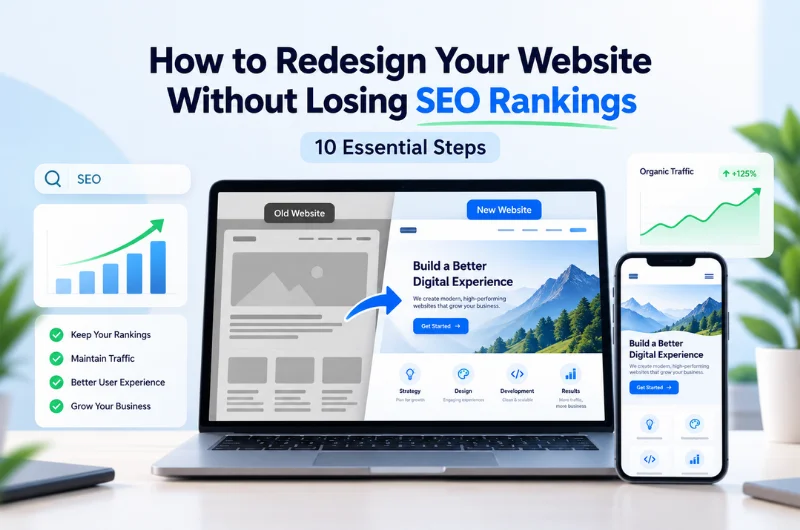
How to Redesign Your Website Without Losing SEO Rankings: 10 Essential Steps

A website redesign can make your business look more professional, improve the browsing experience, and help visitors find what they need. But what happens to your Google rankings when you replace your existing website?

If your website already brings in visitors, enquiries, or sales through Google, you have something worth protecting. Changing URLs, removing important content, or overlooking technical SEO can affect the search visibility you have built over time.

To redesign your website without losing SEO rankings, start with an SEO audit, keep valuable pages and content, plan redirects for changed URLs, test the new website, and monitor its performance after launch.

The good news is that a website redesign does not automatically lead to lower rankings. With proper planning, you can give your website a fresh appearance without unnecessarily disrupting your existing organic traffic.

In this guide, we explain 10 essential steps to protect your website’s SEO during a redesign and avoid common mistakes that can affect your Google rankings.

Does Redesigning a Website Affect SEO Rankings?

Yes, redesigning a website can affect SEO rankings, especially when the changes go beyond its appearance.

For example, changing your website’s colors, fonts, or layout may have little direct impact on SEO. But if you remove pages, change URLs, rewrite large amounts of content, or modify your website’s structure, search engines may need to reassess those pages.

Here are some common changes that can affect SEO during a redesign:

  • Changing existing page URLs without redirects
  • Removing pages that already receive organic traffic
  • Replacing helpful content with shorter or less relevant information
  • Changing navigation menus and internal links
  • Accidentally blocking search engines from important pages
  • Introducing technical errors or slower page loading times

Google’s website migration documentation explains that search visibility can fluctuate temporarily when websites move to new URLs.

This is why SEO should be considered before redesign work begins, not only after the website goes live.

10 Essential Steps to Redesign Your Website Without Losing SEO Rankings

1. Check Your Current Website’s SEO Performance

Before changing anything, find out how your current website performs in Google Search.

Which pages bring the most visitors? What keywords help people find your business? Which pages generate enquiries or sales?

These details matter because your most useful pages may not always be the ones you expect.

Start by reviewing your website in Google Search Console and Google Analytics 4.

Look at:

  • Organic traffic over the past three to six months
  • Pages receiving the most clicks from Google
  • Keywords bringing visitors to your website
  • Pages generating enquiries, bookings, or sales
  • Search impressions and average keyword positions
  • Pages receiving links from other websites
  • Current website speed and indexing issues

Save these reports before starting the redesign. You can use them later to compare performance and identify unexpected changes.

For example: A hotel website in Pokhara might receive a large share of its booking enquiries through a room information page rather than its homepage.

If that page is removed during the redesign, the business could lose a valuable source of visitors.

Checking your current SEO performance helps you understand which parts of your website need the most attention.

2. Identify and Protect Your Important Website Pages

Not every page contributes equally to your website’s search traffic.

Some pages rank for valuable keywords, while others attract customers who are ready to contact your business or make a purchase.

Before redesigning, create a list of the pages you want to preserve.

These usually include your main service pages, popular blog posts, product categories, pages with valuable backlinks, and landing pages that generate business enquiries.

Review the content and purpose of each page.

Ask yourself:

  • Does this page attract relevant visitors?
  • Does it rank for an important keyword?
  • Does it generate enquiries or sales?
  • Does another website link to it?
  • Is its information still useful and accurate?

If a page performs well, avoid deleting it simply because it does not fit the new design.

You can improve its appearance, update outdated information, or reorganize its content. Just make sure the redesigned page still serves the needs of its visitors.

This also applies to older blog articles. An article published several years ago may continue attracting visitors because it answers a question people regularly search for.

Removing useful content without checking its performance is an avoidable SEO risk.

3. Back Up Your Website and Create a URL List

Before making major changes, take a complete backup of your existing website.

Your backup should include website files, databases, images, content, and important settings. If an unexpected problem occurs, a verified backup can help you restore your previous website.

Next, prepare a list of your existing website URLs.

You can use a crawling tool such as Screaming Frog SEO Spider to collect URLs and review the current website structure.

For each important page, record its address, title, current status, and planned destination.

Your spreadsheet might look like this:

Existing page Redesign plan Action
Homepage Keep the same URL Update the design
Website design service Keep the same URL Improve layout and content
Old service page Move to a new URL Add a 301 redirect
Outdated blog post Review its usefulness Update, merge, or remove

This document gives your developers and SEO team a clear record of what needs to happen.

It also reduces the chance of forgetting an old page that still receives visitors or backlinks.

4. Plan Your New Website Structure Carefully

A redesign often involves changing how your website’s pages and menus are organized.

You may want fewer menu items, clearer service categories, or a simpler way for visitors to find information.

These improvements can make your website easier to use. However, changing the structure without checking existing URLs and internal links can create SEO problems.

Whenever possible, keep the URLs of important pages unchanged.

For example, if your current website design service page is:

example.com/website-design/

There may be no reason to change its URL if the page continues offering the same service.

If you need to reorganize your website, plan the new structure before development begins.

Make sure important pages remain easy to reach through navigation menus, service pages, or relevant internal links.

A useful rule is to avoid changing URLs solely because the website is getting a new appearance.

Your website’s design can change completely while its most valuable page addresses remain the same.

5. Set Up 301 Redirects for Changed URLs

What happens if someone clicks an old website link after you change its address?

Without a proper redirect, they may land on a 404 error page instead of finding the content they expected.

This is where 301 redirects become important.

A 301 redirect tells browsers and search engines that a page has permanently moved to another URL.

For example:

example.com/old-services/

Redirects to:

example.com/website-services/

Visitors using the old link are automatically sent to the new page.

When setting up redirects, follow a few simple rules:

  • Redirect changed URLs to the most relevant new pages.
  • Avoid sending unrelated pages to your homepage.
  • Keep redirects as direct as possible.
  • Update internal links so they point to the new URLs.
  • Test that old URLs reach the correct destinations.
  • Do not create redirects for URLs that remain unchanged.

Google recommends permanent server redirects, such as 301 or 308, when a page has moved permanently.

Its guidance also recommends keeping redirects for at least one year after a site move. Keeping useful redirects longer can help people following older external links.

A redirect is not a guarantee that rankings will remain identical. It does, however, help search engines understand where moved content can now be found.

You can read more in Google’s official site migration guide.

6. Preserve Valuable Content and Important SEO Elements

During a redesign, it can be tempting to remove text to make your pages look cleaner.

Large images, modern layouts, and short headlines can make a website attractive. But visitors still need enough information to understand your products or services.

Search engines also use page content and other signals to understand what each page offers.

Before replacing existing content, review:

  • Page titles and meta descriptions
  • Main headings and supporting headings
  • Service and product descriptions
  • Important keywords used naturally in the content
  • Internal links to relevant pages
  • Image alt text
  • Canonical tags and relevant structured data

You do not need to copy every sentence from your old website.

If a page contains outdated details, confusing explanations, or unnecessary repetition, improve it.

The important thing is to preserve its main purpose and useful information.

For example: Imagine a Kathmandu education consultancy has a detailed page explaining its study abroad counselling services.

During the redesign, replacing that content with a banner and a contact button may remove answers that prospective students were looking for.

A better approach is to keep the useful information, organize it under clear headings, improve readability, and make the contact option easier to find.

Good website design and useful content should support each other.

7. Test Your Redesigned Website Before Launch

Never assume your redesigned website is ready just because the homepage looks good.

Before publishing it, test the website in a staging environment.

A staging website is a private version where you can review the design, content, links, and functionality without affecting your live website.

This gives your team time to identify mistakes before customers encounter them.

Test important features such as:

  • Navigation menus and internal links
  • Contact forms and enquiry buttons
  • Product pages and checkout processes
  • Mobile and desktop layouts
  • Image loading and display
  • Page titles and headings
  • Canonical URLs
  • Redirects
  • Analytics and conversion tracking

You should also make sure search engines do not accidentally index the staging website.

Password protection or another suitable access restriction is generally the safest way to keep a staging site private.

A noindex directive can stop accessible pages from being indexed, but it must be configured correctly. Blocking a page through robots.txt alone does not guarantee that it will stay out of search results.

Most importantly, check that any temporary indexing restrictions are removed from the live website when you launch it.

Google explains these requirements in its noindex documentation.

Testing before launch gives you a chance to fix problems without interrupting the experience of real customers.

8. Improve Website Speed and Mobile Experience

A website redesign should make your website easier to use, not slower or more complicated.

A new design might include large images, animations, video backgrounds, and interactive elements. These features can look attractive, but they can also increase loading time when implemented poorly.

For visitors using mobile devices, slow loading and difficult navigation can be especially frustrating.

Make sure the redesigned website works well on different screen sizes.

Check that:

  • Text is easy to read without zooming.
  • Menus work properly on smartphones.
  • Buttons are easy to tap.
  • Images load without slowing down pages unnecessarily.
  • Contact forms are simple to complete.
  • Important content does not move around while loading.

You should also review your website’s Core Web Vitals.

Google uses three main measures:

Metric What it measures Good target
Largest Contentful Paint (LCP) How quickly the main content appears 2.5 seconds or less
Interaction to Next Paint (INP) How quickly a page responds to interactions 200 milliseconds or less
Cumulative Layout Shift (CLS) How stable the page layout remains 0.1 or less

These targets are based on Google’s guidance for evaluating real user experiences.

You can check your website using Google PageSpeed Insights.

For businesses in Nepal, it is also useful to test the website on ordinary mobile connections rather than only on a fast office network.

A simple website that loads quickly and helps people find information can be more effective than a visually impressive website that is difficult to use.

9. Follow an SEO Checklist When Launching Your Website

Once the design and testing are complete, it is time to publish the new website.

However, launching a redesigned website involves more than replacing the old files.

You need to confirm that search engines and visitors can access the correct pages.

Before launch, make sure your website backup, redirects, content, and tracking tools are ready.

Once the new website is live, check the following:

  • Important pages load successfully.
  • Old URLs redirect correctly where needed.
  • Live pages are not accidentally marked noindex.
  • The robots.txt file does not block important content.
  • Canonical tags point to the correct URLs.
  • Internal links work correctly.
  • Google Analytics 4 records visits and conversions.
  • Your XML sitemap contains the correct live URLs.

An XML sitemap is a file that helps search engines discover important pages on your website.

If the redesign changes your website’s URLs, generate an updated sitemap and submit it through Google Search Console.

Use the URL Inspection tool to check important pages and identify possible indexing problems.

If you are changing your website’s domain, you may also need Google’s Change of Address tool. This is not required for a normal visual redesign or URL changes within the same domain.

For a broader set of development checks, read Webtech Nepal’s Website Development Checklist for Businesses.

A careful launch helps your new website become publicly accessible without overlooking important technical details.

10. Monitor SEO Performance and Fix Problems After Launch

Your website may be live, but the SEO work is not finished.

After a redesign, Google needs time to crawl updated pages, recognize redirects, and process other website changes.

Some movement in search rankings is normal, particularly when URLs or content have changed.

However, a noticeable drop in organic traffic should not be ignored.

During the first couple of weeks, review Google Search Console and your analytics reports regularly.

Pay attention to:

  • Changes in organic traffic and search impressions
  • Important keyword rankings
  • Pages that are no longer indexed
  • Broken links and 404 errors
  • Redirect errors
  • Missing or incorrect canonical tags
  • Changes in enquiries, sales, or other conversions

Compare these results with the reports you saved before the redesign.

If a previously successful service page stops receiving traffic, investigate what changed.

Was its URL redirected correctly? Is its content still available? Can Google crawl and index the new page?

Sometimes the issue is small, such as a missing redirect or an incorrect indexing setting. Other times, the problem involves major content or structural changes.

Fix confirmed technical errors first and continue monitoring performance over the following weeks and months.

Avoid making large changes based on just one or two days of ranking movement.

A Website Redesign Example From Webtech Nepal

A website redesign becomes more challenging when the existing site contains thousands of pages.

This was an important consideration in Webtech Nepal’s work on Review Nepal, a Nepalese digital news platform.

According to Webtech Nepal’s published project case study, the website needed a modern content management system and a better experience for readers and editors.

However, it also had an archive of more than 13,000 news articles that needed to remain accessible.

The project involved migrating existing articles, images, categories, metadata, and publication details while preserving the website’s URL structure.

By retaining existing URLs and content during the rebuild, the project aimed to protect established search visibility while improving the website.

The example shows why content and URL planning matter during a redesign, especially for websites with a large amount of published information.

The same principle applies to smaller business websites. Whether you have 20 pages or thousands, you should know which content needs to be preserved before making major changes.

Why Do Websites Lose Google Rankings After a Redesign?

Website rankings can decline after a redesign when search engines can no longer access or understand important content as they did before.

Missing redirects, deleted pages, changes to content, and incorrect indexing settings are among the most common problems.

A redesign can also affect SEO when navigation changes make important pages harder to discover or when the new website performs significantly worse on mobile devices.

Not every traffic decline is caused by the redesign itself. Seasonal demand, competition, algorithm changes, and reporting differences can also affect performance.

That is why having reliable data from before and after the launch is so important.

Rather than assuming the entire redesign is responsible, investigate specific pages, search queries, and technical errors to understand what changed.

Useful Tools for Protecting SEO During a Website Redesign

You do not need dozens of tools to manage a website redesign properly.

A few reliable tools can help you check the most important areas.

Tool How it helps
Google Search Console Monitor search traffic, indexing, sitemap submissions, and crawl problems
Google Analytics 4 Measure website visits, enquiries, and conversions
Screaming Frog SEO Spider Identify website URLs, broken links, redirects, and missing metadata
Google PageSpeed Insights Check loading speed, Core Web Vitals, and performance issues

These tools work best when you use them before and after the redesign.

The aim is not simply to collect reports. It is to identify problems that might affect your website’s visitors and search visibility.

Frequently Asked Questions

1. Can I Redesign My Website Without Losing Google Rankings?

Yes, it is possible to redesign your website without a significant loss of Google rankings. Keeping important URLs, preserving valuable content, using appropriate redirects, and testing technical SEO can reduce the risk. However, no redesign process can guarantee that rankings will remain unchanged.

2. How Long Does SEO Take to Recover After a Website Redesign?

There is no fixed recovery period. Smaller updates may cause little disruption, while significant website migrations can take several weeks or longer for Google to process. The timeline depends on the number of changed URLs, website size, and whether technical problems occur.

3. Will Changing My WordPress Theme Affect SEO?

Changing a WordPress theme does not automatically hurt SEO. Problems can occur if the new theme removes important content, changes heading structures, affects loading performance, or changes how search engines access pages. Always test the new theme before making it live.

4. Should I Change My Domain During a Website Redesign?

If your current domain still suits your business, keeping it is usually simpler. Moving to a new domain requires additional SEO migration work, including redirects and Search Console checks. Only change domains when there is a clear business reason.

5. Is Professional SEO Support Necessary During a Website Redesign?

Not every redesign requires a dedicated SEO specialist. However, professional support can be useful when changing website platforms, migrating large amounts of content, modifying URL structures, or protecting a website that already generates valuable organic traffic.

Conclusion

Redesigning your website is an opportunity to improve how your business looks and works online. But a new appearance should not come at the expense of the search visibility your existing website has already earned.

Start by understanding your current SEO performance. Protect important pages, preserve useful content, keep URLs wherever possible, and use proper redirects when changes are necessary.

Before launching, test the new website carefully. After launch, monitor its performance and address any technical issues you discover.

Planning to redesign your business website?

Webtech Nepal provides website design and redesign services alongside SEO services for businesses in Nepal and beyond.

Whether you want to modernize an outdated business website or move to a new website platform, the right planning can help you improve the design while protecting important content and search visibility.

Contact Webtech Nepal to discuss your website redesign requirements.

Website Design Cost in Nepal: 2026 Price Guide

How much does it cost to design a website in Nepal in 2026? Whether you’re launching a new business, building an online store, or redesigning an existing website, understanding website development costs is essential for planning your budget.

In today’s digital world, a professional website is more than just an online presence. It helps businesses establish credibility, attract potential customers, showcase products and services, and generate leads.

However, website design prices in Nepal vary significantly depending on the design, functionality, number of pages, and development approach.

In this comprehensive 2026 price guide, we’ll explore the website design cost in Nepal, different website packages, ongoing expenses, and practical tips to help you get the best value for your investment.

How Much Does Website Design Cost in Nepal in 2026?

In 2026, website design and development costs in Nepal can range from NPR 15,000 for a basic website to NPR 500,000 or more for advanced e-commerce websites and custom solutions.

Here’s an estimated pricing breakdown:

Website Type Estimated Price (NPR)
Landing Page Website Rs. 10,000 – 30,000
Basic Static Website Rs. 15,000 – 50,000
Small Business Website Rs. 30,000 – 80,000
Professional Corporate Website Rs. 60,000 – 150,000
E-commerce Website Rs. 70,000 – 500,000+
Custom Web Application Rs. 200,000 – 1,000,000+

Note: These are indicative market estimates, not fixed prices. Actual quotations depend on the scope of work, technologies, design requirements, and development company.

1. Types of Websites and Their Costs in Nepal

Understanding different website categories will help you determine which option best suits your business.

Basic Static Website: Rs. 15,000 – 50,000

A static website is generally the most affordable option for individuals and small businesses that need a simple online presence.

These websites typically contain a few essential pages, such as Home, About Us, Services, and Contact.

They are suitable for personal portfolios, small businesses, informational websites, and startups.

A basic package usually includes mobile-responsive design, a contact form, and fundamental search engine optimization.

However, updating content may require technical assistance if the website does not have a content management system (CMS).

Business Website: Rs. 30,000 – 80,000

A professional business website helps companies establish credibility and attract customers online.

These websites generally offer modern layouts, service pages, image galleries, contact forms, and easy content management.

Businesses such as consultancies, restaurants, construction companies, and local service providers can benefit from this type of website.

For companies looking to build a strong digital presence without investing heavily in custom development, a business website offers a practical solution.

Corporate Website: Rs. 60,000 – 150,000

Corporate websites are designed for established companies and organizations that require a more professional and customized digital presence.

They often include advanced layouts, multiple service sections, company profiles, news or blog sections, career pages, and administrative dashboards.

Additional features may include multilingual support, third-party integrations, and more extensive SEO optimization.

A well-designed corporate website also supports brand consistency and creates a positive impression among potential clients and business partners.

E-commerce Website: Rs. 70,000 – 500,000+

E-commerce websites allow businesses to sell products and services online.

With increasing digital adoption in Nepal, online stores are an important sales channel for retailers and growing businesses.

Common e-commerce features include product catalogs, shopping carts, checkout systems, customer accounts, inventory management, and order tracking.

Nepali businesses may also require payment gateway integrations with services such as eSewa, Khalti, or Fonepay, subject to merchant approval and integration requirements.

A small WooCommerce store can be developed at a relatively affordable price, while larger platforms with custom inventory systems and advanced functionality require a higher budget.

Custom Web Application: Rs. 200,000 – 1,000,000+

Custom web applications are designed around specific business processes rather than standard informational pages.

Examples include hotel reservation systems, online learning platforms, membership portals, customer management systems, and business dashboards.

Their pricing depends on the complexity of the application, database architecture, security requirements, integrations, and development time.

2. Key Factors That Affect Website Design Cost in Nepal

Several factors determine how much you will pay for website design and development.

Website Design and Customization

A website developed using a pre-built template usually costs less than a completely customized design.

Custom UI/UX design involves researching user needs, planning layouts, designing interfaces, and refining the user experience.

Businesses that want a distinctive brand identity may benefit from investing in custom design.

Number of Pages

A five-page website generally requires less work than a corporate website with dozens of unique sections.

However, the number of pages alone does not determine the final cost. A small website with complex interactive features may cost more than a larger informational website.

Website Features and Functionality

Additional functionality can increase development costs.

Examples include online booking, payment processing, customer login systems, multilingual content, live chat, advanced search, and integration with external software.

Each feature may require additional development, testing, and maintenance.

Technology and Development Platform

The technology used to build your website can also affect the budget.

WordPress is often cost-effective for blogs, business websites, and smaller e-commerce stores.

Custom solutions developed using frameworks such as Laravel, React, or Next.js may require a larger investment depending on the project’s technical requirements.

SEO and Performance Optimization

A visually attractive website is not enough if potential customers cannot find it.

Professional website development should consider search engine optimization, loading speed, mobile usability, and website structure.

Advanced SEO services, content marketing, and ongoing optimization are often quoted separately.

3. Additional Website Costs You Should Know

Website development is usually a one-time expense, but keeping a website running involves recurring costs.

Service Estimated Cost
.com Domain Registration Rs. 1,500 – 3,000/year
.com.np Domain Registration Free for eligible applicants
Shared Web Hosting Rs. 2,000 – 15,000/year
SSL Certificate Often free
Website Maintenance Rs. 2,000 – 20,000/month for paid support plans
Premium Themes and Plugins Depends on licensing requirements

In Nepal, eligible individuals and organizations can register a .com.np domain without a registration fee through the official .np registry.

Many hosting companies also provide free SSL certificates, which help secure communication between visitors and websites.

Maintenance packages may include software updates, security monitoring, backups, bug fixes, and content changes.

Before selecting a website development company, make sure you understand which services are included in the initial package and which require additional payment.

4. Freelancer vs. Web Design Agency in Nepal

One important decision is whether to hire a freelance website developer or a professional web development agency.

Hiring a Freelancer

Freelancers can be a budget-friendly option for smaller projects.

They often offer flexible pricing and direct communication, making them suitable for portfolios, landing pages, and simple business websites.

However, service quality, project management, availability, and long-term support can vary from one freelancer to another.

Hiring a Web Design Agency

A professional agency may provide a team of designers, developers, testers, and project managers.

Agencies are often better suited for corporate websites, complex e-commerce platforms, and projects requiring ongoing support.

Although their initial pricing may be higher, they can offer a more structured development process and broader technical expertise.

Which option is better? The right choice depends on your budget, project complexity, timeline, and support requirements. Evaluate previous work and written proposals rather than choosing solely on price.

5. How to Reduce Website Development Costs Without Sacrificing Quality

Building a professional website does not always require a large budget.

Start by identifying the essential features your business needs. You can introduce advanced functionality as your business grows.

Choose an appropriate platform, prepare your website content in advance, and use licensed templates when a completely custom design is unnecessary.

It is also important to request a detailed quotation that clearly explains development costs, hosting fees, revisions, support, and maintenance.

Avoid selecting a website package simply because it is the cheapest. Poor security, difficult content management, slow loading speeds, and unreliable support may result in additional expenses later.

Investing in a well-planned website from the beginning can help reduce unnecessary redesign and maintenance costs.

6. How to Choose the Best Website Design Company in Nepal

Choosing the right development partner is just as important as deciding your budget.

Before hiring a website design company in Nepal, review its portfolio and evaluate the quality of its previous projects.

Look for websites that are mobile-friendly, easy to navigate, fast-loading, and visually consistent.

Discuss your business goals, target audience, required features, and expected timeline before starting the project.

You should also confirm domain ownership, hosting access, CMS credentials, design revisions, post-launch support, and the availability of maintenance services.

A reliable company should provide a transparent proposal with clearly defined deliverables and payment terms.

When comparing quotations, check whether the applicable 13% VAT is included or added separately.

7. Is Investing in a Professional Website Worth It in 2026?

For many businesses in Nepal, a website is a valuable long-term digital asset.

Unlike social media pages, a business website gives you greater control over your branding, content, customer experience, and online marketing strategy.

A professionally developed website can help potential customers discover your business through search engines, understand your services, and contact you directly.

For hotels, trekking agencies, educational institutions, retailers, and professional service providers, a website can also support inquiries, reservations, and sales.

The return on investment depends on your business model, website quality, traffic, and marketing strategy.

A website alone does not guarantee customers, but it provides a foundation for sustained digital growth.

8. Frequently Asked Questions (FAQs)

How much does a basic website cost in Nepal?

A basic static website in Nepal typically costs around Rs. 15,000 to Rs. 50,000 in 2026. The final amount depends on design customization, the number of pages, and included services.

How much does a WordPress website cost in Nepal?

A basic WordPress website development in Nepal may cost approximately Rs. 20,000 to Rs. 50,000, while a professional business website commonly ranges from Rs. 50,000 to Rs. 120,000 or more.

What is the cost of an e-commerce website in Nepal?

An e-commerce website development in Nepal may cost between Rs. 70,000 and Rs. 500,000 or more, depending on product management, payment integrations, design requirements, and advanced functionality.

Can I create a website for free in Nepal?

Yes. Free website builders and free .com.np domains can reduce initial costs. However, professional designs, custom domains, reliable hosting, and advanced functionality may require payment.

How long does it take to build a website?

A basic website may take one to three weeks, while a professional business website may require three to eight weeks. More complex e-commerce platforms and custom applications can take several months.

Does website design pricing include hosting and domain registration?

Not always. Some website development companies include first-year hosting and domain registration, while others charge separately. Always confirm what your package includes.

Conclusion

The website design cost in Nepal in 2026 depends on your business needs, design preferences, technical requirements, and choice of development partner.

A small business can establish a professional online presence with a relatively modest investment, while larger organizations may require custom solutions with advanced functionality.

Rather than focusing only on the initial website price, consider performance, security, scalability, user experience, and long-term support.

Whether you are launching your first business website or upgrading an existing platform, choosing the right website development partner will help you build a stronger digital presence.

Ready to build a professional website for your business? Connect with an experienced website design and development team in Nepal to discuss your requirements and receive a customized quotation.

How to Choose a Website Design Company in Nepal

Planning to build a website for your business? One of the first things you’ll need to decide is who should design and develop it.

There are plenty of website design companies in Nepal, and most of them promise attractive designs, affordable prices, and quality service. But how do you know which company is actually right for your business?

A website is something you’ll use for years. It represents your business, helps customers learn about your services, and gives people a way to contact you. If it’s poorly designed or difficult to use, potential customers might leave before even finding out what you offer.

That’s why choosing the right website design company matters.

In this article, we’ll walk you through the things you should look for before hiring a website design company in Nepal. We’ll also share some useful tips to help you avoid common mistakes and get a website that works for your business.

1. Know What You Want From Your Website

Before you start searching for a website design company, think about what you actually need.

Are you looking for a simple website to introduce your company? Do you want to sell products online? Or do you need a website where customers can make bookings, submit inquiries, or access specific services?

For example, a restaurant in Kathmandu might need a website with its menu, location, photos, and reservation details. An online clothing store will need product pages, shopping carts, payment options, and order management.

Both businesses need a website, but their requirements are completely different.

You don’t need to understand all the technical details. Just having a clear idea of what you want your website to do will make conversations with developers much easier.

It also helps the website design company suggest the right solution instead of selling you features you might never use.

2. Take a Good Look at Their Previous Work

One of the easiest ways to understand a company’s capabilities is to check the websites they have already built.

Most website design companies have a portfolio section where you can explore their completed projects.

Don’t just look at the screenshots. Open a few websites and actually use them.

See how quickly they load, how easy the menus are to navigate, and whether the design looks good on your phone.

A website might look impressive in a portfolio image but feel completely different when you’re browsing it.

You should also look for variety in their work. Have they developed websites for different types of businesses? Can they create something that suits your brand rather than using the same layout for every client?

For instance, Webtech Nepal has worked on website projects for different businesses and organizations. You can explore its portfolio to get an idea of the types of websites it develops.

Taking a little time to review previous projects can tell you much more than a company’s sales pitch.

3. Make Sure They Understand Good Website Design

A good website isn’t just about beautiful colors, images, and animations.

It should also be easy for people to use.

Imagine visiting a website to find a company’s phone number. You click through several pages, open different menus, and still can’t find the contact details.

Frustrating, right?

Your customers shouldn’t have that experience.

A good website design company understands how people browse websites. It knows where to place important information, how to organize content, and how to make navigation simple.

The design should also match your business.

A corporate website might need a clean and professional appearance, while a creative agency could benefit from a more expressive design.

When discussing your project, ask the company how it plans to organize your website and what design approach it recommends.

A good designer should be able to explain these decisions in simple language.

4. Your Website Must Work Well on Mobile Phones

Many customers will visit your website from their phones, so mobile design deserves just as much attention as desktop design.

Your website should look good and work properly on smartphones, tablets, and computers.

Visitors shouldn’t have to zoom in to read text, struggle to click buttons, or scroll sideways to view content.

This is called responsive website design.

Before choosing a company, open some of its previous projects on your phone. Try using the navigation menu, submitting a contact form, and reading the content.

If those websites are difficult to use on mobile devices, that’s something worth discussing with the company.

At Webtech Nepal, responsive website design is one of the services offered to help businesses make their websites accessible across different screen sizes.

5. Ask Whether the Website Will Be SEO Friendly

A website can have a great design, but what happens if people can’t find it on Google?

That’s where Search Engine Optimization, commonly known as SEO, comes in.

SEO helps search engines understand your website and can improve its chances of appearing when customers search for relevant products or services.

For example, someone looking for a hotel in Pokhara might search Google for hotels in that area. A hotel website with useful content, properly organized pages, and good technical SEO has a better foundation for being discovered.

When hiring a website design company in Nepal, ask whether basic SEO is included in the development process.

This may involve properly structured pages, optimized images, suitable page titles, clear URLs, and good loading performance.

Keep in mind that building an SEO friendly website is different from providing ongoing SEO services.

If you want your company to compete for specific Google searches, you’ll probably need additional SEO work after the website is launched.

Webtech Nepal offers website development alongside SEO services, which can be useful for businesses planning their website and marketing activities together.

6. Understand What You’re Paying For

Website design prices in Nepal can vary quite a bit.

You might receive one quotation for Rs. 25,000 and another for Rs. 100,000 for what initially sounds like the same project.

That doesn’t necessarily mean one company is overcharging.

The difference could come from the design process, number of pages, technology, features, content management system, or support included.

For example, a basic website built using an existing template will generally cost less than a custom website designed specifically for your business.

Before making a decision, ask for a detailed quotation.

Find out whether domain registration, hosting, SSL certificates, content uploads, design revisions, and basic SEO are included.

Also ask if there will be any additional charges after the website is completed.

A clear quotation helps you understand exactly what you’re buying and makes it easier to compare different companies.

Don’t choose a website design company only because it offers the lowest price. A cheap website may become expensive if you need to rebuild it or repeatedly pay someone to fix problems.

7. Find Out Which Technology They Recommend

You might hear developers talking about WordPress, Laravel, React, or other website technologies.

If you’re not familiar with these terms, that’s completely fine.

What’s important is understanding why the company recommends a particular technology for your project.

For many business websites, WordPress can be a practical choice. It allows you to update pages, add blog posts, and manage content without having to change the website’s code.

For more complex projects, such as booking systems, customer portals, or business applications, custom development may be more suitable.

A good website development company should recommend technology based on what your business needs.

It should also explain how easily your website can be updated or expanded later.

If you plan to add an online store, additional services, or new functionality in the future, discuss those plans before development begins.

8. Don’t Forget About Website Maintenance

A website doesn’t stop needing attention once it’s published.

Over time, you may need to update information, add new services, fix technical problems, or improve security.

This is why it’s important to ask about maintenance and support before choosing a developer.

Some companies include a limited support period in their website packages. Others offer separate monthly or annual maintenance plans.

Ask what happens if your website stops working or if you need help updating something.

Will someone be available to assist you? How is technical support handled? Are backups and updates included?

These are simple questions, but the answers can make a big difference later.

Working with a company that provides ongoing support can be particularly helpful if you don’t have an in house technical team.

Webtech Nepal also offers website maintenance and technical support services, so businesses can discuss their needs beyond the initial development project.

9. Communication Makes a Big Difference

You don’t have to be a technical person to get a good website built.

But you do need a development team that listens to you.

Pay attention to how the company communicates during your first few conversations.

Do they take time to understand your business? Do they ask useful questions? Are they willing to explain things when you don’t understand something?

Or do they immediately start talking about packages and prices?

Good communication makes the entire process easier.

You should feel comfortable sharing your ideas, asking for changes, and discussing concerns.

It also helps to know who you’ll be communicating with during development and how often you’ll receive progress updates.

A company that’s easy to work with can save you a lot of unnecessary stress.

10. Check Reviews and Client Feedback

Before hiring a website design company, spend a little time checking what previous clients have said about it.

You can look for reviews on Google, testimonials on the company’s website, or feedback from businesses that have worked with the team.

Pay attention to comments about communication, project delivery, technical support, and overall satisfaction.

If possible, speak with a previous client.

Ask whether the company delivered what was promised and how it handled problems during development.

Of course, no company will have a perfect experience with every client.

What matters is whether it communicates professionally and takes responsibility when issues arise.

Client feedback, combined with portfolio quality and your own discussions with the company, can help you make a more informed decision.

11. Make Sure You Have Access to Your Website

This is something many business owners forget to discuss.

After the website is completed, will you have access to the hosting account, domain registration, and website administration panel?

Can you update your own content?

What happens if you decide to work with a different developer in the future?

These details should be clear before the project starts.

Ideally, your company should control its domain name and have the necessary access to manage the website.

For custom development projects, you should also discuss ownership of the code, design files, and other project materials.

Having everything documented helps avoid misunderstandings later.

A professional website design company should be transparent about these arrangements.

12. Think About Your Business’s Future

Your business might be small today, but your website should leave room for growth.

Maybe you’re starting with a simple company website and plan to sell products online later.

Or perhaps you want to add online bookings, customer accounts, or additional languages as your business expands.

Talk about these plans with the development company.

It doesn’t mean you need to pay for every feature right now. The idea is to choose a solution that won’t become a problem when your requirements change.

The right development partner can help you decide what to build now and what can be added later.

Why Consider Webtech Nepal for Your Website?

If you’re looking for a website design company in Nepal, Webtech Nepal is one of the options worth exploring.

Based in Kathmandu, Webtech Nepal provides website design and development services for businesses and organizations with different requirements.

Its services include business website design, WordPress development, e-commerce websites, custom web development, SEO, and website maintenance.

This means businesses can discuss different aspects of their website project with the same team, from the initial design to ongoing technical support.

For example, if you need a company website today but want to add new features or improve your Google visibility later, you can discuss those requirements during the planning stage.

You can visit the Webtech Nepal website to learn more about its services and view previous projects.

As with any development company, it’s worth discussing your requirements, reviewing its work, and requesting a detailed proposal before making your decision.

A Few Questions Worth Asking Before You Hire

Once you’ve shortlisted a few website design companies, arrange a conversation with each of them.

You don’t need a long list of technical questions. Start with these:

  1. Have you developed websites similar to mine?
  2. Can I see some of your recent projects?
  3. What exactly is included in your quotation?
  4. Will I be able to update the website myself?
  5. How long will the project take?
  6. What support will I receive after launch?
  7. Will I have access to my domain, hosting, and website?

A company should be able to answer these questions clearly.

If the answers are confusing or important details are missing, ask for clarification before committing to the project.

Frequently Asked Questions

How do I find a good website design company in Nepal?

Start by checking company portfolios, reading client reviews, and comparing the services offered. Speak with a few companies to understand their development process, pricing, and support. Choose the one that understands your requirements and communicates clearly.

How much does a business website cost in Nepal?

The price depends on the design, number of pages, functionality, and technology used. Simple business websites are generally more affordable, while custom websites and e-commerce platforms cost more. Request a detailed quotation based on your actual needs.

Is WordPress good for a business website?

Yes. WordPress works well for many small business websites, corporate websites, and blogs. It’s particularly useful if you want to manage content yourself. However, some projects may require custom development.

How long does it take to develop a website?

A simple business website can often be completed in a few weeks. More complex websites may take longer depending on their design, features, content, and development requirements.

Should I hire a freelancer or a website design company?

Both can be good options. Freelancers may suit smaller projects with limited budgets, while a development company may be a better choice if you need a team with different skills and ongoing support.

Does Webtech Nepal provide website design services?

Yes. Webtech Nepal provides website design, WordPress development, e-commerce solutions, custom web development, SEO services, and website maintenance.

Final Thoughts

Choosing a website design company in Nepal doesn’t have to be complicated.

Start by understanding what your business needs. Look at the company’s previous work, discuss your budget, and make sure you’re comfortable with the people who will be handling your project.

Don’t be afraid to ask questions, even if they seem basic.

A good website development company should help you understand the process and make decisions that are right for your business.

Most importantly, remember that you’re not just paying someone to build a few web pages. You’re investing in something that customers will use to learn about your business and decide whether to contact you.

If you’re planning a new website or thinking about redesigning your existing one, Webtech Nepal can be one of the companies you speak with about your project.

Let’s Talk About Your Website

Have a website idea but aren’t sure where to start?

Get in touch with Webtech Nepal to discuss your requirements, explore suitable options, and request a quotation.

Whether you need a simple business website or something more customized, a conversation about your goals is a good place to begin.

Choosing the right web development partner: freelancers vs agencies

You’ve decided your business needs professional web development and a website that actually works for you. Now you’re buried under quotes from freelancers on Facebook, polished pitch decks from agencies, and firms promising to handle everything from strategy to server maintenance. Quotes can vary widely, sometimes by a factor of three to five. The promises all sound identical. It’s exhausting, and it honestly feels that way by design.

Having worked with Nepali business owners across industries, including many that Webtech Nepal has partnered with directly over the past several years, a few patterns keep repeating. The businesses that get the best results aren’t necessarily the ones with the biggest budgets. They’re the ones who understood what they were actually buying before they signed anything, an observation that holds true across project types and budget levels. This article gives you that clarity.

What modern web development actually covers for your business

Website development today is far more than a few pages with your phone number and a contact form. Nepali businesses generally fall into one of these categories: a custom business website for service companies and professional firms; a web application for booking systems, portals, and role-based dashboards; or a full e-commerce store with product catalogs, payment gateway integration, and inventory management. The category you fall into shapes everything, who you hire, what you pay, and what the finished product needs to do.

One distinction worth understanding upfront: website design and web development are related but different disciplines. Design is how your site looks and feels, layouts, colors, navigation, and the overall user experience. Development is how it actually works, covering the HTML, CSS, and JavaScript on the front end, plus the server logic, database, and security layer on the back end. A partner worth hiring delivers both as a unified result, not two separate handoffs.

Beyond that, four things are non-negotiable for any Nepal-focused business competing online. Speed matters because slow pages lose visitors, especially users on mobile data networks. Security matters because SSL certificates, data protection, and secure payment handling are baseline expectations, not upgrades. SEO matters because your site needs to be found by the right people on Google, not just look good once someone already has the URL. And mobile-first design matters because a large and growing share of Nepali users browse on smartphones rather than desktop computers, a trend that shows no sign of reversing.

The honest difference between freelancers, agencies, and full-service firms

Freelancers are often skilled and genuinely affordable for small, well-defined projects. A single developer can build a clean website quickly and at a lower cost than a full team. The limitation is scope: many freelancers focus on a single area, front-end development or back-end development, and covering both at a consistently high level is less common. They typically don’t offer managed hosting, and many move on after launch. If something breaks six months later, or a plugin update crashes your site, you’re largely on your own.

A web agency typically assigns a team: a designer, a developer, and a project manager. That structure raises the quality ceiling for larger projects. But agencies vary significantly in how they handle post-launch responsibilities. Many hand you a finished site and close the project. If your hosting goes down or your site gets hacked, you start a new conversation, often with a new quote attached.

A full-service firm goes further. It handles everything from strategy and design through website development, hosting, security updates, SEO, and ongoing support, all under one roof. For a Nepali SME or tourism operator without an in-house technical team, this continuity is worth more than most businesses realize when they’re comparing upfront quotes. The relationship doesn’t end at launch; it continues as your business grows and your site needs to grow with it.

How to scope your project before you talk to anyone

Start with what the site needs to do

Before you request a single quote, nail down what you want the website to accomplish, who your primary audience is, and which features are non-negotiable versus which are nice-to-have. A tourism company targeting European trekkers needs multilingual content, fast image loading, and a functional inquiry form more than it needs an elaborate homepage animation. Knowing your priorities upfront stops you from overpaying for features you don’t need and under-specifying the ones that actually drive business.

Technology choices should match your business stage, not your partner’s preferred web development stack. A small business website is usually well-served by WordPress or a modern CMS, this keeps costs manageable and makes content updates straightforward. E-commerce projects often use WooCommerce or a custom-built solution depending on scale, with local payment gateways like eSewa and Khalti integrated from the start. Web apps and booking platforms require custom development using modern full-stack frameworks and a database that can handle real transactions reliably.

Build the foundations in from day one

Regardless of project type, mobile-first design, fast and reliable hosting, and an SEO-ready site structure should be built into the project from the beginning, not treated as features you add in a later phase that may never arrive. Retrofitting them after a site is live consistently costs more, in time and money, than building them correctly from the start.

What web development costs in Nepal: realistic pricing expectations

These 2026 price ranges for the Nepali market give you a useful benchmark before conversations begin. A professional small-business website runs approximately NPR 40,000 to 100,000, covering custom design, a CMS, lead forms, and basic SEO setup. A travel or trekking agency website with tour pages, galleries, inquiry forms, and multilingual content typically runs NPR 60,000 to 150,000. E-commerce stores with payment integration start higher and scale based on product volume and custom features. Advanced booking platforms with live availability and customer accounts can exceed NPR 300,000 to 500,000.

Very low quotes almost always point to the same underlying problems: template work with minimal customization, no SEO foundation built into the site structure, or no post-launch support included in the price. The cheapest option and the most expensive option are rarely the right answer. The right answer is transparent, itemized pricing from a firm that can explain what each line item includes.

Budget an additional NPR 11,500 to 46,000 per year for domain renewal, hosting, security updates, backups, and maintenance, depending on your site’s complexity and traffic. These costs catch many businesses off guard after launch. A partner offering managed hosting and maintenance bundles these expenses predictably, removing the anxiety of unexpected bills and ensuring your site stays secure and current without you having to manage it manually.

What professional website development delivered for a Nepali trekking company

Consider this representative scenario: a Nepali trekking and tourism operator whose website loaded in over six seconds on mobile, had no SSL certificate, no functional booking inquiry form, and ranked on page four of Google for its own company name. Inquiries came almost entirely through word of mouth. International visitors planning treks simply couldn’t find the business online, and those who did land on the site often left before scrolling past the first section.

After partnering with a full-service firm for a custom website rebuild, page load time dropped to under two seconds. Organic search traffic grew by over 200% within six months, driven by proper site structure, optimized content, and technical SEO foundations built into the project from day one. Inquiry volume from international visitors grew by more than 50%, turning a word-of-mouth operation into one with a functioning digital channel. These figures reflect agency-reported outcomes from the project; specific analytics data is available on request.

That outcome wasn’t accidental. It came from a team that treated speed, SEO, security, and mobile performance as foundational requirements, not features slated for a second phase that never happened. The difference between a site that generates inquiries and one that just exists online almost always comes down to decisions made during the build.

What to look for in a web development partner: credentials and continuity

Not all web development companies are equal, and credentials give you a practical way to separate firms with real capability from those with a well-designed sales deck. Look for companies listed on independent platforms like DesignRush or TechBehemoths, where clients leave reviews through third-party verification processes rather than testimonials the company drafted for itself. Look for technology partnerships that require demonstrated technical competency, for example, Microsoft’s Solutions Partner designations, which involve meeting capability scores, active certifications, and customer evidence requirements that go beyond basic enrollment. Look for a portfolio with outcomes described in business terms, not just screenshots of finished designs.

Webtech Nepal holds Microsoft Partner recognition, is listed and reviewed on both DesignRush and TechBehemoths with client feedback, and operates with transparent, itemized pricing so clients understand exactly what they’re paying for before any work begins. Managed hosting is included as a core offering, not an add-on, which means your site stays online, secure, and updated without you needing to source a new vendor every time something needs attention. The team works across industries: startups, SMEs, tourism and trekking operators, educational institutions, and SaaS businesses. That breadth of real delivery experience shows up in how projects are scoped and executed.

Post-launch support is built into the relationship by design, not bolted on as an afterthought. In practice, that means regular security updates, performance monitoring, and a point of contact when something needs attention, rather than starting a new project negotiation every time an issue arises. That distinction matters more than almost anything else when you’re evaluating who to trust with your business’s primary digital presence.

Making the right call for your business

Your website is your storefront, your sales representative, and your credibility signal, often the first thing a potential customer sees before deciding whether to reach out. The partner who builds it shapes how well it performs those functions, and for how long. Choosing the wrong partner doesn’t just mean a website you’re not proud of; it means recurring technical problems, hidden costs, and a site that isn’t growing your business the way it should.

Freelancers are the right choice for small, contained projects with a clearly defined scope and a client who has the time and capability to manage their own hosting and updates afterward. Agencies work well when you need a team and already have some internal technical oversight to coordinate with them. A full-service firm with proven credentials, transparent pricing, and genuine ongoing support is the right choice for most Nepali SMEs and tourism operators who want their web development handled properly without adding technical project management to their workload.

If you’re ready to talk through your specific project, Webtech Nepal is straightforward about what your site will need, what it will cost, and what results are realistic for your situation. Tell us what you’re building and we’ll give you an honest assessment, no commitment required.

How to choose the best IT company in Nepal for your startup: criteria that matter

Finding the best IT company in Nepal for your startup takes more than a quick Google search. Nepal now has hundreds of IT firms, and many founders rely on a friend’s recommendation or whoever responded fastest to the inquiry form. That approach often leads to poor outcomes: projects run over budget, fall behind schedule, or stall entirely after launch when the development team goes quiet. That pattern is common enough to deserve a better framework.

This guide walks through how to evaluate and shortlist a Nepal-based IT partner for a web-focused project, whether you’re building an e-commerce store, a tourism booking site, or a startup MVP. By the end, you’ll understand what to look for, how the market breaks down by specialty, and which firms are worth contacting first, including Webtech Nepal, a web design and development agency serving startups and SMEs.

What most startups get wrong when picking a Nepal IT company

The mistakes happen before a single line of code gets written. They’re not careless decisions; they’re the result of evaluating the wrong signals under time pressure. The same missteps show up again and again.

Choosing on price alone

Nepal’s IT market runs from roughly $15/hr on the low end to $50+/hr for senior developers and technical leads. That range looks like an obvious cost-saving opportunity, but low quotes rarely account for revision rounds, post-launch bug fixes, or the cost of rebuilding work that wasn’t done right the first time. The difference between a $20/hr and a $35/hr developer often shows up not in the code itself but in communication quality, how scope changes are handled, and whether the delivery holds up six weeks after launch.

Skipping portfolio and case study review

A company’s portfolio is its proof of work, and it deserves more than a five-second glance. Look for real client URLs you can visit, industry-relevant projects such as e-commerce, tourism, or SaaS, and check whether the design and performance hold up on mobile. If a firm can’t point to live examples, that’s a signal worth taking seriously before you sign anything.

Ignoring post-launch support before signing

Most startups discover the post-launch support gap after go-live, not before. When a site breaks during a peak traffic event, or when a payment gateway throws an error, or when a content update causes a layout problem, if the development team is unresponsive at that moment, the cost of fixing it falls on you. Post-launch support is a contractual question to ask before signing, not a detail to sort out later.

How to pick the best IT company in Nepal: criteria that matter

Evaluating an IT firm doesn’t require a technical background. It requires asking the right questions and knowing what good answers look like. Four criteria matter more than anything else for web-focused projects.

Technology stack and capability depth

The right firm builds on modern frameworks, handles custom functionality without defaulting to out-of-the-box templates for everything, and has genuine UI/UX capability alongside development. Ask directly: what stack do you use, can you build custom features, and how do you handle mobile-first design? Vague answers here usually mean limited capability.

Pricing transparency and contract clarity

Pricing transparency matters more than the price itself. A firm that delivers a detailed, scope-based quote with revision terms, payment milestones, and defined deliverables is measurably less risky than one offering a vague low estimate. Among Nepal’s IT service providers, the firms that publish clear pricing models and put revision policies in writing tend to finish projects on time and without disputes, pricing clarity is a best-practice signal, not a guarantee, but it’s one of the most reliable indicators available.

Delivery track record and timeline commitments

On-time delivery is a meaningful differentiator, verify it by asking for client references, checking review timestamps on third-party platforms, and confirming whether listed case studies include actual delivery timelines. A company that cites delivery dates in its case studies treats timelines as commitments. When you review those studies, look for documented milestones, published start and end dates, and any client confirmation of on-time completion.

Post-launch support and managed hosting options

A solid post-launch package covers uptime monitoring, security patches, content updates, and a clear escalation path for bugs. Firms that bundle managed hosting alongside development remove a significant coordination burden for non-technical founders. You shouldn’t have to manage three different vendors to keep a website running after launch.

How Nepal’s IT market breaks down by specialty

Not every top IT company in Nepal serves the same customer. Understanding the market segments saves time and prevents mismatched expectations on both sides. Nepal software development companies range from large enterprise-focused firms to lean web agencies, knowing which segment fits your project scope is the first filter to apply.

Enterprise and sector-specific firms

Some of Nepal’s largest IT firms operate within specific verticals and serve regulated industries with large development teams. F1Soft dominates fintech and digital banking. Leapfrog Technology focuses on custom software and product development, with strong healthcare tech and enterprise capabilities. Fusemachines works in AI and machine learning. Deerhold specializes in healthcare analytics. These companies are capable within their verticals, but they’re generally not the right fit for a startup building its first website or an SME launching an online store.

Web design and development agencies for startups and SMEs

The segment most relevant to startups, e-commerce operators, and tourism companies is smaller web-focused agencies, firms that handle design, development, and digital presence from concept to launch without requiring a dedicated in-house team from the client. When evaluating best software companies in Nepal for this use case, look for industry-relevant portfolio work, SEO capability, e-commerce experience, and the ability to handle the full project lifecycle. This is where agencies like Webtech Nepal operate, and it’s the right lens for evaluating them.

Checklist: certifications and third-party credibility signals

ISO 27001 and CMMI certifications matter for enterprise outsourcing with regulated data requirements. For web-focused projects, the more practical signals are third-party directory listings on platforms like DesignRush and Clutch, partnership status with major technology providers, and verified client reviews. DesignRush publicly describes a vetting process that checks portfolios, case studies, business legitimacy, and client feedback before listing a company, use these sources as a pre-screening filter before reaching out to any IT firms in Kathmandu or elsewhere directly.

Why Webtech Nepal belongs on your shortlist

The case for Webtech Nepal isn’t built on marketing language. It’s built on the kind of project outcomes and operational practices that match what most startups and SMEs actually need.

Directory recognition and technical credentials

Third-party directory listings on platforms like DesignRush provide a layer of verification a founder can check independently, without taking anyone’s word for it. These directories screen companies against defined criteria before listing them, giving you a starting point that goes beyond a company’s own marketing claims. Before reaching out to any Nepal IT outsourcing companies, cross-referencing their third-party profiles takes less than five minutes and filters out firms that can’t meet basic credibility standards.

E-commerce and tourism project experience

Two project types represent the bulk of what startups and SMEs in Nepal need: e-commerce websites and tourism or trekking company sites. For e-commerce, a well-executed build means a custom storefront with secure local payment integration, mobile-first design, and an admin dashboard that a non-technical operator can actually use. For tourism clients, the project centers on SEO-optimized, inquiry-driven design built for international visitors, fast load times, and clear calls to action that convert traffic into bookings. Review Webtech Nepal’s portfolio directly to assess how their delivered work matches your project type, the specifics are worth verifying firsthand.

What makes the day-to-day working relationship smooth

Transparent pricing with no hidden revision costs and defined milestones are the practical differentiators that matter once the contract is signed. Add managed hosting that keeps the site maintained after launch and a dedicated support team that responds when something breaks, and you have the operating model worth asking about. These aren’t claims to take at face value, ask about each one directly, get the answers in writing, and verify them through reviews on third-party directories.

What Nepal IT companies typically charge in 2026

Pricing clarity before conversations start prevents wasted time on both sides. The Nepal IT market in 2026 runs across a well-defined range, and knowing the bands helps you identify when a quote is realistic and when it’s a signal to ask harder questions.

Hourly rates by seniority and project type

Junior and entry-level development runs around $15 to $25 per hour. Mid-level developers sit at $25 to $40 per hour. Senior developers and technical leads typically charge $35 to $55 per hour, with some specialist agencies going higher. For mobile app development, the typical build team range is $18 to $55 per hour. For web design and development agencies working on fixed-price projects, a professional business website or e-commerce build starts at roughly $5,000 and scales with complexity, integrations, and custom functionality.

What a realistic project budget looks like by scope

A professional startup or SME website with custom design, mobile responsiveness, and basic SEO typically falls in the $5,000 to $10,000 range. A custom e-commerce store with payment integration, product management, and an admin dashboard sits higher, estimates vary widely by catalog size and feature depth, with many directories citing ranges between $8,000 and $20,000. A tourism inquiry website with built-in SEO, multilingual consideration, and inquiry flow often lands in a similar range, commonly $6,000 to $12,000, though actual costs depend on scope. A firm offering significantly below-market quotes for complex builds often indicates trade-offs in areas such as design quality, testing, or post-launch support. Transparent, scope-based pricing is worth the modest premium.

How to shortlist, evaluate, and take the next step

The framework above points to a clear process. Here’s how to put it into action.

Three questions to ask any IT firm before you commit

These questions reveal how a firm actually operates, not just what it claims. First: how do you handle scope changes during a project? A good answer describes a defined change-request process with written approval and clear pricing. A bad answer is vague or dismissive. Second: can you share a client reference from a project similar to mine? A firm with genuine delivery experience will offer references without hesitation. Third: what does post-launch support look like, and is it included or charged separately? The answer should be specific, duration, coverage, response time, and cost. Anything vague should prompt a follow-up.

Checklist: choosing the best IT company in Nepal for startups

Before committing to any firm, run through this filter. Does the firm have a live, reviewable portfolio with projects relevant to your industry? Do they provide a detailed, scope-based quote rather than a vague estimate? Are their delivery timelines documented in case studies or client references? Is post-launch support defined in writing? And can you find them on at least one independent third-party directory with verified client reviews? A firm that clears all five of these checks is worth a deeper conversation.

How to start your evaluation with Webtech Nepal

The lowest-friction first step is to request a portfolio review or ask for a project quote. Before reaching out, look for Webtech Nepal’s listings on third-party directories directly, the verified reviews there give you an independent read on delivery quality, communication, and client experience before you invest time in a conversation. Treat this as the first step in a shortlist process, not a final decision. Share your project scope with the team and use the three questions above to evaluate the response.

Make your decision on evidence, not on instinct

The best IT company in Nepal for your startup is the one whose technical capability, pricing transparency, delivery record, and post-launch support align with your project’s actual requirements. It’s not the one with the lowest hourly rate or the longest list of services on its homepage. Among Nepal tech companies focused on web design, e-commerce, and digital presence, Webtech Nepal’s combination of relevant project experience, transparent operating practices, and third-party directory presence makes it a strong first contact on any shortlist.

Start with a portfolio review. Ask the three qualifying questions. Check the independent directories. Make your decision based on what you can verify, not what you’re told. That approach won’t guarantee a perfect outcome, but it eliminates most of the regret.

Why Your Website Gets Traffic but No Enquiries

Getting visitors to your website feels like a success. But what happens when those visitors do not call, fill out a form, send a message, or request a quote?

If your website gets traffic but no enquiries, the problem may not be your SEO. Your website may be attracting the right people but failing to give them a clear reason to take the next step.

Traffic is only one part of a successful website. You also need good content, a clear offer, strong calls to action, trust signals, fast loading speed, and a simple way for visitors to contact you.

For businesses in Nepal, this matters even more. A visitor may compare several companies before choosing one. If your website does not quickly explain what you offer and why they should contact you, they may simply leave.

In this guide, we will look at the common reasons your website gets traffic but no enquiries and what you can do to fix them.

Traffic Does Not Always Mean Leads

Website traffic tells you how many people visit your website. It does not tell you how many of those visitors are ready to buy or contact you.

For example, imagine your website receives 5,000 visitors every month. If most visitors are looking for general information rather than your service, you may get very few enquiries.

This is why you should look at traffic quality, not just traffic numbers.

Ask yourself:

  • Are visitors searching for the services you provide?
  • Are they from your target location?
  • Are they visiting service pages or only blog posts?
  • Are they spending enough time on your website?
  • Are they reaching your contact or enquiry page?
  • Are visitors taking any action before leaving?

A smaller amount of relevant traffic can generate more enquiries than thousands of unrelated visitors.

1. Your Website Does Not Clearly Explain What You Offer

One of the biggest reasons websites fail to generate enquiries is unclear messaging.

When someone lands on your homepage, they should understand within a few seconds:

What do you offer? Who do you help? And why should they contact you?

If your homepage only says something like:

“We create digital solutions for modern businesses.”

The visitor may still not know what you actually do.

A better approach is to clearly describe your service.

For example:

Professional Website Design and Development in Nepal We design fast, mobile-friendly websites for businesses, organizations, and startups in Nepal.

The second version immediately tells the visitor what the company does.

How to fix it

Review the top section of your homepage and make sure it includes:

  • A clear headline
  • A short explanation of your service
  • Your target audience or market
  • A strong call-to-action button

Your visitors should not have to search through the website to understand your business.

2. Your Website Has Weak Calls to Action

A visitor may be interested in your service but still leave because you never clearly ask them to take the next step.

A call to action (CTA) tells visitors what they should do next.

Examples include:

  • Request a Quote
  • Get a Free Consultation
  • Contact Us
  • Call Now
  • Get Started
  • Discuss Your Project
  • Request a Website Proposal

Do not hide your main CTA at the bottom of a long page.

Place relevant CTAs throughout important pages, especially your service pages.

For example, a website design service page could have:

Need a new website for your business? [Request a Website Quote]

The CTA should match the visitor’s intent.

3. Your Contact Form Is Too Complicated

A long contact form can discourage people from submitting an enquiry.

If a visitor only wants to ask about pricing, they probably do not want to complete 15 different fields.

Keep your form simple.

For example:

  • Name
  • Email or Phone
  • Company
  • What do you need?
  • Message

You can ask for additional information later.

For local businesses in Nepal, it can also help to provide direct contact options such as:

  • Phone
  • Email
  • WhatsApp
  • Messenger
  • Contact form

Give visitors more than one easy way to reach you.

4. Your Website Looks Outdated

Your website is often the first impression people have of your business.

If the design looks outdated, difficult to use, or poorly maintained, visitors may question the quality of your services.

This does not mean every business needs an expensive or flashy website.

A good business website should be:

  • Clean
  • Easy to understand
  • Mobile-friendly
  • Fast
  • Easy to navigate
  • Consistent with your brand
  • Focused on enquiries and conversions

If your current website is not helping visitors understand your business, it may be time to consider professional website design services in Nepal.

The goal is not simply to make a website look better. The design should help visitors find information and take action.

5. Your Website Is Not Mobile-Friendly

A large number of people browse websites using smartphones.

If your website is difficult to use on a small screen, visitors may leave before contacting you.

Check your website on an actual phone.

Look for problems such as:

  • Small text
  • Buttons that are difficult to tap
  • Horizontal scrolling
  • Slow-loading images
  • Broken layouts
  • Forms that are difficult to complete
  • Phone numbers that cannot be tapped

Your mobile visitors should be able to understand your offer and contact you without struggling.

A mobile-first website design can help make the experience easier across different screen sizes.

6. Your Website Loads Too Slowly

People do not like waiting for a website to load.

A slow website can hurt the user experience and may also affect your search performance.

Large images, unnecessary plugins, poor hosting, excessive scripts, and badly optimized code can all contribute to slow loading times.

Check important pages such as:

  • Homepage
  • Service pages
  • Landing pages
  • Contact page
  • Product pages

Pay special attention to mobile performance.

A fast website does not guarantee enquiries, but a slow and frustrating website can make it harder for visitors to convert.

7. Your SEO Brings the Wrong Visitors

SEO can bring thousands of visitors to your website. But if those visitors are not looking for your services, traffic may not turn into leads.

For example, suppose a web development company ranks for a general keyword such as:

“What is a website?”

The page may receive many visitors.

But someone searching for:

“website development company in Nepal”

has a much stronger commercial intent.

This is why SEO should focus on attracting people who are likely to need your services.

Professional SEO services in Nepal should focus on relevant keywords, useful content, search intent, technical SEO, and local visibility.

Look beyond traffic numbers

Instead of asking only:

“How much traffic did we get?”

Ask:

“Did the traffic come from people who may become customers?”

That question gives you a much clearer picture of SEO performance.

8. Your Service Pages Are Too Weak

Many businesses focus heavily on their homepage and forget about their service pages.

This is a mistake.

A visitor who searches for a specific service may land directly on that service page.

For example, someone searching for:

“WordPress developer in Nepal“

may not want to read your general company introduction. They want to know about your WordPress development service.

A strong service page should explain:

  • What the service is
  • Who it is for
  • What you provide
  • How your process works
  • Why customers choose your service
  • Examples of your work
  • Frequently asked questions
  • How to get started

Your service page should answer the visitor’s main questions before asking them to contact you.

9. Visitors Do Not Trust Your Business Yet

People may find your website useful but still hesitate to contact you.

Trust plays an important role in the decision.

Your website can build trust by showing:

  • Client testimonials
  • Case studies
  • Portfolio projects
  • Company information
  • Team information
  • Business address
  • Phone and email
  • Clear service information
  • Industry experience
  • Relevant certifications or memberships

For B2B services, case studies can be especially useful.

Instead of only saying:

“We provide high-quality web design.”

Show what you have done and explain the result or problem you helped solve.

10. Your Pricing Information Creates Confusion

You do not always need to publish fixed prices.

Some services depend on project requirements, so giving one price may not make sense.

However, visitors still want to understand whether your service fits their budget.

You can provide useful guidance such as:

  • Starting prices
  • Pricing ranges
  • Package information
  • Factors that affect cost
  • What is included
  • What is not included

For example, instead of simply saying:

“Contact us for pricing.”

You could explain:

“Website development costs depend on the number of pages, features, design requirements, integrations, and content.”

This helps visitors understand what happens after they contact you.

11. Your Website Has Too Many Distractions

A website can have plenty of information and still fail to generate enquiries.

Too many banners, pop-ups, animations, menus, buttons, and competing messages can make it difficult for visitors to know what to do.

Your main pages should have a clear path.

For example:

Problem → Solution → Benefits → Proof → CTA

This structure helps visitors understand your offer without feeling overwhelmed.

12. Your Content Does Not Match Search Intent

Search intent is the reason behind a search.

Someone searching:

“how much does website development cost in Nepal?”

is different from someone searching:

“best website development company in Nepal.”

The first person may be researching prices.

The second person may already be looking for a provider.

Your content should match what the visitor expects to find.

If a visitor searches for a service and lands on a page that only provides general information, they may leave.

Match content to different stages

Search intent Example search Useful page
Informational What is SEO? Blog post
Research Website development cost in Nepal Guide
Commercial Best website design company in Nepal Service/comparison page
Transactional Hire WordPress developer Nepal Service/contact page
Local Web design company in Kathmandu Local service page

Understanding intent can help you attract visitors who are more likely to become leads.

13. Your Website Does Not Show Enough Proof

People often want evidence before contacting a company.

This is especially true for services where the customer is making a large investment.

Add proof where it makes sense.

For example:

Portfolio

Show real projects and explain what you worked on.

Testimonials

Use genuine customer feedback.

Case studies

Explain the client’s problem, your solution, and the outcome.

Experience

Explain your relevant experience without making unsupported claims.

Proof should support your message rather than simply fill space.

14. Your Contact Details Are Hard to Find

Do not make visitors search for your phone number or email address.

Your contact details should be easy to find from important pages.

Consider placing a clear Contact Us button in your main navigation.

Your footer can also include:

  • Phone number
  • Email address
  • Office location
  • Business hours
  • Social media links

For local businesses, clear contact information also supports local SEO and helps potential customers feel more confident.

15. You Are Measuring Traffic but Not Conversions

Google Analytics or another analytics platform can tell you how many people visit your website.

But you also need to track actions.

Useful conversion events can include:

  • Contact form submissions
  • Phone clicks
  • Email clicks
  • WhatsApp clicks
  • Quote requests
  • Consultation bookings
  • Downloads
  • Product purchases

A simple conversion rate can be calculated as:

Conversion Rate = Number of Conversions ÷ Number of Visitors × 100

For example, if 1,000 relevant visitors generate 20 enquiries:

20 ÷ 1,000 × 100 = 2% enquiry conversion rate

Tracking these actions helps you understand whether your website is actually generating business opportunities.

Traffic vs Enquiries: What Should You Focus On?

Traffic and enquiries serve different purposes.

Website metric What it tells you
Visitors How many people came to your website
Traffic source Where visitors came from
Search queries What people searched for
Engagement How visitors interact with your site
Contact clicks How many people showed interest
Form submissions How many people sent an enquiry
Conversion rate How well traffic turns into action

Do not judge your website only by visitor numbers.

The real question is whether the website helps your business achieve its goals.

How to Turn More Website Visitors Into Enquiries

Start with the basics.

Step 1: Check where your traffic comes from

Look at your main traffic sources.

Find out whether visitors come from:

  • Google
  • Social media
  • Direct visits
  • Referral websites
  • Paid advertising

Then check which sources produce enquiries.

Step 2: Identify your best landing pages

Find the pages receiving the most visitors.

Then ask:

  • Does the page explain the service clearly?
  • Is there a strong CTA?
  • Is the content useful?
  • Does the page build trust?
  • Is it easy to contact you?

Step 3: Improve your main service pages

Rewrite weak service pages.

Focus on customer problems, services, benefits, proof, FAQs, and clear CTAs.

Step 4: Make contacting you easier

Reduce unnecessary form fields.

Add clear phone, email, and other suitable contact options.

Step 5: Improve your website design

Make the navigation simpler.

Improve readability.

Make buttons easy to find.

Make sure the website works well on mobile devices.

Step 6: Improve SEO targeting

Review the keywords bringing traffic.

If your SEO attracts people who are unlikely to become customers, update your content and keyword strategy.

Step 7: Track conversions

Set up proper conversion tracking.

This lets you see which pages and marketing channels generate actual enquiries.

When Should You Redesign Your Website?

A website redesign may be worth considering if:

  • Your website looks outdated
  • It is difficult to use on mobile
  • Visitors cannot quickly understand your services
  • Your navigation is confusing
  • Your pages load slowly
  • Your forms are difficult to use
  • Your branding no longer matches your business
  • Your website receives traffic but very few enquiries

A redesign should not be based only on appearance.

The goal should be to create a website that is easier to use and better aligned with your business goals.

If you are planning a new website, Webtech Nepal provides website design and development services in Nepal for businesses and organizations.

A Simple Website Conversion Checklist

Before spending more money on advertising or SEO, check these items:

  • Is the main service clear within a few seconds?
  • Does the homepage explain who you help?
  • Does every important page have a clear CTA?
  • Is your contact form simple?
  • Can visitors contact you easily from mobile?
  • Does the website load quickly?
  • Is the website mobile-friendly?
  • Do your service pages answer customer questions?
  • Do you show genuine reviews or testimonials?
  • Do you have a useful portfolio or case studies?
  • Are your contact details easy to find?
  • Does your SEO target relevant search terms?
  • Are you tracking enquiries and other conversions?

If several answers are “no,” your website may have a conversion problem rather than a traffic problem.

Frequently Asked Questions

Why does my website get traffic but no leads?

Your website may be attracting the wrong audience, have weak calls to action, provide unclear information, or make it difficult for visitors to contact you. Poor trust signals, slow loading, and weak service pages can also reduce enquiries.

Is more website traffic always better?

No. Relevant traffic is more useful than large amounts of unrelated traffic. A smaller number of visitors who need your service can generate more enquiries than thousands of visitors with no buying intent.

How can I get more enquiries from my website?

Start by improving your messaging, service pages, calls to action, contact forms, mobile experience, website speed, trust signals, and conversion tracking.

Can SEO bring enquiries instead of just traffic?

Yes. SEO can attract potential customers when it targets relevant keywords and matches search intent. Commercial and local keywords often have stronger business value than broad informational searches.

Should I redesign my website if I get traffic but no enquiries?

A redesign can help when the website has problems with usability, messaging, mobile design, speed, navigation, or conversion paths. First identify the main problem using analytics and user behavior data.

How many enquiries should a website generate?

There is no single number that works for every business. Results depend on the industry, traffic quality, offer, pricing, audience, location, and website experience. Track your own conversion rate over time instead of using a universal target.

Conclusion

If your website gets traffic but no enquiries, do not assume that you simply need more visitors.

The problem may be somewhere between the visitor arriving on your website and deciding to contact you.

Start by checking your traffic quality, messaging, service pages, calls to action, mobile experience, website speed, trust signals, and contact process. Then use analytics to find where visitors are dropping off.

A website should do more than attract visitors. It should help the right visitors understand your business and take the next step.

If your current website is not generating the enquiries your business needs, Webtech Nepal can help you review the website structure, design, SEO, and conversion journey and identify areas that can be improved.

How to Choose the Right Website Platform for Your Business

Building a website is an important step for any business. But before choosing a design, domain name, or hosting plan, you need to answer one basic question: Which website platform is right for your business?

The right website platform can make your site easier to manage, faster to improve, and ready to grow. The wrong choice can lead to higher costs, limited features, poor performance, or a difficult website migration later.

There is no single platform that is best for every business. A local service company, online store, school, hotel, nonprofit organization, and large company can all have different needs.

In this guide, we will compare popular website platforms and explain what you should consider before choosing one.

Building the Foundation for Online Success

Your website platform is the foundation of your website.

It affects how your website is built, how content is managed, how new features are added, and how the website can grow in the future.

For example:

  • A small business may only need a simple company website.
  • An online store may need product, payment, inventory, and order features.
  • A growing company may need integrations with other software.
  • A large organization may need custom tools and user accounts.
  • A startup may need a custom web application rather than a normal website.

Choosing the platform based only on its popularity is not enough.

Instead, start with your business goals.

What Is a Website Platform?

A website platform is the technology used to build, manage, and run a website.

It usually provides tools for creating pages, managing content, adding features, and publishing information online.

Some platforms are designed for easy website creation. Others provide more control for developers.

Common types include:

  • Content management systems such as WordPress
  • Website builders such as Wix
  • Ecommerce platforms such as Shopify
  • Ecommerce systems such as WooCommerce
  • Visual development platforms such as Webflow
  • Custom-built websites
  • Custom web applications

WordPress, for example, is an open-source content management system that can be extended with themes and plugins. WordPress.org says the platform can be used for everything from simple websites and blogs to complex portals and enterprise websites.

Common Website Platforms Compared

Here is a simple comparison of popular options.

Platform Best For Flexibility Technical Skill
WordPress Business websites, blogs, service websites High Low to Medium
WooCommerce Online stores High Medium
Shopify Ecommerce businesses Medium to High Low to Medium
Wix Simple business websites Medium Low
Webflow Design-focused websites High Low to Medium
Custom Website Unique business requirements Very High High
Custom Web Application Complex online systems Very High High

These platforms solve different problems. Your business requirements should decide which option you use.

WordPress

WordPress is one of the most flexible choices for business websites.

It can be used for:

  • Company websites
  • Blogs
  • Service websites
  • Portfolio websites
  • Hotel websites
  • Education websites
  • NGO websites
  • News websites
  • Membership websites
  • Ecommerce websites

WordPress is open source and has a large plugin ecosystem. This makes it possible to add many features without developing everything from scratch.

WooCommerce

WooCommerce is an open-source ecommerce platform built for WordPress. It can be used to sell physical and digital products and supports product variations, downloads, and other store features.

WooCommerce is a good option when you want a WordPress website and an online store in the same system.

Shopify

Shopify is a hosted ecommerce platform designed specifically for selling online and in person. It provides store management, themes, products, sales channels, and other ecommerce tools in one platform.

It can be useful for businesses that want a managed ecommerce solution without managing the technical side of hosting.

However, businesses should also consider subscription costs, payment options, transaction fees, integrations, and regional requirements before choosing it.

Wix

Wix is a website builder focused on visual website creation. It offers templates, drag-and-drop editing, hosting, ecommerce features, SEO tools, and third-party integrations.

It can work well for individuals and small businesses that want to create and manage a website with limited technical knowledge.

Webflow

Webflow combines visual website design with a CMS and development features.

Its CMS can manage structured content such as blogs, team directories, resource libraries, and other dynamic content.

It can be a good choice for businesses that place a strong focus on visual design and want more design control than some traditional website builders provide.

What Should You Consider Before Choosing a Website Platform?

Do not choose a platform simply because another business is using it.

Look at your own requirements first.

1. Type of Website

Start by asking what you actually need.

Is it:

  • A company website?
  • An online store?
  • A blog?
  • A booking website?
  • A membership website?
  • A marketplace?
  • A customer portal?
  • A web application?

A simple business website and a complex booking system should not be treated as the same project.

2. Budget

Your budget includes more than the initial development cost.

Consider:

  • Website development
  • Domain name
  • Hosting
  • Premium themes
  • Plugins
  • Security
  • Maintenance
  • Website updates
  • Payment gateway costs
  • Developer support
  • Future improvements

A platform that appears cheap at the beginning may become expensive if you need many paid add-ons later.

3. Ease of Management

Think about who will manage the website after launch.

Will your staff need to:

  • Add blog posts?
  • Change images?
  • Update services?
  • Add products?
  • Edit contact information?
  • Create landing pages?

If your team needs to make regular updates, choose a platform that is easy for them to use.

4. Customization

Some websites need only standard features.

Others need something very specific.

For example, a travel company may need a custom booking system. A school may need student login features. A recruitment agency may need job listings and candidate applications.

The more unique your requirements are, the more important customization becomes.

5. SEO

Your platform should allow you to manage basic SEO elements such as:

  • Page titles
  • Meta descriptions
  • URLs
  • Headings
  • Image alt text
  • XML sitemaps
  • Canonical URLs
  • Structured data where appropriate
  • Page speed
  • Mobile performance

Remember that a platform alone does not make a website rank well.

Good content, technical SEO, useful information, links, website performance, and ongoing optimization all matter.

6. Mobile Responsiveness

A large share of website visitors use smartphones.

Your website should work properly on:

  • Mobile phones
  • Tablets
  • Laptops
  • Desktop computers

Do not choose a platform based only on how the desktop version looks.

7. Security

Security should be part of the platform decision.

Consider:

  • Software updates
  • Plugin or extension security
  • SSL
  • User permissions
  • Backups
  • Malware protection
  • Secure hosting
  • Developer access

A website that is not maintained can become a security risk regardless of the platform.

8. Integrations

Your website may need to connect with other services.

For example:

  • Google Analytics
  • Email marketing tools
  • CRM systems
  • Payment gateways
  • Social media
  • Accounting software
  • Booking systems
  • Maps
  • WhatsApp
  • Inventory systems

Check whether the platform supports the integrations you actually need.

9. Scalability

Think about where your business could be in three to five years.

You may start with 10 pages but later need:

  • More services
  • More locations
  • Hundreds of products
  • Multiple languages
  • Customer accounts
  • Online payments
  • Advanced reporting

Choose a platform that can support reasonable future growth.

Our Recommendation: WordPress for Webtech Nepal

For most small and medium-sized businesses in Nepal, we recommend WordPress as a practical website platform. It gives businesses the flexibility to create a professional website, manage content easily, and add new features as they grow. You can learn more about our WordPress technology and how we use it for business websites.

At Webtech Nepal, we build WordPress websites for a wide range of businesses, including service companies, hotels, restaurants, education consultancies, NGOs, travel agencies, and other local businesses. Our WordPress development team in Nepal can handle everything from website design and development to customization, security, performance, and ongoing maintenance.

WordPress also gives business owners more control over their websites. You can update your services, publish blog posts, add new pages, and make changes without rebuilding the entire website. It also provides a strong foundation for SEO when the website is properly developed and maintained.

We also understand that WordPress is not the right choice for every project. If your business needs an online store, complex integrations, or unique business features, we may recommend WooCommerce, custom website development, or a custom web application instead.

Our approach is simple: choose the website platform that fits your business needs, budget, and future plans. For many businesses in Nepal, WordPress provides the right balance of flexibility, ease of management, and room for growth.

When WordPress is the Right Choice

WordPress is often a good fit when you need a professional business website that your team can update.

It can make sense for:

  • Small businesses
  • Corporate websites
  • Service companies
  • Hotels
  • Restaurants
  • Education consultancies
  • NGOs and INGOs
  • Travel and trekking companies
  • Recruitment agencies
  • Professional firms
  • Personal brands
  • Blogs and content websites

For example, a Kathmandu-based consulting company may need pages for its services, team, company information, blog, contact form, Google Maps, and lead generation.

WordPress can handle this type of website without requiring a completely custom system.

When WooCommerce is the Right Choice

WooCommerce makes sense when your website needs ecommerce features.

It can be suitable for:

  • Clothing stores
  • Electronics stores
  • Grocery businesses
  • Furniture stores
  • Bookstores
  • Local product sellers
  • B2B product catalogs
  • Digital products

WooCommerce works inside WordPress, allowing businesses to combine content marketing and ecommerce.

For example, a Nepali clothing brand could have:

Website → Blog → Products → Cart → Checkout → Customer Account

This makes WordPress and WooCommerce a useful combination for businesses that want both content and commerce.

When a Custom Website is the Right Choice

A custom website can make sense when standard themes, plugins, and website builders cannot meet your requirements.

For example, you may need:

  • A unique user interface
  • Special business workflows
  • Custom calculations
  • Complex integrations
  • Special reporting
  • Unique dashboards
  • Large amounts of structured data
  • Specific performance requirements

Custom development gives developers more control over how the website is built.

But more control also means more development work.

A custom website should have a clear reason behind it. Building something custom simply because it sounds more advanced can increase the budget without providing a real business benefit.

When a Custom Web Application Is Better

Sometimes what you need is not really a website.

It is a web application.

A normal website mainly provides information.

A web application allows users to perform tasks.

Examples include:

  • Online booking systems
  • Job portals
  • Customer dashboards
  • Learning management systems
  • Property management systems
  • Inventory systems
  • CRM platforms
  • Appointment systems
  • Online marketplaces
  • Internal business software

For example, a recruitment agency may need a website to explain its services. But if it also needs candidate registration, document uploads, employer accounts, job management, and application tracking, a custom web application may be more appropriate.

WordPress vs Custom Development

The right choice depends on your requirements.

Factor WordPress Custom Development
Initial development Usually lower Usually higher
Flexibility High Very high
Content management Easy Depends on development
Custom features Possible Excellent
Development time Usually faster Usually longer
Maintenance Regular updates needed Developer support usually needed
Plugins/extensions Large ecosystem Custom-built
Best for Most business websites Unique or complex systems

The important point is that custom development is not automatically better.

If WordPress can solve the business problem well, a custom build may not be necessary.

If the project has unique technical requirements, forcing it into WordPress can create problems later.

What Should a Small Business in Nepal Choose?

For many small businesses in Nepal, WordPress is a practical starting point.

A typical small business website may need:

  • Home page
  • About page
  • Services
  • Portfolio or projects
  • Blog
  • Testimonials
  • Contact form
  • Location map
  • Social media links
  • Basic SEO
  • Mobile-friendly design

WordPress can handle these requirements without building a website system from scratch.

The focus should then move to good design, useful content, speed, security, local SEO, and easy management.

For a small business in Kathmandu or another part of Nepal, it is also useful to make sure the website clearly shows contact information, location, services, business hours, and other information local customers may need.

What Should a Growing Business Choose?

A growing business should think beyond the first version of its website.

Ask:

  • Will we add new services?
  • Will we sell products online?
  • Will we need multiple locations?
  • Will we need customer accounts?
  • Will we connect the website to a CRM?
  • Will we need multiple languages?
  • Will our team need different user permissions?
  • Will we need a custom dashboard?

If the answer is yes to several of these questions, platform selection becomes more important.

WordPress may still be enough. WooCommerce may be suitable for ecommerce. A custom system may make more sense when the business has complex workflows.

The goal is not to choose the most powerful technology.

The goal is to choose technology that fits the business.

Common Mistakes When Choosing a Website Platform

Choosing Based Only on Price

The cheapest option is not always the cheapest over time.

Look at the total cost of ownership, including hosting, maintenance, extensions, development, and future changes.

Choosing Based on Popularity

A platform can be popular and still be wrong for your project.

Your business requirements should come first.

Ignoring Future Growth

Do not build a website that only works for today’s needs if you already know your business will expand.

Adding Too Many Plugins

WordPress plugins can add useful features, but installing unnecessary plugins can make maintenance harder.

Use trusted, well-maintained plugins and keep them updated.

Focusing Only on Design

A beautiful website is not enough.

Your website should also be:

  • Fast
  • Mobile-friendly
  • Easy to use
  • Search-friendly
  • Secure
  • Easy to manage

Forgetting About Ownership

Before starting a project, clarify who owns:

  • Domain name
  • Hosting account
  • Website files
  • Website database
  • Content
  • Premium licenses
  • Customer data

This is especially important when working with an external developer or agency.

Not Planning for Maintenance

Every website needs some level of maintenance.

Software updates, security checks, backups, content changes, and technical improvements should be part of your long-term plan.

Questions to Ask Your Web Developer

Before approving a website platform, ask your developer these questions:

  1. Why do you recommend this platform for my business?
  2. Can I update the website myself?
  3. What happens if I need a new feature later?
  4. What will the ongoing maintenance cost?
  5. Who owns the domain and hosting?
  6. Will I receive administrator access?
  7. What happens if I stop working with your company?
  8. How will the website be backed up?
  9. How will security updates be handled?
  10. Is the website optimized for mobile devices?
  11. Can the platform support my SEO requirements?
  12. Can the website connect with the tools I already use?
  13. Can the platform handle my expected growth?
  14. What parts of the website are custom-built?
  15. What are the expected costs beyond the initial development?

A good developer should be able to explain the technical choice in simple business terms.

A Simple Website Platform Decision Guide

You can use this quick guide before starting your project.

Choose WordPress if:

  • You need a flexible business website.
  • You want to manage content yourself.
  • You need strong customization options.
  • You plan to publish regular content.
  • You may add features later.

Choose WooCommerce if:

  • You need an online store.
  • You want ecommerce inside WordPress.
  • You need control over products and store content.
  • You need a flexible product catalog.

Consider Shopify if:

  • Ecommerce is the main purpose of the website.
  • You prefer a managed platform.
  • You want built-in ecommerce tools and a hosted environment.

Consider Wix if:

  • You need a relatively simple website.
  • You prefer visual drag-and-drop editing.
  • Your website does not require highly specialized functionality.

Consider Webflow if:

  • Visual design is a major priority.
  • You need a visual CMS.
  • Your team wants structured content management with strong design control.

Choose custom development if:

  • Your business has unique workflows.
  • You need complex integrations.
  • You are building a system rather than a normal marketing website.

Frequently Asked Questions

What is the best website platform for a small business?

There is no universal best platform. For many small business websites, WordPress offers a useful combination of flexibility, content management, and customization.

Is WordPress good for business websites?

Yes. WordPress can be used for business websites ranging from simple company sites to more complex websites and portals. Its open-source nature and large plugin ecosystem allow it to be extended as business needs change. (WordPress)

Is WordPress better than Shopify?

They are designed for somewhat different needs. WordPress with WooCommerce provides a flexible WordPress-based ecommerce setup, while Shopify provides a hosted ecommerce platform with store management tools. Your choice should depend on your store requirements, budget, integrations, and preferred level of technical control.

Should I choose WordPress or a custom website?

Choose WordPress when it can meet your requirements without unnecessary complexity. Consider custom development when you have unique workflows, integrations, or application features that need more control.

Is a website builder good for a small business?

It can be. Website builders such as Wix can be useful for businesses that need a relatively simple website and want visual editing without much technical work.

Can I change my website platform later?

Yes, but moving platforms can take time and may involve rebuilding pages, migrating content, redirecting URLs, moving data, and testing the new website. Choosing carefully at the beginning can reduce this work.

How much does a website platform cost in Nepal?

The total cost depends on the platform, website size, design, functionality, hosting, integrations, maintenance, and development work. A simple business website and a custom web application can have very different budgets.

Does the website platform affect SEO?

Yes, indirectly and technically. A platform can affect how easily you manage SEO settings, page speed, mobile performance, structured content, URLs, redirects, and other technical elements. But rankings depend on many factors beyond the platform itself.

What website platform does Webtech Nepal recommend?

For many standard business websites, Webtech Nepal recommends WordPress because it offers a practical balance of flexibility, usability, and customization. However, the final platform should be selected after reviewing the project’s actual requirements.

Conclusion

Choosing the right website platform for your business is not about picking the most popular or most advanced technology.

It is about finding the right fit for your goals, budget, content, customers, and future plans.

For many businesses, WordPress provides a strong foundation. WooCommerce can extend WordPress into an online store. Shopify and other hosted platforms can make sense for specific ecommerce needs. And when your requirements become highly specialized, custom website development or a web application may be the better route.

Before starting your next website project, decide what the site needs to do, not just how you want it to look.

If you are planning a new website design in Nepal and are unsure which platform fits your business, Webtech Nepal can help you review your requirements and choose a practical approach for your project.