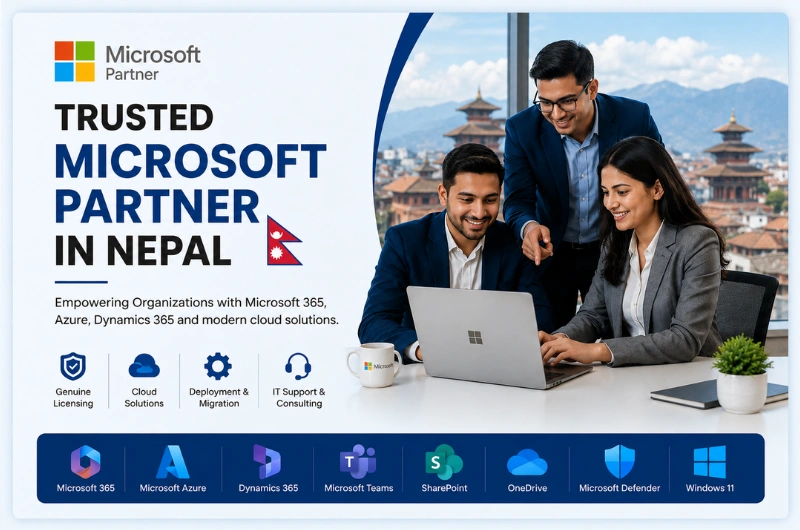
Looking for a Trusted Microsoft Partner in Nepal?
Choosing the right Microsoft Partner is essential for getting the most value from your technology investment. Whether you need Microsoft 365 for your employees, Microsoft Azure for cloud infrastructure, or Microsoft Volume Licensing for your organization, working with an experienced local partner makes the process easier and more cost-effective.
Webtech Nepal is a trusted Microsoft Partner in Nepal, helping businesses, government organizations, educational institutions, and non-profit organizations implement genuine Microsoft solutions. We provide end-to-end services, including software licensing, cloud migration, deployment, configuration, training, and ongoing technical support.
From small businesses to large enterprises, we help organizations modernize their IT infrastructure, improve collaboration, strengthen security, and increase productivity using Microsoft’s latest technologies.
Why Choose Webtech Nepal as Your Microsoft Partner?
Purchasing Microsoft software is only one part of a successful digital transformation. Choosing the right licenses, deploying them correctly, and ensuring employees use them effectively are equally important.
As a trusted Microsoft Reseller in Nepal, Webtech Nepal delivers complete Microsoft solutions tailored to your business goals.
Our services include:
- Microsoft 365 licensing and deployment
- Microsoft Azure cloud solutions
- Microsoft Volume Licensing
- Windows 11 Pro licensing
- Microsoft Office licensing
- Microsoft Teams implementation
- SharePoint Online deployment
- Exchange Online migration
- OneDrive for Business setup
- Dynamics 365 implementation
- Windows Server licensing
- Microsoft Intune deployment
- Microsoft Defender security solutions
- Cloud migration and infrastructure planning
- User training and ongoing technical support
Our experienced consultants help organizations select the most suitable Microsoft licensing plans while reducing unnecessary IT costs and ensuring licensing compliance.
Unlike simply purchasing software online, working with Webtech Nepal gives you access to local expertise before, during, and after implementation.
Trusted Microsoft Reseller, Value-Added Reseller & Licensing Partner
Businesses across Nepal often search for terms such as Microsoft Approved Partner Nepal, Microsoft Certified Partner Nepal, Microsoft Reseller Nepal, and Microsoft Value-Added Reseller (VAR) when looking for reliable Microsoft services.
Webtech Nepal has extensive experience helping organizations adopt Microsoft technologies through professional consultation, deployment, migration, and support.
As your Microsoft solutions partner, we help you:
- Select the right Microsoft licensing model
- Reduce software licensing costs
- Deploy Microsoft cloud services successfully
- Migrate existing systems to Microsoft 365
- Secure business data with Microsoft security solutions
- Improve collaboration using Microsoft Teams
- Integrate Microsoft applications
- Provide ongoing technical support and maintenance
Whether you operate a startup, a growing business, or a large enterprise with multiple branches, our team can recommend Microsoft solutions that match your operational needs and future growth plans.
Note: Microsoft’s partner ecosystem is now known as the Microsoft AI Cloud Partner Program. Many businesses continue searching using terms like Microsoft Approved Partner and Microsoft Certified Partner, which are widely recognized search phrases.
Microsoft Solutions We Provide
| Microsoft Solution |
How It Helps Your Business |
| Microsoft 365 |
Business email, Office apps, Teams, OneDrive, SharePoint, and security |
| Microsoft Azure |
Cloud infrastructure, virtual machines, backup, disaster recovery, and hosting |
| Windows 11 Pro |
Genuine business operating system licensing |
| Microsoft Office |
Office applications for productivity |
| Dynamics 365 |
CRM and ERP solutions for business management |
| Exchange Online |
Secure business email hosting |
| Microsoft Teams |
Online meetings, chat, collaboration, and communication |
| SharePoint Online |
Document management and collaboration |
| OneDrive for Business |
Secure cloud file storage |
| Microsoft Intune |
Device and application management |
| Microsoft Defender |
Advanced endpoint and cybersecurity protection |
| Windows Server |
Server licensing and deployment |
| Microsoft Volume Licensing |
Flexible licensing for organizations |
These Microsoft solutions can be deployed individually or combined to create a secure, scalable, and modern workplace that supports your organization’s growth.
Microsoft Experience Across Multiple Industries
Webtech Nepal has worked with organizations across different sectors, helping them implement Microsoft technologies that improve daily operations and business efficiency.
We serve:
- Small and medium-sized businesses
- Large enterprises
- Government organizations
- Educational institutions
- NGOs and INGOs
- Financial institutions
- Healthcare providers
- Manufacturing companies
- Hospitality businesses
- Retail organizations
Every organization has unique technology requirements. Our consultants recommend Microsoft solutions based on your business size, operational goals, compliance requirements, and budget rather than promoting a one-size-fits-all approach.
Helping Businesses Build a Modern Digital Workplace
Modern businesses require secure access to information from anywhere, reliable collaboration tools, and cloud-based services that support hybrid work environments.
Webtech Nepal helps organizations create a connected digital workplace by combining Microsoft technologies that work seamlessly together.
Our Microsoft solutions help businesses:
- Enable secure remote work
- Improve communication across teams
- Store business files securely in the cloud
- Simplify document collaboration
- Strengthen cybersecurity
- Improve employee productivity
- Reduce infrastructure costs
- Scale IT resources as business grows
By integrating Microsoft 365, Azure, Teams, SharePoint, OneDrive, and Dynamics 365, organizations can build a digital workplace that is secure, efficient, and ready for future growth.
Microsoft 365 Solutions for Businesses in Nepal
Microsoft 365 is more than just Word, Excel, and Outlook. It is a complete cloud productivity platform that helps businesses communicate, collaborate, and work securely from anywhere.
Whether your employees work in the office, remotely, or in a hybrid environment, Microsoft 365 keeps everyone connected while protecting your business data with enterprise-grade security.
As a trusted Microsoft Partner in Nepal, Webtech Nepal helps organizations choose the right Microsoft 365 plan, deploy it successfully, and provide ongoing support.
What is Microsoft 365?
Microsoft 365 combines familiar Office applications with cloud services and advanced security features.
Depending on your subscription, Microsoft 365 may include:
- Microsoft Outlook
- Microsoft Word
- Microsoft Excel
- Microsoft PowerPoint
- Microsoft Teams
- Exchange Online
- OneDrive for Business
- SharePoint Online
- Microsoft Defender
- Microsoft Intune
- Microsoft Copilot (selected plans)
This allows employees to work from any device while accessing the same files, emails, and applications securely.
Benefits of Microsoft 365
Businesses using Microsoft 365 enjoy several advantages:
- Access business files from anywhere
- Business-class email with Exchange Online
- Real-time document collaboration
- Secure cloud storage with OneDrive
- Online meetings through Microsoft Teams
- Automatic software updates
- Enterprise-grade security
- Flexible licensing for growing businesses
- AI-powered productivity features with Microsoft Copilot (supported licenses)
Our Microsoft 365 Services
Webtech Nepal provides complete Microsoft 365 implementation services, including:
- Microsoft 365 licensing consultation
- Tenant setup and configuration
- Business email migration
- Exchange Online deployment
- Microsoft Teams implementation
- SharePoint Online setup
- OneDrive migration
- User account configuration
- Security policy implementation
- Employee training
- Ongoing technical support
Whether you are moving from an on-premises email server or another cloud platform, we ensure a smooth migration with minimal disruption to your business.
Microsoft Azure Cloud Services
Cloud computing enables organizations to scale quickly, reduce hardware investments, and improve business continuity.
Microsoft Azure is one of the world’s leading cloud platforms, offering hundreds of services for businesses of every size.
Webtech Nepal helps organizations plan, deploy, and manage Microsoft Azure environments that are secure, reliable, and cost-effective.
Our Azure Services
We provide a wide range of Azure solutions, including:
Azure Migration
Move existing servers, applications, and workloads to Microsoft Azure with minimal downtime.
Virtual Machines
Deploy Windows and Linux virtual machines without investing in physical hardware.
Backup and Disaster Recovery
Protect business-critical data with automated cloud backups and disaster recovery solutions.
Azure Networking
Build secure and scalable cloud networks that connect users, offices, and applications.
Identity and Access Management
Implement Microsoft Entra ID (formerly Azure Active Directory) to secure user identities and simplify access management.
Azure Security
Protect your cloud environment with Microsoft’s built-in security, monitoring, and threat protection tools.
Why Choose Azure?
Microsoft Azure helps organizations:
- Reduce infrastructure costs
- Improve system availability
- Scale resources on demand
- Strengthen data security
- Support remote work
- Simplify IT management
- Enhance disaster recovery
- Meet business continuity requirements
Our Azure consultants recommend solutions that align with your organization’s technical and business requirements.
Microsoft Volume Licensing in Nepal
Purchasing Microsoft software for multiple employees can quickly become complicated. Different organizations require different licensing models based on their size, number of users, and operational needs.
Webtech Nepal helps organizations understand Microsoft’s licensing options and choose the most suitable solution without unnecessary expenses.
What is Microsoft Volume Licensing?
Microsoft Volume Licensing allows organizations to purchase multiple software licenses through a simplified licensing program. It offers centralized license management, flexible deployment options, and easier administration compared to buying individual retail licenses.
Volume Licensing is commonly used by:
- Businesses
- Government organizations
- Educational institutions
- Non-profit organizations
- Large enterprises
Our Licensing Consultation Covers
- Microsoft 365 Business plans
- Microsoft 365 Enterprise plans
- Windows licensing
- Microsoft Office licensing
- Windows Server licensing
- Microsoft Azure subscriptions
- Dynamics 365 licensing
- Microsoft Teams Phone licensing
- Educational licensing
- Non-profit licensing
Our consultants evaluate your existing infrastructure, number of users, business objectives, and budget to recommend the most appropriate licensing strategy.
By selecting the right licenses from the start, organizations can avoid unnecessary costs while remaining compliant with Microsoft’s licensing requirements.
Microsoft Deployment, Migration & Implementation Services
Purchasing Microsoft software is only the beginning. Successful implementation requires careful planning, secure configuration, user adoption, and ongoing support.
Webtech Nepal has extensive experience deploying Microsoft technologies for organizations across Nepal.
Our Deployment Services Include
- Microsoft 365 deployment
- Exchange Online migration
- SharePoint Online implementation
- Microsoft Teams deployment
- Azure cloud migration
- Windows 11 deployment
- Windows Server installation
- Microsoft Intune configuration
- OneDrive migration
- Identity and access management
- Security configuration
- Data migration
- User onboarding
- Post-deployment technical support
Our implementation process is designed to minimize downtime and ensure a smooth transition for your employees.
End-to-End Microsoft Support
Our support doesn’t stop after deployment.
We continue to assist organizations with:
- License management
- User administration
- Security updates
- Performance optimization
- Troubleshooting
- Microsoft product upgrades
- Cloud management
- Technical consultation
By partnering with Webtech Nepal, organizations gain access to a local team that understands both Microsoft technologies and the unique needs of businesses in Nepal.
Serving Businesses Across Nepal
Webtech Nepal proudly supports organizations across Nepal with genuine Microsoft licensing, cloud solutions, and professional IT services. Whether your business is located in a major city or a growing municipality, our team can assist you with licensing, deployment, migration, and ongoing technical support.
We serve clients in:
- Kathmandu
- Lalitpur
- Bhaktapur
- Pokhara
- Bharatpur
- Biratnagar
- Birgunj
- Janakpur
- Dharan
- Butwal
- Hetauda
- Nepalgunj
- Banepa
- Dhulikhel
- And other cities across Nepal
Thanks to Microsoft cloud technologies, we can also provide remote implementation, user training, system administration, and technical support, allowing organizations throughout Nepal to benefit from expert Microsoft services without geographical limitations.
Why Businesses Trust Microsoft Solutions
Microsoft has been a trusted technology provider for businesses worldwide for decades. Its cloud services, productivity applications, and security solutions help organizations improve efficiency while keeping data secure.
By adopting Microsoft technologies, businesses can:
- Improve team collaboration
- Enable secure remote and hybrid work
- Protect business data with enterprise-grade security
- Reduce IT infrastructure costs
- Increase employee productivity
- Scale technology as the business grows
- Simplify communication across teams
- Receive regular feature and security updates
- Integrate multiple business applications into one ecosystem
Whether you’re a startup or a large enterprise, Microsoft provides reliable solutions that support long-term business growth.
Why Work with Webtech Nepal?
Choosing the right Microsoft partner means more than purchasing software—it means having a reliable technology advisor who understands your business.
When you partner with Webtech Nepal, you benefit from:
- Genuine Microsoft licenses
- Professional licensing consultation
- Certified deployment expertise
- Local technical support
- Microsoft 365 migration assistance
- Azure cloud implementation
- Security best practices
- User training and adoption support
- Long-term maintenance and IT guidance
- Fast response from a local team
Our objective is to help organizations maximize their Microsoft investment while minimizing complexity and operational costs.
Frequently Asked Questions
Is Webtech Nepal a Microsoft Partner in Nepal?
Yes. Webtech Nepal provides Microsoft licensing, Microsoft 365 solutions, Azure cloud services, deployment, migration, and technical support for businesses, educational institutions, government organizations, and non-profit organizations across Nepal.
Do you provide genuine Microsoft licenses?
Yes. We help organizations purchase genuine Microsoft licenses that match their business requirements while ensuring licensing compliance.
Can you migrate our email to Microsoft 365?
Yes. Our team provides secure migration from existing email platforms to Microsoft 365 with minimal downtime and complete data migration support.
Do you provide Microsoft Volume Licensing?
Yes. We assist organizations in selecting the most suitable Microsoft Volume Licensing and Microsoft 365 subscription plans based on their size, number of users, and operational needs.
Do you provide Microsoft Azure services?
Yes. We offer Azure migration, cloud infrastructure deployment, virtual machines, backup and disaster recovery, identity management, security implementation, and ongoing Azure management.
Can you help deploy Microsoft Teams and SharePoint?
Absolutely. We provide complete deployment, configuration, user training, and support for Microsoft Teams, SharePoint Online, Exchange Online, and OneDrive for Business.
Do you provide support after implementation?
Yes. We offer ongoing technical support, maintenance, troubleshooting, licensing assistance, security updates, and system optimization to ensure your Microsoft environment continues to perform efficiently.
Conclusion
Choosing the right Microsoft Partner in Nepal is essential for building a secure, productive, and future-ready business. From Microsoft 365 and Azure to Microsoft Volume Licensing, Dynamics 365, and Windows Server, the right technology solutions can improve collaboration, strengthen security, and simplify daily operations.
As a trusted Microsoft Reseller in Nepal, Webtech Nepal helps organizations of all sizes select the right Microsoft solutions, deploy them successfully, and provide ongoing technical support. Whether you are migrating to Microsoft 365, moving your infrastructure to Azure, upgrading your existing systems, or planning a complete digital transformation, our experienced team is ready to assist.
Contact Webtech Nepal today to discuss your Microsoft licensing, cloud, or deployment requirements and discover how Microsoft technologies can help your organization work smarter and grow with confidence.