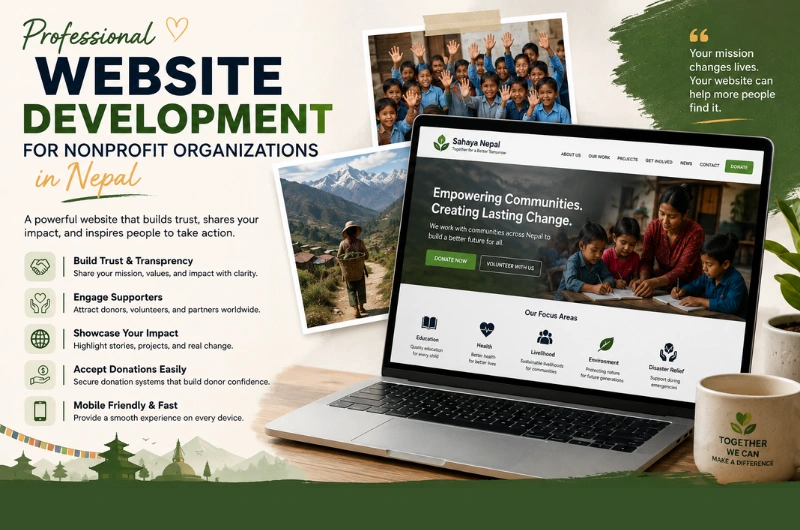
Professional Website Development for Nonprofit Organizations

A strong online presence is important for every nonprofit organization working in Nepal. Whether your organization focuses on education, health, child welfare, environment, community development, women’s empowerment, disaster response, or another social cause, your website can help people understand your work and support your mission.

For many people, your website is the first place they look before trusting an organization. Donors may want to understand your projects. Volunteers may want to know how they can help. Partners may want to learn about your work. Beneficiaries may need information about your programs and services.

This makes professional website development for nonprofit organizations in Nepal more than a design project. Your website should communicate your mission, demonstrate credibility, share your impact, and make it easy for people to take action.

A well-developed nonprofit website can help you:

  • Build trust and credibility
  • Explain your mission and programs
  • Showcase projects and social impact
  • Attract donors and supporters
  • Recruit volunteers
  • Publish reports and updates
  • Receive inquiries and applications
  • Promote campaigns and events
  • Improve visibility in Google search
  • Connect with local and international audiences

Whether you are a small community-based organization in Nepal or an established NGO working across multiple districts, your website should be designed around your organization’s goals and the people you serve.

What Is Nonprofit Website Development?

Nonprofit website development is the process of planning, designing, developing, testing, launching, and maintaining a website for a nonprofit organization, NGO, charity, foundation, or social-impact organization.

Unlike a standard business website, a nonprofit website needs to communicate both information and impact.

Visitors may want to know:

  • What does the organization do?
  • Why does the organization exist?
  • Who benefits from its work?
  • Where does it operate?
  • What projects has it completed?
  • How can I donate?
  • How can I volunteer?
  • How can I become a partner?
  • Where can I find reports and publications?
  • How can I contact the organization?

A professional website brings these answers together in one easy-to-use platform.

The website can include pages and features such as:

  • About the organization
  • Mission and vision
  • Programs and projects
  • Impact stories
  • Annual reports
  • News and updates
  • Events
  • Donation information
  • Volunteer applications
  • Contact forms
  • Photo and video galleries
  • Publications and resources
  • Team information
  • Partner information
  • Careers
  • Multiple languages
  • Social media integration
  • Google Maps
  • Search engine optimization

The exact features should depend on the organization’s needs.

Why Do Nonprofit Organizations in Nepal Need a Professional Website?

Social media is useful for nonprofit organizations, but it should not be the only place where people learn about your organization.

A social media profile can help you share updates and reach followers. Your website, however, gives your organization a central online platform that you control.

A professional website can help a nonprofit organization present its work clearly and consistently.

Build Trust and Credibility

People are more likely to support an organization when they can easily find information about it.

Your website can provide:

  • Organization history
  • Registration and organizational information
  • Leadership details
  • Programs
  • Project locations
  • Reports
  • Publications
  • Contact details
  • Partner information
  • Success stories

Clear information helps visitors understand who you are and what your organization does.

Show the Impact of Your Work

Nonprofit organizations are often judged by the difference they make.

Instead of only saying that your organization supports communities, show what that support looks like.

For example, you could publish:

  • Number of people reached
  • Number of schools supported
  • Communities served
  • Training programs completed
  • Healthcare initiatives
  • Environmental activities
  • Project outcomes
  • Beneficiary stories

Use real information and explain it clearly.

Attract Donors and Supporters

A website can provide potential donors with the information they need before they decide to support your organization.

A dedicated donation section can explain:

  • What the organization does
  • Where donations are used
  • How people can contribute
  • Available payment methods
  • Donation campaigns
  • Contact information

For international supporters, the website can also provide relevant information about supporting projects from outside Nepal.

Recruit Volunteers

Many nonprofit organizations depend on volunteers.

A website can make recruitment easier by providing:

  • Volunteer opportunities
  • Requirements
  • Available roles
  • Application forms
  • Program information
  • Volunteer stories

This gives interested people a clear way to get involved.

What Should a Nonprofit Website in Nepal Include?

Every organization has different needs, but most nonprofit websites should provide a clear set of core pages.

Website Page Purpose
Home Introduce the organization and key actions
About Us Explain history, mission, and vision
Programs Explain major areas of work
Projects Showcase specific projects and activities
Impact Demonstrate measurable results
News & Updates Share recent activities
Reports Provide reports and publications
Get Involved Encourage volunteering and support
Donate Explain donation options
Contact Provide contact and location information

Larger organizations may also need pages for careers, partners, events, resources, regional offices, publications, and individual projects.

The goal is not to create as many pages as possible.

The goal is to create the right pages for your visitors.

Key Features of Professional NGO Website Development

A nonprofit website should make information easy to find and important actions easy to complete.

1. Clear and Professional Homepage

The homepage should quickly explain:

  • Who you are
  • What you do
  • Where you work
  • Who you help
  • What impact you create
  • How visitors can support your work

A strong homepage may include calls to action such as:

Donate | Volunteer | Explore Our Programs | Contact Us

Avoid filling the homepage with long blocks of text.

Use short sections, clear headings, meaningful images, statistics, project highlights, and calls to action.

2. Mission, Vision, and Values

Your mission explains why your organization exists.

Your vision describes the change you want to create.

Your values explain the principles that guide your work.

These should be easy to find on your website.

For an NGO, this information is not just corporate content. It helps donors, volunteers, partners, and communities understand your purpose.

3. Programs and Projects

Create clear pages for your major programs.

For example, an organization working in Nepal might have programs related to:

  • Education
  • Healthcare
  • Child protection
  • Women’s empowerment
  • Agriculture
  • Environment
  • Disaster response
  • Community development
  • Livelihood development

Each program page should explain:

  • The problem
  • What the organization does
  • Where the program operates
  • Who benefits
  • Key activities
  • Results or progress

This structure makes your work easier to understand.

4. Impact and Success Stories

Impact content can make a nonprofit website more engaging.

You can showcase:

  • Project results
  • Case studies
  • Beneficiary stories
  • Before-and-after outcomes
  • Community testimonials
  • Project photographs
  • Videos
  • Statistics

Use real stories and verified information.

Avoid exaggerating results simply to make the organization look more successful.

5. Donation Information

If your organization accepts donations, the donation process should be easy to understand.

Your website can explain:

  • Why donations are needed
  • What specific campaigns support
  • How to donate
  • Available payment options
  • How donors can contact the organization
  • How donations support projects

If online donation functionality is required, the website can integrate an appropriate payment gateway or donation platform.

The payment solution should be selected based on your organization’s location, donor base, currency requirements, and payment needs.

6. Volunteer Registration

A volunteer page can help organizations attract people who want to contribute their time and skills.

The page can include:

  • Available opportunities
  • Volunteer requirements
  • Time commitments
  • Locations
  • Responsibilities
  • Application form
  • Frequently asked questions

Keep the application process simple.

Ask only for information your organization actually needs.

7. News and Updates

Regular updates show that your organization is active.

A nonprofit blog or news section can cover:

  • New projects
  • Project milestones
  • Community events
  • Training programs
  • Campaigns
  • Volunteer activities
  • Organizational announcements
  • Partnerships
  • Achievements

Fresh content can also create additional opportunities to appear in search engines.

8. Annual Reports and Publications

Nonprofit organizations often have important documents that supporters and partners may want to review.

Your website can provide a resource section for:

  • Annual reports
  • Financial reports
  • Project reports
  • Research papers
  • Policy documents
  • Publications
  • Brochures
  • Newsletters

Organize these resources clearly so visitors can find the right document.

9. Contact and Location Information

Your contact page should make it easy for people to reach your organization.

Include relevant information such as:

  • Office address
  • Phone number
  • Email address
  • Office hours
  • Google Maps
  • Social media profiles
  • Contact form

If your organization operates in multiple locations, consider creating separate location information for each office.

10. Team and Leadership Pages

People often want to know who is behind an organization.

Depending on your organization, you can introduce:

  • Board members
  • Executive leadership
  • Program managers
  • Key staff
  • Advisors

Use accurate information and keep the page updated when leadership changes.

Mobile-Friendly Website Development for NGOs

A nonprofit website must work well on smartphones.

Visitors may access your website from:

  • Smartphones
  • Tablets
  • Laptops
  • Desktop computers

This is especially important when organizations work with communities where mobile devices are a major way of accessing the internet.

A mobile-friendly website should allow users to:

  • Read project information
  • View reports
  • Contact the organization
  • Submit forms
  • Explore programs
  • Make donations where supported
  • Register as volunteers

Buttons should be easy to tap, text should be readable, and pages should load efficiently.

Responsive design should be part of the development process from the start.

Website Design for Nonprofit Organizations in Nepal

A nonprofit website should look professional without losing its human side.

People want to see the real work behind the organization.

Use authentic images of:

  • Communities
  • Programs
  • Staff
  • Volunteers
  • Training sessions
  • Field activities
  • Events
  • Projects

Avoid using generic stock photos when real project photography is available and appropriate.

Tell Your Story Clearly

A nonprofit website should answer a simple question:

Why should someone care about this organization’s work?

Your content should explain the problem, your approach, and the results in simple language.

For example:

Instead of writing:

“We facilitate multidimensional interventions for sustainable socioeconomic transformation.”

A clearer version might be:

“We help rural families improve their income through skills training, farming support, and local business opportunities.”

Simple language makes your work easier to understand.

NGO Website Development and SEO in Nepal

A professional website needs to be discoverable.

SEO for nonprofit organizations helps your website appear when people search for your organization, programs, causes, services, and relevant topics.

Potential searches may include:

  • NGO in Nepal
  • nonprofit organizations in Nepal
  • charity organizations in Nepal
  • education NGO in Nepal
  • child welfare organization Nepal
  • environmental NGO Nepal
  • volunteer opportunities Nepal
  • donate to charity in Nepal
  • nonprofit organization Kathmandu
  • community development organization Nepal

Your actual keywords should match your organization’s work.

Do not target keywords simply because they have search volume.

Create Useful Program Pages

If your organization works in several areas, create dedicated pages for important programs.

For example:

Education Programs

Healthcare Programs

Women’s Empowerment Programs

Environmental Projects

Each page can target relevant search queries while providing useful information to visitors.

Use Nepal Locations Naturally

If your organization works in specific locations, mention them where relevant.

For example:

  • Kathmandu
  • Lalitpur
  • Bhaktapur
  • Pokhara
  • Chitwan
  • Dolakha
  • Sindhupalchok

Only mention locations where your organization actually operates.

Location-based content can help people find relevant programs and services.

Local SEO for Nonprofit Organizations in Nepal

If your NGO has a physical office or provides services in a specific area, local SEO can improve online visibility.

Make sure your website clearly provides:

  • Organization name
  • Office address
  • Phone number
  • Email address
  • Location
  • Office hours
  • Service areas

You should also maintain consistent organization information across relevant online profiles and directories.

A properly optimized location page can help people find your office and understand where your organization works.

Website Accessibility for Nonprofit Organizations

Nonprofit organizations often serve diverse communities.

Website accessibility should therefore be considered during development.

Important practices include:

  • Readable font sizes
  • Good color contrast
  • Descriptive image alt text
  • Keyboard-friendly navigation
  • Clear headings
  • Accessible forms
  • Easy-to-understand language
  • Descriptive links

Accessibility is not only about technical standards.

It is also about making information easier for people to understand and use.

Multilingual NGO Websites in Nepal

Nepal is multilingual, and nonprofit organizations may communicate with different communities.

Depending on your audience, your website may need content in:

  • English
  • Nepali
  • Other relevant languages

English may be useful for international donors, development partners, and international visitors.

Nepali or another local language may be more useful for communities and local audiences.

A multilingual website should use accurate translations.

Do not rely entirely on automatic translation for important organizational information.

Website Security for Nonprofit Organizations

Security is important for every website, including nonprofit websites.

An NGO website may collect information through:

  • Contact forms
  • Volunteer applications
  • Donation forms
  • Event registrations
  • Newsletter subscriptions

Security measures may include:

  • HTTPS/SSL
  • Secure hosting
  • Strong administrator passwords
  • Regular software updates
  • Reliable backups
  • Spam protection
  • Secure forms
  • Access controls
  • Trusted payment providers

If your website handles donations or personal information, security should be considered during the planning stage.

Website Speed and Performance

A nonprofit website should not require a fast internet connection just to load basic information.

Large images, unnecessary scripts, and poorly optimized websites can create a slow experience.

Professional development should consider:

  • Image compression
  • Proper image sizes
  • Modern image formats
  • Efficient code
  • Good hosting
  • Browser caching
  • Reduced unnecessary scripts
  • Mobile performance

A faster website improves usability and can also support search engine performance.

How Website Development Can Help NGOs Raise Awareness

A nonprofit website can become the central place where your organization tells its story.

For example, a visitor might discover your organization through Google.

They can then:

  1. Read about your mission.
  2. Explore your programs.
  3. View project results.
  4. Read a beneficiary story.
  5. Learn how to support the organization.
  6. Donate, volunteer, or contact your team.

This creates a clear journey from awareness to action.

Your website can support several types of visitors at the same time.

Visitor What They May Need
Donor Impact, transparency, donation information
Volunteer Opportunities and application details
Partner Programs, organizational information, contact details
Beneficiary Services, programs, locations, contact information
Journalist Facts, reports, media information
Researcher Publications, reports, project information
Job seeker Careers and vacancies

A well-planned website makes these journeys easier.

Website Development for NGOs: The Development Process

A professional nonprofit website should begin with planning rather than design.

Step 1: Understand the Organization

The development team should understand:

  • Mission
  • Vision
  • Programs
  • Target audiences
  • Locations
  • Projects
  • Funding model
  • Communication goals
  • Website goals

This helps determine what the website actually needs.

Step 2: Identify Website Visitors

Different visitors have different needs.

Your website structure should consider:

  • Donors
  • Volunteers
  • Beneficiaries
  • Partners
  • Staff
  • Media
  • Researchers
  • General visitors

Step 3: Plan the Website Structure

Create a clear sitemap.

A typical nonprofit website might include:

  • Home
  • About
  • Programs
  • Projects
  • Impact
  • News
  • Reports
  • Get Involved
  • Donate
  • Contact

Larger organizations may need additional pages.

Step 4: Design the User Experience

The website should make important information easy to find.

For example, someone looking for your latest annual report should not need to click through five unrelated pages.

Step 5: Design the Website

The visual design should reflect the organization’s identity.

Use:

  • Organization logo
  • Brand colors
  • Authentic photography
  • Clear typography
  • Consistent layouts

The design should feel professional but remain easy to use.

Step 6: Develop the Website

The development stage may include:

  • Responsive design
  • Content management system
  • Contact forms
  • Donation integration
  • Volunteer forms
  • Event management
  • Blog or news system
  • Document downloads
  • Maps
  • SEO setup
  • Security features

Step 7: Add and Optimize Content

Content should be clear, accurate, and easy to read.

Review:

  • Organization details
  • Project information
  • Contact information
  • Reports
  • Statistics
  • Images
  • Team information

Step 8: Test Everything

Test the website on:

  • Smartphones
  • Tablets
  • Desktop computers
  • Different browsers

Test forms, menus, links, downloads, donation systems, and other important features.

Step 9: Launch the Website

After testing, the website can be launched.

Set up appropriate:

  • Analytics
  • Search engine tools
  • Security
  • Backups
  • Performance monitoring

Step 10: Maintain the Website

A nonprofit website should be updated regularly.

Maintenance may include:

  • Software updates
  • Security checks
  • Backups
  • New project updates
  • New reports
  • Staff updates
  • Event updates
  • SEO improvements
  • Performance checks

An outdated website can make an active organization appear inactive.

Basic vs Custom Nonprofit Website Development

Not every nonprofit organization needs a large custom website.

Website Type Suitable For Common Features
Basic NGO website Small organizations Home, About, Programs, Contact
Professional nonprofit website Growing organizations Programs, Projects, News, Reports, Forms
Donation-focused website Fundraising organizations Campaigns, Donations, Payment Integration
Custom NGO website Larger organizations Custom systems and integrations
Multi-location website National organizations Offices, Projects, Location Pages

The right solution depends on your organization’s size, goals, budget, and future plans.

A small community organization may need a simple and easy-to-manage website.

A larger NGO may require a custom platform with project management, donation systems, multilingual content, or other integrations.

How Much Does Nonprofit Website Development Cost in Nepal?

The cost of website development for nonprofit organizations in Nepal depends on the website’s size, design, functionality, and integrations.

A basic website may include:

  • Home
  • About
  • Programs
  • Projects
  • Contact
  • Basic gallery

A larger nonprofit website may require:

  • Online donations
  • Payment integration
  • Volunteer registration
  • Event management
  • Multiple languages
  • Project pages
  • Report library
  • Advanced search
  • Multiple office locations
  • Custom forms
  • Third-party integrations
  • Advanced SEO

Factors That Affect Website Development Cost

The final cost can depend on:

  • Number of pages
  • Custom design
  • Content requirements
  • Number of programs
  • Number of locations
  • Donation functionality
  • Payment integration
  • Multilingual support
  • Custom features
  • Third-party integrations
  • SEO requirements
  • Content migration
  • Website maintenance

There is no single price that fits every nonprofit organization.

The best approach is to define your requirements first and then select a website solution that fits your organization’s needs and budget.

How to Choose a Website Development Company for Your NGO

Choosing a website development partner is an important decision.

Before hiring a company, consider the following.

Do They Understand Nonprofit Websites?

An NGO website has different needs from a standard company website.

The development team should understand:

  • Programs
  • Projects
  • Impact stories
  • Donations
  • Volunteers
  • Reports
  • Events
  • Community-focused content

Can They Build a Mobile-Friendly Website?

Ask to see previous responsive website projects.

Your website should work well on smartphones and other devices.

Can They Integrate Donation and Payment Systems?

If your organization accepts online donations, ask whether the development company can integrate the payment system you need.

Do They Understand SEO?

A professional website should be built with search visibility in mind.

Ask about:

  • Page structure
  • URLs
  • Metadata
  • Mobile performance
  • Website speed
  • Local SEO
  • Search engine indexing

Can Your Team Manage the Website?

Your staff should be able to update basic content when needed.

Ask whether the website includes a content management system and whether training is provided.

Do They Provide Ongoing Support?

Ask about:

  • Maintenance
  • Updates
  • Security
  • Backups
  • Technical support
  • Content changes

Long-term support can make website management easier for nonprofit organizations with limited technical resources.

Common NGO Website Mistakes to Avoid

1. Focusing Only on the Organization

Do not make every page about the organization.

Explain how your work helps people and communities.

2. Making the Mission Difficult to Understand

Use simple language.

Visitors should understand what your organization does within a few seconds.

3. Hiding Important Information

Do not hide contact details, programs, reports, or donation information.

4. Using Outdated Content

Old project information, outdated staff profiles, and expired campaigns can reduce trust.

5. Ignoring Mobile Users

Your website should work well on smartphones.

6. Using Too Many Stock Photos

Real project images can communicate your work better when they are available and appropriate to use.

7. Making Donations Difficult

If fundraising is important, make the donation process easy to understand.

8. Ignoring Website Security

Forms, accounts, and donation systems need appropriate security.

9. Forgetting SEO

A useful website still needs to be discoverable.

10. Launching Without a Maintenance Plan

A website requires updates after launch.

Plan for maintenance from the beginning.

Why Choose Webtech Nepal for Nonprofit Website Development?

Webtech Nepal provides professional website design and development services for organizations in Nepal and international markets.

For nonprofit organizations, we can help develop websites that communicate your mission, showcase your projects, provide useful resources, and make it easier for visitors to get involved.

Depending on your organization’s needs, we can help with:

  • Nonprofit website design
  • NGO website development
  • Responsive website development
  • Program and project pages
  • Donation integration
  • Volunteer registration forms
  • Contact forms
  • Event pages
  • News and blog sections
  • Report and document libraries
  • Google Maps integration
  • Local SEO
  • Website speed optimization
  • Website security
  • Content management
  • Website maintenance
  • Custom functionality

We understand that nonprofit organizations have different goals and audiences.

A small community organization may need a simple website that explains its work and provides contact information.

A larger NGO may need a website with multiple programs, project pages, reports, donation functionality, volunteer registration, and multiple locations.

The website should be built around the organization’s actual needs rather than unnecessary features.

Frequently Asked Questions

What is website development for nonprofit organizations?

Website development for nonprofit organizations is the process of creating a website that helps an NGO or nonprofit communicate its mission, programs, projects, impact, and opportunities for people to support its work.

Why does an NGO in Nepal need a professional website?

A professional website can help an NGO build credibility, explain its programs, reach donors and partners, recruit volunteers, publish reports, share project updates, and improve its online visibility.

What should an NGO website include?

An NGO website should usually include information about the organization, mission, programs, projects, impact, news, reports, contact details, and ways to get involved. Donation and volunteer features can be added when needed.

Can an NGO website accept online donations?

Yes. An NGO website can integrate an appropriate online donation or payment system. The right solution depends on the organization’s location, donor base, currencies, and payment requirements.

Can nonprofit organizations in Nepal have multilingual websites?

Yes. An NGO website can support multiple languages, such as English and Nepali, when this is useful for its audiences.

Can an NGO website include volunteer registration?

Yes. A website can include volunteer opportunity pages and online application forms to help organizations recruit and manage volunteer inquiries.

Can an NGO publish annual reports on its website?

Yes. Annual reports, research papers, project reports, newsletters, and other documents can be published in a dedicated resources or publications section.

How much does NGO website development cost in Nepal?

The cost depends on the website’s size, design, features, integrations, number of pages, and ongoing requirements. A basic NGO website will generally require less development work than a custom platform with donations, multilingual content, multiple locations, and other advanced features.

How long does it take to develop a nonprofit website?

The timeline depends on the website’s scope, content, design, features, and integrations. A simple organization website can be completed faster than a large custom NGO platform.

Can Webtech Nepal develop websites for NGOs outside Nepal?

Yes. Webtech Nepal can work with nonprofit organizations and NGOs in Nepal and international markets. Website features and content can be planned around the organization’s location, audience, programs, and goals.

Is SEO important for nonprofit websites?

Yes. SEO can help people discover an organization’s programs, resources, events, volunteer opportunities, and other useful information through search engines.

Can nonprofit organizations update their websites themselves?

Yes. A website can be built with a content management system that allows authorized staff to update pages, news, projects, reports, images, and other content.

How can an NGO website attract more donors?

An NGO website can support fundraising by clearly explaining the organization’s mission, showing measurable impact, sharing real project stories, publishing relevant reports, and making donation information easy to find.

Should an NGO website be mobile-friendly?

Yes. A mobile-friendly website makes it easier for visitors to access programs, reports, contact information, forms, and donation options from smartphones and tablets.

Conclusion: Build a Stronger Online Presence for Your Nonprofit

A nonprofit website should do more than display your organization’s name and contact information.

It should clearly explain your mission, showcase your programs, demonstrate your impact, build trust, and give visitors simple ways to support your work.

Professional website development for nonprofit organizations in Nepal can bring these elements together through responsive design, clear content, SEO, secure forms, donation functionality, volunteer registration, project pages, reports, and other features that support your organization’s goals.

Whether you are a small community-based NGO or an established nonprofit organization working across Nepal, the right website can help you communicate your work to donors, volunteers, partners, beneficiaries, and the wider public.

If your current website is outdated, difficult to manage, slow, or missing important information, it may be time to improve your organization’s online presence.

Contact Webtech Nepal to discuss your nonprofit website development project and build a professional website that helps your organization communicate its mission, reach more people, and create greater impact.

Microsoft 365 Business Mailbox Storage Increased to 100GB: Everything You Need to Know

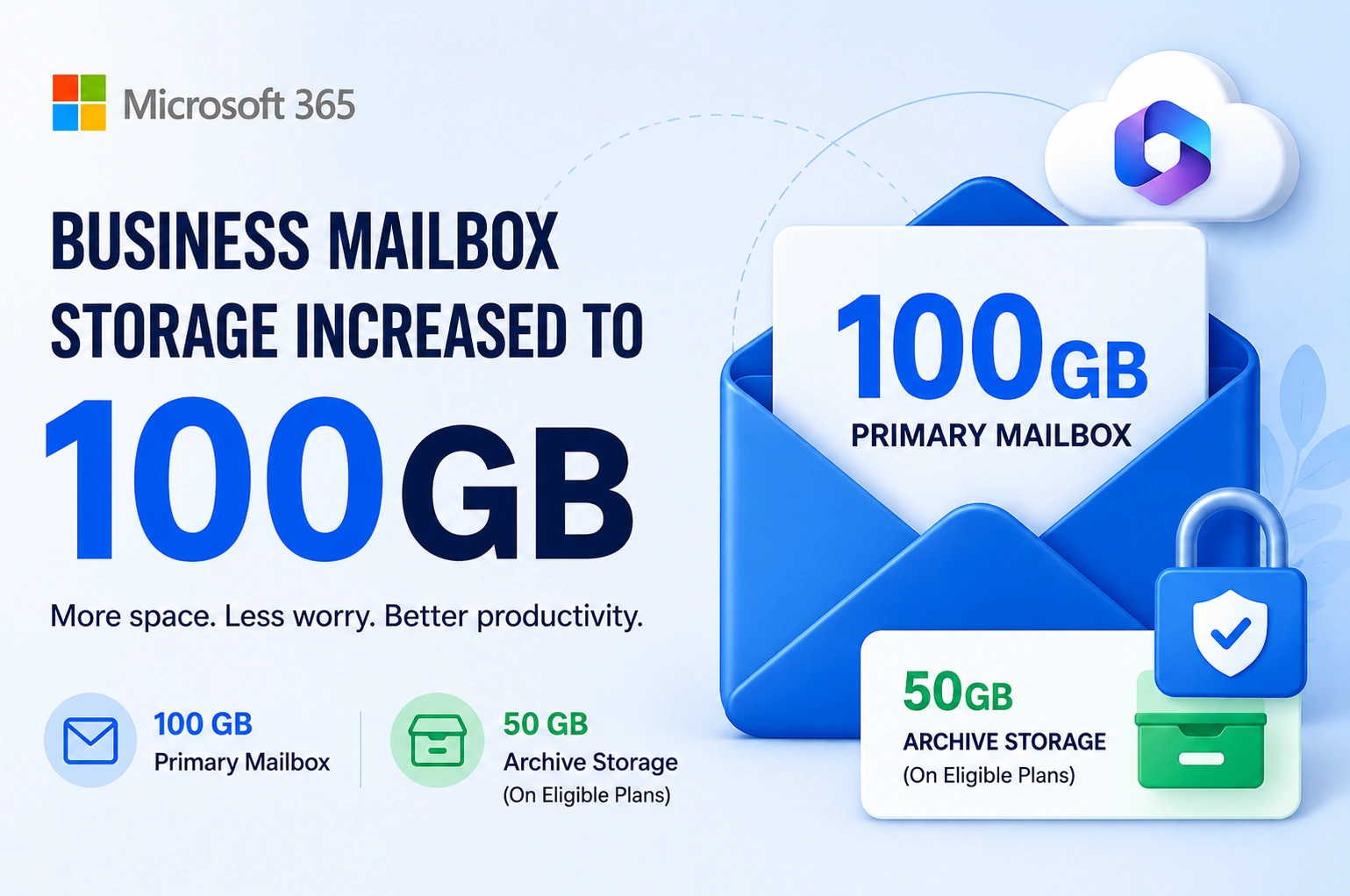
Microsoft has announced a major improvement for Microsoft 365 Business customers. The default mailbox size for eligible Business plans is increasing from 50 GB to 100 GB, giving users twice as much space for emails, attachments, and business communication.

For businesses that rely on email every day, this is welcome news. A larger mailbox means fewer storage warnings, less time cleaning inboxes, and more room to keep important conversations in one place.

In this article, we’ll explain what the new 100 GB mailbox means, who gets the upgrade, how archive storage works, and the other improvements businesses should know about.

What Is Changing?

Microsoft is increasing the primary mailbox storage for eligible Microsoft 365 Business users.

Feature Previous New
Primary Mailbox 50 GB 100 GB
Archive Mailbox* License dependent Available on eligible plans

Note: Archive mailbox capacity depends on your Microsoft 365 or Exchange Online license. Eligible users can have a 50 GB archive mailbox, while certain plans support larger or auto-expanding archives.

This update gives businesses much more room to store email without worrying about reaching mailbox limits too quickly.

Why Did Microsoft Increase Mailbox Storage?

Businesses are sending and receiving more emails than ever before.

Today’s inboxes contain:

  • Large PDF files
  • High-resolution images
  • Project documents
  • Purchase orders
  • Contracts
  • Meeting invitations
  • Shared files
  • Automated notifications

Many organizations reached the previous 50 GB limit much faster than before. Instead of asking users to constantly delete emails or archive them manually, Microsoft has doubled the mailbox capacity.

The goal is simple:

  • Improve productivity
  • Reduce mailbox management
  • Support growing businesses
  • Prepare Microsoft 365 for future AI-powered features

Who Will Receive the 100 GB Mailbox?

The new storage increase applies to eligible Microsoft 365 Business subscriptions as Microsoft rolls out the update.

Depending on your license and Microsoft’s rollout schedule, your mailbox size may increase automatically.

If you’re unsure which license your organization uses, your Microsoft 365 administrator can verify it from the Microsoft 365 Admin Center.

What Does a 100 GB Mailbox Mean?

A 100 GB mailbox provides enough storage for years of business email for many users.

Benefits include:

  • Store more emails without deleting old conversations.
  • Keep larger attachments directly in your mailbox.
  • Reduce “Mailbox Full” warnings.
  • Improve email retention for business records.
  • Spend less time managing storage.

For employees who receive hundreds of emails every day, this upgrade can make a noticeable difference.

Understanding Primary Mailbox vs Archive Mailbox

Many people confuse the primary mailbox with archive storage.

Here’s the difference.

Primary Mailbox Archive Mailbox
Stores everyday emails Stores older emails
Visible in Outlook Inbox Appears as Online Archive
Used daily Used for long-term storage
Now increased to 100 GB Capacity depends on your license

Primary Mailbox

Your primary mailbox contains:

  • Inbox
  • Sent Items
  • Drafts
  • Deleted Items
  • Calendar
  • Contacts
  • User folders

This is where users work every day.

Archive Mailbox

An archive mailbox helps move older emails out of the main mailbox while keeping them searchable.

Depending on your Microsoft 365 subscription, you may have:

  • 50 GB archive storage
  • Larger archive capacity
  • Auto-expanding archive on eligible enterprise plans

Archive mailboxes are especially useful for organizations that need to keep emails for compliance, legal, or business record purposes.

New Features and Improvements

While the headline is the increase to a 100 GB mailbox, businesses also benefit from several related improvements available within the Microsoft 365 ecosystem.

1. Double the Email Storage

The biggest improvement is the jump from 50 GB to 100 GB.

Users can retain more emails without frequently deleting messages or attachments.

2. Better Long-Term Email Retention

Larger mailboxes make it easier for businesses to keep years of communication in one place.

This is particularly useful for:

  • Accounting firms
  • Law firms
  • Healthcare organizations
  • Educational institutions
  • Government offices

3. Improved Outlook Experience

With more available storage, users spend less time managing mailbox quotas and can focus on work instead.

Microsoft Outlook continues to support:

  • Powerful search
  • Folder organization
  • Categories
  • Rules
  • Focused Inbox
  • Quick Actions

4. Online Archive Support

Organizations that require long-term email retention can continue using Online Archive where their license supports it.

Older emails remain searchable without cluttering the primary mailbox.

5. Better Support for AI Features

Microsoft continues expanding AI capabilities across Microsoft 365.

Having a larger mailbox means users can retain more historical email data, which can improve context for AI-powered tools like Microsoft Copilot (where licensed), making it easier to summarize conversations, find information, and draft responses.

6. Less Mailbox Maintenance

IT administrators often spend time helping users manage full mailboxes.

With double the storage:

  • Fewer support requests
  • Less manual cleanup
  • Better user experience

How Businesses Benefit

Here’s how different businesses can take advantage of the increased mailbox storage.

Small Businesses

  • Keep customer conversations longer.
  • Reduce email cleanup.
  • Store invoices and quotations.

Growing Companies

  • Support larger teams.
  • Handle increasing email traffic.
  • Improve collaboration.

Professional Services

Businesses like accountants, consultants, and legal firms often keep years of email records.

The increased mailbox size makes long-term communication easier to manage.

Do You Need to Take Any Action?

In most cases, no.

Microsoft is rolling out the increased mailbox size automatically for eligible subscriptions.

However, administrators should:

  • Review their Microsoft 365 license.
  • Verify mailbox quotas after rollout.
  • Check archive mailbox settings.
  • Update internal documentation if storage limits are referenced.

Before vs After

Feature Before After
Primary Mailbox 50 GB 100 GB
Storage Warnings More frequent Less frequent
Email Retention Limited Improved
Inbox Management More manual cleanup Less maintenance
Business Productivity Standard Better experience

Best Practices for Managing Larger Mailboxes

Even with 100 GB of storage, good mailbox management remains important.

  • Organize emails into folders.
  • Use categories for important messages.
  • Archive older conversations when appropriate.
  • Delete unnecessary spam.
  • Enable retention policies where needed.
  • Back up important business data according to your organization’s policies.

A larger mailbox is helpful, but good organization makes finding information much easier.

Frequently Asked Questions

Is every Microsoft 365 Business user getting a 100 GB mailbox?

The increase applies to eligible Microsoft 365 Business subscriptions as Microsoft rolls out the update. Availability depends on your plan and rollout schedule.

Is archive storage also increasing?

Archive mailbox capacity depends on your Microsoft 365 or Exchange Online license. Some plans include a 50 GB archive mailbox, while eligible enterprise plans support larger or auto-expanding archives.

Will I lose my existing emails?

No. The storage increase only expands your mailbox capacity. Your existing emails remain unchanged.

Do I need to upgrade Outlook?

No. The mailbox size increase is a server-side change. You can continue using Outlook or Outlook on the web as usual.

Will this affect Microsoft Teams or OneDrive storage?

No. This update applies specifically to Exchange Online mailbox storage. Teams, OneDrive, and SharePoint have their own storage allocations.

Conclusion

The increase from 50 GB to 100 GB is a valuable upgrade for Microsoft 365 Business users. With more mailbox storage, businesses can retain important emails for longer, reduce storage-related interruptions, and spend less time managing inbox limits. Combined with archive mailbox capabilities on eligible plans, this update helps create a more efficient and scalable email environment.

If you’re planning to upgrade your Microsoft 365 subscription, migrate from another email platform, or want to confirm your eligibility for the new 100 GB mailbox, Webtech Nepal can help. As a Microsoft Reseller Partner, we provide Microsoft 365 licensing, migration, deployment, security, and ongoing technical support tailored to your business needs.

Contact Webtech Nepal today to find the right Microsoft 365 solution and make the most of the latest mailbox storage enhancements.

7 Clear Signs Your Website Needs a Redesign to Grow Your Business

What Is a Website Redesign?

A website redesign is the process of improving an existing website so it better meets the needs of your visitors and your business. It usually involves updating the design, improving the website’s structure, refreshing content, and adding new features that improve usability.

Many business owners think a redesign only means changing colors or adding a new logo. In reality, it goes much further than that. A successful website redesign focuses on how visitors interact with your website and how easily they can complete important actions such as requesting a quote, making a purchase, or contacting your team.

A redesign may include:

  • Modern visual design
  • Faster loading pages
  • Better mobile experience
  • Improved navigation
  • Updated content
  • Better search engine optimization (SEO)
  • Stronger security
  • Easier content management

The goal is simple: create a website that helps your business grow.

1. Your Website Looks Outdated

Your website creates the first impression of your business. Studies have shown that visitors form an opinion about a website within a few seconds. If your website looks old or unprofessional, many people may leave before reading your content.

Design trends change over time. A website that looked modern five years ago may now appear outdated compared to your competitors. Visitors often associate an old-looking website with poor customer service or an inactive business.

Outdated Design

Some common signs include:

  • Old color schemes
  • Low-quality images
  • Crowded layouts
  • Small fonts
  • Inconsistent branding
  • Flashy animations that distract users

An outdated design can also reduce customer confidence. Even if you offer excellent products or services, visitors may hesitate to contact you if your website doesn’t look trustworthy.

How to Fix It

Start by refreshing your visual identity while keeping your brand consistent.

You can improve your website by:

  • Using modern layouts with more white space
  • Replacing blurry images with high-quality photos
  • Choosing easy-to-read fonts
  • Using consistent brand colors
  • Creating professional-looking service pages
  • Adding custom icons and graphics where appropriate

A clean and modern design makes visitors feel more confident about doing business with you.

2. Your Website Is Slow

Website speed directly affects user experience. People expect websites to load quickly, and many will leave if a page takes too long.

A slow website not only frustrates visitors but can also reduce your rankings in search engines. Search engines want to recommend websites that provide a good experience, and speed is one of the factors they consider.

Several issues can slow down a website, including oversized images, poor hosting, unnecessary plugins, outdated code, and unoptimized databases.

How to Fix It

Improving speed usually involves several small improvements that work together.

Consider the following:

  • Compress large images before uploading them.
  • Use modern image formats like WebP.
  • Remove plugins or scripts you no longer use.
  • Enable browser caching.
  • Minify CSS and JavaScript files.
  • Choose reliable web hosting.
  • Use a Content Delivery Network (CDN) if your audience is spread across different locations.

Even reducing load time by one or two seconds can improve user satisfaction and increase conversions.

3. Your Website Doesn’t Work Well on Mobile

More than half of all website traffic now comes from mobile devices. If your website isn’t easy to use on a smartphone, you’re likely losing potential customers every day.

A responsive website automatically adjusts to different screen sizes. Users should be able to read text, tap buttons, and navigate your website comfortably without zooming or scrolling sideways.

Poor mobile experiences often include:

  • Tiny text
  • Buttons that are difficult to tap
  • Images that don’t fit the screen
  • Slow loading on mobile networks
  • Broken page layouts

How to Fix It

Build your website using a responsive design that works well on all screen sizes.

Test every important page on different devices before launching.

Also make sure:

  • Navigation menus are easy to use.
  • Contact buttons are visible.
  • Forms are simple to complete.
  • Images resize properly.
  • Text remains readable on smaller screens.

A mobile-friendly website creates a better experience and can improve your search rankings.

4. Visitors Leave Without Contacting You

Getting visitors to your website is only the first step. The real goal is encouraging them to take action.

If people browse your website but rarely call, email, or fill out your contact form, something may be preventing them from becoming customers.

Sometimes the problem isn’t traffic—it’s conversion.

Common reasons include:

  • Weak headlines
  • Confusing navigation
  • Too much text
  • Missing calls to action
  • Complicated forms
  • Lack of trust signals

How to Fix It

Guide visitors toward the next step instead of expecting them to figure it out themselves.

Improve your conversion rate by:

  • Writing benefit-focused headlines
  • Adding clear call-to-action buttons
  • Keeping forms short
  • Displaying customer reviews
  • Showing certifications or awards
  • Including your phone number and email on every important page

Every page should encourage visitors to take one clear action.

5. Your Content Is Outdated

Your website should accurately represent your business today—not how it looked years ago.

Outdated information can confuse customers and reduce trust. If visitors find incorrect phone numbers, old prices, discontinued services, or broken links, they may question your professionalism.

Search engines also prefer websites that are updated regularly with useful information.

Content That Should Be Reviewed

Review your website every few months and update:

  • Service pages
  • Product information
  • Pricing
  • Team members
  • Contact details
  • Blog articles
  • Case studies
  • Portfolio
  • Frequently asked questions

Fresh content keeps your website useful for both visitors and search engines.

6. Your Website Is Hard to Navigate

Visitors should never struggle to find information.

If users can’t locate your services, pricing, or contact information within a few clicks, they may leave and visit a competitor instead.

Good navigation creates a smooth journey from the homepage to the final action.

Improve Navigation By

  • Organizing pages into logical categories
  • Limiting menu items
  • Using descriptive page titles
  • Adding internal links
  • Including breadcrumbs
  • Providing a search feature for larger websites

Simple navigation reduces frustration and helps visitors stay on your website longer.

7. Your Website Isn’t Bringing You Leads

A business website should support your marketing efforts. Whether visitors come from Google, Facebook, Instagram, or online ads, your website should help convert them into customers.

If you’re spending money on digital marketing but receiving very few enquiries, your website may be the biggest obstacle.

A high-performing website answers visitors’ questions, builds trust, highlights your expertise, and makes it easy to get in touch.

Ways to Improve Lead Generation

Focus on creating pages that solve customer problems rather than simply describing your business.

Add features such as:

  • Strong calls to action
  • Live chat
  • Quote request forms
  • Downloadable resources
  • Customer testimonials
  • Success stories
  • Frequently asked questions
  • Trust badges
  • Clear pricing or service information

Measure your results using tools like Google Analytics to identify which pages generate the most enquiries and where visitors leave your website.

A well-designed website works around the clock, helping your business attract and convert new customers even outside office hours.

Quick Website Redesign Checklist

Area Check
Modern design ✅
Mobile responsive ✅
Fast loading ✅
Clear navigation ✅
Updated content ✅
Strong calls to action ✅
Contact forms working ✅
SEO optimized ✅
Secure HTTPS ✅
Analytics installed ✅

Benefits of Redesigning Your Website

A successful website design delivers benefits beyond appearance. It improves how visitors interact with your business and supports your long-term marketing strategy.

Some of the biggest benefits include:

  • Better user experience
  • Higher search engine rankings
  • Faster page loading
  • Improved mobile usability
  • Increased customer trust
  • More enquiries and sales
  • Lower bounce rates
  • Stronger brand identity
  • Easier website management
  • Better compatibility with modern browsers and devices

Instead of seeing a redesign as an expense, think of it as an investment in your business’s future growth.

When Should You Redesign Your Website?

There is no fixed schedule for redesigning a website, but most businesses benefit from reviewing their website every few years.

If your website no longer reflects your brand, struggles to generate leads, or performs poorly on modern devices, it’s probably time for an update.

You should seriously consider a redesign if:

  • Your website is over 3–5 years old.
  • It isn’t mobile-friendly.
  • It loads slowly.
  • You have changed your branding.
  • You have introduced new services.
  • Your competitors offer a better online experience.
  • Your website isn’t helping you achieve your business goals.

Regular updates keep your website competitive and ensure it continues to support your marketing efforts as technology and customer expectations evolve.

Frequently Asked Questions

How often should a business redesign its website?

Most businesses should review their website every few years. Small updates can be made regularly, while a full redesign is often needed every 3–5 years or when business goals change.

Will a website redesign improve SEO?

Yes. A redesign can improve page speed, mobile usability, site structure, and content quality. When planned correctly, these improvements can support better search engine rankings.

Is redesigning a website worth the investment?

For many businesses, yes. A well-designed website can improve credibility, increase enquiries, and deliver a better experience for visitors, making it a valuable long-term investment.

How long does a website redesign take?

The timeline depends on the size and complexity of the website. A simple business website may take a few weeks, while larger projects can take several months.

Conclusion

Your website should help your business grow, not hold it back.

If you’ve noticed slow performance, outdated design, poor mobile experience, or a lack of enquiries, it may be time for a website redesign. Improving these areas can create a better experience for visitors and increase your chances of turning them into customers.

At Webtech Nepal, we design modern, fast, and SEO-friendly websites that help businesses build trust and generate more leads. If you’re ready to refresh your online presence, contact our team to discuss your website redesign project.

Register a Free .com.np Domain in Nepal: Complete Guide

If you’re starting a business, creating a personal website, or launching a new brand in Nepal, one of the first things you’ll need is a domain name. The good news is that you can register a .com.np domain for free if you meet the eligibility requirements.

A .np domain is Nepal’s official country code top-level domain (ccTLD). Unlike many other domain extensions, eligible individuals and organizations can register it at no cost. The registration is handled on a first-come, first-served basis by Mercantile Communications Pvt. Ltd., the official registry for .np domains.

In this guide, you’ll learn what a .np domain is, who can register one, the documents you’ll need, and the complete registration process.

What Is a .np Domain?

A .np domain is the official internet domain extension for Nepal. It helps identify websites that belong to individuals, businesses, organizations, and institutions connected to Nepal.

The most popular extension is .com.np, but several other categories are available depending on the type of organization.

Unlike commercial domain extensions such as .com, eligible users do not pay a registration fee for a .np domain.

Quick Answer: A .np domain is Nepal’s official domain extension that eligible Nepalese individuals and organizations can register free of charge.

Why Choose a .com.np Domain?

A .com.np domain offers several benefits for businesses and individuals in Nepal.

It’s Free

You don’t have to pay any registration fee if your application meets the registry requirements.

Builds Local Trust

Visitors immediately recognize your website as being based in Nepal, which helps build credibility with local customers.

Better for Local Branding

A .com.np domain clearly shows your connection to Nepal, making it ideal for local businesses, startups, freelancers, and professionals.

Great for SEO

Although content quality remains the most important ranking factor, using a local domain can help search engines understand your target audience in Nepal.

Who Can Register a .np Domain?

Only individuals and organizations with a legitimate connection to Nepal can register a .np domain.

You may apply if you are:

  • A Nepalese citizen
  • A registered company in Nepal
  • A nonprofit organization
  • A government agency
  • An educational institution
  • A foreign organization officially registered in Nepal
  • A trademark owner with rights in Nepal

Applications must follow the registry’s naming policy. Generally, the requested domain should match your:

  • Personal name
  • Business name
  • Organization name
  • Registered brand
  • Product or service name

Since registrations are approved on a first-come, first-served basis, availability is not guaranteed.

Can You Buy or Sell a .np Domain?

No. The .np domain cannot legally be purchased for resale or transferred like many commercial domain names.

The registry assigns domains based on eligibility and supporting documents rather than auctions or marketplace sales.

Documents Required for .np Domain Registration

The documents depend on whether you’re registering as an individual or an organization.

For Individuals

You must provide one of the following:

  • Nepal Citizenship Certificate
  • Passport
  • Driving License
  • Voter ID Card
  • Non-Resident Nepali (NRN) ID Card
  • Nepal Resident Visa (for eligible foreign nationals)

Important: Your requested domain should closely match the name shown on your identification document.

For Companies and Organizations

Depending on your organization type, you may need:

Organization Type Required Documents
Registered company, partnership, or organization Company Registration Certificate
Foreign company registered in Nepal Branch Registration Certificate or Social Welfare Council Affiliation Certificate
Permanent Establishment or Joint Venture PAN Registration Certificate
Trademark holder Trademark Registration Certificate or official trademark filing receipt issued in Nepal

If you apply using a trademark application receipt, the official trademark registration certificate must usually be submitted within the required time period specified by the registry.

How to Register a Free .com.np Domain

Follow these simple steps.

Step 1: Search Your Domain Name

.com.np domain available status

Visit the official .np domain registration portal and search for your preferred domain name.

If the domain is available, continue with the registration.

If it isn’t available, choose another name that matches your identity or business.

Step 2: Create an Account

create account

Register a new account using your email address.

You’ll need to:

  • Enter your email
  • Create a password
  • Verify your email address

Step 3: Complete Your Profile

After logging in:

  • Fill in your personal or business information.
  • Upload the required supporting documents.
  • Ensure your documents are clear and readable.

Common supported file formats include:

  • JPG
  • JPEG
  • PNG
  • GIF

Step 4: Submit Your Application

search domainpng

Review all information carefully before submitting.

Incorrect names, missing documents, or mismatched information may delay approval.

Step 5: Wait for Verification

The registry reviews every application manually.

If everything matches the requirements, your domain will be approved and activated.

Approval time can vary depending on application volume.

Available .np Domain Extensions

Different .np domain categories are available for different purposes.

Domain Extensions Entry area Notes
.com.np commercial This is an open ccTLD, meaning any person or entity may register a domain. Although it was originally intended for for-profit business entities, it has become the primary ccTLD for domain registrations and is now used by a wide range of organizations and individuals, including nonprofits, educational institutions, and private individuals. To prevent domain squatting, registrations may be challenged if the registrant cannot demonstrate a legitimate connection or interest that justifies reserving the domain name.
.coop.np cooperatives The .coop.np ccTLD is restricted to registered cooperatives.
.edu.np educational The .edu.np ccTLD is restricted to eligible educational institutions, including but not limited to primary schools, secondary schools, colleges, and universities.
.gov.np governmental The .gov.np ccTLD is restricted to government entities and agencies of Nepal.
.info.np information This is an open ccTLD, meaning any person or entity may register a domain.
.mil.np Nepal military The .mil.np ccTLD is restricted to use by the Nepal Army and other authorized military entities of Nepal.
.name.np individuals, by name This is an open ccTLD, meaning any person or entity may register a domain. However, registrations may be challenged if they do not comply with the domain’s charter, which is intended for individuals or the owners of fictional characters.
.net.np network Intended for domains representing distributed computer networks or umbrella sites that serve as portals to a collection of related websites.
.org.np organization Intended primarily for non-profit organizations and continues to be used predominantly by such organizations.

Always choose the extension that best represents your organization or purpose.

Common Reasons for Application Rejection

Applications may be rejected for several reasons, including:

  • The requested domain doesn’t match your legal name.
  • Required documents are missing.
  • Uploaded documents are unclear.
  • Someone has already registered the domain.
  • The requested name doesn’t meet registry guidelines.

Checking everything before submission can help avoid delays.

Frequently Asked Questions

Is a .com.np domain really free?

Yes. Eligible Nepalese individuals and organizations can register a .com.np domain without paying a registration fee.

Can anyone register a .np domain?

No. You must have a legitimate connection to Nepal and provide valid supporting documents.

Can I register multiple .np domains?

Yes, provided each requested domain meets the registry’s naming rules and eligibility requirements.

How long does approval take?

Approval times vary depending on document verification and application volume.

Can I transfer or sell my .np domain?

No. .np domains are assigned based on eligibility and cannot be registered for resale.

Can I register a domain that doesn’t match my name or business?

No. The requested domain must have a clear and justifiable connection to your personal name, business name, organization, trademark, product, or service, depending on the registration category.

What documents do I need to register a .com.np domain?

The required documents depend on whether you are registering as an individual or an organization. Generally, you’ll need a valid identity document for personal registrations or official registration documents for businesses and organizations.

Can foreigners register a .np domain?

Foreign individuals cannot register a .np domain unless they have an eligible legal presence in Nepal or otherwise meet the registry’s requirements.

Do I need a cover letter for .NP domain registration?

Yes. A cover letter is one of the required documents for most personal and organization .NP domain registration applications. You can use our free NP Domain Cover Letter Generator to create a professionally formatted cover letter and download a ready-to-submit PDF in minutes.

Can I change the nameservers after my domain is approved?

Yes. You can update your domain’s nameservers through the registry portal after your domain has been registered.

Do I need web hosting before registering a .np domain?

No. You can register your domain first and connect it to a web hosting service provider later by updating your DNS settings.

Can I use my .np domain for email?

Yes. Once your domain is configured with a hosting or email service provider, you can create custom email addresses such as info@yourdomain.com.np.

What happens if my registration is rejected?

If your application is rejected, you can review the reason, correct any issues, and submit a new application with the required information or documents.

Can I update my contact information later?

Yes. Administrative and technical contact details can be updated through the registry when necessary.

Is there a limit on the length of a .np domain name?

Yes. Domain names must comply with the registry’s naming rules and DNS standards, including length and character restrictions.

Can I register a trademarked or well-known brand name?

No. You may only register a domain if you have a legitimate right or interest in the requested name. Registrations that infringe on trademarks or violate registry policies may be rejected or revoked.

Need Help Registering Your .com.np Domain?

Registering a .com.np domain is simple when you have the correct documents and choose an eligible domain name. Once your domain is approved, you can start building your online presence with a professional website.

If you’d rather avoid the paperwork and verification process, Webtech Nepal can help you prepare the required documents, guide you through the registration process, and set up your website after your domain is approved.

Need Help Registering Your .com, .org, or .net Domain?

Registering a domain such as .com, .org, or .net is an important step toward building a professional online presence. While the process is generally straightforward, choosing the right domain name, checking its availability, and completing the registration correctly can take time.

If you’d rather have an expert handle the process, Webtech Nepal can help you find and register your preferred domain name. We check domain availability, assist with the registration process, and help ensure your domain is properly set up for your website. Whether you need a .com domain for your business, a .org domain for an organization, or a .net domain for a technology-focused website, our team can take care of the technical details so you can focus on your business.

Once your domain is registered, Webtech Nepal can also help you with website design, development, hosting, and other digital solutions to get your website online.

Website Development Checklist for Businesses

Building a website is one of the most important investments a business can make. Your website is often the first place potential customers learn about your company. A well-built website builds trust, attracts visitors, and helps turn them into paying customers.

Many businesses focus only on the design. While appearance matters, a successful website also needs careful planning, fast performance, strong security, search engine optimization (SEO), and regular maintenance.

This website development checklist will help you plan, build, launch, and maintain a website that supports your business goals. Whether you are creating your first website or redesigning an existing one, these steps will help you avoid common mistakes.

A business team planning a website development with design mockups and a checklist.

Why Every Business Needs a Website Development Checklist

A checklist keeps your project organized and helps ensure that nothing important is missed.

It helps you:

  • Save time during development
  • Reduce costly mistakes
  • Improve user experience
  • Increase website security
  • Boost search engine visibility
  • Launch with confidence
  • Create a better experience for customers

Think of it as a roadmap that guides every stage of your website project.

Website Development Checklist at a Glance

Stage Main Goal
Planning Define goals and audience
Strategy Organize content and pages
Design Create an easy-to-use interface
Development Build fast and secure features
Content Publish useful and optimized content
SEO Improve search visibility
Testing Fix issues before launch
Launch Make the website live
Maintenance Keep the website updated

1. Define Your Website Goals

Start by asking why you are building the website.

Your goals may include:

  • Generate leads
  • Sell products online
  • Book appointments
  • Showcase services
  • Build brand awareness
  • Share company information
  • Provide customer support

Clear goals help shape every design and development decision.

Questions to Ask

  • Who is your target audience?
  • What action should visitors take?
  • Which pages are essential?
  • How will you measure success?

2. Understand Your Target Audience

Your website should solve problems for your visitors.

Research your audience by understanding:

  • Age group
  • Interests
  • Online behavior
  • Location
  • Devices they use
  • Questions they frequently ask

For example, many users in Nepal browse websites on smartphones, making mobile optimization essential.

3. Plan Your Website Structure

A clear website structure helps both users and search engines.

Typical business website pages include:

  • Home
  • About Us
  • Services
  • Products
  • Portfolio
  • Pricing
  • Blog
  • FAQs
  • Testimonials
  • Contact

Create a Sitemap

A sitemap helps developers, designers, and content writers understand how pages connect.

Example:

  • Home
  • About
  • Services
  • Portfolio
  • Blog
  • Contact

4. Choose the Right Domain Name

A good domain name should be:

  • Easy to remember
  • Short
  • Easy to spell
  • Relevant to your brand
  • Free from unnecessary numbers and symbols

If your audience is mainly in Nepal, a .com or .com.np domain may be a good choice.

5. Select Reliable Web Hosting

Good hosting affects website speed, uptime, and security.

Look for:

  • High uptime
  • Fast servers
  • SSL support
  • Automatic backups
  • Technical support
  • Scalability

Cheap hosting can cost more in the long run through poor performance.

6. Plan Your Content

Content is one of the biggest reasons people visit your website.

Prepare content before website development whenever possible.

Include:

  • Homepage copy
  • Service descriptions
  • Product details
  • Team information
  • FAQs
  • Blog articles
  • Contact information

Write for real people first.

Answer their questions clearly.

7. Design for User Experience (UI/UX)

Visitors should quickly understand what your business offers.

Good UI/UX includes:

  • Clean layout
  • Easy navigation
  • Readable fonts
  • Consistent colors
  • Clear headings
  • Logical page flow

Avoid clutter.

Every page should have a clear purpose.

8. Make Your Website Mobile Friendly

More than half of web traffic comes from mobile devices.

A responsive website automatically adjusts to different screen sizes.

Test your website on:

Make sure buttons, menus, and forms are easy to use.

9. Prioritize Website Speed

A slow website can drive visitors away.

Ways to improve speed include:

  • Compress images
  • Minify CSS and JavaScript
  • Enable browser caching
  • Use a Content Delivery Network (CDN)
  • Optimize database queries
  • Remove unused plugins

Speed Checklist

  • Images optimized
  • Lazy loading enabled
  • Fast hosting
  • Lightweight theme
  • Minimal scripts

10. Build with SEO in Mind

SEO should begin during development, not after launch.

Basic SEO Checklist

  • SEO-friendly URLs
  • Unique page titles
  • Meta descriptions
  • Heading hierarchy
  • Internal linking
  • Image alt text
  • XML sitemap
  • Robots.txt
  • Schema markup where appropriate

Keyword Optimization

Include keywords naturally in:

  • Titles
  • Headings
  • First paragraph
  • Image alt text
  • URLs
  • Meta descriptions

Avoid keyword stuffing.

11. Secure Your Website

Website security protects your business and customers.

Security essentials include:

  • SSL certificate
  • Strong passwords
  • Firewall
  • Malware scanning
  • Two-factor authentication
  • Regular updates
  • Daily backups

Security should never be treated as an optional feature.

12. Add Clear Calls to Action (CTAs)

Every page should guide visitors toward the next step.

Examples include:

  • Get a Quote
  • Contact Us
  • Schedule a Consultation
  • Request a Demo
  • Buy Now
  • Download Brochure

Use clear and action-focused language.

13. Create Simple Contact Options

Make it easy for visitors to reach you.

Include:

  • Contact form
  • Phone number
  • Email address
  • Office location
  • Business hours
  • Google Maps (if applicable)
  • Social media links

14. Build Trust with Social Proof

People trust businesses that show real customer experiences.

Include:

  • Reviews
  • Testimonials
  • Case studies
  • Client logos
  • Certifications
  • Awards

Authentic proof builds confidence.

15. Test Everything Before Launch

Never launch without testing.

Technical Checklist

  • All links work
  • Forms submit correctly
  • Images display properly
  • Navigation works
  • Pages load quickly
  • SSL is active
  • 404 page exists
  • Search function works
  • Mobile layout is correct
  • Browser compatibility checked

16. Set Up Website Analytics

Tracking helps you understand visitor behavior.

Useful tools include:

  • Google Analytics
  • Google Search Console
  • Heatmap tools
  • Conversion tracking

Monitor:

  • Visitors
  • Bounce rate
  • Traffic sources
  • Top-performing pages
  • Conversions

17. Prepare for Ongoing Maintenance

A website is never truly finished.

Regular maintenance includes:

  • Updating software
  • Renewing SSL certificates
  • Backing up data
  • Publishing fresh content
  • Fixing broken links
  • Monitoring performance
  • Reviewing security logs

Monthly maintenance keeps your website healthy.

Common Website Development Mistakes

Avoid these common issues:

Mistake Better Approach
No planning Create a project roadmap
Slow loading pages Optimize performance
Ignoring mobile users Use responsive design
Weak security Apply security best practices
Poor navigation Keep menus simple
No SEO Optimize from day one
Outdated content Update regularly
No analytics Measure performance

Website Launch Checklist

Before going live, confirm that:

  • Website loads quickly
  • Mobile version works
  • SSL certificate is active
  • Contact forms work
  • Analytics is installed
  • Search engines can crawl the website
  • Metadata is complete
  • Images are optimized
  • All pages are reviewed
  • Backup is created

Launching with confidence starts with careful testing.

Image Suggestions

  • After Introduction: Website planning meeting.
    • Alt Text: Business team planning a professional website.
  • After Website Structure: Sitemap illustration.
    • Alt Text: Example website sitemap for a business.
  • After SEO Section: SEO optimization dashboard.
    • Alt Text: Website SEO checklist and optimization process.
  • After Security Section: Website security concept.
    • Alt Text: SSL certificate and website security protection.
  • Near Launch Checklist: Developer testing a website.
    • Alt Text: Website quality assurance before launch.

Frequently Asked Questions

What is a website development checklist?

A website development checklist is a step-by-step guide that covers planning, design, development, testing, launch, and maintenance to help create a successful website.

Why is website planning important?

Planning helps define goals, organize content, reduce mistakes, and keep the project on schedule.

How long does it take to build a business website?

The timeline depends on the project’s size and complexity. A simple business website may take a few weeks, while larger or custom websites can take several months.

Why is mobile responsiveness important?

A responsive website provides a better experience across devices and supports search engine rankings.

How often should a website be updated?

Check for software updates and security patches regularly. Review content, links, and performance at least once a month to keep the website accurate and secure.

Conclusion

A successful website is built through careful planning, thoughtful design, reliable development, and continuous improvement. Following a structured website development checklist helps you create a site that is fast, secure, user-friendly, and ready to support your business goals.

Whether you’re launching a new website or improving an existing one, taking the time to cover each stage will save effort later and provide a better experience for your visitors.

If you’re looking for expert help with website planning, web design, development, SEO, or ongoing maintenance, Webtech Nepal can help you build a website that not only looks great but also delivers real business results.

A New Chapter Begins: The Journey of Webtech Nepal

Growing with Technology. Growing with Our Clients.

Today marked an important milestone in the journey of Webtech Nepal as we proudly launched our newly redesigned website, webtechnepal.com. While the website introduces a fresh look, modern user experience, and the latest web technologies, it represents something much greater—it reflects our continuous journey of innovation, learning, and commitment to helping businesses succeed in the digital world.Every website has a story. So does ours.

Our Journey

What began as a vision to help Nepali businesses establish their online presence has gradually evolved into a comprehensive digital solutions company. Over the years, Webtech Nepal has worked with organizations of all sizes—from startups and SMEs to corporate enterprises, educational institutions, NGOs/INGOs, healthcare organizations, tourism companies, and government-related projects—delivering reliable and affordable technology solutions.

In the early years, our primary focus was on developing professional websites that enabled organizations to establish a credible digital identity. As businesses increasingly embraced digital transformation, so did we.

Evolving Through Every Technology Era
Technology never stands still, and neither have we.

Throughout our journey, we have continuously upgraded our skills, development practices, and technology stack to deliver better performance, security, scalability, and user experiences.

Our evolution includes:

  • Static HTML & CSS Websites – Creating fast, informative corporate websites.
  • PHP & MySQL Solutions – Building dynamic and database-driven business applications.
  • Content Management Systems – Delivering WordPress and custom CMS solutions that empower clients to manage their own content.
  • E-commerce Platforms – Helping businesses sell products and services online.
  • Custom Web Applications – Developing business automation systems tailored to client requirements.
  • Responsive & Mobile-First Design – Ensuring every website works seamlessly across desktops, tablets, and smartphones.
  • Modern Development Frameworks – Adopting Laravel, React, Next.js, REST APIs, cloud technologies, and modern UI/UX principles to build high-performance digital products that meet today’s business needs.

Every technology shift has been an opportunity to improve the value we deliver to our clients.

More Than a Website Company

Today, Webtech Nepal has grown far beyond website development. We now provide a complete range of digital business solutions, including:

Our goal has always been simple—to become a trusted technology partner rather than just another service provider.

  • Website Design & Development
  • Custom Software & Web Applications
  • Mobile Application Development
  • WordPress Solutions
  • E-commerce Development
  • Domain Registration
  • Web Hosting & Cloud Hosting
  • Microsoft 365 & Google Workspace Solutions
  • Search Engine Optimization (SEO)
  • Social Media Marketing
  • Digital Content Creation
  • Website Maintenance & Support
  • Website Redesign & Performance Optimization

Built on Trust

The greatest achievement in our journey is not the number of projects we have completed but the relationships we have built. Many of our clients have been with us for years, trusting us with their websites, software, hosting infrastructure, email services, digital marketing, and ongoing support. Their confidence has motivated us to improve continuously and strive for excellence.

Every project has helped us learn, innovate, and become stronger.For that, we extend our heartfelt gratitude to every client, partner, and well-wisher who has been part of our journey. Introducing the New Webtech Nepal, Our newly launched website is more than a visual redesign.

It has been rebuilt using modern technologies, faster architecture, responsive layouts, and improved user experience to reflect the direction we are heading as a company.

The new platform represents our commitment to:

  • Modern UI/UX Design
  • Faster Performance
  • Better Accessibility
    Enhanced Security
  • Improved User Experience
  • Future-ready Technologies
  • Scalable Digital Solutions

Most importantly, it showcases our expanded capability to deliver end-to-end technology services—from concept to deployment and long-term support.

Looking Ahead

The digital world is evolving rapidly with cloud computing, artificial intelligence, automation, and modern web technologies transforming how businesses operate. Webtech Nepal is committed to staying ahead of these changes. Our ambition is to continue helping organizations embrace digital transformation through innovative websites, powerful software, scalable cloud infrastructure, intelligent business applications, mobile apps, hosting services, and creative digital content solutions. This new website is not the destination. It is the beginning of our next chapter.

To every client who trusted us with your first website, every organization that recommended our services, every partner who collaborated with us, and every team member who contributed to our growth.

Your trust has shaped our journey.

As we step into this exciting new era, we look forward to building even stronger partnerships, delivering more innovative digital solutions, and helping businesses thrive in an increasingly connected world. Welcome to the new Webtech Nepal.

The journey continues.

7 Critical Steps To Building An Outstanding Website

Websites is the first point of attraction for your customers. It works like a digital identity of your company that drives more sales. Even if you are managing an offline business, having an effective website has become the prerequisite. A majority of buyers are online, and if you are not making your business visible online, then you are losing a large chunk of customers.

 “97% of customers search for local businesses online, and 95% of B2B clients research the companies online before making a decision.” – businessnewsdaily.com

Creating a website has become more imperative than ever, irrespective of the size and structure of the business. However, you need to put a lot of thought into developing and designing a productive and sales-inducing website. If you are new to all this process, we are here to help you.

7 Crucial Steps To Create An Amazing Website

While all the development and designing process can be done by hiring an expert team, there are a few things that you as a business owner must look out in your website. Here are those few important things that your website should have.

Hassle-Free Design

The first point of attraction on your website is its design. Do not complicate your design, layout, and font by adding too many elements. Give special focus to the graphics and make them easy to grasp. Most importantly, invest well in your logo or choose to custom with AI logo. You can create a vector logo design in a super easy way yet that is impactful for your online store. Animation designs are becoming quite a trend that you try. In a nutshell, make everything crystal clear for your visitors.

Mobile-Friendly Site

When you are designing and developing your website, you need to keep the mobile users in your mind too. Around 65% of buyers make their online purchase through mobile phones. You cannot risk losing a large portion of online buyers. Hence, prioritize the need for making your site mobile-friendly. Whether you are creating an eCommerce site or a service web page, you need to make sure that it is mobile responsive.

Easy To Find

A domain name is what makes your websites different from others. It is the web address that visitors use to find you. Never pick a domain name that is too hard to remember. Choose a domain name that is easy to find on the search engine. You can also try multiple domain names that will take your visitors to your website. Choosing a domain name can be a dominating task; it would be better to seek a professional’s help.

Visible Contact Details

If you need to provide your contact details on the website for your visitors to call you back, it is preferred to place all contact details on top of the home page. There are chances that viewers don’t scroll through the end of the page. This way, they will miss the contact details. Don’t lose your prospects, and simply add contact details or social media action buttons on the top.

Uncluttered Pages

Think like a customer. Would you like to re-visit a website whose web pages are messy and filled with things? Probably not, so try not to clutter your pages. Make them as simplistic as possible, and don’t overload them with too much information. You need to balance the text-to-graphics ratio on every single page in order to make it appear clean.

Quick Loading

Your viewer will not spend another second on your website if it is too slow to load. Every second counts when your viewer is going through your website. You need to prioritize the loading speed of your website. Optimize the pages, videos, images and keep your software updated for better speed. Choosing a good host also makes a difference.

Add Call To Action

Every page of your website must compel the viewers to do something; take action. Hence, it is important to add a call to action to every page. Be it calling, signing up for a newsletter, buying a product, or contacting the sales team; your visitors must be able to take prompt action after viewing the web page. Generally, people add them at the end of the page, but you can add them on the top fold as well.

The Bottom Line

Today, there is an undying need for a good online presence, without which your business cannot survive. Every brick-and-mortar companies are thinking about having a website as it adds more value and sales to their business. Hence, you cannot deny the need for an effective website.

While you are creating a website, there are a few important things that you must consider. These imperative factors ensure that your website runs successfully and get the required exposure among its customers. So, when you are creating a website for your business, irrespective of its niche, you should check the above mentioned key factors in it.

Invest your time and money in an effective website, and it will yield unexpected results.

Author Felix Jean

When not writing blog posts, Felix Jean plays the guitar and go bungee jumping with friends. His writing is focused on technology, design and online ecommerce. He’s a graphic designer too; likes to dabble with Adobe Illustrator to create designs for friends and colleagues.

Why Website Redesign Is Necessary for Nepali Businesses in 2026

Your website is like your digital storefront, open all day and night to people browsing from Kathmandu streets or Pokhara cafes. If it still looks like it did in 2020, slow, cluttered, and hard to use on phones, you’re basically giving your customers to competitors. A smart website redesign isn’t just a nice-to-have; it’s how you stay relevant in Nepal’s fast-growing online market, where e-commerce and local searches are booming.

Grabbing Attention in Seconds

Visitors decide whether to stay or leave in less than 10 seconds. An old design says “ignore me,” while a fresh one grabs their attention.

The Power of First Impressions

Take Future First Technology Nepal’s site update a few months ago, they replaced heavy graphics with clean layouts and saw engagement rise by 40%. Here’s the truth: 94% of bad first impressions come from design alone. Get rid of pixelated images and tiny fonts. Instead, use bold visuals that fit your brand, like earthy colors for a trekking company or sleek blues for a fintech startup.

Quick Wins for Visual Punch

  • Replace stock photos with real pictures of your team or products people appreciate authenticity.
  • Use plenty of white space; crowded pages feel overwhelming, like a busy street in Thamel.
  • Choose colors carefully: red stands out during festivals, while green reminds people of Nepal’s hills.

Making Users Stick Around Longer

Bad navigation is like inviting guests to a party without giving them directions. A good website redesign helps visitors find their way easily and reduces bounce rates.

Streamlining Navigation and Flows

Look at how Daraz improved, they simplified their menus during a redesign and increased time spent on the site by 25%. Think of user journeys like a smooth walk from home page to product to checkout, not a risky cliff edge. Use tools like Google Analytics heatmaps to see where visitors get stuck and fix those spots first.

Everyday UX Fixes

  1. Focus on mobile users: 70% of Nepali visitors use phones, so make sure buttons are easy to tap with thumbs.
  2. Make your site faster by compressing images so they load in under 3 seconds. Free tools like TinyPNG can help.
  3. Add search bars, they’re especially useful for online shops where customers look for specific kurtas or momos recipes.

Supercharging Conversions and Revenue

Design drives Money. A weak site converts 1-2%; redesigns can easily hit 4-5%.

From Browsers to Buyers

Remember that the local e-commerce client, German Bakery website, revamped? Cart abandonment dropped from 75% to 45% after clearer CTAs and trust badges like “Free delivery in Valley.” Place “Buy Now” buttons where eyes land, use urgency like “Limited stock,” and simplify forms—no one wants 10 fields for a signup.

CRO Tips You Can Steal

  • Try A/B testing headlines like “Get 20% Off” versus “Save on Your First Order” to see what works best.
  • Include social proof such as “Join 5,000 happy customers in Nepal.”
  • Use exit-intent popups to offer a quick discount to visitors about to leave.

Climbing Google Ranks with Smart Design

SEO is more than just keywords, it’s also about how well your site performs. Slow or non-mobile-friendly sites get pushed down in search results.

Core Web Vitals Mastery

Google’s metrics reward fast, stable sites. A Heritage Education Services website redesign saved load times, landing them top for “Study in China from Nepal.” Aim for Largest Contentful Paint under 2.5s—lazy-load images below the fold.

SEO-Friendly Redesign Checklist

  • Semantic HTML: Use H1 for mains, alt text on all images (“Handwoven Nepali pashmina scarf”).
  • Schema markup: Stars in search results for reviews.
  • Internal linking: Guide from the blog to the services naturally.

Staying Ahead of Trends and Competitors

Nepal’s digital market moves fast with AI chats, voice search, and dark mode becoming popular. Ignore these trends, and your competitors will leave you behind.

Hot Trends for 2026

Dark mode cuts eye strain for night owls; voice-optimized for Alexa users rising here. Competitors like Daraz layered in chatbots—response times plummeted, sales soared. For your biz, blend global trends with local flavor: Gurkha motifs or Dashain banners.

Competitor Spy Tips

  • Use tools like SimilarWeb to check where your competitors get their traffic.
  • Update your website every 2 to 3 years and audit it yearly for speed and user experience.
  • Add a personal touch, like “Welcome back, Lalitpur shopper!” to make visitors feel valued.

Tackling Common Roadblocks

Redesigns often face challenges like budget limits, tight timelines, and getting everyone on board. Here’s how to avoid these problems.

Budget Breakdown

Small biz: NPR 80k-1.5L for basics. Enterprise: 3L+. Start with audits (NPR 40k) to prioritize. ROI? Often pays back in 3-6 months via extra sales.

Timeline Realities

A typical redesign takes 4 to 12 weeks. If you rush it, you might regret it because rushed sites often have problems. Here’s a tip: running design and development in parallel can save time.

Webtech Nepal: Your Local Redesign Partner

We’ve redesigned over 100 websites for Nepali businesses, from online shops to law firms. Our process includes discovery chats, wireframes you can adjust, prototypes tested by real users, and a launch with quality checks. One client, a SaaS startup, saw trial sign-ups rise from 1.2% to 2.1% after their redesign. Based in Kathmandu, we understand local needs like NTC payments and Nepali fonts.

Key Takeaways

  • Design your site with people in mind first: focus on speed, mobile-friendliness, and clear layouts.
  • Measure everything: Pre/post metrics prove ROI.
  • Combine the latest trends with local culture to create a winning website that feels both modern and Nepali.
  • Partner wisely: Let Webtech Nepal handle your launch strategy.
  • Act now, staying digitally ahead is how you keep customers every day.

You must know before website redsign

How often should I redesign my website? Every 2 to 3 years, or sooner if your bounce rate exceeds 60% or conversions slow down. It’s good to audit your site every year.

What’s the ROI on a website redesign? You can expect engagement and sales to increase by 20 to 100%. Use Google Analytics goals to track your progress.

Do I need a full redesign or just some tweaks? Start with an audit. If your site scores low on speed or user experience, a full redesign is best. Otherwise, a facelift might be enough.

How much does it cost in Nepal? Prices range from NPR 50,000 to 500,000 depending on the project. It’s best to get quotes after an audit for an accurate estimate.

Can a redesign hurt my SEO? Not if it’s done properly. Using 301 redirects and updating your sitemap will keep your rankings safe.

Ready to Revamp? Your Next Steps

Grab coffee, pull your Analytics, list top pains (slow mobile? Confusing nav?). Hit up Webtech Nepal for a free consult, we’ll map out a budget-friendly plan together. Don’t wait for competitors to shine brighter. Start your website Design today.

21 Best Bulk SMS Service provider in Nepal

Do you want to know Nepal’s 21 Best Bulk SMS Service providers? Based on traffic and popularity in 2026, we’ve compiled a list of Nepal’s top 21 Bulk SMS Service providers in Nepal.

Bulk SMS services in Nepal are becoming increasingly popular as businesses and organizations seek new ways to reach their target audience. Bulk SMS, also known as text message marketing, allows companies to send many SMS messages to a group of people at once. It’s an effective way to communicate with customers, employees, and other stakeholders quickly and easily. Bulk SMS services conveniently inform people about important updates, special offers, and news. With the increasing popularity of mobile phones in Nepal, businesses can use Bulk SMS services to reach their target audiences.

One of the key advantages of bulk SMS services is their versatility. SMS Services are used for various tasks such as promotional campaigns, event invitations, order confirmations, appointment reminders, and customer feedback surveys. Additionally, businesses can segment their target audience based on demographics or behavior patterns to deliver messages more likely to resonate with recipients.

Another advantage of bulk SMS services is their high open rates compared to other marketing channels, such as email. According to research, 98 percent of all text messages are opened within three minutes of being received. This means that businesses can expect high engagement from recipients, leading to increased sales revenue and brand loyalty.

Several bulk SMS service providers in Nepal offer various features and pricing plans. This list will be an excellent place to begin your search for a reliable bulk SMS service in Nepal, but we emphasize that it is not comprehensive. Let’s take a look at some of the Top Bulk SMS Service providers in Nepal:

1. SparrowSMS

Sparrow SMS Logo

SparrowSMS is a leading bulk SMS service provider in Nepal, offering a user-friendly platform for businesses to connect with their customers efficiently. With SparrowSMS, you can send bulk SMS messages in both Nepali and English, catering to a diverse audience. Key features include SMS scheduling, message personalization, and detailed delivery reports, ensuring a seamless communication experience.

The web-based SMS application allows users to send and receive bulk messages across all major telecom providers in Nepal, including Nepal Telecom (NT) and Ncell. In addition, bulk messages can also be sent with platforms such as Viber and Whatsapp.

Flexible Pricing: SparrowSMS offers flexible pricing plans based on the number of SMS credits you purchase. For more information directly scan the QR Code.

SMS QR

2. Bulk SMS Nepal

Bulk SMS Nepal is the most trusted bulk SMS service Provider in Nepal. Their system is built to be both simple and powerful, letting users manage everything from big SMS marketing campaigns to urgent information messages with ease supporting both Ncell and NTC networks. Main features include the ability to send thousands of messages with a single click, strong delivery systems, and some of the lowest prices you can get in Nepal. It’s the best choice for businesses that need a fast, safe, and low-cost way to talk to their audience.

Bulk SMS Nepal

Bulk SMS Nepal Pricing Plans:

Plan Price (NPR) SMS Credits Cost per SMS
Starter 999 1,000 NPR 1.00
Growth 4,999 6,000 NPR 0.83
Enterprise 14,999 20,000 NPR 0.75

Bulk SMS Nepal helps businesses of all sizes connect with customers in Nepal effectively. With instant delivery and high open rates, you can share promotions, alerts, or updates and make sure your messages get noticed.

3. Aakash SMS

Aakash SMS provides SMS marketing solutions for businesses and individuals. It allows you to send text messages (SMS) to mobile phones across Nepal, regardless of whether they are subscribed to Nepal Telecom or Ncell.

Aakash SMS provides complete access to their API. Our API integration allows you to use the web interface features. Integration with your company is as simple as using our web interface and API. By integrating SMS text into your program, you may get alerts, keep tabs on reports, and use shortcodes.

Pricing: Aakash SMS offers different pricing plans based on Bulk SMS Service Package, Lead Generation / Campaign Service and API Service. The price range starts from NRS 1.4 per SMS credit.

4. Swift Technology

Swift Technology, an official and low-cost partner, provides bulk SMS Service for Nepal Telecom (NT), Ncell, and SmartCell. By incorporating SMS Service into your company’s infrastructure, you may boost your company’s prospects through an easy-to-use communication strategy.

With the Swift Technology bulk SMS service, you can keep in touch with your clientele quickly and cheaply. Services such as “New Product Launch” announcements, “Transaction” alerts via SMS, “Bulk SMS,” “Campaign” SMS, “Shortcode” SMS, “Web-Based Bulk SMS,” “SMS Gateway & API,” and “SMS” can be used to improve business prospects and create superior customer value.

Pricing: Swift Technology offers different pricing plans based on the number of SMS credits you purchase.

5. Nitya SMS

If you’re a marketer in Nepal trying to expand your consumer base quickly and affordably, Nitya SMS is your go-to source. No matter the size of your company, they have the best and most dependable solution for sending bulk SMS in Nepal. With Nitya SMS, you can contact your target audience from anywhere.

Pricing: Nitya SMS offers different pricing plans based on the number of SMS credits you purchase. The price range starts from NRS 1.10 per SMS in Express Plan.

6. Chhito Connect Bulk SMS

With the help of Chhito Connect’s ultra-reliable and highly-available infrastructure, your company can manage its SMS-based communication with many consumers quickly and easily.

Pricing: Chhito Connect offers different pricing plans based on the number of SMS credits you purchase.

7. Creation Soft Nepal

Creation Soft Nepal provides an easy-to-use messaging platform with dependable connectivity and competitive pricing for individual and bulk SMS delivery across all major national and international cell operators. We can help you with your SMS marketing needs, whether you’re looking for a gateway, API, or service to send out mass text messages.

Pricing: Creation Soft Nepal Connect offers different pricing plans based on the number of SMS credits you purchase.

8. Easy Digital Service

Easy Digital Service is a bulk SMS provider that offers a comprehensive platform for businesses to send SMS messages to their customers. With Easy Digital, you can send SMS messages in Nepali and English languages. It also offers features like SMS scheduling, personalization, and delivery reports.

Pricing: Easy Digital Service offers different pricing plans based on the number of SMS credits you purchase.

9. EASY SERVICE PVT. LTD

10. F1 SOFT INTERNATIONAL

11. Inficare Pvt. Ltd.

12. Infocom Solutions Pvt. Ltd.

13. Karuna Technology Pvt. Ltd.

14. Mercantile Office System Pvt. Ltd.

15. ONE UP COMMUNICATION PVT. LTD.

16. Pathivara Digital Network Pvt. Ltd.

17. Samaya Technology Pvt. Ltd.

18. TELENET PVT. LTD

19. Access World Tech Pvt. Ltd.

20. Himal Infotech Pvt. Ltd.

21. Bitmoro

Bitmoro is the premier provider of bulk SMS services in Nepal. Its comprehensive features include contact list management, personalized message templates, scheduling, and more. The platform is meticulously crafted to offer dependable and effective messaging solutions to businesses in diverse industries.

Best Bulk SMS service providers in Nepal (Nepal Telecom)

S.N. Service Provider Address Service Contact Number Contact Person
1 JANAKI TECHNOLOGY PVT. LTD. Kupandol, Lalitpur SMS 9802005007 Arvind Sah
2 Access World Tech Pvt. Ltd. Patandhoka, Lalitpur SMS 9851067027 Manisha Maharjan
3 CREATION SOFT NEPAL PVT. LTD. Gairidhara, KTM SMS 9843208068 Siddhant Pokharel
4 Easy Digital Service Pvt. Ltd. Buddhanagar, KTM SMS 9851146332 Narendra Bahadur Chand
5 EASY SERVICE PVT. LTD Shankhamul, KTM SMS 9851219459 Surendra chand
6 F1 SOFT INTERNATIONAL Pulchowk, Lalitpur SMS 9841452132 Santosh Basnet
7 Himal Infotech Pvt. Ltd. New Baneshwor, KTM USSD 9851099072 Mohan Kumar Parajuli
8 Inficare Pvt. Ltd. Gairidhara, KTM SMS 9841357708 Rajendra Budathoki
9 Infocom Solutions Pvt. Ltd. Hattisar, KTM SMS 9741861783 Anish Bajracharya
10 Aakash Tech Pvt. Ltd Naxal, KTM SMS 9851195578 Brijesh Gupta
11 Karuna Technology Pvt. Ltd. Maitidevi, KTM SMS 9855065526 Santosh Aryal
12 Lotus I.T. Nepal Pvt. Ltd. Kalikasthan, KTM USSD 9851001890 Krishna Prasad Pokharel
13 Mercantile Office System Pvt. Ltd. Durbar Marg, KTM SMS 9841376459 Roshan kumar Ban
14 Nitya Shree Developers Harihar Bhawan, Pulchok SMS 9849654318 Puspendra Khadka
15 ONE UP COMMUNICATION PVT. LTD. Anamnagar, KTM SMS 9851163281 Nikesh Koirala
16 Samaya Technology Pvt. Ltd. Sitapaila, KTM SMS 9851188512 Bishnu Prasad Sharma
17 Spell Innovation Pvt. Ltd. Mid-Baneshwor, KTM SMS 9848048781 Dhani Ram Sapkota
18 Swift Technology Private Limited Panipokhari, KTM SMS 9842262163 Nabaraj Poudel
19 TELENET PVT. LTD Tripureshwor, KTM SMS 9851121453 Samir Shrestha

Source: https://www.ntc.net.np/services/sms-based-vas-services

Best Bulk SMS service providers in Nepal (Ncell)

Ncell Bulk SMS Service is a convenient one-way mobile SMS termination service that allows customers to receive messages from sender IDs. Sender IDs can only be in alphanumeric or alphabetic words and cannot be numeric. Users are unable to send any responses through this service. This feature is especially useful for receiving financial transaction alerts, marketing and promotional messages, as well as a variety of personalized messages, such as appointment reminders and event notifications.

Here are the available partners of this service with Ncell:

Partner Name Contact person Contact Details Email Address
Janaki Technology Pvt. Ltd. Arvind Sah 802005015 arvindsah504@gmail.com
Creation Soft Nepal Pvt. Ltd. Gaurav Manandhar 9801979048 gaurav@creationsoftnepal.com
Easy Digital Service Narendra Bahadur Chand 9851146332 nbchand8@gmail.com
Easy Service Pvt. Ltd. Rupesh Kumar Sah 9851074254 rupesh.sah@gmail.com
F1 Soft International Subash Sapkota 9801089839 marketing@f1soft.com
Inficare Neraz Manandhar 9801155511 neraz@inficare.net
Infocom Solutions Private Limited Roshendra Khadka 9801088877 roshendra.khadka@ispl.com.np
Aakash Tech Pvt Ltd. Brijesh Gupta 99803253121 brijesh@aakashtech.com.np
Karuna technology Pvt. Ltd. Sulav Dangol 9849236808 dgsulav@gmail.com
Mintech Nepal Pvt. Ltd. Pujan Thapa 9801205566 mintechnepal@gmail.com
Miracle Infocom Ramesh P Joshi 9801110951 miracleipl@gmail.com
Nepasoft Solutions Pvt. Ltd. Shailesh Hamal 9851027329 Shailesh@nepasoft.com
Nitya Shree Developers Pvt. Ltd. Deepak Shrestha 9851179074 deeshr07@gmail.com
Pathivara Digital Network Pvt. Ltd. Ram Chandra Karki 9869730119 pathdigits@gmail.com
Samaya Technology Pvt. Ltd. Bishnu Sharma 9818283795 info@samayasms.com
Swift Technology Pv.t Ltd. Salina Shrestha 9802096758 salina.shrestha@swifttech.com.np
Telenet Private Limited Samir Shrestha 9802052727 samir.shrestha@teletalk.com.np

Source: https://www.ncell.com.np/en/individual/vas/short-number-and-bulk-sms-service

Conclusion:

In conclusion, these are the Best Bulk SMS Service provider in Nepal. Each of these providers offers different features and pricing plans. It is important to choose the one that best suits your business needs. With bulk SMS marketing, you can effectively communicate with your customers and cost-effectively promote your business.

It would be best if you weighed the following criteria when deciding on a bulk SMS provider: return on investment (ROI), customer service (CS), access to SMS APIs (application programming interfaces), scalability, price, data security, and availability (downtime). Even though this isn’t an exhaustive list, you’ll find our selection of 21 of Nepal’s best bulk SMS providers. Remember Webtech Nepal to get SMS Services in Nepal.

Why Bulk SMS Marketing Remains a Powerful Tool in 2026

In the rapidly evolving digital marketing landscape, businesses often seek the most effective ways to reach and engage their customers. Despite the rise of new channels, such as social media, email automation, and in-app messaging, bulk SMS marketing remains a critical and powerful tool for businesses in 2026. This blog post examines why bulk SMS marketing remains one of the most effective marketing strategies today and how companies can leverage its unique advantages to achieve success.

The Unmatched Reach and Instant Delivery of Bulk SMS

One of the greatest strengths of bulk SMS marketing lies in its unrivaled reach and immediacy. Unlike emails that may remain unopened in crowded inboxes or social media posts that risk being missed amid algorithm changes, SMS messages have a remarkably high open rate, often reported as high as 98%. Text messages are typically read within minutes, ensuring timely communication. This immediacy is invaluable for businesses looking to send urgent alerts, promotions, appointment reminders, or transactional messages.

Bulk SMS can reach customers directly on their mobile devices, bypassing any need for internet access, making it especially effective in areas with limited connectivity. Its broad accessibility ensures that both urban and rural customers can receive your messages promptly, thereby widening your audience and enhancing the effectiveness of your campaign.

Cost-Effectiveness and High ROI

Bulk SMS marketing offers an excellent return on investment (ROI) compared to many other marketing channels. The cost per message is generally low, allowing businesses to send thousands of messages for a modest budget. With targeted messaging, companies can optimize engagement and conversion rates, ultimately leading to increased sales and enhanced brand loyalty.

Studies show that SMS marketing campaigns often outperform email campaigns in terms of response rates and revenue generation. Given its ability to deliver personalized, contextually relevant messages, SMS marketing is a cost-effective way to nurture customer relationships and encourage repeat business.

Personalization and Customer Engagement

In 2026, personalization dominates marketing strategies, with consumers expecting messages tailored to their preferences and behaviors. Bulk SMS marketing supports advanced personalization by allowing businesses to segment their customer lists and send customized messages based on demographics, purchasing history, or engagement levels.

Personalized SMS campaigns foster stronger customer connections, leading to higher engagement rates and increased customer satisfaction. Whether it’s sending birthday discounts, exclusive offers, or product recommendations, personalized bulk SMS resonates more with recipients, making them feel valued and understood.

Integration with Omni-Channel Marketing

Bulk SMS doesn’t operate in isolation; it integrates seamlessly into broader omnichannel marketing efforts. Businesses can coordinate SMS campaigns alongside email, social media, and website interactions to create cohesive and consistent customer experiences.

Combining bulk SMS with other channels enables real-time notifications about promotions, abandoned carts, or loyalty rewards, which increases the chances of conversion. Integrations with customer relationship management (CRM) systems and marketing automation platforms further streamline campaign management and performance tracking.

Compliance and Consumer Trust

With an increasing global focus on data privacy, bulk SMS marketing platforms are now prioritizing compliance with laws such as the GDPR, TCPA, and other regional regulations. Responsible bulk SMS marketing respects customer consent and preferences, building trust and enhancing brand reputation.

Transparent opt-in and opt-out mechanisms, message frequency controls, and clear content policies ensure that customers feel comfortable receiving SMS communications. This trust is vital for long-term engagement and fostering positive brand associations.

Future-Proofing Marketing Efforts with Emerging Technologies

Advancements in SMS technology continue to enhance the effectiveness of bulk SMS marketing. Features like Rich Communication Services (RCS) offer multimedia messaging capabilities, allowing users to include images, videos, and interactive buttons within messages.

Additionally, AI-driven analytics help optimize timing, content, and audience targeting, making campaigns more innovative and more efficient. These innovations ensure that bulk SMS marketing evolves in line with customer expectations and technological trends, securing its place as a durable marketing channel.

Conclusion

Bulk SMS marketing remains an essential and powerful tool for businesses in 2026 due to its unparalleled reach, cost-effectiveness, personalization capabilities, and seamless integration with omnichannel strategies. Its ability to deliver instant, direct, and relevant messages makes it indispensable for customer engagement and driving sales.

By adopting responsible practices and leveraging emerging SMS technologies, businesses can harness the full potential of bulk SMS marketing to foster lasting customer relationships and achieve marketing success in the years ahead.