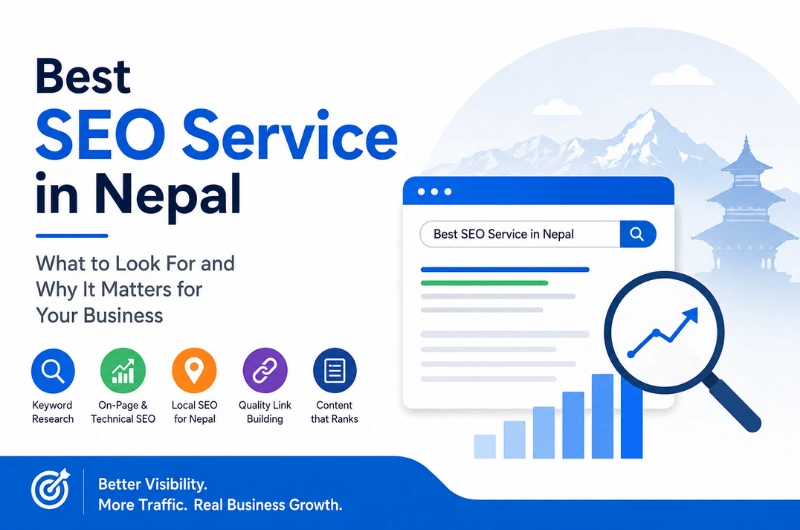
Why Choose Webtech Nepal for the Best SEO Service in Nepal?

When people need a product or service, they often start with Google. They search for a company, compare different options, read reviews, and then decide who to contact.

This makes search visibility important for businesses in Nepal. A website may look great, but if people cannot find it in search results, it may not bring enough visitors or enquiries.

Search Engine Optimization (SEO) helps improve a website’s visibility in search engines. It involves much more than adding keywords to a page. Website structure, content, speed, mobile usability, links, local search, and user experience can all play a role.

If you are looking for the best SEO service in Nepal, it is useful to first understand what good SEO actually involves and what you should expect from an SEO company.

What Is Search Engine Optimization?

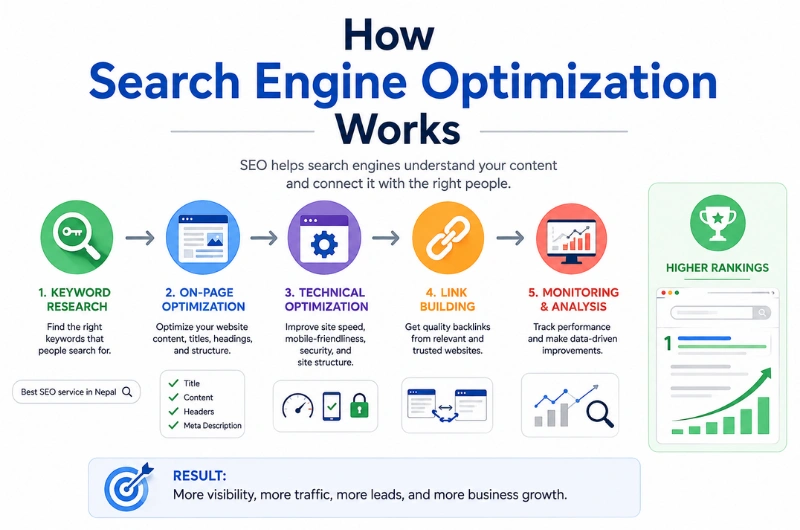
How search engine optimization works

Search Engine Optimization, commonly called SEO, is the process of improving a website so search engines can better understand its pages and users can find useful information through search.

For example, a business that provides website development in Nepal may want its website to appear when someone searches for:

  • Website development company in Nepal
  • Web design company in Kathmandu
  • WordPress development Nepal
  • E-commerce website development Nepal

SEO helps a business compete for searches that are relevant to its products or services.

SEO can involve several areas, including:

  • Keyword research
  • Content optimization
  • Technical SEO
  • On-page SEO
  • Local SEO
  • Internal linking
  • Website speed
  • Mobile optimization
  • Structured data
  • Link building
  • SEO monitoring and reporting

The main purpose is to make a website easier for both search engines and people to understand.

Why Does SEO Matter for Businesses in Nepal?

Nepal has a growing online market. Customers use search engines to find local businesses, compare services, research products, and learn about companies before making decisions.

For a local business, appearing for a relevant search can bring visitors who are already interested in what the business offers.

For example, a hotel in Pokhara may want to appear for searches related to hotels in Pokhara. An education consultancy in Kathmandu may want visibility for searches related to studying abroad.

SEO can help businesses:

  • Increase organic website traffic
  • Reach people actively searching for their services
  • Improve online visibility
  • Attract local customers
  • Build brand awareness
  • Generate enquiries and leads
  • Reduce reliance on paid advertising

SEO is not a replacement for every other marketing channel. It works best as part of a wider digital marketing strategy.

What Makes a Good SEO Service in Nepal?

There is no single SEO strategy that works for every business.

A local restaurant, trekking company, online store, education consultancy, and software company may all need different approaches.

A good SEO service should start by understanding the business and its customers.

Here are some things to look for when comparing SEO companies in Nepal.

1. A Clear Understanding of Your Business

SEO should connect with your actual business goals.

Before choosing keywords or creating content, an SEO company should understand:

  • What your business offers
  • Who your customers are
  • Which locations you serve
  • What makes your business different
  • Which services are most important
  • Who your competitors are

This information helps create a more useful SEO strategy.

2. Proper Keyword Research

Keywords are the words and phrases people type into search engines.

But choosing keywords is not simply about finding the keywords with the highest search volume.

Search intent matters too.

For example:

Search Query Search Intent
What is SEO? Learning
SEO services in Nepal Looking for a service
Best SEO company in Nepal Comparing providers
SEO cost in Nepal Researching price
Hire SEO company Nepal Ready to contact a provider

A good SEO strategy matches keywords with the right pages and the right type of content.

3. Useful Website Content

Search engines need to understand what a website is about. Visitors also need clear and useful information.

Good SEO content should answer the questions people actually have.

Depending on the business, this could include:

  • Service pages
  • Product pages
  • Blog posts
  • FAQs
  • Location pages
  • Industry guides
  • Comparison pages
  • Case studies

Content should be written for people first. Keywords can then be added naturally where they make sense.

4. Technical SEO

Technical SEO deals with the parts of a website that affect crawling, indexing, performance, and usability.

Common technical SEO tasks include:

  • Checking website indexing
  • Improving website structure
  • Fixing broken links
  • Managing redirects
  • Creating XML sitemaps
  • Reviewing robots.txt
  • Improving page speed
  • Checking mobile usability
  • Fixing duplicate page issues
  • Using canonical URLs
  • Adding structured data where appropriate

Technical SEO is especially important when a website has many pages or has recently been redesigned.

5. On-Page SEO

On-page SEO focuses on individual pages.

It can include:

  • Page titles
  • Meta descriptions
  • Headings
  • Page URLs
  • Content structure
  • Keyword usage
  • Internal links
  • Image alt text
  • Calls to action

These changes help search engines understand the topic of a page while also making the page easier for visitors to use.

6. Local SEO

Local SEO is useful for businesses that serve customers in a specific area.

A business in Kathmandu, for example, may want to appear when people search for a service nearby.

Local SEO can include:

  • Google Business Profile optimization
  • Local keyword research
  • Location-specific content
  • Business information consistency
  • Customer reviews
  • Local citations
  • Local structured data

Local SEO can be particularly useful for restaurants, hotels, clinics, consultancies, agencies, retailers, and other location-based businesses.

SEO Services You May Need

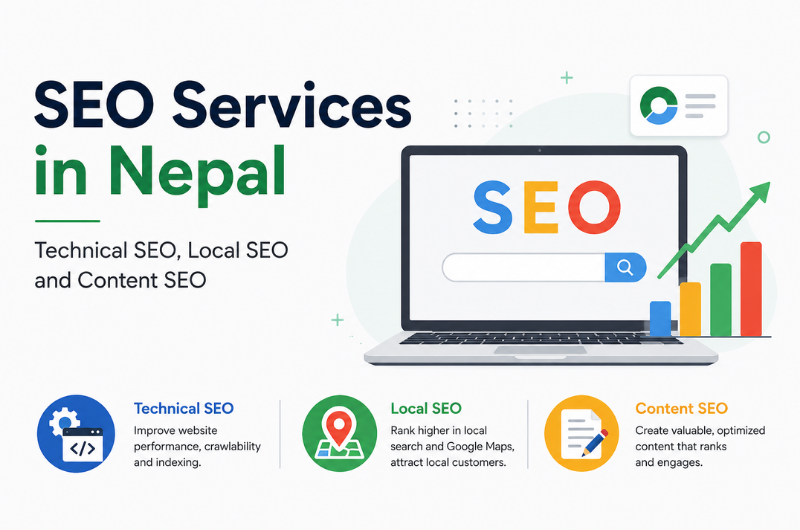
SEO services in Nepal including technical SEO, local SEO and content SEO

Not every business needs every SEO service.

The right combination depends on the website, industry, competition, and goals.

SEO Service Main Purpose
SEO Audit Find technical and content problems
Keyword Research Find relevant search opportunities
On-Page SEO Improve individual website pages
Technical SEO Improve crawling, indexing, and performance
Content SEO Create useful search-focused content
Local SEO Improve visibility for local searches
E-commerce SEO Improve product and category visibility
Internal Linking Connect related website pages
Schema Markup Help search engines understand page information
SEO Reporting Track performance and changes

A small local business may mainly need local and on-page SEO. A large e-commerce website may need technical SEO, content, internal linking, and product-page optimization.

How Does an SEO Company Work?

A typical SEO project starts with research rather than immediately changing website content.

Step 1: Website and Business Review

The first step is understanding the website, business, target audience, and competitors.

Step 2: SEO Audit

The website is checked for technical problems, content issues, indexing problems, and other areas that may affect search visibility.

Step 3: Keyword Research

Relevant keywords are researched based on search demand, competition, business relevance, and search intent.

Step 4: SEO Planning

The findings are turned into an action plan.

Some problems may need to be fixed before creating new content. Others may be handled over time.

Step 5: Website Optimization

The SEO team works on areas such as technical SEO, page structure, content, internal links, and other improvements.

Step 6: Content Development

New content may be created when the website does not have useful pages for important search queries.

Existing content can also be updated when it is outdated or incomplete.

Step 7: Monitoring

SEO performance is monitored over time.

This can include:

  • Organic traffic
  • Search impressions
  • Clicks
  • Keyword visibility
  • Important landing pages
  • Leads or enquiries
  • Technical issues

The data can then be used to decide what to improve next.

SEO and Website Development Work Together

SEO is easier to manage when it is considered during website development.

A website’s design and technical structure can affect search performance.

For example, a new website should consider:

  • Mobile-friendly design
  • Fast loading pages
  • Search-friendly URLs
  • Proper heading structure
  • Clear navigation
  • Internal linking
  • Image optimization
  • Structured content
  • Crawlable pages

This is one reason businesses often look for a company that understands both website development and SEO.

Webtech Nepal provides website design and development as well as SEO services, which can be useful when a business wants these areas to work together rather than treating them as completely separate projects.

How Webtech Nepal Approaches SEO

There is no need for every business to follow the same SEO plan.

At Webtech Nepal, the approach can vary based on the website and business requirements.

The work may involve:

  • Website SEO audits
  • Keyword research
  • On-page optimization
  • Technical SEO
  • Content optimization
  • Local SEO
  • Internal linking
  • Website performance improvements
  • SEO-friendly website development
  • Performance monitoring

The focus is on identifying what needs attention and working on those areas in a practical order.

This is especially useful for businesses that already have a website but are unsure why it is not getting enough search traffic.

How Long Does SEO Take?

SEO does not have a fixed timeline.

A new website targeting competitive keywords may need more time than an established website with existing authority and useful content.

Results can depend on:

  • Website age
  • Industry competition
  • Keyword difficulty
  • Website quality
  • Content quality
  • Existing backlinks
  • Technical problems
  • Search demand
  • Previous SEO work

Some improvements can appear relatively quickly after technical problems are fixed. Competitive search terms can take much longer.

This is why an SEO company should avoid promising a specific ranking within an unrealistic time.

How Much Does SEO Cost in Nepal?

SEO pricing varies from one project to another.

The cost may depend on:

  • Website size
  • Number of target keywords
  • Competition
  • Content requirements
  • Technical SEO work
  • Local SEO requirements
  • E-commerce functionality
  • Monthly work involved

A small business with a few local services may need a smaller SEO campaign than a large e-commerce website with thousands of products.

Instead of choosing a provider based only on the lowest price, look at what the SEO service includes and whether the work matches your goals.

Common SEO Mistakes Businesses Should Avoid

Keyword Stuffing

Repeating a keyword too many times can make content difficult to read.

Use keywords naturally and focus on answering the reader’s question.

Copying Content

Copied content does not give users a reason to choose your website.

Original and useful information is more valuable.

Ignoring Mobile Users

Many people access websites from smartphones.

Your website should work well on smaller screens and remain easy to use.

Buying Poor-Quality Links

Large numbers of low-quality backlinks are not a reliable SEO strategy.

Links should come from relevant and trustworthy sources.

Publishing Content Without a Plan

Writing many blog posts without understanding what people search for can waste time.

Start with search intent and business relevance.

Expecting Immediate Results

SEO is usually a long-term marketing activity.

It requires testing, monitoring, and regular improvement.

Focusing Only on Rankings

A keyword ranking is useful, but it is not the final business goal.

Traffic, enquiries, sales, and other conversions are often more meaningful.

How to Choose the Best SEO Company in Nepal

Before hiring an SEO company, ask a few simple questions.

Do They Explain Their SEO Process?

You should understand what work will be done and why.

Do They Understand Your Industry?

Industry knowledge can help an SEO team understand your customers and competitors.

Do They Look at Your Existing Website?

A proper website review is useful before deciding what SEO work is needed.

Do They Provide Reports?

You should be able to see what has been worked on and how the website is performing.

Do They Make Unrealistic Promises?

Be careful with guarantees such as “number one on Google in 30 days.”

No SEO company controls Google’s search results.

Do They Focus on Relevant Traffic?

Getting visitors is useful, but getting visitors who are interested in your products or services is more valuable.

Frequently Asked Questions

What is the best SEO service in Nepal?

The best SEO service depends on your business and goals. A good provider should study your website, customers, competition, and target keywords before creating an SEO plan.

How much does SEO cost in Nepal?

SEO costs vary based on website size, competition, target keywords, content needs, technical work, and the amount of ongoing optimization required.

How long does SEO take to work?

There is no fixed timeline. Some changes can show results relatively quickly, while competitive keywords and new websites may require more time.

Is SEO useful for small businesses in Nepal?

Yes. SEO can help small businesses reach people searching for their products and services. Local SEO can be especially useful for businesses that serve a particular city or area.

Can SEO improve an existing website?

Yes. A new website is not always necessary. An existing website can often be improved through technical fixes, better content, improved page structure, internal linking, and other SEO work.

What is local SEO?

Local SEO focuses on improving a business’s visibility for searches connected to a particular location. It can be useful for businesses serving customers in Kathmandu, Pokhara, Lalitpur, and other areas.

Can an SEO company guarantee Google rankings?

No. Search rankings depend on many factors outside an SEO company’s direct control. A responsible SEO provider should explain the strategy and expected goals rather than promise a guaranteed position.

Conclusion

The best SEO service in Nepal is not necessarily the company that promises the fastest ranking.

Good SEO starts with understanding the business, researching what people search for, improving the website, creating useful content, and measuring what happens over time.

For businesses in Nepal, SEO can be useful for both local and national search visibility. It can also work closely with website design and development, especially when SEO is considered from the beginning.

Webtech Nepal combines website development with SEO, allowing businesses to work on both their website and search visibility as part of their wider online strategy.

If you are unsure why your website is not getting enough organic traffic, start with an SEO audit. Understanding the current problems is often the best first step before deciding what work needs to be done.

The Truth About Cheap & Unlimited Hosting: Hidden Limits, Features & Costs

Looking for cheap hosting or the cheapest web hosting for your website? Before choosing the cheap and unlimited hosting plan, learn what “unlimited” really means, which hidden limits can affect your website, and how to find affordable hosting without putting your business at risk.

When you’re launching a website, choosing a hosting provider is one of the first decisions you’ll need to make. And naturally, most businesses want to keep that cost under control.

That’s why cheap hosting, unlimited hosting, and the cheapest web hosting plans can look so appealing.

You may come across hosting packages offering:

  • Unlimited SSD or NVMe storage
  • Unlimited bandwidth
  • Unlimited websites
  • Unlimited email accounts
  • Free SSL
  • Free website migration
  • Very low introductory prices

On paper, it can look like you’re getting everything your business needs for very little money.

But there’s one question worth asking before you click Buy Now:

What does “unlimited” actually mean?

The reality is that no shared hosting environment has infinite CPU, RAM, disk performance, database capacity, or server resources. When a provider advertises something as “unlimited,” it generally describes how that resource is marketed or billed. The account can still be subject to reasonable-use policies and technical restrictions.

That’s not necessarily a bad thing. Hosting providers need resource limits to keep their servers stable and prevent one account from affecting everyone else on the same server.

The problem is when customers don’t know where those limits are until their website runs into them.

A hosting plan that looks cheap today can become expensive if poor performance, downtime, limited resources, missing backups, or migration problems start affecting your business.

What Is Cheap Hosting?

Cheap hosting generally means a hosting plan offered at a relatively low price compared with other options on the market.

And affordable hosting isn’t automatically a bad choice.

A small blog, portfolio, landing page, or low-traffic business website may not need expensive infrastructure. Paying for resources you don’t use doesn’t necessarily make sense.

The real problem is choosing hosting based only on price.

Two providers may advertise similar prices while offering very different levels of:

  • CPU resources
  • RAM availability
  • Storage performance
  • Backup protection
  • Customer support
  • Server locations
  • Security features
  • Email capacity
  • Database resources
  • Resource usage policies
  • Migration assistance
  • Renewal pricing

So, the cheapest web hosting plan isn’t necessarily the best-value hosting plan.

The goal should be to find the lowest reasonable cost for the resources and reliability your website actually needs.

Is Unlimited Hosting Really Unlimited?

This is one of the most important questions to ask when comparing hosting plans.

In practical terms, unlimited hosting does not mean unlimited server resources.

Every physical server has finite CPU, RAM, storage, network capacity, and disk I/O. With shared hosting, those resources are distributed among multiple accounts.

An “unlimited” plan may therefore still have restrictions involving:

  • CPU usage
  • RAM usage
  • Concurrent processes
  • Database size
  • Number of files or inodes
  • File sizes
  • Disk I/O
  • Email sending
  • Cron jobs
  • Backup storage
  • Fair-use policies
  • Acceptable website activity

The exact limits vary from one hosting provider to another. That’s why it’s important to read the provider’s resource policies and terms before purchasing.

A hosting company may advertise unlimited storage or bandwidth while maintaining separate limits on CPU usage, file counts, database resources, or other server activity.

In other words, don’t judge unlimited hosting by the word “unlimited” alone.

Look at the actual resources available and what happens when your website reaches the provider’s usage thresholds.

1. Hidden CPU Limits Can Slow Down Your Website

CPU is one of the resources your website relies on to process requests and perform tasks.

Your website uses CPU resources when visitors:

  • Load pages
  • Search your website
  • Submit forms
  • Log in
  • Browse products
  • Add products to a cart
  • Run WordPress plugins
  • Generate dynamic pages
  • Perform database queries

On shared hosting, your website shares the server with other customers.

If your account regularly uses more CPU than the hosting environment allows, the provider may throttle your website or ask you to upgrade to a higher hosting plan.

How CPU limits can affect your business

A website that was fast when it first launched can become slower as traffic, plugins, products, customers, and database activity increase.

For an online business, that can lead to:

  • Frustrated visitors
  • Abandoned purchases
  • Lower customer satisfaction
  • More support requests
  • A poorer user experience
  • Lost business opportunities

Before choosing a hosting plan, ask:

“What CPU resources are available, and what happens if my website exceeds the normal usage limit?”

A clear answer is much more useful than simply seeing “unlimited” on a pricing page.

2. “Unlimited Storage” Doesn’t Mean Unlimited Files

Storage is another feature commonly used to promote hosting plans.

You might see a provider advertising unlimited storage, but that doesn’t necessarily mean you can store unlimited files, backups, videos, databases, or other data.

There may be separate restrictions covering:

  • Number of files
  • Maximum individual file size
  • Database size
  • Backup storage
  • Email storage
  • Acceptable content
  • Overall server resource usage

Why file limits matter

Websites can accumulate a surprising number of files over time.

A WordPress website, for example, may contain:

  • Plugins
  • Themes
  • Images
  • Image thumbnails
  • Cache files
  • Logs
  • Temporary files
  • Backups
  • Email-related files

So storage capacity is only one piece of the puzzle.

When comparing cheap hosting plans, check both the storage allowance and the file or inode limit.

3. Unlimited Bandwidth Can Still Have Usage Rules

“Unlimited bandwidth” sounds simple enough.

But bandwidth isn’t the only thing that determines how well a website performs.

Your website also depends on:

  • Server processing power
  • Network capacity
  • Disk I/O
  • Database performance
  • Connection limits
  • Server configuration

A provider may offer unlimited or unmetered traffic under normal usage while still reserving the right to manage excessive resource consumption.

So instead of asking only:

“Is the bandwidth unlimited?”

Ask:

“Are there traffic, CPU, connection, or resource-use restrictions that could affect my website as it grows?”

That’s a much more useful question when comparing unlimited hosting plans.

4. Database Limits Can Become a Problem as Your Website Grows

Modern websites often depend heavily on databases.

WordPress, WooCommerce, membership websites, booking systems, forums, and custom applications can generate significant database activity.

A hosting plan may offer generous storage while imposing separate restrictions on databases.

These can include:

  • Maximum database size
  • Number of databases
  • Database users
  • Database connections
  • Query or resource usage
  • Backup availability

For a simple blog, you may never notice these restrictions.

For an ecommerce store or growing business website, however, database performance and capacity can become much more important.

If you’re choosing hosting for an online store or web application, don’t overlook the database limits just because the plan advertises plenty of storage.

5. Backups Are One of the Most Important Hosting Features

This is one area where you should never make assumptions.

A hosting provider may advertise:

“Free backups included.”

But what does that actually mean?

Before purchasing, find out:

  • How often are backups created?
  • How many copies are retained?
  • Are backups stored separately from the hosting server?
  • Can you restore a backup yourself?
  • Is the database included?
  • Are email accounts included?
  • Are backups automatic?
  • Is restoration included or charged separately?
  • What happens if the entire server fails?

A backup is only useful if you can actually recover your website from it.

Should you keep your own website backup?

For an important business website, it’s sensible not to rely entirely on your hosting provider’s backup system.

Keep an independent backup as well.

That gives you another recovery option if your hosting account, server, or provider experiences a serious problem.

When comparing cheap web hosting, backup policies should be part of the price comparison—not an afterthought.

6. Cheap Hosting Can Become Expensive at Renewal

One of the easiest hosting costs to overlook is the difference between the introductory price and the renewal price.

Some hosting providers use significant first-term discounts to attract new customers.

There’s nothing inherently wrong with that.

The important thing is knowing what you’ll pay after the promotional period ends.

Before buying, compare:

First-term price → Renewal price → Billing period → Included features

Don’t judge a hosting provider by the promotional price displayed on its homepage.

Instead, calculate what you’ll actually spend over two or three years.

That gives you a much clearer picture of the hosting plan’s long-term value.

What should you include in the real hosting cost?

Consider the price of:

  • Hosting renewal
  • Additional storage
  • Premium backups
  • Security services
  • Migration
  • Premium support
  • Higher resource plans
  • Other required add-ons

A plan that looks like the cheapest web hosting option at checkout may not remain the cheapest after renewal and additional services are included.

7. Poor Customer Support Can Cost More Than Hosting

When everything is working normally, you might rarely need to contact your hosting provider.

But when your website goes down before an important sales campaign, support suddenly becomes very important.

Cheap hosting can become expensive in terms of your time if you’re left trying to solve technical problems on your own.

Before buying, look into:

  • Support availability
  • Available support channels
  • Response expectations
  • Migration assistance
  • Server troubleshooting
  • Backup restoration assistance
  • Technical expertise
  • Emergency support procedures

A slightly more expensive hosting plan with responsive, knowledgeable support can provide much better value for a business.

8. Server Performance Matters More Than Huge Storage Numbers

One of the most common mistakes when comparing hosting plans is focusing heavily on storage.

For example:

100 GB vs. 200 GB vs. Unlimited

But most business websites don’t need enormous amounts of storage.

What they often need is:

  • Fast storage
  • Adequate CPU
  • Sufficient RAM
  • Good database performance
  • Reliable networking
  • Proper server configuration
  • Consistent uptime

For many businesses, performance and reliability matter more than having hundreds of gigabytes of storage you never use.

When evaluating cheap hosting, look beyond the storage number.

9. Don’t Overlook Hosting Security

Your hosting provider plays an important role in protecting the environment where your website runs.

Before choosing a hosting plan, check whether it includes or supports:

  • Free SSL certificates
  • Malware scanning
  • Firewall protection
  • Account isolation
  • Secure backups
  • Two-factor authentication
  • Automatic software updates
  • DDoS protection where appropriate
  • Security monitoring
  • Secure server configuration

Keep in mind that hosting security is only one part of protecting a website.

You should also keep your CMS, plugins, themes, and applications updated and use strong, unique passwords.

Cheap hosting shouldn’t mean ignoring security.

10. Website Migration Can Become a Hidden Cost

What happens if your website outgrows your current hosting plan?

You may need to upgrade to:

  • Premium shared hosting
  • Cloud hosting
  • VPS hosting
  • Managed WordPress hosting
  • Dedicated infrastructure

In some cases, you may even need to move to another hosting provider.

Migration can involve both technical work and additional costs.

That’s why it’s worth asking before you sign up:

“If my website grows, can I upgrade easily without moving to another company?”

A hosting provider with a clear upgrade path can save you significant time and hassle later.

How Cheap Hosting Can Affect Your Business

Hosting isn’t simply a technical expense.

The hosting environment can affect the way customers experience your website and, ultimately, how your business operates online.

1. Slow Website

Poor or overloaded infrastructure can contribute to slower page loading and a frustrating user experience.

2. Downtime

If your website becomes unavailable, customers can’t access your products, services, contact forms, or information.

3. Lost Sales

For ecommerce websites, technical problems can prevent customers from completing purchases.

4. Reputation Damage

Customers expect a professional business website to be available and functional.

5. Growth Restrictions

A hosting plan that works well for a small website may become unsuitable as traffic and functionality increase.

6. Unexpected Costs

Upgrades, migrations, backup services, premium support, and additional resources can turn a seemingly cheap hosting plan into a much more expensive solution.

How to Choose Cheap Hosting Safely

You don’t need to avoid every affordable hosting provider.

The better approach is to understand exactly what you’re buying.

Use this checklist before choosing a cheap hosting plan.

1. Read the Resource Limits

Look for:

  • CPU limits
  • RAM limits
  • I/O limits
  • Entry process limits
  • File/inode limits
  • Database limits
  • Email limits

If the information isn’t easy to find, ask the provider directly.

2. Read the Fair-Use Policy

Look for terms such as:

  • Fair Use Policy
  • Acceptable Use Policy
  • Resource Usage Policy
  • Terms of Service

This is often where important restrictions are explained.

3. Check the Renewal Price

Don’t compare hosting providers using first-year promotional prices alone.

Find out what the regular price will be.

4. Understand the Backup Policy

Know:

  • How frequently backups are created
  • How long they’re retained
  • What’s included
  • Where they’re stored
  • How restoration works
  • Whether restoration costs extra

5. Check the Upgrade Path

Your website may start small and grow over time.

Choose a provider that gives you a straightforward path from shared hosting to a more powerful environment when necessary.

6. Test Customer Support Before Buying

Ask a few technical questions before purchasing.

Pay attention not only to how quickly they respond, but also to whether the answer is clear and useful.

7. Don’t Trust “Unlimited” on Its Own

Think of unlimited hosting as a marketing description, not proof of unlimited server capacity.

Read the actual terms and resource policies.

8. Keep Your Own Backup

Even if your provider offers automated backups, maintain an independent copy for important websites.

9. Monitor Your Website

Use website monitoring and performance tools to keep an eye on:

  • Downtime
  • Slow response times
  • Server errors
  • Performance degradation

Google also provides tools such as Search Console to help website owners identify search-related and technical issues, while its developer guidance emphasizes the importance of websites being secure, fast, accessible, and usable across devices.

10. Choose Value, Not Just Price

The cheapest hosting plan is only the cheapest option if it continues to meet your needs.

A slightly higher hosting cost may be worthwhile if it provides better:

  • Performance
  • Reliability
  • Security
  • Support
  • Backups
  • Scalability

Cheap Hosting vs. Good-Value Hosting

There’s an important difference between cheap hosting and good-value hosting.

Factor Cheap-First Approach Good-Value Approach
Price Lowest possible Reasonable for the resources
Performance May be uncertain Clearly evaluated
Resource limits Often overlooked Checked before purchase
Backups Assumed Verified
Support Price-focused Quality-focused
Security Basic assumptions Features verified
Scalability May be limited Upgrade path available
Renewal cost Often overlooked Checked in advance
Business suitability Unclear Matched to business needs

The goal shouldn’t be to find the cheapest hosting at any cost.

The goal is to find reliable hosting at a price that makes sense for your website and business.

Who Can Safely Use Cheap Hosting?

Affordable shared hosting can still be an excellent choice for many websites.

It may be suitable for:

  • Personal blogs
  • Portfolio websites
  • Small business websites
  • Landing pages
  • Informational websites
  • New websites with limited traffic
  • Simple WordPress websites

For these types of websites, there’s often no reason to pay for infrastructure you don’t currently need.

The key is understanding the plan’s limitations before you buy.

When Should You Consider Better Hosting?

You may want to consider a more powerful hosting environment if your website has:

  • Consistently increasing traffic
  • An online store
  • Large databases
  • Many simultaneous visitors
  • Resource-intensive applications
  • Frequent performance problems
  • Business-critical operations
  • High revenue dependency
  • Advanced customization requirements

At that point, options such as managed hosting, cloud hosting, or VPS hosting may offer more predictable resources and greater control.

That doesn’t mean you need expensive hosting simply because your business is growing.

It means your hosting should grow with your website.

Questions to Ask Your Hosting Provider Before Buying

If you’re comparing cheap hosting or unlimited hosting plans, don’t be afraid to ask direct questions.

  1. What are the CPU and RAM limits?
  2. Is the bandwidth truly unlimited, or is it subject to a fair-use policy?
  3. Is there an inode or file-count limit?
  4. Are there database size or connection limits?
  5. How often are backups created?
  6. How long are backups retained?
  7. Can I restore a backup myself?
  8. What is the regular renewal price?
  9. Are SSL certificates included?
  10. Is malware scanning included?
  11. What happens if my website exceeds the resource limits?
  12. Can I upgrade without migrating to another provider?
  13. Is website migration included?
  14. What level of technical support is included?
  15. Are there restrictions on email sending?

If a hosting provider gives you clear, straightforward answers, that’s a positive sign.

If important limits are difficult to find or the provider avoids explaining them, take some time to investigate before purchasing.

The Bottom Line: Don’t Choose Hosting by Price Alone

Cheap hosting isn’t automatically bad. Expensive hosting isn’t automatically good. And unlimited hosting isn’t automatically unlimited.

What matters is whether the hosting plan provides the performance, resources, security, support, reliability, and scalability your website actually needs.

An affordable hosting plan can be an excellent choice for a small website when its limitations are clearly understood.

But choosing a provider solely because it advertises “unlimited hosting,” “unlimited bandwidth,” or “the cheapest hosting” can be risky if you don’t investigate what’s behind those claims.

Before purchasing, check:

  • Resource limits
  • Fair-use policies
  • Backup terms
  • Renewal pricing
  • Security features
  • Support quality
  • Upgrade options

Most importantly, don’t ask only:

“How cheap is this hosting?”

Ask:

“What am I actually getting for the price, and will it still work for my business as it grows?”

That’s the question that can help you avoid expensive migrations, unexpected restrictions, slow performance, and unnecessary business disruption.

Final Advice

The best hosting provider isn’t necessarily the one with the lowest price or the biggest “unlimited” promise.

It’s the one that gives you transparent resources, reliable performance, strong security, dependable support, clear policies, regular backups, and a sensible path to grow.

Choose hosting for the business you’re building—not just for the price you pay today.

Web Design in Kathmandu: Modern Websites That Help Local Businesses Grow

A professional website is no longer optional for businesses in Kathmandu. Whether you run a restaurant, hotel, consultancy, education business, travel company, law firm, real estate agency, or local service, your website often creates the first impression of your business.

Good web design helps businesses build trust, reach more customers, and turn website visitors into real enquiries. A modern website should not only look attractive. It should load quickly, work well on mobile devices, explain your services clearly, and make it easy for customers to contact you.

For local businesses, the website should also support local SEO. This helps people find your business when they search for products and services in Kathmandu or nearby areas.

In this guide, we will explain what makes a modern business website effective and how professional website design can help Kathmandu businesses grow.

What Is Web Design?

Web design is the process of planning and creating the visual layout, structure, and user experience of a website.

It includes elements such as:

  • Website layout
  • Colors and typography
  • Images and graphics
  • Navigation
  • Mobile responsiveness
  • Buttons and calls to action
  • Page structure
  • User experience
  • Website speed
  • Accessibility

A good website combines design with business goals. It should help visitors quickly understand who you are, what you offer, and how they can contact you.

For example, a Kathmandu restaurant website should make it easy to find the menu, location, opening hours, and reservation information. An education consultancy website should clearly explain its services, destinations, application process, and contact options.

Why Web Design Matters for Kathmandu Businesses

Kathmandu is home to businesses across many industries. Customers now use Google and other online platforms to research businesses before making a decision.

Your website can influence that decision.

A poorly designed website may make your business look outdated or difficult to trust. A modern website can present your brand professionally and help customers take the next step.

1. Build Trust With Potential Customers

People often check a business website before contacting it.

A professional website can show:

  • Your services
  • Company information
  • Contact details
  • Client reviews
  • Projects or work samples
  • Business location
  • Team information
  • Certifications and partnerships

These details help visitors feel more confident about your business.

2. Reach Customers Beyond Your Physical Location

A business in Kathmandu does not need to depend only on customers who walk past its office.

A website can help you reach people searching online from:

  • Kathmandu
  • Lalitpur
  • Bhaktapur
  • Other parts of Nepal
  • International markets

With proper SEO, your website can appear when people search for services related to your business.

3. Generate More Enquiries

Your website should guide visitors toward a clear action.

Depending on your business, that action could be:

  • Call your business
  • Send an enquiry
  • Request a quotation
  • Book an appointment
  • Buy a product
  • Send a WhatsApp message
  • Visit your office
  • Fill out a contact form

This is why modern web design focuses on both appearance and conversion.

What Makes a Modern Business Website?

A modern website is more than a nice homepage. It should provide a fast, simple, and useful experience across different devices.

Here are some important features.

Feature Why It Matters
Responsive design Works properly on phones, tablets, and desktops
Fast loading Keeps visitors from leaving
Clear navigation Helps users find information quickly
Strong calls to action Encourages enquiries and sales
SEO-friendly structure Helps search engines understand your pages
Secure connection Protects visitors and builds trust
Professional design Creates a strong first impression
Easy-to-read content Helps visitors understand your services
Contact options Makes it easy for customers to reach you
Local SEO Helps attract customers searching in your area

Mobile-Friendly Web Design Is Essential

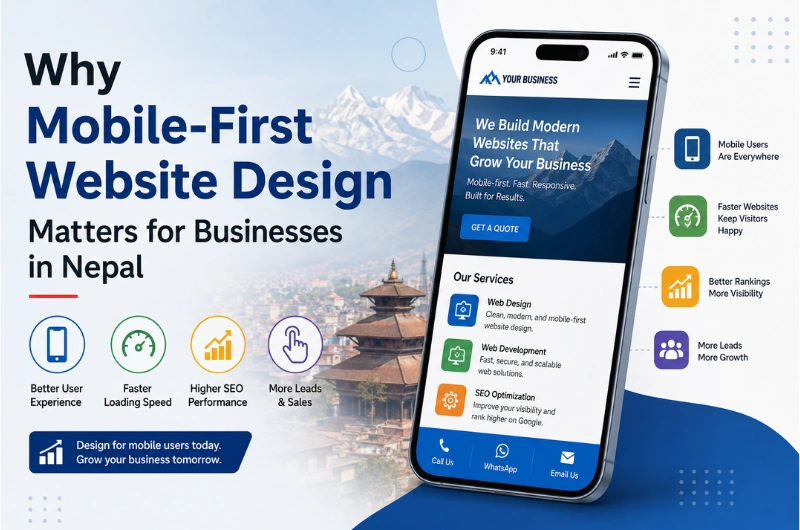
Most people now browse websites using smartphones. This makes mobile-friendly design especially important for local businesses.

A responsive website automatically adjusts its layout to different screen sizes.

For example, on a smartphone:

  • Navigation should be easy to use.
  • Text should be readable.
  • Buttons should be large enough to tap.
  • Images should fit the screen.
  • Forms should be simple.
  • Important information should be easy to find.

A website that works well on mobile gives customers a better experience and can support your search visibility.

Mobile-First Design for Local Businesses

When designing a website, it is useful to think about the mobile experience from the beginning.

Imagine someone searching for a service while travelling through Kathmandu. They may want to quickly find your phone number, location, price information, or booking form.

If they have to zoom, scroll through confusing pages, or wait for large images to load, they may leave.

Web Design and Local SEO in Kathmandu

Web design and SEO work closely together.

A beautiful website may receive very little traffic if search engines cannot understand its content. At the same time, a website that ranks well but provides a poor user experience may struggle to convert visitors.

A strong website should support both.

Important Local SEO Elements

For Kathmandu businesses, your website can include:

  • Business name
  • Kathmandu location information
  • Service areas
  • Google Maps location
  • Contact information
  • Local service pages
  • Customer reviews
  • Relevant business details
  • SEO-friendly page titles
  • Descriptive URLs
  • Structured data where appropriate

For example, instead of creating one generic page for every service, a business may create useful pages targeting specific services and locations.

Example:

Website Design in Kathmandu

could target customers specifically searching for website design services in Kathmandu.

This approach should always be natural. Adding the word “Kathmandu” repeatedly does not make a website better.

Website Design for Different Businesses in Kathmandu

Every business has different customers and goals. A website should reflect those differences.

Website Design for Restaurants

A restaurant website should make it easy for customers to find:

  • Menu
  • Food photos
  • Location
  • Opening hours
  • Contact details
  • Reservation options
  • Delivery information

A simple and visual design works well for restaurants because customers want to see what you offer quickly.

Website Design for Hotels

Hotels need websites that showcase the property and make booking easier.

Important sections may include:

  • Rooms
  • Facilities
  • Gallery
  • Location
  • Offers
  • Reviews
  • Booking information
  • Contact details

High-quality images can be especially useful for hotels in Kathmandu because travellers often compare properties online before booking.

Website Design for Travel and Trekking Companies

Kathmandu is a major starting point for many tourism activities in Nepal.

Travel and trekking websites should provide clear information about:

  • Trekking packages
  • Tour packages
  • Destinations
  • Itineraries
  • Difficulty levels
  • Duration
  • Pricing
  • Safety information
  • Booking process

The design should also work well for international visitors using different devices.

Website Design for Education Consultancies

Education consultancies need to build trust with students and parents.

A good website can include:

  • Study destinations
  • Universities
  • Available courses
  • Application process
  • Student testimonials
  • Visa assistance information
  • Events
  • FAQs
  • Contact details

Clear content is especially important because students often have many questions before making an enquiry.

Website Design for Real Estate Businesses

Real estate websites depend heavily on images and property information.

Useful features include:

  • Property listings
  • Search and filtering
  • Property photos
  • Location information
  • Price
  • Property details
  • Agent information
  • Enquiry forms

A clean layout can help visitors compare properties without feeling overwhelmed.

Key Benefits of Professional Web Design in Kathmandu

Investing in professional website design can provide several benefits.

Better First Impressions

Your website represents your business when customers search for you online.

A clean and modern design can make your business appear more professional and trustworthy.

Better User Experience

Good navigation helps visitors find information without confusion.

This can increase the chance that they will contact your business or take another desired action.

More Mobile Visitors

A responsive website allows customers to use your website comfortably on smartphones and tablets.

Better SEO Foundation

Professional development can create a cleaner structure for search engines to crawl and understand.

This provides a stronger foundation for ongoing SEO work.

More Leads

Clear service information and strong calls to action can turn website traffic into enquiries.

Custom Website Design vs. Ready-Made Templates

Businesses often have to decide between a custom website and a ready-made template.

Custom Website Template Website
Designed around your business Uses an existing design
More control over features Usually limited to available features
Can support unique requirements Faster to set up
Easier to create a unique brand experience May look similar to other websites
Better suited to complex projects Often suitable for simple websites

A template is not always a bad choice. For a small business with a simple requirement, it may be enough.

But businesses with specific goals, unique features, or long-term growth plans may benefit from a custom website.

What Pages Should a Business Website Have?

The exact pages depend on your business, but a typical company website may include:

  1. Home – Quick overview of your business.
  2. About Us – Information about your company.
  3. Services – Details about what you provide.
  4. Service Detail Pages – More information about important services.
  5. Portfolio or Projects – Examples of your work.
  6. Testimonials – Customer experiences.
  7. Blog – Helpful information and SEO content.
  8. FAQs – Answers to common customer questions.
  9. Contact – Phone, email, location, and enquiry options.

Not every business needs every page. The website should be built around what your customers need.

Common Web Design Mistakes to Avoid

Even a professionally developed website can perform poorly if basic mistakes are made.

Too Much Information on the Homepage

Your homepage should not contain everything.

Give visitors the key information first, then guide them to detailed pages.

Slow Images

Large images can make pages load slowly.

Images should be properly resized and compressed before being uploaded.

Difficult Navigation

Visitors should not have to search through several pages to find your main services or contact information.

No Clear Call to Action

Tell visitors what to do next.

Examples include:

  • Get a Quote
  • Contact Us
  • Book Now
  • Request a Consultation
  • View Our Services

Ignoring Mobile Users

A website that only looks good on desktop computers is not enough.

Always test the website on different screen sizes.

Using Poor-Quality Content

Design cannot fix unclear or inaccurate content.

Your text should explain your services in simple language and answer the questions customers actually have.

How Much Does Web Design Cost in Kathmandu?

The cost of website design in Kathmandu depends on the type, size, features, and technology used.

A simple business website usually costs less than a large website with custom features, e-commerce functionality, booking systems, or integrations.

Factors that affect the cost include:

  • Number of pages
  • Custom design requirements
  • Content creation
  • SEO requirements
  • CMS or technology
  • E-commerce features
  • Booking systems
  • Third-party integrations
  • Custom functionality
  • Maintenance and support

Instead of choosing a website based only on the lowest price, consider what the website needs to achieve for your business.

How to Choose a Web Design Company in Kathmandu

Choosing the right web design company can make a big difference.

Before hiring an agency, check:

Portfolio

Look at previous projects. Check whether the company has experience with businesses similar to yours.

Design Quality

Visit their previous websites on both desktop and mobile devices.

SEO Knowledge

Ask whether the website will have a proper SEO-friendly structure.

Communication

Good communication helps prevent misunderstandings during the project.

Support

Find out what happens after your website goes live.

Ask about:

  • Website maintenance
  • Security updates
  • Technical support
  • Backups
  • Content changes

Ownership

Make sure you understand who owns the domain, hosting account, website files, and other important assets.

This is particularly important when working with a third-party developer or agency.

Why Choose Webtech Nepal for Web Design in Kathmandu?

Webtech Nepal helps businesses build professional websites designed around their goals and customers.

The focus should not be only on making a website look good. A business website needs to be useful, fast, mobile-friendly, and easy for customers to understand.

Webtech Nepal can help businesses with:

Whether you are starting a new business website or replacing an outdated one, the right approach starts with understanding your business and your target customers.

A Simple Web Design Process

A professional website project usually follows several stages.

1. Understand Your Business

First, identify your business goals, target customers, competitors, and services.

2. Plan the Website

The pages, navigation, content structure, and key features are planned before development begins.

3. Create the Design

The visual design is created around your brand and customer needs.

4. Develop the Website

The approved design is converted into a working website.

5. Add Content

Text, images, videos, service information, and other content are added.

6. Test Everything

The website should be tested for:

  • Mobile responsiveness
  • Browser compatibility
  • Page speed
  • Forms
  • Links
  • Navigation
  • Security
  • Basic SEO elements

7. Launch and Maintain

After testing, the website is published. Regular updates and maintenance help keep it secure and useful.

How a Modern Website Can Help Your Business Grow

A website is not simply an online brochure.

When planned properly, it can become an important part of your sales and marketing system.

For example:

Google Search → Website → Service Information → Enquiry → Customer

Your website can work alongside:

  • SEO
  • Google Business Profile
  • Social media
  • Online advertising
  • Email marketing
  • Content marketing

This creates multiple ways for potential customers to discover your business.

Frequently Asked Questions

What is web design in Kathmandu?

Web design in Kathmandu refers to designing and developing websites for businesses and organizations based in Kathmandu and the surrounding areas. It includes visual design, mobile responsiveness, user experience, content structure, and website functionality.

How much does website design cost in Kathmandu?

Website design costs vary depending on the project. The number of pages, design requirements, features, integrations, and development technology can all affect the final price.

Why does a Kathmandu business need a website?

A website helps a business build credibility, provide information, attract customers from search engines, and generate enquiries online.

Is mobile-friendly web design important?

Yes. Many customers use smartphones to search for businesses and services. A responsive website provides a better experience across phones, tablets, and computers.

Does web design affect SEO?

Yes. Website structure, mobile usability, page speed, content organization, navigation, and technical elements can all affect the SEO performance of a website.

Should I choose WordPress or a custom website?

It depends on your requirements. WordPress can be a good option for many business websites, while custom development may be better when you need unique features or complex functionality.

How long does it take to build a business website?

The timeline depends on the size and complexity of the project. A small business website may take much less time than a large website with custom features and integrations.

Can you redesign an existing website?

Yes. A website redesign can improve outdated design, mobile usability, performance, content structure, and user experience without necessarily starting the business website strategy from zero.

Conclusion

Web design has become an important part of building a strong local business presence. A modern website can help you build trust, reach more customers, improve the user experience, and generate more enquiries.

The best website is not simply the one with the most attractive design. It is the one that clearly communicates your value, works well on every device, loads quickly, supports SEO, and makes it easy for customers to take action.

If your current website looks outdated or your business does not yet have a professional online presence, Webtech Nepal can help you plan and build a website around your business goals.

Professional Website Development for Manpower & Recruitment Agencies

A professional website is no longer optional for a manpower or recruitment agency. Job seekers, employers, and overseas partners often check an agency online before making contact.

For manpower agencies in Nepal, a website can do much more than display company information. It can showcase job vacancies, explain recruitment services, share employer information, collect candidate applications, publish updates, and make your agency easier to trust.

This is especially useful for agencies working with foreign employment. The Department of Foreign Employment (DOFE) provides online services for recruitment agencies, job searches, permission information, and other foreign employment services.

A well-designed website helps your agency present accurate information in a clear and professional way.

At Webtech Nepal, we build professional websites design for manpower, recruitment, HR, and employment businesses. Our goal is to create websites that look professional, work well on mobile devices, and help agencies connect with the right candidates and clients.

Why Manpower & Recruitment Agencies Need a Professional Website

A recruitment agency deals with two important groups: job seekers and employers.

Both groups want quick answers.

Job seekers want to know:

  • What jobs are available?
  • Which countries are available?
  • What are the job requirements?
  • How can I apply?
  • What documents are required?
  • Where is the agency located?
  • Is the agency trustworthy?

Employers and overseas companies may want to know:

  • What recruitment services does the agency provide?
  • What industries does it serve?
  • What countries does it work with?
  • How can an employer contact the agency?
  • Does the agency have experience in recruitment?

A professional website can answer these questions before someone calls or visits your office.

It also gives your agency a permanent online presence that can support Google Search, social media, advertising, and direct referrals.

What Should a Manpower Agency Website Include?

A manpower agency website should be built around the needs of both candidates and employers.

Here are some of the most useful features.

Website Feature Why It Matters
Job vacancy listing Helps candidates find current opportunities
Online application form Makes candidate applications easier
Job search Helps users find suitable vacancies quickly
Country-wise jobs Organizes overseas opportunities
Employer services Explains recruitment services for companies
About company Builds trust and credibility
Agency license information Helps demonstrate legitimacy
Document requirements Reduces confusion for applicants
News and updates Keeps visitors informed
Contact information Makes communication easier
WhatsApp or call button Provides quick contact
Mobile-friendly design Supports users on smartphones
SEO-friendly structure Helps search visibility
Secure website Protects forms and user data

The exact features should depend on your agency’s services, size, target countries, and recruitment process.

Job Vacancy Management System

A job vacancy section is one of the most important parts of a recruitment website.

Instead of posting every vacancy only on Facebook or other platforms, your agency can maintain a central vacancy page on its own website.

Each vacancy can include:

  • Job title
  • Country
  • Employer
  • Number of workers required
  • Salary
  • Working hours
  • Contract period
  • Accommodation information
  • Food or other benefits
  • Required qualifications
  • Experience requirements
  • Age requirements, where applicable
  • Application deadline
  • Required documents
  • Application button

This gives candidates a clear place to find information.

Search and Filter Options

A larger agency may also need job filters.

For example, candidates could filter vacancies by:

  • Country
  • Job category
  • Salary range
  • Skill
  • Experience
  • Gender, where legally and operationally applicable
  • Job type
  • Application status

This makes the website easier to use when the agency has many vacancies.

Online Job Application Form

An online application form can reduce manual work for your recruitment team.

Instead of asking every candidate to visit the office just to submit basic information, the website can collect initial details online.

A form may request:

  • Full name
  • Mobile number
  • Email address
  • Date of birth
  • Current location
  • Passport details, where appropriate
  • Education
  • Work experience
  • Skills
  • Preferred country
  • Preferred job
  • CV
  • Relevant certificates

The form should collect only information that the agency actually needs.

Since recruitment websites may handle personal documents, security and responsible data handling should be treated as core requirements.

Country-Wise Recruitment Pages

If your agency recruits workers for several countries, country-specific pages can make the website much easier to understand.

For example:

Recruitment for Saudi Arabia

Explain the types of jobs available, recruitment process, general requirements, and how candidates can apply.

Recruitment for Qatar

Provide relevant job categories, application information, and recruitment services.

Recruitment for UAE

Show available opportunities and explain the application process.

You can create similar pages for other countries where your agency operates.

Country pages can also support SEO because people often search for terms such as:

  • manpower agency for Saudi Arabia from Nepal
  • recruitment agency for Qatar
  • jobs in UAE from Nepal
  • Nepal manpower agency for overseas employment

However, information should always be accurate and updated.

The Department of Foreign Employment publishes a list of recognized destination countries, so agencies should verify country-related information before publishing it.

Employer Recruitment Services

Your website should not focus only on job seekers.

A manpower agency also needs to attract employers and overseas recruitment partners.

Create a dedicated Employer Services page explaining how your agency helps companies recruit workers.

You can include services such as:

  • Candidate sourcing
  • Candidate screening
  • Interview coordination
  • Skill-based recruitment
  • Documentation support
  • Recruitment coordination
  • Worker mobilization
  • Pre-departure support
  • Bulk recruitment

The exact services should match what your agency actually provides.

A clear employer section can help overseas companies understand why they should contact your agency.

About Us Page That Builds Trust

The About Us page is more important for a manpower agency than many businesses realize.

Job seekers may hesitate to submit their personal information to an agency they do not know.

Your About Us page can include:

  • Company background
  • Year established
  • Mission and values
  • Recruitment experience
  • Office location
  • Management team
  • Recruitment areas
  • Countries served
  • Industry experience
  • Contact details

Avoid making unsupported claims such as “No. 1 manpower company” or “100% guaranteed jobs.”

Trust comes from clear information, not exaggerated marketing.

License and Company Information

For a manpower agency, credibility is critical.

The Department of Foreign Employment provides an online recruitment agency search system where users can search agencies by permission number, agency name, and status.

Your website should therefore make important company information easy to find.

Where applicable, consider displaying:

  • Company registration details
  • Recruitment agency permission/license information
  • Office address
  • Official phone numbers
  • Official email address
  • Relevant certifications
  • Membership information
  • Social media profiles

Make sure all information is current.

DOFE also advises people to verify whether a manpower company is licensed and whether its operations are active before proceeding with foreign employment.

This shows why transparency should be an important part of a manpower agency website.

Recruitment Process Page

Many candidates are unfamiliar with the recruitment process.

A simple step-by-step page can make things easier.

For example:

Step 1: Find a Job

Candidates browse current vacancies.

Step 2: Check Requirements

They review qualifications, documents, salary, and other job details.

Step 3: Submit Application

Candidates submit their information and required documents.

Step 4: Candidate Screening

The recruitment team checks the application.

Step 5: Interview or Selection

The candidate may attend an interview, test, or employer selection process.

Step 6: Documentation

Selected candidates complete the required documentation.

Step 7: Approval and Preparation

The agency supports the candidate through the required process.

Step 8: Departure

The candidate completes the necessary steps before traveling for employment.

The actual process can differ depending on the destination, job, employer, and applicable rules. Your website should reflect your real process rather than using a generic process.

Documents and Requirements Section

Candidates often have questions about documents.

A dedicated section can explain the documents needed for different stages.

Depending on the service, these may include:

  • Passport
  • CV
  • Educational certificates
  • Experience certificates
  • Photographs
  • Medical documents
  • Employment contract
  • Visa documents
  • Other required paperwork

Do not publish a fixed document list without checking current requirements.

DOFE’s official information shows that foreign employment procedures can involve documents such as a valid passport, visa, employment contract, and other supporting documents.

Always direct users to the relevant official authority when requirements can change.

Mobile-Friendly Website Design

Many candidates will access your website using a smartphone.

That means your website must work properly on smaller screens.

A mobile-friendly manpower website should have:

  • Easy-to-read text
  • Large buttons
  • Simple navigation
  • Fast-loading pages
  • Mobile-friendly job listings
  • Easy application forms
  • Click-to-call functionality
  • WhatsApp contact option where appropriate
  • Properly sized images
  • Easy document upload

A website that works well on mobile devices can make it much easier for candidates to find and apply for jobs.

SEO for Manpower & Recruitment Agencies

A professional website should also be easy for search engines to understand.

SEO can help your agency appear when potential candidates search for relevant services.

Primary Keywords

Depending on your target market, possible keywords include:

  • manpower agency in Nepal
  • recruitment agency in Nepal
  • manpower company in Nepal
  • recruitment agency Kathmandu
  • foreign employment agency Nepal
  • manpower recruitment agency Nepal

Long-Tail Keywords

Long-tail searches can be even more useful because they often show specific intent.

Examples include:

  • best manpower agency in Nepal for overseas jobs
  • recruitment agency in Kathmandu for foreign employment
  • Nepal manpower agency for Saudi Arabia
  • manpower recruitment agency for Qatar from Nepal
  • overseas recruitment agency in Nepal

Do not create pages simply to repeat these keywords.

Each page should answer a real question or provide useful information.

Local SEO for Manpower Agencies in Nepal

If your agency operates in Kathmandu, local SEO can help people find your office.

Your website should clearly display:

  • Business name
  • Address
  • Phone number
  • Email
  • Opening hours
  • Google Maps location
  • Service areas

You can also create useful pages targeting relevant locations, but avoid creating dozens of nearly identical location pages.

For example:

  • Manpower Agency in Kathmandu
  • Recruitment Agency in Lalitpur
  • Recruitment Services in Bhaktapur

Only create these pages when you genuinely serve those areas.

Website Speed Matters

A slow website can frustrate candidates.

This is especially important when visitors use mobile internet connections.

To improve performance:

  • Compress large images
  • Use modern image formats
  • Minimize unnecessary plugins
  • Use proper caching
  • Optimize CSS and JavaScript
  • Use reliable hosting
  • Keep the design clean
  • Avoid unnecessary animations

A recruitment website does not need complicated visual effects to look professional.

Clear information and fast access are more valuable.

Secure Online Application Forms

Recruitment websites can collect sensitive personal information.

Candidates may upload CVs, passports, certificates, and other documents.

Security should therefore be planned from the beginning.

A professional website should use:

  • HTTPS/SSL
  • Secure form processing
  • Strong administrator passwords
  • Regular software updates
  • Secure hosting
  • Spam protection
  • Backup systems
  • Limited administrator access
  • Safe document storage

The website should also have a clear privacy policy explaining how submitted information is handled.

WhatsApp, Phone and Quick Contact

Candidates often want to ask questions before applying.

Make contact options easy to find.

Useful options include:

  • Phone
  • WhatsApp
  • Email
  • Contact form
  • Office address
  • Google Maps
  • Social media

A Call Now or WhatsApp button can be especially useful on mobile devices.

Do not hide your contact details at the bottom of a single page.

Important contact information should be easy to find throughout the website.

News, Notices and Recruitment Updates

A news or notice section can keep your website active.

You can publish:

  • New job vacancies
  • Interview notices
  • Selection announcements
  • Office notices
  • Recruitment updates
  • Holiday notices
  • Government updates
  • Important candidate information

This can also create additional pages that search engines can discover.

However, old vacancies should be clearly marked as closed or removed from active job listings.

Candidate Registration Portal

Larger manpower companies may need more than a basic application form.

A candidate portal can allow users to:

  1. Create an account
  2. Build a candidate profile
  3. Upload a CV
  4. Add qualifications
  5. Add work experience
  6. Search for jobs
  7. Apply for vacancies
  8. Track applications
  9. Receive notifications

This can reduce repeated data entry and give your recruitment team a more organized candidate database.

A portal is not necessary for every agency. It makes more sense when the company handles a large number of candidates.

Recruitment Management Integration

For larger agencies, the website can be connected with internal recruitment systems.

Possible integrations include:

  • Applicant tracking systems
  • CRM systems
  • Email marketing tools
  • SMS services
  • WhatsApp communication tools
  • HR software
  • Document management systems
  • Analytics platforms

The right setup depends on how your agency currently manages candidates and employers.

Social Media Integration

Manpower agencies often use Facebook, TikTok, LinkedIn, and other platforms to share vacancies.

Your website should work alongside these channels.

For example:

Social Media → Website → Job Details → Application

Instead of publishing every detail in a social media post, you can direct candidates to the official vacancy page.

This gives your agency better control over the information and provides a central source for job details.

Common Website Mistakes Manpower Agencies Should Avoid

A website can look attractive and still perform poorly.

Here are some common mistakes.

1. Only Showing Company Information

A website with only “About Us,” “Services,” and “Contact” may not provide enough value to job seekers.

Add useful job and candidate information.

2. Posting Vacancies Only on Social Media

Social media is useful, but your website should also contain important vacancy information.

3. Using Outdated Job Vacancies

Old vacancies can damage trust.

Mark closed jobs clearly.

4. Hiding License Information

Important company and licensing information should be easy to find.

5. Poor Mobile Design

If candidates cannot easily use the website on their phones, you may lose applications.

6. Complicated Application Forms

Do not ask for unnecessary information at the first stage.

7. No Clear Call to Action

Tell visitors what to do next:

  • Apply Now
  • View Jobs
  • Submit CV
  • Contact Us
  • Request Recruitment Service

8. Publishing Unverified Information

Recruitment and foreign employment rules can change.

Verify important information before publishing it.

Recommended Website Structure for a Manpower Agency

A simple website structure could look like this:

Home
├── About Us
├── Jobs / Vacancies
│   ├── Jobs by Country
│   ├── Jobs by Category
│   └── Job Details
├── Recruitment Services
├── Employer Services
├── Candidate Services
├── Recruitment Process
├── Required Documents
├── News / Notices
├── FAQ
└── Contact Us

For a larger agency, you can add:

Candidate Login
Candidate Registration
Application Tracking
Employer Login
Online CV Submission

The final structure should match your business process.

How Professional Website Development Helps Your Agency

A well-built website can support your manpower business in several ways.

Builds Trust

A professional website gives visitors a clear view of your company, services, office, and recruitment process.

Generates More Candidate Applications

Job listings and online application forms make it easier for candidates to apply.

Reaches More People

SEO can help your agency appear in searches related to jobs and recruitment services.

Reduces Repeated Questions

FAQs, job details, document requirements, and recruitment process pages can answer common questions.

Supports Employer Acquisition

A dedicated employer section can help overseas companies understand your recruitment services.

Saves Staff Time

Online forms and candidate systems can reduce manual data entry.

Creates a Central Information Hub

Instead of spreading important information across different social media posts, your website becomes the main source of information.

Professional Website Development Process

A good manpower agency website should be planned before development begins.

Step 1: Understand Your Business

First, identify:

  • Target candidates
  • Target employers
  • Countries served
  • Job categories
  • Recruitment process
  • Current marketing channels

Step 2: Plan Website Structure

Create the main pages and navigation.

Step 3: Design the User Experience

Design separate paths for job seekers and employers.

Step 4: Develop the Website

Build the website using a suitable CMS or custom technology based on the project requirements.

Step 5: Add Recruitment Features

Add job listings, application forms, search, filters, candidate registration, or other required features.

Step 6: Optimize for SEO

Optimize page titles, headings, URLs, content, images, structured data, and internal links.

Step 7: Test the Website

Test:

  • Mobile devices
  • Desktop browsers
  • Forms
  • Job search
  • Document uploads
  • Contact buttons
  • Page speed
  • Security
  • Broken links

Step 8: Launch and Maintain

After launch, keep vacancies, company information, notices, and other important content updated.

What Makes a Good Manpower Agency Website?

The best website is not necessarily the one with the most features.

A good manpower website should be:

  • Professional
  • Fast
  • Mobile-friendly
  • Easy to use
  • Secure
  • Search-friendly
  • Easy to update
  • Clear about services
  • Transparent about company information
  • Focused on candidates and employers

The website should make it easy for a visitor to answer three questions:

Who are you?

What jobs or recruitment services do you provide?

What should I do next?

If the website answers these questions quickly, it is doing its job.

Frequently Asked Questions

What is a manpower agency website?

A manpower agency website is an online platform that presents recruitment services, job vacancies, candidate information, employer services, company details, and application options.

Why does a manpower agency need a website?

A website helps a manpower agency build trust, publish vacancies, attract candidates, communicate with employers, improve online visibility, and provide important information in one place.

Can candidates apply for jobs through the website?

Yes. A website can include online application forms where candidates submit their details, CVs, certificates, and other required information.

Can a manpower website show jobs by country?

Yes. Job listings can be organized by country, job category, skill, salary, or other relevant filters.

Can you add a candidate registration system?

Yes. A larger recruitment agency can have candidate registration, profiles, CV uploads, job applications, and application tracking.

Should a manpower agency website be mobile-friendly?

Yes. A large number of candidates use smartphones to search for jobs and contact recruitment agencies. A mobile-friendly website makes this process easier.

How much does a manpower agency website cost in Nepal?

The cost depends on the website size and required features. A basic company website costs less than a website with job management, online applications, candidate accounts, employer portals, and system integrations.

The best approach is to define the required features first and then prepare a project-specific quotation.

Can a manpower agency website be optimized for Google?

Yes. The website can be optimized for relevant recruitment, manpower, foreign employment, country, and location-based searches.

SEO should focus on useful content and real search intent rather than simply repeating keywords.

How often should job vacancies be updated?

Vacancies should be updated whenever their status changes. Closed or expired jobs should not remain mixed with active vacancies.

Is it safe to collect candidate documents online?

It can be done safely with proper security controls, but recruitment websites should treat personal documents carefully. Use HTTPS, secure forms, restricted access, safe storage, regular updates, and a clear privacy policy.

Conclusion

A professional website for a manpower and recruitment agency should do more than display a company logo and phone number. It should help candidates find jobs, understand requirements, submit applications, and contact your team. It should also help employers understand your recruitment services and start a conversation with your agency.

For agencies in Nepal, transparency is especially important. Make your company information, services, recruitment process, and relevant license details easy to understand. Keep job vacancies and notices updated, and avoid publishing information that has not been verified.

If you are planning a new website or want to improve an existing manpower agency website, Webtech Nepal can help you plan and develop a professional website based on your recruitment process and business goals.

Looking for professional website development for your manpower or recruitment agency in Nepal? Contact Webtech Nepal to discuss your website requirements.

How to Recover a Domain from a Previous Developer or Agency in Nepal

Have you lost access to your business domain because your previous web developer or agency registered it using their email account? Recovering a domain from a previous developer in Nepal is possible in many cases, but the process depends on the domain extension, registrar, registered owner, and documents you can provide.

This problem is more common than many business owners expect. A developer may have registered the domain for you, managed the DNS, or kept the domain inside their own account. When the relationship ends, you may discover that you do not have the login details or control over the domain.

The good news is that losing access to the developer does not automatically mean losing your domain.

This guide explains what you should do if your domain is controlled by a previous developer or agency in Nepal, including .com, .net, .org, .com.np, and other domains.

What Does It Mean to Recover a Domain?

Domain recovery means regaining administrative control of a domain name that is currently controlled by another person, developer, agency, or account.

For example, suppose your company owns yourcompany.com, but your previous developer registered it using their personal email address.

You may still own the business and brand, but you cannot:

  • Log in to the domain account
  • Change DNS records
  • Renew the domain
  • Change nameservers
  • Move the domain to another provider
  • Manage domain-related email services
  • Transfer the domain to another registrar

In this situation, the first step is to determine who is actually listed as the domain registrant.

Why Do Businesses in Nepal Lose Control of Their Domains?

There are several common reasons.

1. The Developer Registered the Domain

Some businesses ask their web developer to purchase the domain as part of a website project.

The developer may then register it using:

  • Their company email
  • Their personal email
  • Their registrar account
  • Their own billing account

This can become a problem when the website project ends.

2. The Domain Was Registered Under the Agency’s Account

A developer may manage dozens or hundreds of domains from one account.

If your domain is inside their account, you may not have direct access even though the domain is being used for your business.

3. The Business Owner Does Not Know the Registrar

You may know your domain name but not know where it was registered.

For example, the domain could be registered through a local provider, an international registrar, or another reseller.

4. The Developer Has Stopped Responding

Sometimes the agency closes, changes staff, stops providing services, or simply stops responding to the client.

This is especially risky if the domain is approaching its renewal date.

5. The Domain and Hosting Were Treated as One Service

Some businesses assume that the domain and website hosting are the same thing.

They are not.

You can move your hosting to another company while keeping the domain with the existing registrar. You can also move the domain without moving the website.

Understanding this difference makes recovery much easier.

First, Check Who Controls Your Domain

Before contacting anyone, collect information about your domain.

Start with a domain lookup.

For generic domains such as .com, .net, and .org, you can use the ICANN lookup system to identify the registrar. ICANN explains that domain registrants have rights related to managing, transferring, renewing, and restoring their domain registrations.

For Nepal’s .np domains, the official .np registry provides a WHOIS lookup service.

Check These Details

Record as much information as possible:

Information Why It Matters
Domain name Identifies the domain you need to recover
Registrar Shows which company manages the domain
Registrant name Helps establish who the domain belongs to
Registrant organization Useful for company-owned domains
Registrant email Important for verification and recovery
Expiry/renewal status Helps prevent accidental loss
Nameservers Shows where DNS is currently managed
Current developer May still have account access
Registration documents Can help prove ownership

Do not change DNS records yet unless you understand what they do.

Determine Whether the Domain Is Actually Registered to Your Business

This is one of the most important steps.

There is a difference between:

“My business paid for the domain”

and

“My business is the registered domain holder.”

Ideally, your business should appear as the registrant or registered organization.

For example:

Good setup:

Registrant: ABC Trading Pvt. Ltd. Email: admin@abctrading.com.np

Risky setup:

Registrant: John Doe Email: developer@example.com

The second setup does not automatically settle the legal ownership question, but it can make recovery much harder.

For .np domains, the official registry states that the administrative name and email should belong to the actual owner, not the technical contact.

This is why businesses should register important digital assets using company-controlled information.

If You Have a .com.np Domain

The recovery process for .com.np is different from the process for .com domains.

Nepal’s official .np registry, operated by Mercantile Communication, provides a specific account transfer process for .np domains.

.com.np domain whois

How to Recover a .com.np Domain

If the previous developer controls your .com.np domain, you can request an account transfer.

For a personal domain, the official process requires:

  1. A formal transfer request letter
  2. The current account information
  3. The destination account information
  4. A copy of an accepted identification document

For an organizational domain, you generally need:

  1. A formal request on company letterhead
  2. The current account information
  3. The destination account information
  4. A company, brand, or trademark registration document

The recipient must already have an account registered at register.com.np. The official instructions also direct users to contact the .np domain administration team at Mercantile.

What If You Cannot Contact the Previous Developer?

This is where your documents become important.

If the domain belongs to your company and you can provide company registration or other supporting documents, contact the .np Domain Administration team and explain the situation.

The official .np registry says domain registration information should reflect the actual owner and provides a process for account transfers.

You should clearly explain:

  • Your company name
  • The domain name
  • The previous developer or agency
  • How the domain was registered
  • Why you no longer have access
  • What documents you can provide
  • The account where you want the domain transferred

Keep copies of all correspondence.

If You Have a .com, .net, or .org Domain

The process is different for domains such as .com, .net, and .org.

These domains are generally managed through a registrar.

Your first goal is to identify the registrar and then contact it.

ICANN states that the registrant has the right to transfer a domain between registrars, subject to applicable transfer rules and restrictions.

Step 1: Find the Registrar

Use ICANN’s lookup service:

Find the registrar listed for your domain.

Step 2: Contact the Registrar

Tell the registrar that:

You are the business owner or authorized representative and your former web developer controls the domain account.

Ask what documentation they require to verify your identity or ownership.

Do not simply ask them to “give you the domain.” Explain the complete situation and provide supporting evidence.

Step 3: Prepare Ownership Evidence

Useful documents may include:

  • Company registration certificate
  • PAN or VAT registration
  • Trademark registration
  • Business website information
  • Original domain invoice
  • Payment receipt
  • Contract with the developer
  • Email correspondence
  • Domain renewal invoices
  • Company letterhead
  • Identification of an authorized company representative

The exact requirements depend on the registrar and circumstances.

Step 4: Request Account or Registrant Recovery

If you can prove that you are the registered domain holder, the registrar may provide a recovery process.

If the domain is registered to your business but the developer controls the login, this may be easier than a dispute over ownership.

What If the Developer Is Listed as the Registrant?

This is more complicated.

Suppose your company paid for the domain, but the developer registered it under:

Developer Name Developer Email Developer Company

In this case, you should not assume that a registrar will automatically transfer the domain to you.

The registrar may need evidence showing your relationship with the domain and the developer.

Your evidence could include:

  • Website development agreement
  • Domain purchase invoice
  • Payment records
  • Emails discussing the domain
  • Messages showing the developer registered it for your company
  • Company registration documents
  • Branding or trademark records
  • Previous renewal payments
  • Written confirmation from the developer

ICANN explains that changing registrant information is handled by the registrar and that disputes may involve additional procedures.

If the parties disagree about ownership, you may need professional legal advice.

Send a Formal Request to the Previous Developer

Before starting a formal dispute, send the previous developer a clear written request.

Do not rely only on phone calls or informal messages.

Ask for:

  1. Domain registrar login access, or
  2. Transfer of the domain to your account, or
  3. An authorization code if a registrar transfer is required, and
  4. DNS management access

For generic domains, an Auth-Code may be required to transfer the domain to another registrar. ICANN describes the Auth-Code as a code used to help authorize domain transfers.

Keep the communication professional.

Avoid threatening language unless you are already working through a legal process.

What If the Developer Refuses to Give You the Domain?

If the developer refuses to cooperate, the next step depends on how the domain is registered.

Situation 1: Your Business Is the Registrant

This is generally a stronger position.

Contact the registrar and explain that you have lost access to the account.

Provide the requested verification documents.

Situation 2: The Developer Is the Registrant

You may need to establish your claim using contracts, invoices, payment records, company documents, and communications.

If the dispute cannot be resolved between the parties, professional legal advice may be appropriate.

Situation 3: The Domain Was Transferred Without Permission

Treat this as a potential unauthorized transfer.

ICANN advises domain holders to contact the registrar immediately if a domain was transferred or registrant information changed without authorization. In certain cases, the registrar may be able to review or reverse an unauthorized transfer.

Do not wait for months before reporting a suspected unauthorized transfer.

Do Not Confuse Domain Recovery With Website Recovery

This is a common mistake.

Your website has several separate components.

Asset What It Controls
Domain Your website address
DNS Where domain services point
Hosting Where your website files live
Website files Your actual website
Database Website data
Email hosting Business email
CMS WordPress or another website system
SSL certificate Secure HTTPS connection

Recovering the domain does not automatically recover your website files.

Likewise, getting website files does not automatically give you control of the domain.

You should recover all important assets separately.

Check Your DNS Before Making Changes

Once you regain domain access, do not immediately delete existing DNS records.

Your DNS may control:

  • Website hosting
  • Business email
  • Microsoft 365
  • Google Workspace
  • Email verification
  • Payment services
  • Marketing tools
  • Subdomains
  • SSL validation

Changing nameservers without checking the existing setup can cause your website or email to stop working.

For .np domains, the official registry explains that nameserver changes are made through the domain management system and that DNS propagation can take time after changes.

Take a DNS Backup

Before making major changes, record:

  • A records
  • AAAA records
  • CNAME records
  • MX records
  • TXT records
  • SPF records
  • DKIM records
  • DMARC records
  • Nameservers
  • Important subdomains

This gives you a reference if something breaks.

Check Your Business Email Before Moving the Domain

Be especially careful if your domain is used for email.

For example:

info@yourcompany.com sales@yourcompany.com accounts@yourcompany.com

These addresses may depend on MX records and other DNS settings.

If you change the nameservers without copying the email records, email delivery may stop.

Before moving the domain, identify whether your business uses:

  • Microsoft 365
  • Google Workspace
  • cPanel email
  • Hosting-provider email
  • Another email platform

A domain recovery project should protect both the website and business communication.

Recover the Registrar Account, Not Just the Website

If the previous developer gives you only WordPress administrator access, your domain problem is not solved.

You should ideally have direct access to:

  • Domain registrar
  • Domain account
  • DNS management
  • Hosting account
  • Website CMS
  • Website files
  • Database
  • Business email
  • SSL management
  • Renewal and billing information

The developer can still remain a technical administrator if you choose, but your business should control the core accounts.

A Simple Domain Recovery Process for Nepal

Here is a practical process you can follow.

Step 1: Write Down the Domain

Start with the exact domain name.

Example:

yourcompany.com

or

yourcompany.com.np

Step 2: Check the Domain

Find:

  • Registrar
  • Registration status
  • Registrant information where available
  • Nameservers
  • Renewal status

Step 3: Collect Your Documents

Prepare your company registration, PAN/VAT documents, invoices, contracts, and payment records.

Step 4: Contact the Previous Developer

Request the domain account or domain transfer in writing.

Step 5: Contact the Registrar or .np Registry

If the developer does not cooperate, contact the organization managing the domain.

Step 6: Complete Verification

Submit the documents requested by the registrar or registry.

Step 7: Create Your Own Account

Use a company-controlled email address.

Avoid using the developer’s email address.

Step 8: Transfer the Domain

For applicable generic domains, follow the registrar transfer process. For .np domains, follow the official account transfer process.

Step 9: Secure the Account

Enable:

  • Strong password
  • Two-factor authentication where available
  • Recovery email
  • Recovery phone
  • Company billing information

Step 10: Review DNS

Make sure your website and email continue working.

How Long Does Domain Recovery Take?

There is no single recovery time.

It depends on:

  • Domain extension
  • Registrar
  • Whether you can access the registered email
  • Whether the previous developer cooperates
  • Ownership evidence
  • Whether there is a dispute
  • Whether the domain is expired
  • Whether the domain is locked

A simple account recovery may be relatively quick.

A disputed domain can take much longer.

For .np domains, Mercantile’s official process requires documentation and verification for account transfers.

Do not promise a specific recovery time until the registrar or registry has reviewed the case.

What If Your Domain Is About to Expire?

Treat this as urgent.

A domain that expires can create serious problems for your:

  • Website
  • Email
  • Online advertising
  • Search traffic
  • Customer communication
  • Brand reputation

Contact the registrar immediately and ask about the domain’s current status.

For generic domains, expired-domain rules can affect whether the domain can still be renewed or transferred. ICANN’s policies recognize expiration as one circumstance that can restrict certain domain changes.

Do not wait for the previous developer to respond if the domain is close to expiry.

What If the Developer’s Email Is Still Connected to the Domain?

This is another common problem.

Suppose the registrar account uses:

developer@gmail.com

instead of:

admin@yourcompany.com

You should ask the registrar what account-recovery options are available.

If you successfully recover the account, immediately replace the developer’s:

  • Email address
  • Phone number
  • Recovery information
  • Password
  • Two-factor authentication method

The same principle applies to .np domains. The official registry recommends keeping administrative contact information accurate and up to date.

Common Mistakes to Avoid

Mistake 1: Creating a New Domain

Do not register a different domain simply because you cannot access the old one.

Your existing domain may have years of:

  • Google rankings
  • Backlinks
  • Customer recognition
  • Email history
  • Brand value

Try to recover it first.

Mistake 2: Changing DNS Without a Backup

A wrong DNS change can take your website or email offline.

Document the existing configuration first.

Mistake 3: Assuming Hosting Access Means Domain Access

Having a cPanel login does not necessarily give you control over the domain.

Mistake 4: Using the Developer’s Email Forever

Your domain account should use a business-controlled email address.

Mistake 5: Ignoring Renewal Dates

Always know when your domain needs to be renewed.

Mistake 6: Relying Only on Phone Calls

Keep important requests and agreements in writing.

Email provides a useful record of what was requested and when.

Mistake 7: Sharing Passwords

Do not solve an access problem by sharing one master password with several people.

Use individual accounts and proper access controls whenever the provider supports them.

How Businesses in Nepal Can Prevent Domain Ownership Problems

The easiest domain recovery is the one you never need.

When registering a domain for your business, follow these practices.

Register the Domain in the Company’s Name

Use the legal business name where appropriate.

Use a Company-Controlled Email

For example:

domains@company.com

or

admin@company.com

Avoid using an employee’s personal Gmail account.

Keep Domain and Hosting Separate

Your business should know which company manages:

  • Domain
  • Hosting
  • DNS
  • Email

Keep Copies of Invoices

Save domain purchase and renewal receipts.

Maintain a Digital Asset Register

Create a simple document containing:

Asset Account Owner Provider Renewal
Domain Company Registrar Date
Hosting Company Hosting provider Date
Email Company Microsoft 365/Google Date
Website Company CMS/Hosting N/A
DNS Company Registrar N/A

Do not store passwords in a normal spreadsheet. Use a secure password manager.

Keep the Developer as a Technical Contact

A developer can manage technical tasks without being the owner of your most important digital assets.

Can a New Web Developer Help Recover Your Domain?

Yes, a new web developer can often help with the technical side of the process.

A professional web development company can help you:

  • Identify the registrar
  • Check DNS records
  • Review hosting
  • Identify email dependencies
  • Prepare technical information
  • Move hosting
  • Configure DNS after recovery
  • Secure your website
  • Transfer website files
  • Set up a new hosting environment

However, the legal or registration authority over a domain belongs to the domain registrar or registry and depends on the registration records and applicable policies.

A web developer cannot simply declare a domain theirs or yours.

For example, Webtech Nepal provides website design, hosting, domain registration, and website-related services, and can also work with websites originally built by another company.

If you need help assessing an existing website or moving it to a new technical setup, you can also contact the Webtech Nepal team in Kathmandu.

Domain Recovery Checklist for Businesses in Nepal

Use this checklist before starting the recovery process:

  • Confirm the exact domain name
  • Identify the domain extension
  • Find the current registrar or .np account
  • Check the registered owner
  • Check the domain status
  • Check the renewal/expiry status
  • Find the current nameservers
  • Identify the previous developer or agency
  • Collect company registration documents
  • Collect domain invoices and payment records
  • Collect the website development agreement
  • Save relevant emails and messages
  • Request access from the previous developer
  • Contact the registrar if necessary
  • Follow the official .np transfer process for .np domains
  • Create a company-controlled domain account
  • Update administrative contact details
  • Review DNS records
  • Check website and email after recovery
  • Enable stronger account security

Frequently Asked Questions

Can I recover my domain if my previous web developer has the login?

Yes, in many cases. Start by identifying the registrar and checking who is listed as the domain holder. If the domain belongs to your business, contact the registrar with supporting documents and request account recovery.

Can I recover a .com.np domain from a previous developer?

Yes. Nepal’s official .np registry has an account transfer process. Organizational domains require a formal transfer request and company, brand, or trademark documentation, while personal domains require appropriate identity documentation.

What documents can prove that a domain belongs to my company?

Useful evidence can include company registration documents, domain invoices, payment receipts, contracts, emails, trademark documents, and correspondence showing that the developer registered the domain for your business.

What if the domain is registered under the developer’s name?

Recovery can be more complicated. You may need to provide evidence of your agreement and relationship with the developer. If the parties disagree about ownership, consider obtaining legal advice.

Can my new web developer transfer the domain?

A new developer can help with the technical process, but the registrar or registry controls the formal domain transfer process. For generic domains, the registered domain holder must authorize the transfer under applicable rules.

Can I move the website without moving the domain?

Yes. You can move your website hosting while keeping the domain at the existing registrar. This can be useful when you cannot immediately transfer the domain.

What happens if my developer refuses to return my domain?

First, document your ownership claim and contact the registrar or registry. If the domain was transferred or changed without authorization, report the matter to the registrar promptly. ICANN notes that unauthorized transfer cases should be raised with the registrar immediately.

Should my developer own my business domain?

Usually, no. Your business should control its own domain account, registrant information, recovery email, and renewal details. Your developer can have technical access without being the domain owner.

Can I recover a domain after it expires?

It depends on the domain extension, registrar, and current domain status. Contact the registrar immediately because expiration can limit renewal or transfer options.

How can I prevent this problem in the future?

Register the domain using your company’s information, use a company-controlled email address, keep renewal records, maintain access to the registrar account, and make sure your business—not your developer—controls the primary domain account.

Conclusion

Recovering a domain from a previous developer or agency in Nepal is often possible, but you should act quickly and start with the domain’s registration information.

First, identify the registrar or .np account. Then check who is listed as the domain holder, collect your company documents and payment records, and contact the previous developer or the relevant registrar.

If you own a .com.np domain, Nepal’s official .np registry provides a specific account transfer process. For .com, .net, .org, and similar domains, the process normally involves the registrar and may require account recovery, authorization, or a formal transfer.

Most importantly, don’t let a web developer become the permanent owner of your company’s digital assets.

Your business should control the domain, hosting, DNS, website, email, and recovery accounts. Developers and agencies should receive the access they need to do their work without taking ownership away from you.

If your website was built by another company and you need help reviewing the current setup, recovering technical access, moving hosting, or managing your website after the transition, Webtech Nepal can help you assess the existing website and plan the next step.

How Much Does Mobile App Development Cost in Nepal?

If you are planning to build a mobile app in Nepal, one of the first questions you may ask is: How much does mobile app development cost in Nepal?

In 2026, the cost can range from around NPR 2,00,000 for a simple app to NPR 50,00,000 or more for a large and complex application. Most business and startup apps fall somewhere between these two extremes.

The final price depends on what your app needs. A basic information app is much cheaper than an e-commerce marketplace, ride-sharing app, banking app, or platform with real-time tracking.

This guide explains the mobile app development cost in Nepal, the factors that affect pricing, common app types, platform choices, ongoing expenses, and ways to control your budget.

Mobile App Development Cost in Nepal at a Glance

There is no single fixed price for mobile app development. A useful starting point is to divide apps into four levels.

App Type Estimated Cost in Nepal Typical Development Time
Simple App NPR 2,00,000 – 4,00,000 1.5 – 3 months
Basic Business App NPR 3,50,000 – 7,00,000 2 – 4 months
Medium/Advanced App NPR 6,00,000 – 15,00,000 4 – 7 months
Complex App NPR 12,00,000 – 30,00,000+ 6 – 10 months
Enterprise App NPR 25,00,000 – 50,00,000+ 9 – 18+ months

These are planning ranges, not fixed market prices. Current Nepal-based pricing guides also show wide ranges because an app’s complexity can vary greatly.

The best way to get an accurate price is to first define the app’s features, target users, platforms, integrations, and admin requirements.

What Determines Mobile App Development Cost in Nepal?

The biggest mistake is to estimate an app based only on the number of screens.

Two apps can have 15 screens each but have very different development costs. One may simply display information. The other may need payments, GPS, chat, notifications, an admin panel, and a custom backend.

Here are the main factors.

1. App Features

Features have a direct effect on development time and cost.

A simple app may only need:

  • Home screen
  • About or information pages
  • Contact form
  • Image gallery
  • Push notifications
  • Basic user settings

A more advanced app may need:

  • User registration
  • Login and authentication
  • User profiles
  • Product search
  • Shopping cart
  • Online payment
  • Order management
  • GPS tracking
  • Live chat
  • Push notifications
  • Reviews and ratings
  • Subscription management
  • Admin dashboard

The more features your app has, the more development and testing it needs.

2. UI/UX Design

The design of the app also affects the total cost.

A basic app can use standard interface components. A custom application may require a complete UI/UX design system with custom screens, icons, animations, and user flows.

Typical design work includes:

  1. User research
  2. Information architecture
  3. Wireframes
  4. UI design
  5. Interactive prototype
  6. Design revisions
  7. Developer handoff

A good design can also reduce development problems because developers have a clear visual plan before coding begins.

3. Android, iOS, or Both?

Your target platform is another major cost factor.

You can build for:

  • Android only
  • iOS only
  • Android and iOS using Flutter or React Native
  • Android and iOS as separate native applications

For businesses targeting both platforms, cross-platform development can reduce duplicated development work.

Flutter, for example, allows developers to build and deploy apps for multiple platforms from a single codebase.

Development Approach Cost Level Best For
Android only Lower Nepal-focused businesses
iOS only Lower iPhone-focused audiences
Flutter/React Native Medium Businesses targeting both platforms
Native Android + Native iOS Higher Apps needing platform-specific features

For many startups and businesses, cross-platform development is a practical way to control the initial budget while supporting both Android and iOS.

However, native development can still be the better choice when an app requires deep platform-specific features or highly specialized performance.

How Much Does Different Types of Apps Cost in Nepal?

The type of application gives you a better idea of the budget.

E-Commerce App

A basic e-commerce app may include:

  • User registration
  • Product catalog
  • Categories
  • Product search
  • Shopping cart
  • Checkout
  • Online payment
  • Order history
  • Push notifications
  • Admin panel

Estimated cost: NPR 5,00,000 – 15,00,000+

A large marketplace with multiple sellers, commissions, delivery tracking, advanced search, promotions, and multiple payment options can cost much more.

Food Delivery App

A food delivery platform normally requires more than one application or interface.

It may need:

  • Customer app
  • Restaurant/vendor panel
  • Delivery partner app
  • Admin dashboard
  • Restaurant listings
  • Menu management
  • Order management
  • Online payment
  • GPS tracking
  • Push notifications
  • Ratings and reviews

Estimated cost: NPR 10,00,000 – 30,00,000+

The cost increases when real-time tracking and multiple user roles are included.

Booking or Appointment App

A booking application for hotels, restaurants, salons, clinics, or other services may include:

  • User accounts
  • Service listings
  • Availability calendar
  • Booking system
  • Payment integration
  • Booking history
  • Notifications
  • Cancellation system
  • Admin dashboard

Estimated cost: NPR 4,00,000 – 10,00,000+

Education or E-Learning App

An education app can include:

  • Student registration
  • Teacher accounts
  • Course listings
  • Video lessons
  • PDF materials
  • Online tests
  • Quiz system
  • Progress tracking
  • Certificates
  • Notifications
  • Payment system
  • Admin dashboard

Estimated cost: NPR 5,00,000 – 15,00,000+

Business or Service App

A small business app may be much simpler.

For example, a service company may need:

  • Company information
  • Services
  • Contact details
  • Appointment requests
  • Customer accounts
  • Notifications
  • Location
  • Inquiry forms

Estimated cost: NPR 2,00,000 – 6,00,000+

Social Networking App

Social apps can become expensive because they often require real-time and user-generated features.

Possible features include:

  • User profiles
  • Posts
  • Comments
  • Likes
  • Followers
  • Messaging
  • Image and video uploads
  • Notifications
  • Search
  • Moderation
  • Reporting
  • Admin dashboard

Estimated cost: NPR 10,00,000 – 30,00,000+

Ride-Sharing or Real-Time Tracking App

Ride-sharing applications are among the more expensive apps to build.

They may require:

  • Customer application
  • Driver application
  • Admin dashboard
  • GPS tracking
  • Live location
  • Driver matching
  • Ride booking
  • Fare calculation
  • Payment integration
  • Notifications
  • Ratings
  • Trip history

Estimated cost: NPR 15,00,000 – 40,00,000+

A large-scale platform with advanced dispatching, analytics, maps, and high traffic can require an even larger investment.

Mobile App Development Cost by Complexity

Another useful way to estimate the budget is by complexity.

Simple Mobile App

Estimated cost: NPR 2,00,000 – 4,00,000

Suitable for:

  • Small businesses
  • Information apps
  • Portfolio apps
  • Basic service apps
  • Simple MVPs

These apps normally have fewer screens and limited backend requirements.

Medium-Level Mobile App

Estimated cost: NPR 4,00,000 – 10,00,000

Suitable for:

  • Business platforms
  • Booking systems
  • E-learning apps
  • E-commerce apps
  • Customer portals
  • Membership apps

These applications often require user accounts, APIs, databases, notifications, and an admin panel.

Complex Mobile App

Estimated cost: NPR 10,00,000 – 30,00,000+

Suitable for:

  • Marketplaces
  • Delivery platforms
  • Social networks
  • Financial applications
  • Real-time services
  • Multi-vendor systems

These apps need more backend development, testing, security, integrations, and ongoing support.

Enterprise Mobile App

Estimated cost: NPR 25,00,000 – 50,00,000+

Enterprise applications can include:

  • Multiple user roles
  • Advanced security
  • Large databases
  • Enterprise APIs
  • Advanced reporting
  • Custom dashboards
  • Third-party integrations
  • High availability
  • Advanced analytics
  • Complex workflows

The final cost depends heavily on business requirements.

Cost of Common Mobile App Features in Nepal

It can help to look at features separately when planning your budget.

Feature Cost Impact
User registration and login Low – Medium
User profile Low
Push notifications Low – Medium
Search and filters Medium
Payment gateway Medium
Google Maps/GPS Medium – High
Chat system Medium – High
Video streaming High
Real-time tracking High
Marketplace High
Subscription system Medium – High
Admin dashboard Medium – High
Advanced analytics Medium – High
AI features High
Multi-language support Low – Medium

These categories are useful for planning, but individual feature costs vary based on how the feature works and what systems it must connect to.

How Much Does a Payment Integration Cost?

Payment integration is common in Nepalese mobile applications.

Depending on the project, an app may need integrations with payment providers such as:

  • eSewa
  • Khalti
  • ConnectIPS
  • Bank payment systems
  • International payment providers

Payment integration is not simply a button on the checkout page. Developers need to connect the payment service to the backend, handle successful and failed transactions, verify payment status, and test different cases.

For this reason, payment functionality can increase both development and testing costs.

How Much Does an Admin Panel Cost?

Many business owners focus on the mobile application and forget about the admin panel.

An admin panel allows your team to manage the application from a web browser.

Depending on the project, administrators may need to:

  • Add and edit products
  • Manage users
  • Manage orders
  • Approve listings
  • View payments
  • Send notifications
  • Manage bookings
  • View reports
  • Manage content
  • Handle customer complaints

A basic admin panel may add a moderate amount to the project. A complex dashboard with reports, permissions, analytics, and multiple roles can add much more.

For many business apps, the admin panel is an essential part of the overall system.

Flutter vs Native App Development Cost in Nepal

Choosing the right technology can affect both the initial development cost and future maintenance.

Flutter is a popular option for businesses that want Android and iOS apps from a shared codebase. Flutter’s official documentation states that it supports building and deploying applications across platforms from a single codebase.

Cross-Platform Development

With Flutter or similar technologies, much of the application code can be shared between Android and iOS.

Advantages:

  • One main codebase
  • Faster development for many projects
  • Easier feature updates
  • Lower duplicated development work
  • Android and iOS can launch together

Native Development

Native development means building separately for each platform.

For example:

  • Kotlin/Java for Android
  • Swift for iOS

Advantages:

  • Strong platform-specific support
  • Full access to native APIs
  • Useful for specialized applications
  • Greater control over platform-specific behavior

Native development can cost more when you need separate Android and iOS teams or separate codebases.

Hidden Costs After App Development

The development invoice is not always the full cost of owning an app.

You may also need to budget for the following.

App Store Accounts

Publishing an Android application through Google’s full distribution option currently requires a US$25 one-time registration fee.

Apple’s Developer Program currently costs US$99 per membership year. Apple also says eligible nonprofits, educational institutions, and government organizations can request a fee waiver.

Using the Nepal Rastra Bank exchange rate published for August 16, 2026, US$1 is approximately NPR 152.39 buying / NPR 152.99 selling. Actual card or bank conversion costs may differ.

Hosting and Server Costs

If your app stores user data, products, orders, images, messages, or other information, you need backend infrastructure.

Your cost may include:

  • Cloud hosting
  • Database
  • File storage
  • Backup
  • Email services
  • SMS services
  • CDN
  • Monitoring

Small apps may have modest hosting requirements. High-traffic applications can require a much larger infrastructure budget.

Maintenance and Updates

Mobile apps need maintenance after launch.

You may need updates for:

  • Android versions
  • iOS versions
  • Security issues
  • Bugs
  • New devices
  • Third-party API changes
  • Payment gateway changes
  • New business requirements

A common budgeting approach is to reserve roughly 15%–20% of the initial development cost per year for maintenance and ongoing improvements, although the actual amount depends on the app.

Marketing

Building an app does not automatically bring users.

You may also need money for:

  • Social media advertising
  • Google Ads
  • App Store optimization
  • Content marketing
  • Influencer campaigns
  • Promotional offers
  • Customer acquisition

Marketing should be treated as a separate budget from development.

How Much Does It Cost to Maintain a Mobile App in Nepal?

Maintenance costs depend on the size and activity of your application.

Maintenance Level Approximate Annual Budget
Basic app NPR 50,000 – 1,50,000
Business app NPR 1,00,000 – 3,00,000
Advanced app NPR 2,50,000 – 6,00,000+
Large platform NPR 5,00,000+

This may include bug fixing, security updates, operating system compatibility, minor improvements, monitoring, and technical support.

Hosting, paid APIs, SMS, email, maps, and other third-party services may be charged separately.

Freelancer vs App Development Company in Nepal

Who builds your app can also change the price.

Freelancer

A freelancer may offer a lower initial price.

Good for:

  • Small projects
  • Prototypes
  • Simple apps
  • Limited budgets

But you should check their portfolio, communication, testing process, source-code ownership, and post-launch support.

App Development Company

A professional company normally has different roles such as:

  • Project manager
  • UI/UX designer
  • Mobile developer
  • Backend developer
  • QA tester

This can cost more than hiring one freelancer, but it may reduce project risk for larger applications.

In-House Team

An established business can also build its own team.

This gives you more direct control but adds ongoing costs such as:

  • Salaries
  • Office costs
  • Equipment
  • Software
  • Recruitment
  • Training
  • Management

For many businesses, outsourcing the first version can be more practical than hiring a complete development team.

How to Reduce Mobile App Development Cost in Nepal

You do not always need to spend millions of rupees on the first version.

A better approach is to build the most useful version first.

Start With an MVP

An MVP, or Minimum Viable Product, is the first usable version of your application.

For example, instead of building a complete food delivery platform immediately, your first version could include:

  • Customer registration
  • Restaurant listing
  • Menu
  • Cart
  • Order placement
  • Basic payment
  • Admin panel

You can add advanced delivery tracking, loyalty programs, promotions, and other features later.

Avoid Unnecessary Features

Before adding a feature, ask:

Does this feature help the user or the business?

If the answer is no, it may not need to be part of version one.

Choose the Right Platform

If most of your customers use Android, starting with Android may reduce the initial budget.

If you need both Android and iOS, consider whether a cross-platform framework fits your requirements.

Use Existing APIs

You do not always need to build every system from scratch.

Third-party services can help with:

  • Maps
  • Notifications
  • Analytics
  • Authentication
  • Payments
  • Email
  • SMS

However, third-party service fees should be included in your long-term budget.

Plan Before Development

A clear project plan can prevent expensive changes later.

Before development begins, prepare:

  • Feature list
  • User types
  • App screens
  • User flow
  • Technology choice
  • Payment requirements
  • Admin requirements
  • Hosting plan

Good planning can save both time and money.

What Should You Ask an App Development Company Before Hiring?

Do not choose an app developer based only on the lowest quotation.

Ask these questions first:

  1. What features are included in the price?
  2. Is UI/UX design included?
  3. Is backend development included?
  4. Is the admin panel included?
  5. Is testing included?
  6. Are Android and iOS included?
  7. Who owns the source code?
  8. Who owns the app store accounts?
  9. Are third-party API charges included?
  10. How much does maintenance cost?
  11. What happens after launch?
  12. How are future changes charged?
  13. What is the estimated delivery timeline?
  14. How often will I receive project updates?
  15. Do you provide technical support after launch?

A detailed quotation should clearly explain what you are paying for.

Why Do Mobile App Development Quotes Differ So Much in Nepal?

You may receive one quotation for NPR 3 lakh and another for NPR 12 lakh for what appears to be the same app.

This does not always mean that one company is overcharging.

The difference may come from:

  • Different feature definitions
  • Different technology
  • Different design quality
  • Different testing standards
  • Different team experience
  • Backend architecture
  • Security requirements
  • Project management
  • Post-launch support
  • Third-party integrations
  • Documentation
  • Source-code ownership

Always compare scope, not just the final price.

A low quote can become expensive if important features are excluded and charged later.

A Sample Budget for a Business App in Nepal

Suppose you want to build a business service app with:

  • Customer registration
  • Service listing
  • Booking
  • Online payment
  • Push notifications
  • Customer profile
  • Admin dashboard
  • Android and iOS support

A realistic planning budget might look like this:

Project Area Estimated Budget
UI/UX design NPR 75,000 – 1,50,000
Mobile app development NPR 2,50,000 – 5,00,000
Backend/API NPR 1,00,000 – 2,50,000
Admin dashboard NPR 75,000 – 1,50,000
Payment/API integrations NPR 50,000 – 1,00,000
Testing and deployment NPR 50,000 – 1,00,000
Estimated Total NPR 6,00,000 – 12,50,000

This is an example for budgeting, not a fixed quotation. The actual price depends on the requirements.

How Long Does It Take to Develop a Mobile App in Nepal?

Development time depends on the app’s size.

App Complexity Typical Timeline
Simple app 6 – 10 weeks
Basic business app 2 – 4 months
Medium app 4 – 7 months
Complex app 6 – 10+ months
Enterprise platform 9 – 18+ months

The timeline can increase when there are many revisions, unclear requirements, complicated integrations, or delays in receiving content and approvals.

Development should include time for design, coding, testing, bug fixing, deployment, and final approval.

Is Mobile App Development Worth the Investment in Nepal?

It can be, if the app solves a real problem.

A mobile app can help a business:

  • Reach customers directly
  • Improve customer service
  • Increase repeat purchases
  • Accept digital payments
  • Manage bookings
  • Send notifications
  • Collect useful customer data
  • Build a stronger digital presence

But an app should not be built simply because competitors have one.

Before investing, identify the problem your app will solve and how it will create value for your users and business.

Frequently Asked Questions

How much does mobile app development cost in Nepal?

Mobile app development in Nepal can cost around NPR 2,00,000 to NPR 50,00,000+. Simple apps cost less, while apps with payments, GPS, real-time features, marketplaces, and complex backend systems cost more.

What is the minimum cost to develop an app in Nepal?

A very basic app may start around NPR 2,00,000, depending on the developer and requirements. Professional apps with custom design, backend systems, testing, and support usually require a larger budget.

How much does an Android app cost in Nepal?

A basic Android application may cost around NPR 2,00,000–4,00,000. Business and advanced Android apps can cost NPR 5,00,000 to NPR 15,00,000 or more.

How much does an iOS app cost in Nepal?

The cost depends on the features rather than the operating system alone. A simple iOS app may start around NPR 2,00,000–4,00,000, while advanced applications can cost much more.

Is Flutter cheaper for mobile app development?

Flutter can reduce duplicated development work when you need both Android and iOS because much of the application can be built from a shared codebase.

However, Flutter is not automatically cheaper for every project. The final cost still depends on features, integrations, design, backend, testing, and platform-specific requirements.

How much does it cost to maintain a mobile app?

Many businesses should reserve around 15%–20% of the initial development cost per year for maintenance and improvements. The actual amount depends on the size, traffic, integrations, and support requirements of the application.

Do I need an admin panel for my mobile app?

If your app has users, products, bookings, orders, payments, or other changing information, an admin panel is usually useful. It allows your team to manage the application without changing the mobile app code.

Can I build an app with a small budget?

Yes. Start with an MVP instead of building every planned feature at once. Launch the core features, learn from users, and add features based on real demand.

How can I get an exact mobile app development cost in Nepal?

Prepare a list of your required features, target platforms, user types, integrations, and admin requirements. A professional app development company can then review the requirements and prepare a project-specific quotation.

Conclusion

The mobile app development cost in Nepal can range from a few lakh rupees to several million rupees. A simple business app may fit within NPR 2–4 lakh, while a feature-rich platform can require NPR 10 lakh, NPR 20 lakh, or much more.

The biggest factors are features, design, platform, backend development, integrations, security, testing, and ongoing maintenance.

If you are planning an app for your business, startup, NGO, school, e-commerce store, or service company, do not start with the question, “How cheap can I build it?”

Start with:

What does my customer actually need?

Once the requirements are clear, you can choose the right technology and build the first version within a realistic budget.

If you are looking for professional mobile app development services in Nepal, Webtech Nepal can help you plan, design, develop, test, and launch your application. Contact Webtech Nepal with your app idea and requirements to discuss the right approach and get a project-specific estimate.

Mobile App Development: Cost, Process & How to Choose a Company

Mobile apps have become an important digital channel for businesses, startups, organizations, and service providers. From e-commerce and banking to healthcare, education, travel, and on-demand services, a well-designed mobile application can make it easier for customers to interact with a business and access its products or services.

But developing an app involves much more than writing code. You need to define the right features, choose the appropriate technology, design a simple user experience, build a reliable backend, test the application, publish it, and maintain it after launch.

One of the first questions businesses usually ask is: How much does mobile app development cost? The answer depends on the app’s complexity, features, platform, design, integrations, and development requirements.

This guide explains the mobile app development process, cost factors, technologies, essential features, development timeline, and how to choose the right mobile app development company. If you’re planning an app for your business, it will also help you understand what to consider before starting the project.

What Is Mobile App Development?

Mobile app development is the process of designing, building, testing, deploying, and maintaining applications for smartphones and tablets.

Depending on the target audience and business requirements, an application may be developed for Android, iOS, or both platforms. Businesses can also choose between native development and cross-platform technologies.

A complete mobile application typically involves several components:

  • Mobile app interface and user experience
  • Backend application and business logic
  • Database
  • APIs
  • Authentication and security
  • Third-party integrations
  • Push notifications
  • Analytics
  • Testing and quality assurance
  • App Store and Google Play deployment
  • Ongoing maintenance

Professional mobile app development therefore combines business strategy, UI/UX design, software engineering, testing, and ongoing support.

How Does Mobile App Development Work?

A typical application connects several systems.

For example, when a customer places an order through an e-commerce app, the mobile interface communicates with the backend through APIs. The backend processes the request, stores information in a database, communicates with payment or other third-party services, and returns the required information to the app.

This architecture allows businesses to build applications that are more than simple mobile interfaces. They can become complete digital platforms for managing customers, transactions, content, services, and business operations.

What Types of Mobile Apps Can Businesses Build?

Almost any business process that benefits from mobile access can potentially become part of a mobile application.

Common examples include:

  • E-commerce applications
  • Food delivery applications
  • Hotel and travel applications
  • Booking and appointment applications
  • Healthcare applications
  • Education and e-learning applications
  • Real estate applications
  • Finance and fintech applications
  • Logistics applications
  • Fitness applications
  • Social networking applications
  • Enterprise and internal business applications
  • On-demand service applications

The right type of application depends on the business model, target users, and problem the product is intended to solve.

Why Is Mobile App Development Important for Businesses?

A mobile app can become an important part of a company’s digital strategy when it provides a clear benefit to customers or employees.

Instead of relying only on a website or physical interaction, businesses can use an application to create a direct, convenient channel for their users.

Improve Customer Engagement

Mobile apps can provide customers with a convenient way to interact with a business. Features such as personalized content, notifications, accounts, order tracking, and loyalty programs can encourage users to return to the application.

Create a Better Customer Experience

An application can be designed around a specific customer journey.

For example, a booking application can allow users to search, select a service, choose a date, make a payment, and receive confirmation without navigating through unrelated website pages.

Increase Sales and Revenue

E-commerce, subscription, booking, and service applications can create additional sales channels.

Businesses can also use mobile applications to promote products, offer personalized experiences, and simplify purchasing.

Build Customer Loyalty

Features such as loyalty programs, saved preferences, personalized offers, purchase history, and notifications can help businesses build longer-term relationships with customers.

Automate Business Operations

Mobile applications are not only useful for customers.

Businesses can also build internal applications for:

  • Employee management
  • Field operations
  • Inventory
  • Sales
  • Delivery
  • Reporting
  • Customer management
  • Workflow approvals

The result can be a more efficient business process and better access to real-time information.

Gain Valuable Customer Insights

When implemented with appropriate analytics and privacy practices, applications can provide businesses with useful information about user behavior, engagement, and product performance.

This information can help businesses make better product and marketing decisions.

Types of Mobile App Development

The best development approach depends on the target platforms, performance requirements, budget, timeline, and functionality of the application.

Android App Development

Android is one of the most widely used mobile platforms globally and is particularly important for businesses targeting users in markets where Android devices have a large presence.

Android applications can be built using native technologies or cross-platform frameworks.

A business may choose Android-first development when its primary audience uses Android devices or when it wants to validate the product before expanding to other platforms.

iOS App Development

iOS app development focuses on Apple’s ecosystem, including iPhone and iPad applications.

Businesses targeting iOS users may benefit from a native application designed specifically around Apple’s platform and user experience.

For products targeting international or higher-value customer segments, iOS can also be an important platform to consider.

Cross-Platform App Development

Cross-platform development allows developers to build applications for multiple platforms from a shared codebase.

Frameworks such as Flutter and React Native can be appropriate for many business applications because they can reduce duplicated development work and help businesses launch on multiple platforms more efficiently.

However, cross-platform development is not automatically the right choice for every project. Applications with highly specialized platform requirements may benefit from native development.

Native vs Cross-Platform App Development

The right choice depends on your application.

Factor Native Development Cross-Platform Development
Performance Excellent Very good for many applications
Platform-specific features Excellent Depends on framework and requirements
Code sharing Limited High
Development approach Platform-specific Shared codebase
Best suited for Highly platform-specific applications Many business and startup applications
Potential development efficiency Lower for two platforms Higher for many projects

A professional development team should recommend the approach based on your requirements rather than choosing a technology simply because it is popular.

How Much Does Mobile App Development Cost?

There is no single price for mobile app development.

A simple application with a few screens and basic functionality is very different from a marketplace, banking application, logistics platform, or enterprise system with multiple user roles, payment processing, real-time features, and a custom backend.

The cost is normally influenced by:

  • App complexity
  • Number of features
  • UI/UX requirements
  • Platforms
  • Backend architecture
  • API integrations
  • Payment gateways
  • Third-party services
  • Admin dashboards
  • Security requirements
  • Testing
  • Deployment
  • Ongoing maintenance

For that reason, a reliable development company should understand your requirements before providing a final quotation.

Mobile App Development Cost by App Complexity

A useful way to think about app development pricing is by complexity rather than by the word “app” itself.

App Complexity Typical Characteristics
Basic Limited screens, simple content, basic forms or utility features
Medium User accounts, APIs, database, notifications, dashboards, payments or other integrations
Complex Multiple user roles, real-time functionality, advanced backend, payments, maps, chat or complex workflows
Enterprise Large-scale systems, advanced integrations, analytics, security, multiple platforms and complex business processes

The actual cost of each project should be estimated after reviewing its requirements.

Mobile App Development Cost in Nepal

The mobile app development cost in Nepal varies considerably depending on project scope.

Current Nepal-based development guides show broad pricing ranges rather than one market-wide fixed price. Recent published estimates range from a few hundred thousand Nepalese rupees for simpler applications to several million rupees for complex platforms.

This variation is expected because a basic business application and a multi-sided marketplace have completely different development requirements.

For businesses in Nepal, the most useful approach is to define the required features first and then obtain a project-specific estimate.

If you’re comparing quotes from different mobile app development companies in Nepal, make sure you compare what is included—not just the final price.

A lower quotation may exclude UI/UX design, backend development, testing, deployment, maintenance, or important integrations.

What Factors Affect Mobile App Development Cost?

Number and Complexity of Features

Every additional feature can require design, development, testing, backend work, and maintenance.

For example, basic login is relatively straightforward, while a system involving multiple roles, two-factor authentication, payment processing, notifications, and account management requires significantly more work.

UI/UX Design

A professional application requires more than attractive screens.

Designers need to consider:

  • User flows
  • Navigation
  • Accessibility
  • Screen sizes
  • Interaction patterns
  • Error states
  • Forms
  • Loading states
  • Visual consistency

A more customized experience generally requires more design and development effort.

Platform Choice

Building for one platform may require less development work than creating separate native applications for both Android and iOS.

Cross-platform technologies can also reduce duplicated development work in suitable projects.

Backend Development

Applications that require user accounts, transactions, databases, dashboards, reporting, or complex business logic need a reliable backend.

Backend development can therefore represent a significant portion of the overall project.

API and Third-Party Integrations

Integrations can include:

  • Payment gateways
  • Maps
  • Social login
  • SMS
  • Email
  • Analytics
  • CRM systems
  • Accounting systems
  • Shipping services
  • Cloud services

Each integration needs development and testing.

Testing and Quality Assurance

Professional testing helps identify:

  • Functional problems
  • Performance issues
  • Device compatibility problems
  • Security vulnerabilities
  • UI issues
  • Crashes

Testing becomes especially important as an application’s complexity increases.

Maintenance and Updates

App development does not end when the application is published.

Operating systems, devices, third-party APIs, security requirements, and business requirements change over time.

Businesses should therefore plan for ongoing maintenance and updates.

How to Reduce Mobile App Development Costs

Reducing cost should not mean removing important quality controls.

Instead, businesses can reduce unnecessary development by:

  1. Defining requirements before development begins
  2. Prioritizing essential features
  3. Starting with an MVP where appropriate
  4. Using a suitable cross-platform approach when it makes sense
  5. Reusing proven components
  6. Avoiding unnecessary features in the first release
  7. Testing early
  8. Planning future integrations from the beginning

A well-defined project can reduce expensive changes later in development.

What Is the Mobile App Development Process?

A structured development process helps turn an initial idea into a reliable application.

The exact process varies by company and project, but a professional mobile application typically goes through the following stages.

1. Discovery and Requirement Analysis

The first step is understanding the business problem.

The development team should identify:

  • Target users
  • Business goals
  • Core features
  • User journeys
  • Platforms
  • Integrations
  • Security requirements
  • Technical constraints

The objective is to define what needs to be built before development starts.

2. Project Planning

Once requirements are clear, the project can be divided into features, milestones, and technical tasks.

The team can then determine:

  • Technology stack
  • Development approach
  • Project scope
  • Timeline
  • Team requirements
  • Testing strategy
  • Deployment requirements

3. UI/UX Design

Design transforms requirements into an experience users can understand and navigate.

The process may include:

  • User flows
  • Wireframes
  • Prototypes
  • Visual design
  • Interactive prototypes
  • Design systems

Good mobile UI/UX should make important actions easy to discover and complete.

4. Mobile App Development

Developers then build the application according to the approved design and technical plan.

This may include:

  • Frontend development
  • Backend development
  • Database development
  • Authentication
  • Business logic
  • API development
  • Third-party integrations

5. API and Third-Party Integration

Many applications depend on external systems.

For example, an e-commerce application may need payment processing, while a logistics application may require maps and location services.

The development team needs to integrate these systems securely and test how they interact with the application.

6. Testing and Quality Assurance

Before launch, the application should be tested across relevant devices and scenarios.

Testing can include:

  • Functional testing
  • Usability testing
  • Performance testing
  • Compatibility testing
  • Security testing
  • Regression testing

The objective is to identify and fix problems before users encounter them.

7. App Store and Google Play Deployment

Launching an application involves more than uploading a file.

The development team may need to prepare:

  • App information
  • Screenshots
  • Icons
  • Store descriptions
  • Privacy information
  • Technical configuration
  • Release builds

The application can then be submitted to the appropriate app marketplace.

8. Maintenance and Updates

After launch, the application needs ongoing attention.

Maintenance may include:

  • Bug fixes
  • Security updates
  • Operating system compatibility
  • Performance improvements
  • API updates
  • New features
  • User-requested improvements

A long-term maintenance plan helps keep the application reliable as the technology environment changes.

How Long Does It Take to Develop a Mobile App?

The development timeline depends on scope and complexity.

Webtech Nepal states that its typical mobile app projects take around 8 to 16 weeks, while simple applications can take less time and complex applications may require longer.

A general planning model looks like this:

App Type Approximate Development Consideration
Simple app Shorter development cycle
Medium-complexity app Several development phases
Complex application Longer design, development and testing
Enterprise platform Multi-phase development and deployment

The timeline can change based on:

  • Number of platforms
  • Number of features
  • UI/UX complexity
  • Backend requirements
  • API integrations
  • Payment systems
  • Real-time functionality
  • Testing requirements
  • Client feedback and approvals

A clear requirements document at the beginning can help prevent unnecessary delays.

Essential Features of a Modern Mobile App

Not every application needs the same features.

The best feature set depends on the target users and business model.

User Registration and Authentication

Depending on the application, users may register using email, phone number, social login, or other authentication methods.

Push Notifications

Notifications can help businesses communicate important updates, reminders, promotions, order statuses, and other information.

They should be used carefully so they provide value rather than becoming a source of annoyance.

Search and Filters

Search and filtering are particularly important for e-commerce, real estate, travel, booking, and marketplace applications.

Payment Integration

Applications that sell products or services may need secure payment processing.

The appropriate payment provider depends on the target market and business requirements.

Location and Maps

Location functionality can be useful for:

  • Delivery
  • Transportation
  • Travel
  • Real estate
  • Nearby services
  • Field operations

In-App Messaging or Chat

Chat can be useful when users need direct communication with businesses, service providers, support teams, or other users.

Analytics and Reporting

Analytics can help businesses understand usage, engagement, conversion, and other important product metrics.

Admin Dashboard

Many applications require a web-based or administrative interface for managing:

  • Users
  • Products
  • Orders
  • Content
  • Payments
  • Reports
  • Notifications

Security Features

Security should be considered from the beginning of development.

Depending on the application, this may involve:

  • Secure authentication
  • Access controls
  • Data protection
  • Secure API communication
  • Input validation
  • Secure storage

Technologies Used in Mobile App Development

Technology should be selected according to project requirements.

Native Technologies

Native Android development can use technologies such as Kotlin, while native iOS development can use Swift.

Native development can be appropriate when an application needs deep platform-specific functionality or maximum platform optimization.

Cross-Platform Technologies

Frameworks such as Flutter and React Native allow developers to create applications for multiple platforms using shared code.

Webtech Nepal’s mobile app development service page specifically identifies Flutter, React Native, and Kotlin among its technologies.

Backend Technologies

A mobile application may also require backend technologies for:

  • APIs
  • Authentication
  • Database management
  • Business logic
  • File storage
  • Notifications
  • Analytics
  • Administration

The appropriate backend depends on the application’s scale and technical requirements.

How to Choose the Right Technology Stack

The technology stack should be based on:

  • Required features
  • Performance requirements
  • Target platforms
  • Development timeline
  • Budget
  • Scalability
  • Third-party integrations
  • Long-term maintenance

There is no single technology that is best for every application.

How to Choose the Right Mobile App Development Company

Choosing the right development partner can have a significant impact on your project’s cost, quality, timeline, and long-term success.

Review Their Portfolio

Start by examining previous projects.

Look for evidence that the company has experience with applications similar to what you want to build.

Pay attention to:

  • UI/UX quality
  • Functionality
  • Industry experience
  • Technical complexity
  • App performance

Check Technical Expertise

A development company should have appropriate expertise for your project.

Ask about:

  • Android
  • iOS
  • Flutter
  • React Native
  • Backend development
  • APIs
  • Cloud infrastructure
  • Security
  • Testing

Look for Relevant Industry Experience

An agency that has worked with similar business models may understand common challenges more quickly.

For example, an e-commerce application has different requirements from a healthcare or logistics application.

Understand Their Development Process

Ask how the company manages:

  • Requirements
  • Design
  • Development
  • Testing
  • Communication
  • Deployment
  • Maintenance

A transparent process makes it easier to track progress and manage expectations.

Compare Pricing and Project Scope

Do not choose a development company only because it offers the lowest price.

Instead, compare:

  • Features included
  • UI/UX design
  • Backend development
  • Testing
  • Deployment
  • Documentation
  • Maintenance
  • Support

Two quotations with different scopes are not directly comparable.

Ask About Post-Launch Support

Find out what happens after the application launches.

Ask whether the company provides:

  • Bug fixes
  • Security updates
  • OS compatibility updates
  • Performance improvements
  • Technical support
  • New feature development

Check Reviews and Client Feedback

Client feedback can provide insight into communication, reliability, project management, and support.

Where possible, look for reviews that discuss actual project experiences rather than relying only on star ratings.

Ask About Source Code and Ownership

Before starting a project, clarify:

  • Who owns the source code?
  • How is the code delivered?
  • Who owns design assets?
  • What happens if you change development partners?
  • What documentation will you receive?

Clear ownership terms can prevent problems later.

Mobile App Development in Nepal

Businesses in Nepal are increasingly using digital products to serve customers, manage operations, and create new online services.

Mobile applications can be particularly useful for sectors such as:

  • E-commerce
  • Tourism
  • Hospitality
  • Healthcare
  • Education
  • Real estate
  • Finance
  • Logistics
  • Retail
  • On-demand services

The local market also has its own technical and business considerations, including payment services, connectivity, target devices, local customer behavior, and business workflows.

Why Businesses in Nepal Are Investing in Mobile Apps

A mobile application can provide a direct digital channel between a business and its customers.

For example:

  • A retailer can provide mobile shopping.
  • A hotel can manage bookings.
  • A school can provide learning resources.
  • A healthcare organization can provide appointments.
  • A logistics company can manage delivery operations.
  • A service business can provide booking and customer communication.

The most important question is not simply whether your competitors have an app.

Instead, ask:

What problem will the application solve for your customers or business?

What Should You Look for in a Mobile App Development Company in Nepal?

When evaluating a development partner, consider:

  1. Relevant portfolio
  2. Technical expertise
  3. Clear communication
  4. Transparent project scope
  5. UI/UX capabilities
  6. Testing process
  7. App deployment experience
  8. Post-launch support
  9. Security practices
  10. Understanding of your business requirements

A local development partner can also make communication and collaboration easier for businesses operating in Nepal.

Choosing a Kathmandu-Based App Development Team

For businesses based in Kathmandu or elsewhere in Nepal, working with a local development company can provide practical advantages such as easier communication, local business understanding, and accessible support.

However, location should not be the only selection criterion. Technical capability, portfolio, development process, communication, and long-term support should all be evaluated.

Looking for a Mobile App Development Company?

If you have an application idea, the first step is to define the business problem, target users, and core features.

Webtech Nepal provides mobile app development for Android and iOS, including native and cross-platform applications using technologies such as Flutter, React Native, and Kotlin. Its service offering covers the development lifecycle from concept and design through deployment and ongoing support.

Webtech Nepal’s service page also highlights experience across sectors including retail, healthcare, tourism, banking, education, and other business applications.

If you’re looking for a mobile app development company in Nepal, you can discuss your requirements with the Webtech Nepal team and request a project estimate.

What Can a Mobile App Development Team Help With?

Depending on your project, development support can include:

  • App strategy and requirements
  • UI/UX design
  • Android development
  • iOS development
  • Cross-platform development
  • Backend development
  • API integration
  • Payment integration
  • Testing and QA
  • App Store and Google Play deployment
  • Maintenance and updates

Have a mobile app idea? Discuss your app project with Webtech Nepal and get a development plan based on your requirements.

Start Your Mobile App Development Project

A successful mobile application starts with a clear understanding of the problem it needs to solve.

Before approaching a development company, prepare as much information as possible about:

  • Your target customers
  • The problem you want to solve
  • Core features
  • Preferred platforms
  • Business model
  • Existing systems
  • Required integrations
  • Expected timeline

You don’t need a complete technical specification before speaking with a development company. A good development partner can help you turn the initial idea into a practical technical plan.

If you’re ready to move forward, explore Webtech Nepal’s mobile app development services or contact the team to discuss your application requirements.

Frequently Asked Questions About Mobile App Development

How much does mobile app development cost?

Mobile app development cost depends on the application’s complexity, features, platforms, UI/UX requirements, backend, integrations, testing, and maintenance requirements. A simple application can require significantly less development work than a complex platform with payments, real-time functionality, multiple user roles, and a custom backend. The best way to get an accurate estimate is to define the project requirements and request a customized quotation.

How much does mobile app development cost in Nepal?

The cost of mobile app development company in Nepal varies widely according to project scope. Current published Nepal market guides show estimates ranging from a few hundred thousand NPR for simpler applications to several million NPR for complex platforms. The actual cost depends on features, platforms, design, integrations, backend requirements, and testing.

How long does it take to develop a mobile app?

The timeline depends on the complexity of the application. Webtech Nepal states that its typical mobile app projects take approximately 8 to 16 weeks, while simple applications may take less time and more complex applications may take longer. Requirements, number of platforms, integrations, design complexity, testing, and feedback can all affect the final timeline.

Should I develop an Android or iOS app first?

The answer depends on your target audience. If most of your target users are on Android, starting with Android may make sense. If your target market is strongly concentrated among iOS users, an iOS-first strategy may be appropriate. Businesses targeting both platforms can also consider cross-platform development where it fits the product requirements.

What is the difference between native and cross-platform app development?

Native development builds applications specifically for an operating system, while cross-platform development allows developers to share more code between platforms. Native development can be preferable for highly platform-specific requirements, while cross-platform development can be an efficient choice for many business applications. The right approach depends on the application’s technical requirements.

Is Flutter good for mobile app development?

Flutter can be a strong choice for many mobile applications because it supports development for multiple platforms from a shared codebase. However, no framework is automatically right for every project. The decision should consider performance requirements, integrations, platform-specific functionality, development resources, and long-term maintenance.

What features should a mobile app have?

Features should be based on the business model and user journey. Common features include authentication, search, notifications, payments, maps, messaging, analytics, and an administrative dashboard. An MVP should generally focus on the features needed to deliver the core value rather than trying to include everything in the first version.

How do I choose the right mobile app development company?

Review the company’s portfolio, technical expertise, development process, client feedback, pricing structure, communication practices, and post-launch support. Also clarify source-code ownership, project scope, deliverables, testing, deployment, and maintenance before signing an agreement.

Do mobile apps require ongoing maintenance?

Yes. Mobile applications often require ongoing maintenance because operating systems, devices, third-party APIs, security requirements, and business needs change over time. Maintenance can include bug fixes, compatibility updates, security improvements, performance optimization, and new features.

Can a mobile app development company handle UI/UX design and backend development?

Many full-service development companies can handle the complete lifecycle, including requirements, UI/UX design, frontend development, backend development, API integration, testing, deployment, and maintenance. Webtech Nepal states that it provides end-to-end mobile app development and UI/UX design services.

Final Thoughts

Mobile app development is not simply about building an application and publishing it to an app store. A successful product requires clear requirements, thoughtful UX, appropriate technology, reliable development, thorough testing, and ongoing improvement.

The cost and timeline depend on what you are building. A simple business application may have a relatively straightforward development process, while an e-commerce platform, marketplace, healthcare system, or enterprise application can require significantly more planning and engineering.

If you’re considering mobile app development in Nepal, focus first on the problem you want to solve and the users you want to serve. Then choose a development partner based on technical capability, relevant experience, communication, transparency, and long-term support—not simply the lowest quotation.

Ready to turn your app idea into a working product? Explore Webtech Nepal’s mobile app development services and discuss your project requirements with the team.

15 Nonprofit Website Features That Can Improve Engagement

A nonprofit website is more than an online brochure. It is a place where people learn about your mission, see your impact, join your campaigns, volunteer, and make donations.

For NGOs and INGOs in Nepal, a well-designed website can also help build trust with donors, partners, volunteers, beneficiaries, and the wider community. A clear website makes it easier for visitors to understand what your organization does and how they can support your work.

The right nonprofit website features can improve user engagement and make the donation process easier. They can also help your organization share its work with people in Nepal and around the world.

If you are planning a new website or redesigning an existing one, here are 15 nonprofit website features worth including.

Why Nonprofit Website Features Matter

Nonprofit Website Features That Can Improve Engagement

People visit nonprofit websites for different reasons.

A donor may want to know where their money goes. A volunteer may be looking for opportunities. A beneficiary may need information about a program. A partner may want to understand your organization’s work.

Your website should make all of these actions simple.

A strong nonprofit website should help visitors:

  • Understand your mission
  • Learn about your programs
  • See measurable impact
  • Donate securely
  • Volunteer
  • Join events
  • Read news and updates
  • Contact your team
  • Subscribe to updates
  • Share your work with others

The goal is not to add every possible feature. The goal is to include the features that support your organization’s mission.

1. Clear and Visible Donation Button

The donation button is one of the most important features on a nonprofit website.

Visitors should not have to search through several pages to find it. Place a clear Donate Now button in the website header and other important areas.

You can also add donation buttons to:

  • Homepage
  • Campaign pages
  • Program pages
  • Impact stories
  • Blog posts
  • Footer
  • Donation-related pop-ups when appropriate

Use simple language such as:

Donate Now Support Our Work Make a Difference

Avoid hiding the donation option inside a crowded menu.

Why it improves engagement

A clear call to action tells visitors what they can do next. It reduces confusion and can make the donation journey easier.

2. Simple Online Donation Form

A donation form should be quick and easy to understand.

Ask only for information that you actually need. A long form can discourage people from completing their donation.

A useful donation form may include:

  • Donation amount
  • One-time or recurring donation option
  • Donor name
  • Email address
  • Payment method
  • Optional message
  • Donation purpose

Consider offering preset amounts such as:

  • NPR 500
  • NPR 1,000
  • NPR 2,500
  • NPR 5,000
  • Custom amount

For international donors, you may also need suitable international payment options.

For Nepal-based organizations, payment options should match the audience and the organization’s banking and compliance requirements.

3. Strong Impact Stories

People want to know how their support helps.

Instead of only saying that your organization “helps communities,” show real examples of your work.

For example:

“Your support helped 150 students receive educational materials this year.”

You can use:

  • Beneficiary stories
  • Before-and-after examples
  • Project updates
  • Short interviews
  • Case studies
  • Photo stories
  • Video stories

Always protect the privacy and dignity of beneficiaries. Get appropriate permission before publishing names, photographs, or personal information.

Make impact easy to understand

Use simple numbers and facts where they are accurate.

For example:

Impact Area Example
Students supported 150
Communities reached 12
Volunteers involved 85
Training sessions 24

These figures should be updated regularly so visitors see current information.

4. Dedicated Campaign Pages

Every major campaign should have its own website page.

A campaign page gives visitors one clear place to learn about the problem, understand the solution, and take action.

A good campaign page can include:

  1. Campaign goal
  2. The problem
  3. Your solution
  4. People or communities being supported
  5. Progress so far
  6. Photos or videos
  7. Donation options
  8. Volunteer options
  9. Frequently asked questions
  10. Campaign updates

For example, an education-focused NGO could create a campaign page for school support, scholarships, or digital learning.

A dedicated page also gives you a URL that can be shared through social media, email, and other marketing channels.

5. Mobile-Friendly Website Design

Many people access websites from smartphones. Your nonprofit website should work well on smaller screens.

A mobile-friendly website should have:

  • Easy-to-read text
  • Large buttons
  • Simple navigation
  • Fast-loading pages
  • Mobile-friendly donation forms
  • Properly sized images
  • Easy-to-use menus

A donation form that works well on a desktop but is difficult to use on a phone can create unnecessary friction.

For this reason, mobile-friendly design should be part of the website strategy from the beginning.

Internal link opportunity: Organizations planning a new website can learn more through our [website design in Nepal] page.

6. Volunteer Registration Form

Not everyone can donate money. Many people want to contribute their time and skills.

A volunteer form can make it easier for visitors to get involved.

Your form can ask about:

  • Name
  • Email
  • Phone number
  • Location
  • Areas of interest
  • Skills
  • Availability
  • Previous experience

You can then use this information to match volunteers with suitable programs.

For local NGOs in Nepal, you can also provide volunteer opportunities by city, district, project, or event.

7. Events Calendar

If your organization runs workshops, training sessions, fundraising events, awareness programs, or community activities, an event calendar can be useful.

Visitors should be able to quickly see:

  • Event name
  • Date
  • Time
  • Location
  • Description
  • Registration information
  • Contact details

For online events, include the appropriate meeting or registration information.

An event calendar can turn your website from a static information page into an active communication platform.

8. Programs and Projects Section

Visitors should quickly understand what your organization actually does.

Create a dedicated section for your programs and projects.

Each program page can explain:

  • What the program does
  • Who it supports
  • Where it operates
  • Why the program is needed
  • Key activities
  • Results
  • Current status
  • How people can support it

This structure is especially useful for NGOs and INGOs with multiple projects.

Instead of putting everything on one crowded page, give important programs their own space.

9. Transparency and Financial Information

Trust matters greatly when asking people for donations.

Your website should make important organizational information easy to find.

Depending on your organization and reporting requirements, you can publish:

  • Annual reports
  • Financial reports
  • Project reports
  • Audit reports
  • Governance information
  • Policies
  • Registration information
  • Donor information
  • Program results

A dedicated Reports & Publications section can keep these documents organized.

Transparency does not mean publishing every internal document. It means providing useful information that helps supporters understand how your organization operates.

10. Testimonials and Social Proof

Supporters want to know that your organization is trusted and active.

Testimonials can provide additional context about your work.

You may feature comments from:

  • Volunteers
  • Donors
  • Community members
  • Project partners
  • Beneficiaries, where appropriate
  • Institutional partners

You can also show relevant achievements, certifications, partnerships, awards, or media coverage when these can be verified.

Use genuine testimonials. Avoid creating or exaggerating reviews.

11. News and Blog Section

A blog or news section helps your organization keep supporters informed.

You can publish content about:

  • New projects
  • Project milestones
  • Community stories
  • Events
  • Volunteer activities
  • Research
  • Annual reports
  • Campaign updates
  • Organizational news

Fresh content can also create more opportunities for people to find your organization through search engines.

For example, an NGO working in Nepal could publish articles about education, health, environment, disaster response, women’s empowerment, or other areas related to its mission.

Each article should provide useful information rather than simply promoting the organization.

12. Newsletter Signup

Not every website visitor is ready to donate.

Some visitors may want to learn more first.

A newsletter signup gives you a way to stay connected with them.

You can use newsletters to share:

  • Project updates
  • Campaign news
  • Events
  • Volunteer opportunities
  • Success stories
  • Reports
  • Donation campaigns

Keep the signup form simple.

For example:

Get updates from our organization Enter your email address.

Make sure your organization follows applicable privacy and email communication requirements.

13. Social Media Integration

Social media can help nonprofit organizations reach more people.

Add links to your active social media profiles so visitors can follow your organization.

You can also add social sharing buttons to important content such as:

  • Campaigns
  • Blog posts
  • Impact stories
  • Events
  • Reports

Be selective. Do not add social feeds simply because they are available.

A clean link to an active social profile is often better than adding a large social media widget that slows down the website.

14. Multilingual Content

Nepal has many languages and communities. Depending on your audience, multilingual content can improve accessibility.

For example, an organization working mainly with local communities may benefit from providing important information in Nepali alongside English.

You do not necessarily need to translate every page.

Start with important information such as:

  • About the organization
  • Programs
  • Donation information
  • Contact details
  • Volunteer information
  • Emergency or public service information

Choose languages based on the people your organization serves.

Good translation should be clear and natural, not a direct word-for-word conversion that becomes difficult to understand.

15. Secure, Accessible, and Easy-to-Manage Website

A nonprofit website should be secure, accessible, and easy for staff to update.

This is especially important when the website collects donor, volunteer, subscriber, or contact information.

Security features

Consider:

  • HTTPS/SSL
  • Secure forms
  • Strong administrator passwords
  • Regular software updates
  • Website backups
  • Spam protection
  • Secure payment integration
  • User access controls

Accessibility features

Your website should also be usable by people with different abilities.

Consider:

  • Clear text
  • Good contrast
  • Descriptive image alt text
  • Keyboard-friendly navigation
  • Proper heading structure
  • Captions for important videos
  • Clear form labels

Easy content management

Your team should be able to update basic website content without depending on a developer for every small change.

A suitable content management system can help staff update:

  • News
  • Events
  • Campaigns
  • Images
  • Reports
  • Program information

The Most Important Nonprofit Website Features at a Glance

Here is a quick comparison of the 15 features:

Feature Main Purpose Engagement Impact
Clear donation button Encourage donations High
Online donation form Make giving easier High
Impact stories Build emotional connection High
Campaign pages Focus visitor attention High
Mobile-friendly design Improve mobile experience High
Volunteer form Attract volunteers Medium–High
Events calendar Promote activities Medium
Program pages Explain your work High
Transparency section Build trust High
Testimonials Provide social proof Medium
Blog/news Keep supporters informed Medium–High
Newsletter signup Build long-term relationships Medium–High
Social media links Expand reach Medium
Multilingual content Improve accessibility Medium–High
Security and accessibility Protect and support users High

How to Structure a Nonprofit Website for Better Engagement

Adding features is only part of the job. The website structure also matters.

A simple nonprofit website menu could look like this:

Home | About Us | Programs | Campaigns | Impact | Get Involved | News | Donate | Contact

You can adjust this structure based on your organization’s size and goals.

Homepage structure

A nonprofit homepage can follow this order:

  1. Clear mission statement
  2. Primary call to action
  3. Short introduction
  4. Key programs
  5. Current campaign
  6. Impact numbers
  7. Success story
  8. Upcoming events
  9. Latest news
  10. Volunteer section
  11. Donation call to action
  12. Footer with important links

This gives visitors several ways to engage without making the homepage difficult to use.

Common Nonprofit Website Mistakes to Avoid

Even a website with many features can perform poorly if the basics are ignored.

Avoid these common mistakes:

1. Hiding the donation button

Visitors should not need to search for ways to donate.

2. Using complicated donation forms

Keep the process short and easy.

3. Publishing outdated information

Old project numbers, events, or campaign messages can reduce trust.

4. Using too much text

Break long content into short sections, lists, images, and clear headings.

5. Ignoring mobile users

Test important pages and forms on smartphones.

6. Forgetting website security

A nonprofit website may collect sensitive contact and donor information. Security should be planned from the start.

7. Focusing only on the organization

Talk about your mission, but also explain how visitors can help and what difference their support makes.

8. Making the website difficult to update

Your team should have a practical way to publish new information.

How to Improve Donations Through Better Website Design

Good website design cannot guarantee more donations. But it can remove barriers that make people leave before completing an action.

Focus on these areas:

Make the value clear

Explain what the donation supports.

Reduce distractions

Keep donation pages focused on the action.

Build trust

Show your programs, impact, reports, team, partners, and relevant organizational information.

Make giving easy

Use a simple donation form and suitable payment options.

Show progress

For campaigns, consider showing progress toward a clearly defined goal when the figures are accurate and regularly updated.

Keep the website fast

Large images, unnecessary animations, and poorly optimized plugins can slow down the website.

Test the user journey

Try completing the donation process yourself.

Ask:

  • Can I find the donation button?
  • Do I understand what my donation supports?
  • Is the form easy to complete?
  • Does it work on mobile?
  • Is the payment process clear?
  • Do I receive confirmation?

Small improvements can make the entire experience easier for supporters.

Why Professional Website Design Matters for NGOs and INGOs in Nepal

NGOs and INGOs often need to communicate with different groups at the same time.

Your website may serve donors from other countries, local communities, volunteers in Kathmandu, government agencies, project partners, journalists, and potential employees.

That makes website planning especially important.

A professional nonprofit website should combine:

  • Clear design
  • Simple navigation
  • Mobile responsiveness
  • SEO-friendly structure
  • Secure forms
  • Donation functionality
  • Content management
  • Accessibility
  • Fast performance
  • Strong calls to action

For organizations in Nepal, the website should also reflect the local audience while supporting international visitors when required.

Webtech Nepal provides professional website design and development services for organizations and businesses in Nepal. Its website design service covers planning, design, implementation, responsive layouts, and SEO-friendly website development.

If your NGO or INGO needs a new website or wants to improve an existing one, you can explore our [website design in Nepal] page to learn more about our web design services.

How Webtech Nepal Can Help With NGO and INGO Websites

A nonprofit website should be designed around the organization’s goals, audience, programs, and communication needs.

At Webtech Nepal, we can help organizations plan and build websites that include features such as:

  • Custom nonprofit website design
  • Mobile-responsive layouts
  • NGO/INGO program pages
  • Campaign landing pages
  • Donation functionality
  • Volunteer registration forms
  • Event management
  • News and blog sections
  • Content management systems
  • Contact and inquiry forms
  • SEO-friendly website structure
  • Website security
  • Website maintenance and support

Webtech Nepal is based in Kathmandu and provides website design and development services for organizations and businesses.

Internal linking opportunity: Add a link from this section to the Webtech Nepal homepage using anchor text such as Webtech Nepal.

If you are planning an NGO or INGO website, you can also contact Webtech Nepal for web design services and discuss your project requirements, pages, features, and budget before development begins.

Frequently Asked Questions

What features should a nonprofit website have?

A nonprofit website should ideally have a clear donation button, online donation form, program pages, impact stories, campaign pages, volunteer registration, events, news, transparency information, contact forms, and mobile-friendly design.

How can a nonprofit website increase donations?

A website can make donations easier by using a clear call to action, a simple donation form, secure payment options, strong trust signals, clear information about the organization’s impact, and an easy mobile experience.

Should an NGO website have a donation page?

Yes. If your organization accepts donations, a dedicated donation page can make it easier for supporters to understand the giving process and complete their contribution.

Should NGO websites be mobile-friendly?

Yes. A nonprofit website should work well on smartphones, tablets, and computers. Important actions such as donations, registrations, and contact forms should be easy to complete on smaller screens.

What should an NGO put on its homepage?

An NGO homepage should clearly explain its mission, highlight important programs, show current impact, feature active campaigns, provide ways to get involved, and include a visible donation call to action.

Should an NGO publish annual reports online?

Publishing relevant annual and project reports can help improve transparency and give supporters more information about the organization’s work and results.

Can Webtech Nepal develop websites for NGOs and INGOs?

Yes. Webtech Nepal provides website design and development services for organizations and can build websites based on their content, programs, audience, and required functionality.

How much does an NGO website cost in Nepal?

The cost depends on the website’s size, design requirements, number of pages, content management system, donation features, integrations, and other custom functionality. The best approach is to discuss your requirements with a web development company and request a project-specific quotation.

Conclusion

The best nonprofit website is not simply the one with the most features. It is the one that makes it easy for people to understand your mission and take action.

Features such as online donations, impact stories, campaign pages, volunteer forms, mobile-friendly design, transparency information, and clear calls to action can help your organization create stronger connections with supporters.

If you are planning a new NGO or INGO website in Nepal, start with your audience and goals. Then choose the features that make those goals easier to achieve.

For professional website design in Nepal, Webtech Nepal can help you plan and develop a nonprofit website that is clear, responsive, secure, and easy to manage.

Ready to build or redesign your NGO/INGO website? Contact Webtech Nepal to discuss your web design requirements and create a website that helps your organization connect with more people.

Why Mobile-First Website Design Matters for Businesses in Nepal

Your customers may see your website on a phone before they ever see it on a laptop.

For businesses in Nepal, this makes mobile-first website design more than a design trend. It is a practical way to build a website that works well for the people you want to reach.

People use smartphones to search for businesses, compare services, check prices, read reviews, find locations, and contact companies. A website that is hard to use on a small screen can quickly lose those visitors.

A mobile-first website starts with the mobile experience and then adapts the design for tablets, laptops, and larger screens. It focuses on simple navigation, readable text, fast loading, easy forms, and clear calls to action.

This approach can help businesses improve user experience, search visibility, and online conversions.

For businesses planning a new website or redesign, working with an experienced website design company in Nepal can help ensure the site works well across different devices and screen sizes.

What Is Mobile-First Website Design?

Mobile-first website design means designing a website for smaller screens first and then expanding the layout for larger devices.

Instead of creating a desktop website and trying to make it smaller for phones, designers begin with the mobile experience.

This means the most important content and functions are considered first:

  • Business name and branding
  • Main service or product information
  • Navigation
  • Contact details
  • Call-to-action buttons
  • Forms
  • Location information
  • Important images
  • Essential content

The design can then grow to support tablets, laptops, and desktop computers.

Mobile-First vs Responsive Website Design

These terms are related but not exactly the same.

A responsive website adjusts its layout to different screen sizes.

A mobile-first website takes that idea further by starting the design process with the smallest practical screen.

Feature Traditional Desktop-First Mobile-First
Starting point Desktop Mobile
Main focus Large screens Small screens first
Content Often more content Most important content first
Navigation Large menus Simple menus
Images Can be larger Optimized for performance
User experience Adapted for mobile Designed for mobile
Performance focus Added later Considered from the beginning
Best for Desktop-heavy audiences Modern multi-device audiences

A responsive website is important, but a mobile-first approach helps make sure the mobile experience is not treated as an afterthought.

Why Mobile-First Website Design Matters in Nepal

Nepal has a large and growing digital audience. DataReportal’s Digital 2026 report says Nepal had 16.6 million internet users at the end of 2025, with internet penetration at 56 percent. It also reported 32.4 million cellular mobile connections, equivalent to 109 percent of the country’s population. (DataReportal – Global Digital Insights)

Mobile connections are not the same as individual mobile users, but the numbers show how important mobile devices are in Nepal’s digital environment.

For businesses, this creates a simple question:

Can customers easily use your website from their phones?

If the answer is no, you may be making it harder for potential customers to contact you, understand your services, or complete an action.

1. Your Customers Are Already Using Mobile Devices

People do not always sit at a computer when they need information.

A customer might search for:

  • “restaurant near me”
  • “IT company in Kathmandu”
  • “best hotel in Pokhara”
  • “website design company in Nepal”
  • “digital marketing company Nepal”
  • “computer repair near me”

They may perform these searches while travelling, shopping, waiting for a bus, sitting at home, or working.

A mobile-first website makes it easier for these visitors to get the information they need.

What Mobile Visitors Usually Want

Most visitors do not want to study your entire website.

They often want a quick answer.

For example:

A customer visiting a hotel website may want:

  • Room prices
  • Photos
  • Location
  • Available facilities
  • Contact number
  • Booking option

A customer visiting an IT company website may want:

  • Services
  • Portfolio
  • Pricing information
  • Company details
  • Client reviews
  • Contact form

A mobile-first design puts these important actions within easy reach.

2. Mobile-First Design Improves User Experience

A good website should feel easy to use.

Visitors should not need to zoom in, rotate their phone, or swipe sideways to read your content.

A mobile-first website focuses on:

  • Easy-to-read text
  • Simple navigation
  • Proper spacing
  • Touch-friendly buttons
  • Clear headings
  • Short content sections
  • Easy-to-use forms
  • Fast-loading pages
  • Properly sized images

These small details can make a big difference.

If someone has to pinch the screen to read your phone number or struggles to tap a small menu button, they may leave the website.

3. It Can Help Your Website Perform Better in Search

Google uses the mobile version of a website’s content for indexing and ranking. This makes a strong mobile experience an important part of modern SEO.

A mobile-first approach also encourages businesses to think about performance, content structure, and usability from the start.

For example, a well-planned mobile website can have:

  • Clear page structure
  • Simple navigation
  • Proper heading hierarchy
  • Optimized images
  • Fast-loading resources
  • Easy-to-read content
  • Strong internal linking
  • Useful calls to action

These factors support both users and search engines.

Mobile-Friendly Does Not Mean “Good Enough”

Simply making a desktop website fit on a phone is not always enough.

A website can technically work on mobile while still providing a poor experience.

For example:

A desktop menu may technically fit on mobile, but a long navigation menu can still be difficult to use.

Mobile-first design asks a better question:

What does the visitor actually need on a small screen?

4. Faster Websites Can Keep Visitors Engaged

Mobile users can be sensitive to slow websites.

Large images, unnecessary scripts, heavy animations, and poorly optimized code can increase loading time.

A mobile-first design usually encourages developers to control these elements early.

Common Ways to Improve Mobile Website Speed

A business website can improve performance by:

  1. Compressing images.
  2. Using modern image formats where appropriate.
  3. Removing unnecessary plugins and scripts.
  4. Minifying CSS and JavaScript.
  5. Using browser caching.
  6. Choosing reliable web hosting.
  7. Loading only the resources a page needs.
  8. Reducing unnecessary animations.
  9. Using a content delivery network when appropriate.
  10. Testing important pages on real mobile devices.

Speed matters because visitors may not wait for a page that takes too long to load.

5. Mobile-First Design Makes Calls to Action Easier

Every business website has an action it wants visitors to take.

It could be:

  • Call the business
  • Send an inquiry
  • Request a quotation
  • Book an appointment
  • Buy a product
  • Send a WhatsApp message
  • Fill out a contact form
  • Visit a physical location

On mobile, these actions should be easy to find and use.

For example, a service company could place a Request a Quote button near the top of the page.

A restaurant could use a Call Now or Book a Table button.

An ecommerce business could make Add to Cart and Buy Now buttons easy to tap.

Good mobile-first website design connects the user’s needs with the business goal.

6. Simple Navigation Helps Visitors Find Information Faster

Large desktop menus do not always work well on phones.

Mobile-first websites often use a compact navigation system, such as a hamburger menu.

But the menu itself is only part of the solution.

The navigation should also have a clear structure.

For example:

Home → About → Services → Portfolio → Blog → Contact

A large business website may need more categories, but the principle remains the same:

Do not make mobile visitors work to find important information.

7. Mobile-First Design Builds Trust

A website is often the first impression customers have of a business.

An outdated or difficult-to-use website can make a business look less professional.

This can be especially important for:

  • Hotels
  • Restaurants
  • Banks and financial companies
  • Educational institutions
  • NGOs
  • Consulting firms
  • IT companies
  • Construction companies
  • Real estate businesses
  • Ecommerce stores
  • Professional service providers

A clean mobile experience shows that the business cares about its customers.

Trust is not created by design alone, but a poor website can quickly damage it.

8. It Supports Local Business Searches in Nepal

Mobile devices are particularly useful for local searches.

Someone looking for a business in Kathmandu may search for a service while they are already travelling around the city.

For example:

  • Web design company in Kathmandu
  • Restaurant in Thamel
  • Hotel near Kathmandu airport
  • Printing company near me
  • IT support in Kathmandu
  • Dental clinic in Lalitpur

A mobile-friendly website makes it easier for visitors to check your business information and take action.

For local businesses, your website should make important information easy to find:

  • Address
  • Phone number
  • Opening hours
  • Google Maps location
  • Services
  • Pricing where appropriate
  • Contact options

9. Mobile-First Websites Work Across Different Screen Sizes

People do not all use the same phone.

Your visitors may use:

  • Small Android phones
  • Large Android phones
  • iPhones
  • Tablets
  • Laptops
  • Desktop computers

A mobile-first website should adapt to different screen sizes.

This is where responsive design becomes important.

Responsive Design Should Cover More Than Width

A strong responsive website should consider:

  • Screen width
  • Screen height
  • Touch interaction
  • Font size
  • Image dimensions
  • Navigation
  • Button size
  • Form fields
  • Content spacing
  • Orientation

The goal is not simply to make everything smaller.

The goal is to make the website comfortable to use.

10. Mobile-First Design Can Improve Lead Generation

A website is not only an online brochure.

For many businesses, it is a source of leads.

Suppose a visitor searches Google for a service and reaches your website from a phone.

If the page is easy to read, loads quickly, explains the service clearly, and has an obvious contact button, the visitor has a clear path to becoming a lead.

But if the page has:

  • Tiny text
  • Slow loading
  • Difficult navigation
  • Broken layouts
  • Hard-to-use forms
  • Missing contact information

the visitor may leave before contacting you.

Mobile-first design removes many of these unnecessary barriers.

11. It Makes Forms Easier to Complete

Forms can be frustrating on mobile devices.

A long form with too many fields can discourage users.

Instead, ask only for information you actually need.

For example, a simple service inquiry form could ask for:

  • Name
  • Email or phone
  • Service required
  • Message

You can also use mobile-friendly input types.

For example:

  • Phone fields should open the numeric keypad.
  • Email fields should support easy email entry.
  • Dropdowns should be easy to tap.
  • Buttons should be large enough to use comfortably.

Small improvements can make forms much easier to complete.

12. Mobile-First Design Helps Ecommerce Websites

For online stores, mobile usability can directly affect sales.

Customers may discover products through:

  • Google
  • Facebook
  • Instagram
  • TikTok
  • Search ads
  • Shared links
  • Email
  • Messaging apps

Many of these interactions happen on mobile devices.

An ecommerce website should make it easy to:

  1. Find a product.
  2. View product images.
  3. Read product information.
  4. Check price and availability.
  5. Select options.
  6. Add the product to the cart.
  7. Enter delivery information.
  8. Complete payment.

A complicated mobile checkout can lead to abandoned carts.

13. Mobile-First Design Is Useful for Social Media Traffic

Social media is an important source of website traffic for many businesses in Nepal.

DataReportal reported 14.8 million social media user identities in Nepal in October 2025. (DataReportal – Global Digital Insights)

When someone clicks a link from Facebook, Instagram, LinkedIn, or another platform, they are often using a phone.

That means your social media traffic and website experience need to work together.

For example:

Facebook post → Website landing page → Service information → Contact button

If the landing page is difficult to use on mobile, your social media efforts may not perform as well as expected.

Mobile-First Website Design Best Practices

A good mobile-first website should follow a few basic rules.

1. Keep Navigation Simple

Use clear menu labels and avoid unnecessary menu items.

2. Use Readable Fonts

Text should be comfortable to read without zooming.

3. Make Buttons Easy to Tap

Important buttons need enough size and spacing for touch users.

4. Keep Content Focused

Put the most useful information first.

5. Optimize Images

Large images can slow down mobile pages.

6. Reduce Unnecessary Pop-Ups

Pop-ups can be difficult to close on small screens.

7. Make Contact Information Easy to Find

Phone numbers, email addresses, and location information should be accessible.

8. Test Real Devices

Do not rely only on a desktop browser.

Test your website on different phones and tablets.

9. Keep Forms Short

Only request information you really need.

10. Test Page Speed

Check important landing pages, service pages, and product pages.

Common Mobile Website Mistakes Businesses Should Avoid

Even responsive websites can have mobile usability problems.

Here are some common mistakes:

Mistake Why It Matters
Tiny text Users struggle to read
Small buttons Difficult to tap
Large images Can slow down pages
Too many pop-ups Interrupts the user
Long forms Reduces form completion
Complex menus Makes navigation difficult
Horizontal scrolling Creates a poor experience
Autoplay video Can consume data and distract users
Desktop-only features May not work well on phones
Hidden contact details Makes it harder to contact the business

Avoiding these problems can make your website much easier to use.

How to Build a Mobile-First Website for Your Business

If you are planning a new website, start with the mobile experience instead of treating it as a final step.

Step 1: Identify Your Main Users

Think about who visits your website.

Are they:

  • Local customers?
  • Tourists?
  • Business owners?
  • Students?
  • Professionals?
  • Existing customers?
  • People searching for your services?

Understanding your audience helps you decide what should appear first.

Step 2: Define the Main Goal

Decide what you want visitors to do.

For example:

Service business: Request a quotation

Hotel: Make a booking

Restaurant: View menu or make a reservation

School: Submit an admission inquiry

Ecommerce store: Buy a product

The design should support this goal.

Step 3: Prioritize Content

Put important information first.

Do not make visitors scroll through several sections just to find your phone number or main service.

Step 4: Create the Mobile Layout

Design the core pages for a small screen.

Focus on:

  • Navigation
  • Typography
  • Buttons
  • Images
  • Forms
  • Content spacing
  • Calls to action

Step 5: Expand for Larger Screens

Once the mobile layout works well, adapt it for tablets, laptops, and desktops.

Step 6: Test and Improve

Test the website using different devices and browsers.

Check:

  • Page loading
  • Navigation
  • Forms
  • Buttons
  • Images
  • Text
  • Contact links
  • Checkout
  • Maps
  • Browser compatibility

Mobile-First Website Design vs Mobile-Friendly Website

These terms are sometimes used interchangeably, but there is a useful difference.

A mobile-friendly website is designed to work on mobile devices.

A mobile-first website is designed with mobile users as a starting priority.

For example, a desktop-first website may contain a large banner, multiple columns, a complex menu, and several decorative elements. Developers may then adjust these features for mobile.

With a mobile-first approach, the designer first asks:

“What does the visitor need to see and do on a phone?”

The desktop version can then add more space and features without making the mobile experience complicated.

Why Businesses in Nepal Should Choose a Mobile-First Approach

For a new website, mobile-first design can be a smart long-term choice.

It helps businesses focus on the essentials:

  • Better mobile usability
  • Cleaner layouts
  • Faster pages
  • Easier navigation
  • Clearer calls to action
  • Better accessibility
  • Stronger content structure
  • Easier testing across devices

It also helps avoid a common problem: spending time and money creating a desktop design and then discovering that the mobile version needs major changes.

Starting with mobile can reduce that risk.

How a Website Design Company in Nepal Can Help

Building a professional website involves more than choosing a template and adding content.

A professional website design team can help with:

  • Website planning
  • User experience design
  • Mobile-first layouts
  • Responsive development
  • Content structure
  • SEO-friendly design
  • Website speed
  • Contact forms
  • Landing pages
  • Ecommerce features
  • Website testing
  • Maintenance

If your business is planning a new website, you can link this article to your Website Design Company in Nepal service page using the anchor text website design company in Nepal.

Internal Link Opportunity: Website Design Company in Nepal → Add your relevant Webtech Nepal service page link here.

What Should a Mobile-First Business Website Include?

A typical business website should include the following:

Website Element Mobile-First Consideration
Header Simple and easy to use
Navigation Compact and clear
Hero section Short message and clear CTA
Services Easy-to-scan sections
About Concise and useful
Portfolio Optimized images
Testimonials Easy to read
Contact Phone, email, form, and location
Footer Useful links without clutter
Images Compressed and responsive
Forms Short and touch-friendly
Buttons Large enough to tap

The exact structure depends on the business and its customers.

Key Takeaways

Here are the main reasons mobile-first website design matters for businesses in Nepal:

  • Many people access the internet through mobile devices.
  • Mobile users expect websites to be easy to use.
  • Simple mobile navigation improves usability.
  • Optimized images can help reduce page load time.
  • Clear calls to action can make it easier for visitors to contact you.
  • Mobile-friendly forms can improve inquiries.
  • Local businesses can make contact and location information easier to access.
  • Ecommerce stores can create a better shopping experience.
  • Social media visitors often arrive through mobile devices.
  • Mobile-first design supports a better experience across different screen sizes.

Frequently Asked Questions

What is mobile-first website design?

Mobile-first website design is an approach where the website is designed for mobile screens first and then adapted for larger screens such as tablets, laptops, and desktops.

Why is mobile-first website design important for businesses in Nepal?

It helps businesses provide a better experience for people who access websites using smartphones. It can also support usability, website performance, SEO, and lead generation.

Is mobile-first design the same as responsive design?

No. Responsive design makes a website adapt to different screen sizes. Mobile-first design starts the design process with mobile users and then expands the experience for larger screens.

Does mobile-first design help SEO?

A good mobile experience supports modern SEO because Google uses the mobile version of website content for indexing and ranking. Mobile usability is therefore an important part of a well-built website.

How do I know if my website is mobile-friendly?

Open your website on several phones and check whether the text is readable, buttons are easy to tap, menus work correctly, images fit the screen, and forms are easy to complete. You should also test important pages using Google’s current web performance and search tools.

How much does mobile-first website design cost in Nepal?

The cost depends on the website’s size, design requirements, features, content, ecommerce needs, integrations, and development approach. A simple business website will usually require less work than a large ecommerce or custom web application.

Should I redesign my existing website for mobile?

If your website is difficult to use on phones, loads slowly, has poor navigation, or has an outdated layout, a redesign may be worthwhile. A website audit can help identify the biggest problems before you decide.

Can an existing website be converted to mobile-first design?

Yes. Some websites can be improved through responsive design and performance changes, while older websites may benefit more from a complete redesign.

What is the difference between mobile-first and desktop-first website design?

Desktop-first design begins with the large-screen experience and adapts it for smaller screens. Mobile-first design starts with the mobile experience and then expands it for larger devices.

Conclusion

Mobile-first website design matters for businesses in Nepal because your customers are increasingly using mobile devices to find information, compare businesses, and take action online.

A good mobile website should be fast, simple, readable, easy to navigate, and focused on the actions your customers need to take.

If you are building a new website, start with the mobile experience instead of adding mobile support at the end. If you already have a website, check how it performs on real phones and identify areas that need improvement.

For businesses looking for professional website planning, design, and development, Webtech Nepal can help create a website built around your business goals and customer needs.

Professional Restaurant Website Development for Business Owners Worldwide

Running a restaurant is about more than serving great food. You also need to attract new customers, build trust, manage reservations, increase orders, and keep your business visible online.

For many customers, the first interaction with a restaurant happens online. They may search for your restaurant, check your menu, look at food photos, read reviews, find your location, or check whether they can book a table or order online.

This makes your website an important part of your restaurant business.

Professional restaurant website development helps business owners create a website that works as a digital storefront, marketing tool, customer service channel, and sales platform.

Whether you own a Nepali restaurant in Kathmandu, an Indian restaurant in Denver, a Thai restaurant in Sydney, or a restaurant serving any other cuisine anywhere in the world, your website should make it easy for customers to discover your business and take action.

At Webtech Nepal, we develop professional business websites with a focus on clear design, mobile usability, performance, SEO, security, and practical business goals.

What Is Restaurant Website Development?

Restaurant website development is the process of planning, designing, developing, testing, launching, and maintaining a website specifically for a restaurant or food business.

A restaurant website is different from a basic business website because customers often need access to food menus, ordering systems, reservations, locations, opening hours, and other restaurant-specific information.

Depending on the business, a restaurant website may include:

  • Online food menu
  • Food and restaurant photography
  • Online ordering
  • Table reservations
  • Delivery information
  • Pickup options
  • Restaurant locations
  • Opening hours
  • Customer reviews
  • Events
  • Catering information
  • Contact forms
  • Online payments
  • Multiple languages
  • Social media integration
  • Local SEO
  • Google Maps integration

The main goal is simple: help customers find your restaurant, understand what you offer, trust your business, and take the next step.

That next step could be ordering food, booking a table, calling your restaurant, getting directions, requesting catering information, or visiting your location.

For a restaurant business owner, a professional website should not simply look attractive. It should support real business goals.

Why Do Restaurant Business Owners Need a Professional Website?

Many restaurant owners already use social media, food delivery platforms, and online business directories.

These platforms can be useful, but they should not be your only online presence.

A website gives you a digital home that your business controls.

You decide what information customers see, how your brand is presented, what services are promoted, and which actions customers can take.

A professional restaurant website can help business owners:

  • Attract new customers
  • Increase online visibility
  • Display the complete menu
  • Generate online orders
  • Accept table reservations
  • Build customer trust
  • Promote special offers
  • Support local SEO
  • Showcase the restaurant brand
  • Generate catering leads
  • Promote events
  • Support multiple locations
  • Provide important business information 24/7

Your website can also serve customers outside your restaurant’s opening hours.

Someone can check your menu before breakfast, make a reservation late at night, or look for your location while traveling.

Four Business Goals a Restaurant Website Can Support

A restaurant website should support more than one goal. For most business owners, four goals matter most.

Business Goal How a Website Helps
Attract more customers SEO, local search, useful content, and strong design
Increase orders and bookings Online ordering and reservation features
Build trust Reviews, menu, photos, contact details, and business information
Grow the business SEO, marketing, promotions, catering, and lead generation

The exact priorities will depend on your restaurant.

A takeaway business may focus heavily on online orders. A fine-dining restaurant may focus more on reservations and brand presentation. A catering business may need more inquiry forms and event information.

The website should be built around those priorities.

Restaurant Website Development for Any Cuisine and Business Type

A professional restaurant website should represent your business rather than follow a one-size-fits-all template.

A fine-dining restaurant needs a different online experience from a fast-food takeaway business.

A small cafe has different needs from a restaurant group with locations in several countries.

Restaurant website development can support businesses such as:

  • Nepali restaurants
  • Indian restaurants
  • Chinese restaurants
  • Italian restaurants
  • Japanese restaurants
  • Korean restaurants
  • Thai restaurants
  • Mexican restaurants
  • American restaurants
  • Mediterranean restaurants
  • Vegan restaurants
  • Vegetarian restaurants
  • Cafes
  • Bakeries
  • Food trucks
  • Fast-food restaurants
  • Fine-dining restaurants
  • Takeaway businesses
  • Catering companies
  • Restaurant groups

The cuisine does not determine the technology.

Your business model, target customers, location, services, and business goals should determine the website structure and features.

Key Features of a Professional Restaurant Website

A restaurant website should make important information easy to find.

Business owners should think about what customers need before they decide to visit or order.

1. Professional Restaurant Homepage

Your homepage is often the first page customers see.

It should quickly communicate:

  • Restaurant name
  • Cuisine
  • Location
  • Main dishes
  • Brand personality
  • Ordering options
  • Reservation options
  • Opening hours

Use clear calls to action such as:

View Menu | Order Online | Book a Table | Get Directions

The homepage should not be overloaded with information.

Strong food photography, short sections, useful information, and clear buttons can help customers understand your restaurant quickly.

2. Mobile-Friendly Restaurant Website Design

A restaurant website must work well on smartphones.

Customers often search for restaurants while they are away from home. They may be walking through a city, planning dinner, traveling, or looking for a quick takeaway.

A mobile-friendly website should make it easy to:

  • Open the menu
  • Read food descriptions
  • View prices
  • Call the restaurant
  • Get directions
  • Place an order
  • Reserve a table
  • Submit an inquiry

Buttons should be easy to tap. Text should be readable. Images should fit the screen properly.

Mobile usability should be considered from the beginning of the development process.

3. Digital Restaurant Menu

The menu is one of the most important parts of a restaurant website.

Customers want to know what you serve before deciding whether to visit or order.

A useful online menu can include:

  • Food name
  • Food description
  • Price
  • Ingredients
  • Food images
  • Vegetarian labels
  • Vegan labels
  • Spice levels
  • Allergen information
  • Portion information
  • Special dishes

Avoid relying only on a PDF menu.

A web-based menu is usually easier to read on mobile devices. It also makes it easier for business owners and staff to update prices, dishes, and availability.

4. Online Food Ordering

If your restaurant provides delivery or takeaway, online ordering can create a direct path from your website to a purchase.

A typical ordering process looks like this:

  1. Customer visits your website.
  2. Customer views the menu.
  3. Customer selects food.
  4. Items are added to the cart.
  5. Customer chooses pickup or delivery.
  6. Customer provides the required information.
  7. Payment is completed where supported.
  8. Order is confirmed.

Your website can provide its own ordering system or connect customers to an existing third-party ordering platform.

The right solution depends on your restaurant’s location, delivery process, payment provider, and existing restaurant software.

5. Online Table Reservation

Restaurants that accept bookings can add an online reservation system.

Customers may select:

  • Date
  • Time
  • Number of guests
  • Name
  • Phone number
  • Email
  • Special requests

The Book a Table button should be easy to find.

Business owners should also make sure the reservation process works properly on mobile devices.

6. Restaurant Location and Google Maps

Customers should never have to search for your address.

Your website should clearly show:

  • Full address
  • City and country
  • Opening hours
  • Phone number
  • Map
  • Parking information
  • Transportation information where useful

For restaurants with multiple branches, each location should have accurate information.

Dedicated location pages can also support local search visibility.

7. Food Photography and Restaurant Gallery

Food photography plays an important role in restaurant marketing.

Use high-quality images of:

  • Signature dishes
  • Popular menu items
  • Restaurant interior
  • Exterior
  • Dining area
  • Chef
  • Staff
  • Events

Images should represent your real restaurant and food.

At the same time, large image files should be optimized so they do not slow down your website.

8. Customer Reviews and Testimonials

Trust matters when people choose where to eat.

Genuine reviews and testimonials can help potential customers understand the experience they may receive.

Business owners can highlight selected customer feedback on their website and connect visitors to relevant review platforms.

Never publish fake reviews or misleading testimonials.

9. Catering and Event Information

Restaurants often have opportunities beyond normal dining.

Your website can promote:

  • Wedding catering
  • Corporate catering
  • Birthday parties
  • Private dining
  • Business lunches
  • Group events
  • Special celebrations

If catering or events are an important part of your business, consider creating a dedicated page for these services.

This can help potential customers understand what you offer and submit inquiries directly.

10. Contact Forms

A contact form can handle questions that do not fit into ordering or reservations.

For example:

  • Catering requests
  • Private event inquiries
  • Partnership requests
  • Group bookings
  • Dietary questions
  • General inquiries

Keep forms short and ask only for information your team needs.

Restaurant Website Design That Helps Business Growth

Restaurant website design should balance appearance with usability.

A beautiful website is useful only when customers can easily find information and take action.

A good restaurant website should have:

  • Clear navigation
  • Strong food photography
  • Readable typography
  • Consistent branding
  • Clear calls to action
  • Mobile-friendly layouts
  • Fast-loading pages
  • Simple menus
  • Easy-to-find contact information

Match the Website With Your Restaurant Brand

Your website should feel like your restaurant.

For example:

A fine-dining restaurant may use an elegant layout and large food photography.

A family restaurant may use a warm and welcoming design.

A modern cafe may use a clean design with strong visual elements.

A fast-food restaurant may prioritize online ordering and delivery.

The website should create an online experience that matches what customers can expect when they visit your physical restaurant.

Restaurant SEO: Help Customers Find Your Business

A professional restaurant website needs visibility.

Restaurant SEO helps your website appear when people search for restaurants, cuisines, dishes, and dining services.

Potential searches may include:

  • Indian restaurant in London
  • Nepali restaurant in Sydney
  • Indian food near me
  • Best Nepali food in Kathmandu
  • Vegan restaurant in Toronto
  • Italian restaurant in Dubai
  • Restaurant open near me
  • Takeaway restaurant near me

The right keywords depend on your location, cuisine, menu, services, and target customers.

Local SEO for Restaurant Business Owners

If you operate a physical restaurant, local SEO can be especially valuable.

Your website should clearly communicate:

  • Restaurant name
  • Address
  • City
  • Country
  • Cuisine
  • Opening hours
  • Phone number
  • Service area

Business owners should also keep their information accurate across important local business platforms.

Do not add locations or keywords that do not represent your actual business.

Search optimization works best when it reflects the real services and locations you provide.

Optimize Individual Restaurant Pages

Your homepage should not be responsible for every search query.

Depending on your business, useful pages may include:

  • Restaurant homepage
  • Menu page
  • About page
  • Catering page
  • Locations page
  • Individual location pages
  • Private dining page
  • Events page
  • Contact page

Each page should have a clear purpose.

For a multi-location restaurant, individual location pages can provide customers with accurate information about each branch.

How Restaurant Website Development Supports Online Orders

A restaurant website can become an important sales channel when ordering is simple.

Imagine a customer searches for:

“Indian takeaway near me.”

They visit your website and immediately see:

  • Restaurant name
  • Food photos
  • Menu
  • Prices
  • Opening hours
  • Delivery information
  • Order button

The customer can move from search to purchase without unnecessary steps.

Make the Ordering Process Simple

A good ordering experience should make it easy to:

  • Browse food categories
  • Select items
  • Customize food when needed
  • Review the cart
  • Select delivery or pickup
  • Enter contact details
  • Pay where supported
  • Receive confirmation

Business owners should test the complete ordering process on smartphones before launching the website.

A complicated checkout process can cause customers to abandon their orders.

Restaurant Website Development for Table Reservations

Online reservations can make it easier for customers to book a table without calling your restaurant.

A customer may discover your restaurant through Google, social media, or another channel and visit your website to make a booking.

Make the process simple.

Place reservation buttons in visible areas such as:

  • Homepage
  • Menu page
  • Header
  • Contact page
  • Location page

If you use a third-party booking platform, make sure the booking option is still easy to access from your website.

Restaurant Website Development for Multiple Locations

Restaurant groups have different requirements from single-location businesses.

A multi-location website may need:

  • Location directory
  • Individual branch pages
  • Separate addresses
  • Separate opening hours
  • Branch-specific phone numbers
  • Location-specific menus
  • Reservation options
  • Delivery areas
  • Local SEO

For example:

Restaurant Name

→ Kathmandu → London → Sydney → Melbourne

Each location can have its own page with accurate information.

This structure helps customers find the correct branch and can create additional opportunities for location-based search visibility.

Multilingual Restaurant Websites for International Customers

Restaurant business owners serving tourists or international communities may benefit from multilingual websites.

For example, a restaurant in Nepal could provide content in English and Nepali.

A restaurant in another country may provide English and the local language.

Multilingual content can help customers understand:

  • Menu items
  • Restaurant information
  • Reservations
  • Directions
  • Special offers
  • Catering services

Translations should be reviewed by someone who understands the language and restaurant terminology.

Poor translations can create confusion and reduce customer trust.

Website Speed and Performance for Restaurants

Restaurant websites often contain many images.

Large images can make pages slow, especially for customers using mobile internet.

A professional website development process should consider:

  • Image compression
  • Proper image dimensions
  • Modern image formats
  • Efficient code
  • Browser caching
  • Good hosting
  • Reduced unnecessary scripts
  • Mobile performance

Do not add animations or features simply because they look impressive.

Every feature should have a purpose.

A fast website creates a better customer experience and supports technical SEO.

Secure Restaurant Website Development

Restaurant websites may handle customer information through contact forms, reservations, ordering systems, and payment integrations.

Security should therefore be part of the development process.

Important measures include:

  • HTTPS/SSL
  • Secure hosting
  • Strong administrator passwords
  • Regular updates
  • Reliable backups
  • Spam protection
  • Secure forms
  • Trusted payment providers

If your website accepts online payments, use reputable payment systems and follow their security requirements.

Business owners should also make sure website software and plugins are regularly updated.

Restaurant Website Accessibility

A professional website should be usable by as many people as possible.

Accessibility considerations may include:

  • Readable text
  • Good color contrast
  • Descriptive image alt text
  • Keyboard-friendly navigation
  • Clear buttons
  • Proper heading structure
  • Accessible forms
  • Meaningful link labels

Better accessibility can improve the experience for all visitors.

Restaurant Website Development Process for Business Owners

Building a successful restaurant website requires more than installing a theme and adding photos.

A professional process should consider your business goals from the beginning.

Step 1: Understand the Restaurant Business

Start by identifying:

  • Restaurant type
  • Cuisine
  • Target customers
  • Location
  • Competitors
  • Services
  • Ordering process
  • Reservation process
  • Business goals

This helps determine what your website actually needs.

Step 2: Plan the Website Structure

Create the website structure and decide which pages and features are required.

A basic restaurant website may include:

  • Home
  • About
  • Menu
  • Gallery
  • Contact

A larger project may include:

  • Online ordering
  • Reservations
  • Locations
  • Catering
  • Events
  • Blog
  • Customer accounts
  • Multiple languages

Step 3: Plan the Customer Journey

Think about what you want customers to do after arriving on your website.

For example:

Google Search → Website → Menu → Order

or:

Google Search → Website → Restaurant Information → Reservation

The website structure should make these journeys simple.

Step 4: UX and Website Design

The design should focus on customer behavior while representing your restaurant brand.

Important actions should be easy to find.

Step 5: Website Development

Develop the website and implement the required features.

This may include:

  • Responsive design
  • Content management system
  • Menu management
  • Reservation integration
  • Ordering integration
  • Payment integration
  • Contact forms
  • Maps
  • SEO setup

Step 6: Content and Image Optimization

Add accurate restaurant information and optimize images.

Check that:

  • Prices are correct
  • Opening hours are correct
  • Contact details are correct
  • Menu descriptions are clear
  • Photos represent the actual restaurant

Step 7: Testing

Test the website on:

  • Smartphones
  • Tablets
  • Laptops
  • Desktop computers
  • Different browsers

Test every important action, including ordering, reservations, forms, menus, maps, and payment flows where applicable.

Step 8: Launch

Once everything works correctly, the website can be launched.

Set up analytics, search tools, backups, security, and monitoring as needed.

Step 9: Ongoing Website Maintenance

A website should not be forgotten after launch.

Regular maintenance can include:

  • Software updates
  • Security checks
  • Backups
  • Menu updates
  • New photos
  • New promotions
  • SEO improvements
  • Performance checks

Regular updates help keep the website accurate, secure, and useful.

Restaurant Website Development: Basic vs Custom

Not every restaurant business needs the same type of website.

Website Type Best For Typical Features
Basic website Small restaurants Home, About, Menu, Contact
Business website Growing restaurants Menu, Gallery, SEO, Forms, Reservations
Ordering website Delivery restaurants Menu, Cart, Ordering, Payments
Custom website Larger businesses Custom systems and integrations
Multi-location website Restaurant groups Locations, branch pages, reservations, SEO

The right choice depends on your business goals rather than simply choosing the most expensive option.

A small restaurant may need a simple, fast website.

A restaurant chain may need a custom platform connected to its internal systems.

The goal is to choose a solution that gives your business the features it needs without unnecessary complexity.

Common Restaurant Website Mistakes Business Owners Should Avoid

1. Relying Only on Social Media

Social media is useful, but you do not control its algorithms or platform rules.

Your website gives your business a digital home that you control.

2. Hiding the Menu

The menu should be one of the easiest things to find.

Do not make customers search through social media posts to discover what you serve.

3. Using Only a PDF Menu

PDFs can be useful as an additional option, but a web-based menu is often easier to use on phones.

4. Poor Mobile Design

A website that looks good on desktop but is difficult to use on mobile can lose customers.

5. Outdated Prices and Opening Hours

Incorrect information can cause frustration and lost trust.

Business owners should review their website whenever important information changes.

6. Slow Food Images

Beautiful images are useful, but oversized files can make the website slow.

Optimize every image before uploading it.

7. No Clear Call to Action

Customers should know what to do next.

Use buttons such as:

  • Order Online
  • Book a Table
  • View Menu
  • Call Now
  • Get Directions

8. Too Many Design Effects

Animations and complicated layouts can distract customers.

Restaurant websites should prioritize food, information, and customer actions.

9. No Local SEO Strategy

A restaurant with a physical location should make its location and business information clear.

10. Never Updating the Website

An outdated website can make an active restaurant look inactive.

Keep your menu, hours, offers, photos, and business information current.

How Much Does Restaurant Website Development Cost?

The cost of restaurant website development depends on the size and complexity of the project.

A basic restaurant website may require:

  • Homepage
  • About page
  • Menu
  • Gallery
  • Contact page
  • Location information

A larger project may require:

  • Online ordering
  • Table reservations
  • Online payments
  • Multiple locations
  • Multilingual content
  • Custom booking systems
  • Delivery integration
  • Third-party software integration
  • Advanced SEO
  • Custom restaurant management features

Because every restaurant business has different requirements, a single fixed price cannot apply to every project.

The better approach is to define your business requirements first and then choose a development solution that fits your budget, customers, and growth plans.

What Can Affect the Cost?

Several factors can affect the total project cost:

  • Number of pages
  • Custom design requirements
  • Online ordering
  • Reservation systems
  • Payment integration
  • Number of locations
  • Multilingual content
  • Third-party integrations
  • Custom functionality
  • SEO requirements
  • Content creation
  • Ongoing maintenance

A business owner should focus on value and business needs, not simply choosing the cheapest website option.

How to Choose a Restaurant Website Development Company

Choosing the right development partner is an important decision for restaurant business owners.

Before starting a project, consider these questions.

Does the Company Understand Restaurant Websites?

Restaurant websites have specific requirements such as menus, reservations, ordering, locations, food photography, and local SEO.

Choose a company that understands these requirements.

Can They Build a Mobile-Friendly Website?

Ask to see examples of responsive websites.

Your restaurant website should work properly across smartphones, tablets, laptops, and desktop computers.

Can They Integrate Online Ordering?

If online ordering is important to your business, confirm that the development team can connect the required ordering and payment systems.

Do They Understand SEO?

A website should be built with search visibility in mind from the beginning.

Ask how the company handles:

  • Page structure
  • Metadata
  • URLs
  • Mobile performance
  • Website speed
  • Local SEO
  • Search engine indexing

Can They Provide Ongoing Support?

Ask about:

  • Website maintenance
  • Software updates
  • Security
  • Backups
  • Technical support
  • Future changes

Your relationship with a website development company should not necessarily end when the website goes live.

Can They Work With International Restaurant Businesses?

If your restaurant is outside Nepal, your development partner should understand the importance of:

  • Target location
  • Local customers
  • Language
  • Currency
  • Payment systems
  • Local SEO
  • International audiences

This is particularly useful for restaurant business owners serving customers in different countries.

Why Choose Webtech Nepal for Restaurant Website Development?

Webtech Nepal provides professional website design and development services for businesses in Nepal and international markets.

We understand that every restaurant business has different goals.

A small local restaurant may need a simple website with a menu and contact information.

A delivery-focused restaurant may need online ordering.

A fine-dining restaurant may need a strong visual experience and reservation system.

A restaurant group may need a multi-location website with custom integrations.

For restaurant business owners, Webtech Nepal can help with:

  • Custom restaurant website design
  • Responsive website development
  • Restaurant menu integration
  • Online ordering integration
  • Table reservation integration
  • Local SEO setup
  • Website speed optimization
  • Mobile-friendly development
  • Website security
  • Content management
  • Website maintenance
  • Custom functionality

Our approach focuses on creating websites that are useful for real customers and practical for restaurant owners and their teams to manage.

Whether you operate a Nepali restaurant in Nepal, an Indian restaurant in the UK, or another cuisine business anywhere in the world, your website should support your actual business goals.

Frequently Asked Questions

What is restaurant website development?

Restaurant website development is the process of designing and building a website specifically for a restaurant. It can include menus, food photography, online ordering, reservations, locations, contact forms, SEO, and other restaurant-focused features.

Why does a restaurant business owner need a website?

A restaurant website gives business owners a platform they control. It provides customers with important information such as the menu, prices, opening hours, location, photos, ordering options, and reservation details.

How can a restaurant website attract more customers?

A restaurant website can attract customers through search engine optimization, local SEO, useful content, strong food photography, clear restaurant information, and a mobile-friendly customer experience.

Can a restaurant website accept online orders?

Yes. A restaurant website can connect to an online ordering system that allows customers to select food, choose pickup or delivery, and complete payment when supported.

Can customers reserve a table through a restaurant website?

Yes. A website can include a custom reservation system or connect to a third-party booking platform.

Is SEO important for restaurant websites?

Yes. SEO can help your website appear when people search for restaurants, cuisines, dishes, and dining services in your target area.

Should a restaurant website have an online menu?

Yes. An online menu makes it easier for customers to see your food, prices, descriptions, and available options before visiting or ordering.

Is a mobile-friendly restaurant website necessary?

Yes. Many customers use smartphones when searching for restaurants. Your menu, contact information, ordering system, reservation form, and location should all work well on mobile devices.

Can Webtech Nepal develop websites for restaurants outside Nepal?

Yes. Restaurant website development can be provided for businesses in Nepal and international markets. The website can be adapted to the restaurant’s location, audience, language, currency, payment system, and business requirements.

Can a restaurant website support multiple locations?

Yes. A restaurant website can include individual pages for each branch, with separate addresses, opening hours, contact information, menus, and location-specific information.

Can restaurant owners update their menus themselves?

Yes. A website can be developed with a content management system that allows authorized staff to update menu items, prices, images, opening hours, and other content.

How long does restaurant website development take?

The timeline depends on the number of pages, design requirements, content, integrations, and custom features. A simple restaurant website generally requires less development time than a custom ordering or multi-location platform.

What should a restaurant website include?

At a minimum, a restaurant website should include the restaurant’s menu, location, opening hours, contact details, food information, and clear ways to order food or make a reservation when those services are available.

Can Webtech Nepal work with restaurant business owners worldwide?

Yes. Webtech Nepal can develop restaurant websites for business owners in Nepal and international markets. The website can be planned around the restaurant’s location, cuisine, target customers, services, and business goals.

Conclusion: Build a Restaurant Website That Supports Your Business

A restaurant website should do more than look good.

For business owners, it should help attract customers, showcase the menu, build trust, generate orders and reservations, promote additional services, and support long-term growth.

Professional restaurant website development brings these elements together through responsive design, clear navigation, online menus, ordering systems, reservations, local SEO, fast performance, security, and useful content.

Whether you run a Nepali, Indian, Italian, Chinese, Thai, Korean, or another type of restaurant, your website should reflect your brand and make it easy for customers to choose your business.

If your current restaurant website is outdated, slow, difficult to use, or missing important features, it may be time for an upgrade.

Contact Webtech Nepal to discuss your restaurant website development project and create a professional website designed around your restaurant, customers, and business goals.