Domain Registration: Why should you register a domain name?

Domain registration is the process of acquiring a domain name from a registrar. A domain name is an identification string that defines a realm of administrative autonomy, authority, or control within the Internet. Domain names are formed by the rules and procedures of the Domain Name System (DNS). Any name registered in the DNS is a domain name.

It would be best if you had a solid online presence whether you already have a business or want to start one. Most of the time, when a potential customer wants to find your product or service, the first thing they’ll do is a web search. If your website is easy to find and use, you’ll have a better chance of making a sale.

Since most shopping now happens on the internet, marketing has changed significantly. One of the best and most long-lasting ways to reach potential customers is through a well-built and maintained website. With the right domain name, you can make a lasting brand image from a marketing point of view.

What can a good domain name do for you?

Don’t be in a hurry to choose and register a domain name. It is a helpful tool for marketing and searching, and it should help customers find your site. Careful thought and research should go into this decision, as it could be the most important one you make when trying to get a piece of the online market.

A good web address:

  • It adds credibility to your business and sets you apart from the millions of websites that promise to help you get rich quickly.
  • Gives your brand more exposure. Like a storefront window, a good domain will get people’s attention and bring them in.
  • Shows that your business is tech-savvy and looks to the future. Even if you don’t sell anything online, it’s essential for your reputation that you claim your territory online.
  • It makes your online presence more mobile. If you switch web hosting services, move to a different country, or start using your server at home, your domain name stays with you. This lets you keep building your brand without having to start from scratch.
  • Your search engine ranking goes up. As you grow your business and add good content to your website, search engines like Google will increasingly recognize your domain name more and more. This will bring more customers your way.
  • It will be easier to sell your brand worldwide, or you can choose to focus on a specific area.
  • Unlike traditional marketing, your domain name will not expire as long as you pay the low annual fees.

How to decide on a domain name?

Your brand says everything about you, including what you stand for, who you are, and what you promise to do. Why should it be any different for your domain name? Before you choose one, you should learn about the different styles and types of domain names to make the best choice for your needs.

A new business just starting should choose a domain name similar to, or even the same as, the company name. This will make it easy for customers to find your site. Before you tell the world about your business, this is a great chance to choose a unique and available domain name.

If you already have a business and the name you want to use or the keywords you want to use aren’t available, you might have to get creative to develop a domain name. We’ll talk about that in the next part of this article.

How long should a domain name be?

A domain name that is short and easy to remember is always better. The ideal length is between 6 and 10 letters, with eight being the best. Names should be short, clear, and easy to type instead of long and complicated.

The longer the domain, the more likely you will misspell it. Also, when combining words in a domain, watch out for letters that don’t usually go together or are confusing, like topdomainregistration.com for the site Top Domain Registration. Not good.

Don’t use hyphens and numbers because they can make things harder for users to understand and use. Keep in mind that simplicity is best.

Keywords

Keywords are words in a domain name that have something to do with the product or service. Best-vacuum-cleaners.com is one example. This is called an Exact Match Domain as well (EMD).

Most people think that using keywords or EMDs will bring people to their website, but Google has changed its algorithm in the past few years to downplay the strict use of keywords and now rewards sites with a strong sense of branding instead. Google does this to get rid of the “noise.”

But it’s not always bad to use keywords in a domain. From a marketing point of view, you know exactly what best-vacuum-cleaners.com sells, but you should be aware that you might be seen as spam. This could hurt how well you rank on Google.

You are better off creating a solid brand image and backing it up with valuable and original web content to foster a trusted online presence.

Top-level generic domains (gTLDs) and new top-level domains (nTLDs)

gTLDs and nTLDs are the parts of your domain name that come after the dot. By a long shot,.com is the most popular and valuable TLD. Everyone, easy to remember, knows it, and most web surfers trust it.

Here is a list of the most common domain extensions:

  • .com
  • .net
  • .org (non-profit organizations) (non-profit organizations)

Some TLDs have specific rules that must follow. For example, .biz, .name, and. businesses or professionals can only use pro with the proper credentials.

Sponsors keep an eye on sponsored TLDs and set the rules for who can use them in a specific community.

Webtech Nepal offers some of the following sponsored TLDs:

  • .aero
  • .coop
  • .mobi
  • .museum
  • .jobs

New Top-Level Domains (TLDs) are added to help make up for the fact that there aren’t enough gTLDs. They also help people who want to target a specific niche market or geographic area. webtechnepal.com, for example, has the following domain name extensions:

  • .coupons
  • .marketing
  • .restaurant
  • .properties
  • .deals
  • .tech
  • .club
  • .wedding
  • .chat
  • .reviews
  • .tours
  • .yoga

These new top-level domains can help you make a domain name that quickly and creatively describes your brand or business. There seem to be a lot of options, but now is the time to take advantage of a creative extension because, like.com, it won’t be around forever.

TLD Country code (ccTLD)

If you do business in a particular country, a country-specific TLD can be helpful. If you own a moving company in Nepal, a domain name like webtech.com.np will tell Google to focus searches on Nepal, going straight to your site. A ccTLD helps you focus your business on a particular geographical area.

Premium domains

Most of the time, a .com address is best, but don’t worry if the domain name you want is already taken. You might still be able to get your dream domain, but it will probably cost you.

The domain may be used by a business that is still open, but often domains are bought and never used, the company has closed, or the domain was bought as an investment and is now for sale. These things are called “Premium Domains.” If you are sure your business will fail if it doesn’t have a specific domain name, spending money upfront on a premium domain name could pay off in the long run.

Advantages of a paid domain

Since most common words and phrases have already been registered as domains, going premium might be your only chance to brand your business with a short or memorable domain name.

Credibility: A domain name with a lot of value will make your site the best in your field. It will also build trust with the public, which could take years to do otherwise.

Attract more business: If you have a simple, direct premium domain name like premierinsurance.com (which Nationwide Insurance has already taken), people looking for your product or service can skip Google and go straight to your site by typing the address into the search bar.

High-quality: Most premium domains have been around for a long time and have many backlinks and links from other sites that send people to yours. This is also a big deal for the SEO ranking of the site.

A good investment: If your business grows the way you hope it will, so will the value of your premium domain name. So, if you decide to sell it in the future, it will be a valuable asset.

The price of a premium domain name will depend on several things, but when making your brand, you should think about how valuable it will be in the long run.

Putting money into “premium domains.”

Many professional investors focus on buying premium domain names and reselling them when their value increases. This could be your chance to start investing if you see a way to make money with the right domain name (or several). After all, the value of some domain names has gone through the roof over the years because of how easy they are to remember, how trustworthy they are, how many backlinks they have, and other things.

You have many other options if your business isn’t ready to pay for a premium domain name or your desired domain name is already taken.

  • Choose a slightly different spelling or a shorter version of the name you want. Get creative, but don’t choose a name that is too long or has nothing to do with your business or brand.
  • Use a different domain extension. Google says there is no advantage to having a.com address over any other extension. If a certain nTLD fits your business and will make a web address that people will remember, go for it!
  • Instead of the company name, use a slogan. This could be an excellent way to get marketing, as long as it’s short, easy to remember, and fits your brand.

Find a domain name that will be easy for people to remember.

Any business needs the best domain name at any stage of growth. It should attract customers with a catchy slogan or a unique name. It should also make your business stand out from others in your industry. It is like choosing a logo for your business because the two should go together. Your domain name should match your brand and be easy to remember.

How to Cache ACF Fields?

ACF (Advanced Custom Fields) is a plugin to create user-friendly custom fields and make website fields rapidly without touching the database. Visit their website to learn more.

Cacheable fields save ACF field group and field attributes as JSON files with a file name like group_6335ad67c484f.json within your theme folder. Now that the JSON file exists, ACF will load the relevant field group and field attributes from this file which reduces the number of database calls during your page load. It also improves the loading speed in both the front-end and back-end.

1. Create a folder named as acf-json in your main theme folder

When you create a folder called acf-json now, every time you save a field group and field attributes, it will create a JSON file in that folder automatically. For existing Field Groups, open all one by one and re-save them.

2. Sync Changes

Automation process will be apply for sync changes of the field group and field attributes.

3. Security

If you wish to hide your field group or field attributes from the public, simply add an empty index.php file to your acf-json folder.

theme-folder/acf-json/index.php

<?php

// Silence is golden.

?>

4. Conclusion

You can apply this tips on all your websites that use ACF Plugin.

Top 3 Reasons Why Is a Domain Name Important for Your Business?

Businesses that operate online need domain names to direct visitors to their websites. A domain name is a more general term for your website’s address.

It allows you to easily share your site with friends, family, and customers by providing an easy-to-remember web address like webhosting-nepal.com.

“A domain name is an important piece of your business. It’s the first thing people see when you advertise your company, and it can make all the difference in how potential clients find you. A strong domain name should be easily recognizable, easy to spell and pronounce, and relevant to your industry,” says business and finance expert Shane Perry from Max Funding.

Here are some reasons why every business needs to have a domain name:

1. Customer Retention

A domain name is a way for consumers to find you, and it’s a great way to keep them coming back.

If your business has a strong domain name that reflects your brand, it will be easier for customers to remember who you are and how they can get in touch with you. This will help them feel more comfortable doing business with the company.

The right keywords for your domain name can also help you reach your target market with a simple Google search.

2. Gives Your Brand A Credible Identity

Having a domain name is the online equivalent of a street address. It gives your company identity and gives it a credible reputation in the digital world. Without one, your business will be hard to find on the Internet, especially if you’re just starting and don’t have much reputation yet.

When people see your domain’s name, they’ll know what kind of business it is and what products and services you offer. Having that information upfront helps them decide whether or not they want to do business with you, which is why domain names are so important!

3. Rank High in Search Engines

A catchy domain name is an integral part of search engine optimization strategies as it helps to increase traffic and improve your rankings on search engines. It makes sense to select a domain name that is relevant to your business, easy for users to remember, and easy for you to manage.

If you have a domain name people can remember and type quickly into their browser, it will be easier for them to find your site on the Internet. A high search engine ranking is one of the best ways to market your business and improve profits.

Market Your Business With A Strong Domain Name

A prime domain name is an integral part of your online marketing strategy. The right domain name can help you stand out from the crowd and attract visitors from search engines like Google, Bing, and Yahoo.

At Webtech Nepal, we understand what benefits a solid online presence can give businesses. That’s why we offer a variety of web assistance along with domain registration that can help companies to attract and reach more customers virtually.

Contact us now to learn more about our services and help you prosper your business.

How to Create Mobile-Friendly Content?

When your website’s content is also designed for mobile users, more people will notice your business, and it will stand out from the rest.

A mobile-friendly website is excellent because it helps rank higher for SEO and provides visitors with a better browsing session. These show how important creating content geared favorably towards mobile experience is. You might need a custom marketing strategy to connect with your mobile user audience.

To help you make mobile-friendly content, we provide some of the best tips below:

Vibrant Visuals

Images and videos are another way to break the paragraphs and give the readers time to process information. These forms of media also add aesthetic value and might even encourage the viewers to read more.

A picture is worth a thousand words, and they help your web visitors understand your content better. Studies reveal that consumers process visuals 600 times faster than text, and over 54% would want to see more video content from companies they support. Lastly, people can discover your website through video and image searches.

Fonts, Sizes, and Colors

Besides images and videos, the visuals of your website design content also matter.

Most people find that font sizes larger than 32 points are ideal when viewing content from a mobile device.

High-contrast colors are remarkable for their visual appeal and accessibility because links and texts with the said colors are easier to spot. For example, it is easier to read the dark blue text under a yellow background than light green text.

When the colors are not contrasting enough, they pose problems for individuals with color blindness. For them, it is challenging to decipher red and green. Try to accommodate their vision by using colors that pop. Additionally, it becomes more difficult to decipher low-contrast colors as you age.

So, use high-contrast colors for your content to provide value for a wide range of audiences.

Catchy Introductions

Since mobile phones are smaller, there is less available space for content. You have fewer words to fit into the screen for your viewers to see. This situation calls for you to choose your initial content carefully.

Most mobile users will usually spend three minutes or less on a website. They will probably see a few sentences or paragraphs before scrolling down. To catch their attention, try to present your most important information immediately or use hooks to make the reader want to read more.

Get to the point quickly and try not to linger on an introduction that does not offer much information. Additionally, you may add other topics that are relevant to yours to provide value for your viewers.

Keep it Short and Simple.

Lengthy paragraphs are already quite intimidating when viewed on your desktop. Now, imagine how overwhelming these walls of text on a mobile device can be. You must find ways to present your information in short bursts of easy-to-digest content.

One way to make content mobile-friendly is to follow Jon Ziomek’s 1-2-3-4-5 approach. The idea is to present an idea in one paragraph, elaborate in two to three sentences, and should take no more than four to five lines on the screen.

“Yahoo! Style Guide” suggests something similar but shorter: present one to two ideas in two to three sentences. When a paragraph reaches six lines, most people find it too thick. If the paragraph is too visually intimidating, readers might skip reading it.

Readers prefer content that is short, simple, and easy to process. Most of them find words with more than four syllables difficult to understand. Don’t put too much filler, and avoid being redundant. Lastly, don’t complicate the subject, and don’t explain too much.

Highlights and Summary

Mobile users have small attention spans and prefer to find information as quickly as possible. To accommodate this, ensure you forward your best information on the get-to.

Offer highlights or a summary at the start so they know what to dive into. Not only are you providing content for your readers, but you are also drawing attention to valuable information. There is a higher chance that people will appreciate this and return the favor by sharing your content on their social media networks.

Observe Patterns

Desktop users consume content that differs vastly from phone users. Eye-tracking research reveals that people view and scan websites in various ways, so consider these patterns when creating mobile-friendly content. Here are some of the patterns in how most users view the content:

  • Skip the first words of the line when the such word is repeated in different lines
  • Skip walls of text and look for something specific, like an image or a link instead
  • Do not read every word on your webpage, but some do
  • Ignore normal text while scanning headings and subheadings instead
  • Focus on the center or one place while browsing, a pattern primarily common for mobile users

Choosing a .COM vs .COM.NP Domain Name

Once you’ve picked a name for your new company, you’re eager to get your website up and running. Choosing a domain name is one of the most challenging parts of this process, and many people don’t know if they should go with a.COM or.COM.NP. So, how do you conclude? Let’s look at the pros and cons of a .com vs .com.np domain name before domain registration in Nepal.

Is the.COM Domain Name Right for You?

Many of the world’s largest corporations and some of Nepal’s most well-known brands use .COM domain names are the most widely recognized global domain extension. 

.COM is a popular top-level domain for many companies. Dot COM domain names have a solid reputation, and their scarcity adds value to a brand because they are so rare. An easy-to-remember, globally recognized domain name might be best if you have a global customer base or want to build a brand.

Choosing a .COM.NP Domain Name

COM.NP domain names tell people you’re based in Nepal and serve Nepalese customers; they’re a huge advantage. COM.NP domains have an inherent level of trust because they are the most popular and widely recognized Nepali domain names. Before registering a .COM.NP domain name, you must first meet the requirements. A.COM.NP domain can only register those who meet the following criteria:

  • Nepalese partnership or sole trader; or
  • a foreign company licensed to trade in Nepal; or
  • an owner of a Nepal Registered Trade Mark; or
  • an applicant for a Nepal Registered Trade Mark; or
  • an association incorporated in Nepal; or
  • a Nepali commercial statutory body

Recommendation from Webtech Nepal

Don’t limit yourself to one or the other. Having both under your belt is a no-brainer, including if someone mistypes your domain extension .COM instead of .COM.NP, you can redirect to the website they’re initially looking for instead of potentially losing that customer.

Having a separate website for international clients is another reason for utilizing both extensions. A .COM.NP domain and a .COM domain allow you to serve local customers and customers worldwide. It’s also good to reserve both wings to protect your brand and prevent your hard-earned reputation from being stolen by copycat competitors.

How to make Facebook comment box responsive?

If you want to know how to make Facebook comment box responsive? We have an easy way to make Facebook comment box responsive for your website. We need to override default Facebook’s default css class. Add the below code to your css file, and get the Facebook comment responsive website.

You can use the following custom CSS:

/* FB Comments responsive */

@media only screen and (max-width: 767px) {
.fb-comments {
width: 100% !important;
}
.fb-comments iframe[style] {
width: 100% !important;
}
.fb-like-box {
width: 100% !important;
}
.fb-like-box iframe[style] {
width: 100% !important;
}
.fb-comments span {
width: 100% !important;
}
.fb-comments iframe span[style] {
width: 100% !important;
}
.fb-like-box span {
width: 100% !important;
}
.fb-like-box iframe span[style] {
width: 100% !important;
}
}

7 reasons to use Microsoft 365 for Business

Microsoft 365 Business is a subscription-based version of Microsoft Office that includes classic tools such as Word, Excel, Outlook, Powerpoint, Microsoft Teams, Onedrive, and more. Microsoft 365 subscriptions come in various tiers to fit different needs, including corporate, personal, and family plans.

Microsoft 365 for Business adds new features to its old Office apps and gives you access to more recent programs, such as OneDrive. Even the most basic Microsoft 365 personal plan includes premium Word, Excel, and PowerPoint versions, whereas Office does not.

Advanced tools and features include Microsoft Editor, which helps you edit your writing; Microsoft Money in Excel, a financial planning tool; and OneDrive, Microsoft’s online storage, enables real-time collaboration.

1. Obtain Files From Anywhere

With Office 365, your company may keep all of its files on the cloud. This means they may be accessed from any device with an internet connection, from any location. Accessing all of the apps and files you need when you’re not in the Office is invaluable for companies that value mobile working.

2. Cloud Storage that is Safe

Unauthorized users can’t access your files if they get on your device since Office 365 is a completely secure environment with strong security measures in place, such as two-factor authentication. Security threats are recognized and eliminated instantly using threat detection and anti-malware, which is especially crucial for dealing with confidential data or information. When you use Office 365, you can run your business without worrying about security.

3. Communication has improved

Users can utilize Office 365 to keep communication centralized and simple across Skype and Outlook. You can hold conference calls and meetings with employees and external agencies from anywhere in the world with Skype for Business, so you can always cooperate and communicate regardless of location or time difference. Teams have an instant messaging feature that allows users to contribute comments and upload files simultaneously, which is excellent for cross-departmental collaboration and document co-authoring. On Teams, you may also ‘at’ people so that they are notified when a comment is directed at them. All these features mean you can be in constant and immediate contact with teams and individuals wherever they are located and at any time. Yammer is another Office 365 service that functions as a form of social network for your company. You may instantaneously message your whole workforce by posting to your company’s ‘news feed,’ and employees will receive an email reminder when a new post is made, ensuring that messages are not missed. Anyone can leave a comment on a post, and you can use Yammer to create several ‘channels’ for different purposes, so you don’t have to post to the entire organization all of the time.

4. Predictable spending

Office 365 is billed per user, per month, similar to a subscription. The price of your licenses is determined by the degree of capability you select for your company. The cost of each license is determined by the multiple enterprise levels, which comprise different applications and products. Each month, paying per user ensures a consistent outlay and allows you to plan your IT budget for the coming year. Upgrades are already included in the price of your licenses, so there are no hidden expenses. If you purchase your licenses through Core, you can adjust the number of licenses you have at any moment, for example, if you employ or fire workers. You will never be over-licensed, and there will be no waste.

5. Continuity of Operations

Your business may continue to run normally even if there is a disaster at the workplace because files are kept in the cloud and backed up regularly. Your emails, files, and data are all safely kept on the cloud. Individual emails or entire inboxes can be restored using Exchange’s recovery tools if necessary. If you’re utilizing Office 365, it can be business as usual in any situation.

6. Upgrades are performed automatically.

All of the main apps, like Word, Excel, and Outlook, are included and may be used online without installing any software. Upgrades occur at specified times, so you don’t have to worry about being on the most recent version; it will happen automatically. The cost of purchasing new software is also eliminated because updates are included in your Office 365 license subscription.

7. Centralized collaboration

Office 365 allows you to share mailboxes, calendars, contacts and modify documents in real-time through collaboration technologies. Sharing calendars in Exchange will enable you to know who in your company is available when allowing you to organize convenient meetings for everyone the first time. Multiple users can access the same inbox with shared mailboxes, so messages can be filtered to land in the shared mailbox and not be missed. Another essential tool for facilitating cooperation is SharePoint. Any staff member can access and work on documents saved here, and they can be shared through email as a link. Multiple users can simultaneously edit documents saved in SharePoint, making co-authoring simple. Thanks to little colored flags that identify each user, you can see who is in the document at any time and even where they’re working.

Microsoft Word, PowerPoint, Excel, and OneNote are among the most popular Office 365. Office 365 offers an unrivaled breadth of services for any organization. The monthly subscription model for Office 365 allows businesses to purchase a plan appropriate for their size and number of users while continuing to operate as usual.

Conclusion

Microsoft 365 for business is available in a different package: Microsoft 365 Business Basic, Microsoft 365 Business Standard, and Microsoft 365 Business Premium. If you’re having trouble deciding on a business plan, Microsoft Nepal Partner will help you figure out which one is ideal for you, and you may cancel before the one-month free trial finishes.

Webtech Nepal is the Microsoft Partner in Nepal

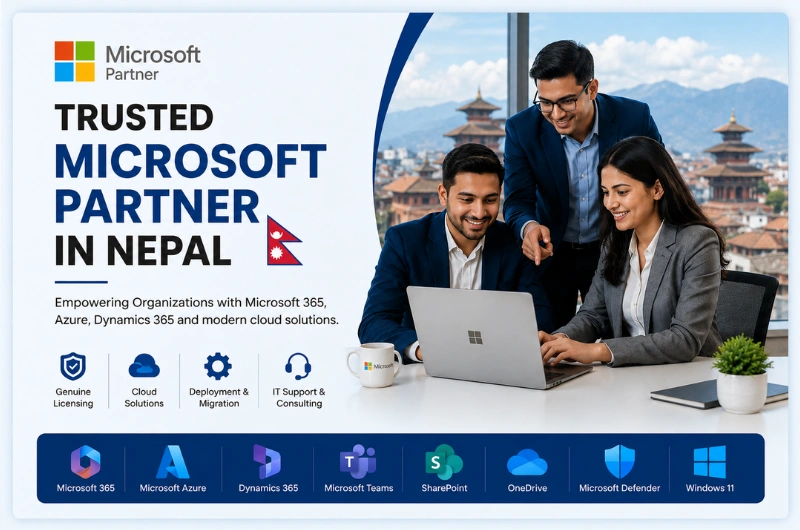
Looking for a Trusted Microsoft Partner in Nepal?

Choosing the right Microsoft Partner is essential for getting the most value from your technology investment. Whether you need Microsoft 365 for your employees, Microsoft Azure for cloud infrastructure, or Microsoft Volume Licensing for your organization, working with an experienced local partner makes the process easier and more cost-effective.

Webtech Nepal is a trusted Microsoft Partner in Nepal, helping businesses, government organizations, educational institutions, and non-profit organizations implement genuine Microsoft solutions. We provide end-to-end services, including software licensing, cloud migration, deployment, configuration, training, and ongoing technical support.

From small businesses to large enterprises, we help organizations modernize their IT infrastructure, improve collaboration, strengthen security, and increase productivity using Microsoft’s latest technologies.

Why Choose Webtech Nepal as Your Microsoft Partner?

Purchasing Microsoft software is only one part of a successful digital transformation. Choosing the right licenses, deploying them correctly, and ensuring employees use them effectively are equally important.

As a trusted Microsoft Reseller in Nepal, Webtech Nepal delivers complete Microsoft solutions tailored to your business goals.

Our services include:

  • Microsoft 365 licensing and deployment
  • Microsoft Azure cloud solutions
  • Microsoft Volume Licensing
  • Windows 11 Pro licensing
  • Microsoft Office licensing
  • Microsoft Teams implementation
  • SharePoint Online deployment
  • Exchange Online migration
  • OneDrive for Business setup
  • Dynamics 365 implementation
  • Windows Server licensing
  • Microsoft Intune deployment
  • Microsoft Defender security solutions
  • Cloud migration and infrastructure planning
  • User training and ongoing technical support

Our experienced consultants help organizations select the most suitable Microsoft licensing plans while reducing unnecessary IT costs and ensuring licensing compliance.

Unlike simply purchasing software online, working with Webtech Nepal gives you access to local expertise before, during, and after implementation.

Trusted Microsoft Reseller, Value-Added Reseller & Licensing Partner

Businesses across Nepal often search for terms such as Microsoft Approved Partner Nepal, Microsoft Certified Partner Nepal, Microsoft Reseller Nepal, and Microsoft Value-Added Reseller (VAR) when looking for reliable Microsoft services.

Webtech Nepal has extensive experience helping organizations adopt Microsoft technologies through professional consultation, deployment, migration, and support.

As your Microsoft solutions partner, we help you:

  • Select the right Microsoft licensing model
  • Reduce software licensing costs
  • Deploy Microsoft cloud services successfully
  • Migrate existing systems to Microsoft 365
  • Secure business data with Microsoft security solutions
  • Improve collaboration using Microsoft Teams
  • Integrate Microsoft applications
  • Provide ongoing technical support and maintenance

Whether you operate a startup, a growing business, or a large enterprise with multiple branches, our team can recommend Microsoft solutions that match your operational needs and future growth plans.

Note: Microsoft’s partner ecosystem is now known as the Microsoft AI Cloud Partner Program. Many businesses continue searching using terms like Microsoft Approved Partner and Microsoft Certified Partner, which are widely recognized search phrases.

Microsoft Solutions We Provide

Microsoft Solution How It Helps Your Business
Microsoft 365 Business email, Office apps, Teams, OneDrive, SharePoint, and security
Microsoft Azure Cloud infrastructure, virtual machines, backup, disaster recovery, and hosting
Windows 11 Pro Genuine business operating system licensing
Microsoft Office Office applications for productivity
Dynamics 365 CRM and ERP solutions for business management
Exchange Online Secure business email hosting
Microsoft Teams Online meetings, chat, collaboration, and communication
SharePoint Online Document management and collaboration
OneDrive for Business Secure cloud file storage
Microsoft Intune Device and application management
Microsoft Defender Advanced endpoint and cybersecurity protection
Windows Server Server licensing and deployment
Microsoft Volume Licensing Flexible licensing for organizations

These Microsoft solutions can be deployed individually or combined to create a secure, scalable, and modern workplace that supports your organization’s growth.

Microsoft Experience Across Multiple Industries

Webtech Nepal has worked with organizations across different sectors, helping them implement Microsoft technologies that improve daily operations and business efficiency.

We serve:

  • Small and medium-sized businesses
  • Large enterprises
  • Government organizations
  • Educational institutions
  • NGOs and INGOs
  • Financial institutions
  • Healthcare providers
  • Manufacturing companies
  • Hospitality businesses
  • Retail organizations

Every organization has unique technology requirements. Our consultants recommend Microsoft solutions based on your business size, operational goals, compliance requirements, and budget rather than promoting a one-size-fits-all approach.

Helping Businesses Build a Modern Digital Workplace

Modern businesses require secure access to information from anywhere, reliable collaboration tools, and cloud-based services that support hybrid work environments.

Webtech Nepal helps organizations create a connected digital workplace by combining Microsoft technologies that work seamlessly together.

Our Microsoft solutions help businesses:

  • Enable secure remote work
  • Improve communication across teams
  • Store business files securely in the cloud
  • Simplify document collaboration
  • Strengthen cybersecurity
  • Improve employee productivity
  • Reduce infrastructure costs
  • Scale IT resources as business grows

By integrating Microsoft 365, Azure, Teams, SharePoint, OneDrive, and Dynamics 365, organizations can build a digital workplace that is secure, efficient, and ready for future growth.

Microsoft 365 Solutions for Businesses in Nepal

Microsoft 365 is more than just Word, Excel, and Outlook. It is a complete cloud productivity platform that helps businesses communicate, collaborate, and work securely from anywhere.

Whether your employees work in the office, remotely, or in a hybrid environment, Microsoft 365 keeps everyone connected while protecting your business data with enterprise-grade security.

As a trusted Microsoft Partner in Nepal, Webtech Nepal helps organizations choose the right Microsoft 365 plan, deploy it successfully, and provide ongoing support.

What is Microsoft 365?

Microsoft 365 combines familiar Office applications with cloud services and advanced security features.

Depending on your subscription, Microsoft 365 may include:

  • Microsoft Outlook
  • Microsoft Word
  • Microsoft Excel
  • Microsoft PowerPoint
  • Microsoft Teams
  • Exchange Online
  • OneDrive for Business
  • SharePoint Online
  • Microsoft Defender
  • Microsoft Intune
  • Microsoft Copilot (selected plans)

This allows employees to work from any device while accessing the same files, emails, and applications securely.

Benefits of Microsoft 365

Businesses using Microsoft 365 enjoy several advantages:

  • Access business files from anywhere
  • Business-class email with Exchange Online
  • Real-time document collaboration
  • Secure cloud storage with OneDrive
  • Online meetings through Microsoft Teams
  • Automatic software updates
  • Enterprise-grade security
  • Flexible licensing for growing businesses
  • AI-powered productivity features with Microsoft Copilot (supported licenses)

Our Microsoft 365 Services

Webtech Nepal provides complete Microsoft 365 implementation services, including:

  • Microsoft 365 licensing consultation
  • Tenant setup and configuration
  • Business email migration
  • Exchange Online deployment
  • Microsoft Teams implementation
  • SharePoint Online setup
  • OneDrive migration
  • User account configuration
  • Security policy implementation
  • Employee training
  • Ongoing technical support

Whether you are moving from an on-premises email server or another cloud platform, we ensure a smooth migration with minimal disruption to your business.

Microsoft Azure Cloud Services

Cloud computing enables organizations to scale quickly, reduce hardware investments, and improve business continuity.

Microsoft Azure is one of the world’s leading cloud platforms, offering hundreds of services for businesses of every size.

Webtech Nepal helps organizations plan, deploy, and manage Microsoft Azure environments that are secure, reliable, and cost-effective.

Our Azure Services

We provide a wide range of Azure solutions, including:

Azure Migration

Move existing servers, applications, and workloads to Microsoft Azure with minimal downtime.

Virtual Machines

Deploy Windows and Linux virtual machines without investing in physical hardware.

Backup and Disaster Recovery

Protect business-critical data with automated cloud backups and disaster recovery solutions.

Azure Networking

Build secure and scalable cloud networks that connect users, offices, and applications.

Identity and Access Management

Implement Microsoft Entra ID (formerly Azure Active Directory) to secure user identities and simplify access management.

Azure Security

Protect your cloud environment with Microsoft’s built-in security, monitoring, and threat protection tools.

Why Choose Azure?

Microsoft Azure helps organizations:

  • Reduce infrastructure costs
  • Improve system availability
  • Scale resources on demand
  • Strengthen data security
  • Support remote work
  • Simplify IT management
  • Enhance disaster recovery
  • Meet business continuity requirements

Our Azure consultants recommend solutions that align with your organization’s technical and business requirements.

Microsoft Volume Licensing in Nepal

Purchasing Microsoft software for multiple employees can quickly become complicated. Different organizations require different licensing models based on their size, number of users, and operational needs.

Webtech Nepal helps organizations understand Microsoft’s licensing options and choose the most suitable solution without unnecessary expenses.

What is Microsoft Volume Licensing?

Microsoft Volume Licensing allows organizations to purchase multiple software licenses through a simplified licensing program. It offers centralized license management, flexible deployment options, and easier administration compared to buying individual retail licenses.

Volume Licensing is commonly used by:

  • Businesses
  • Government organizations
  • Educational institutions
  • Non-profit organizations
  • Large enterprises

Our Licensing Consultation Covers

  • Microsoft 365 Business plans
  • Microsoft 365 Enterprise plans
  • Windows licensing
  • Microsoft Office licensing
  • Windows Server licensing
  • Microsoft Azure subscriptions
  • Dynamics 365 licensing
  • Microsoft Teams Phone licensing
  • Educational licensing
  • Non-profit licensing

Our consultants evaluate your existing infrastructure, number of users, business objectives, and budget to recommend the most appropriate licensing strategy.

By selecting the right licenses from the start, organizations can avoid unnecessary costs while remaining compliant with Microsoft’s licensing requirements.

Microsoft Deployment, Migration & Implementation Services

Purchasing Microsoft software is only the beginning. Successful implementation requires careful planning, secure configuration, user adoption, and ongoing support.

Webtech Nepal has extensive experience deploying Microsoft technologies for organizations across Nepal.

Our Deployment Services Include

  • Microsoft 365 deployment
  • Exchange Online migration
  • SharePoint Online implementation
  • Microsoft Teams deployment
  • Azure cloud migration
  • Windows 11 deployment
  • Windows Server installation
  • Microsoft Intune configuration
  • OneDrive migration
  • Identity and access management
  • Security configuration
  • Data migration
  • User onboarding
  • Post-deployment technical support

Our implementation process is designed to minimize downtime and ensure a smooth transition for your employees.

End-to-End Microsoft Support

Our support doesn’t stop after deployment.

We continue to assist organizations with:

  • License management
  • User administration
  • Security updates
  • Performance optimization
  • Troubleshooting
  • Microsoft product upgrades
  • Cloud management
  • Technical consultation

By partnering with Webtech Nepal, organizations gain access to a local team that understands both Microsoft technologies and the unique needs of businesses in Nepal.

Serving Businesses Across Nepal

Webtech Nepal proudly supports organizations across Nepal with genuine Microsoft licensing, cloud solutions, and professional IT services. Whether your business is located in a major city or a growing municipality, our team can assist you with licensing, deployment, migration, and ongoing technical support.

We serve clients in:

  • Kathmandu
  • Lalitpur
  • Bhaktapur
  • Pokhara
  • Bharatpur
  • Biratnagar
  • Birgunj
  • Janakpur
  • Dharan
  • Butwal
  • Hetauda
  • Nepalgunj
  • Banepa
  • Dhulikhel
  • And other cities across Nepal

Thanks to Microsoft cloud technologies, we can also provide remote implementation, user training, system administration, and technical support, allowing organizations throughout Nepal to benefit from expert Microsoft services without geographical limitations.

Why Businesses Trust Microsoft Solutions

Microsoft has been a trusted technology provider for businesses worldwide for decades. Its cloud services, productivity applications, and security solutions help organizations improve efficiency while keeping data secure.

By adopting Microsoft technologies, businesses can:

  • Improve team collaboration
  • Enable secure remote and hybrid work
  • Protect business data with enterprise-grade security
  • Reduce IT infrastructure costs
  • Increase employee productivity
  • Scale technology as the business grows
  • Simplify communication across teams
  • Receive regular feature and security updates
  • Integrate multiple business applications into one ecosystem

Whether you’re a startup or a large enterprise, Microsoft provides reliable solutions that support long-term business growth.

Why Work with Webtech Nepal?

Choosing the right Microsoft partner means more than purchasing software—it means having a reliable technology advisor who understands your business.

When you partner with Webtech Nepal, you benefit from:

  • Genuine Microsoft licenses
  • Professional licensing consultation
  • Certified deployment expertise
  • Local technical support
  • Microsoft 365 migration assistance
  • Azure cloud implementation
  • Security best practices
  • User training and adoption support
  • Long-term maintenance and IT guidance
  • Fast response from a local team

Our objective is to help organizations maximize their Microsoft investment while minimizing complexity and operational costs.

Frequently Asked Questions

Is Webtech Nepal a Microsoft Partner in Nepal?

Yes. Webtech Nepal provides Microsoft licensing, Microsoft 365 solutions, Azure cloud services, deployment, migration, and technical support for businesses, educational institutions, government organizations, and non-profit organizations across Nepal.

Do you provide genuine Microsoft licenses?

Yes. We help organizations purchase genuine Microsoft licenses that match their business requirements while ensuring licensing compliance.

Can you migrate our email to Microsoft 365?

Yes. Our team provides secure migration from existing email platforms to Microsoft 365 with minimal downtime and complete data migration support.

Do you provide Microsoft Volume Licensing?

Yes. We assist organizations in selecting the most suitable Microsoft Volume Licensing and Microsoft 365 subscription plans based on their size, number of users, and operational needs.

Do you provide Microsoft Azure services?

Yes. We offer Azure migration, cloud infrastructure deployment, virtual machines, backup and disaster recovery, identity management, security implementation, and ongoing Azure management.

Can you help deploy Microsoft Teams and SharePoint?

Absolutely. We provide complete deployment, configuration, user training, and support for Microsoft Teams, SharePoint Online, Exchange Online, and OneDrive for Business.

Do you provide support after implementation?

Yes. We offer ongoing technical support, maintenance, troubleshooting, licensing assistance, security updates, and system optimization to ensure your Microsoft environment continues to perform efficiently.

Conclusion

Choosing the right Microsoft Partner in Nepal is essential for building a secure, productive, and future-ready business. From Microsoft 365 and Azure to Microsoft Volume Licensing, Dynamics 365, and Windows Server, the right technology solutions can improve collaboration, strengthen security, and simplify daily operations.

As a trusted Microsoft Reseller in Nepal, Webtech Nepal helps organizations of all sizes select the right Microsoft solutions, deploy them successfully, and provide ongoing technical support. Whether you are migrating to Microsoft 365, moving your infrastructure to Azure, upgrading your existing systems, or planning a complete digital transformation, our experienced team is ready to assist.

Contact Webtech Nepal today to discuss your Microsoft licensing, cloud, or deployment requirements and discover how Microsoft technologies can help your organization work smarter and grow with confidence.

The Top 5 Benefits Of Web Hosting For Your Business

Web hosting is a service that individuals and businesses use to have their websites accessible on the internet. Web hosting is vital for companies because of the perks it provides.

“Having a web-hosted website is one of the must-haves for businesses in the modern-day. Web hosting not only gives companies more security or a professional look; it also allows businesses to reach their audience and potential customers better.” says SEO and link building specialist Christian Green of Write Fuel.

Having a web host is essentially a package deal that takes the security and maintenance work off of your hands. To further explain, let us explain the benefits of web hosting in greater detail.

Improved Site Performance

Web hosting is a lot like renting a storage area. When you contract with a web host, you place all of your website’s data onto their servers, allowing the site to run constantly on the internet.

Although self-hosting a website is possible (albeit highly complicated), having a dedicated web hosting service will keep your website’s performance smooth and keep loading times to a minimum. Quick loading times make it easier for your customers to access your products and improve your ranking on search engines.

Consistent Tech Support

If you choose to host your website yourself, you will need to tackle all the maintenance work yourself. Hiring a best web hosting company in Nepal will make things more efficient by delegating the job to professionals.

Most web hosting companies offer businesses consistent tech support, finding and quickly fixing bugs and issues. Hiring the aid of web hosting companies will leave your hands open for other important work and prevent your website from going offline.

Branded Email Address

For companies, having a professional brand image is crucial for doing business. Professionalism builds trust and rapport with customers, which quickly translates to conversion and purchases.

Web hosting services will often provide businesses with a branded email address that is based on their domain name. According to a survey, 75% of clients based in Australia think that a professional email is an essential factor in building trust, especially for small online businesses.

Improved Security

Hiring a web hosting service adds multiple layers of security to your website and your data. Firstly, your data is stored in a physical space in the web host’s highly secure building. In addition, web hosts also provide their customers with multiple firewalls and anti-spam software that protect their data from hackers and denial-of-service attacks.

Little To No Downtime

Having a website that runs 24/7 is crucial for all businesses. An hour of the shutdown could easily cost companies thousands of dollars in lost revenue. With a hosting web service, you can rest assured that your website stays up 99.9% of the time.

Web Hosting is always the best at Webtech Nepal

Web hosting is a necessity for businesses because of the multitude of perks and benefits it provides. With web hosting services, you outsource the server, maintenance, and security work to trusted industry professionals, leaving you with more time to focus on what truly matters to you

Webtech Nepal, along with proper web design, development, and SEO management, can help you provide easily accessible content for your customers. Offering an excellent user experience builds trust and increases your company’s conversion rate

Contact us today if you’re looking for a web hosting company to meet your business needs.

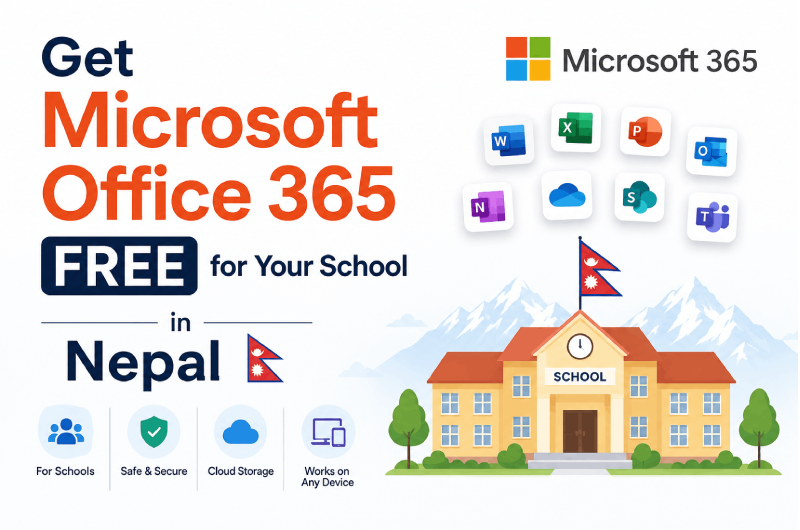
Get Microsoft Office 365 free for your school in Nepal

Microsoft Office 365 for Education comes with Microsoft’s productivity suite with additional communication and collaboration applications. There are three Microsoft 365 Education plans. The basic plan, Microsoft Office 365 Education A1, is entirely free for an unlimited number of individual users. The other plans charge per user if you want to upgrade your educational organization to those plans to get the extra features.

In addition, office 365 Education with A1 license has a collection of cloud-based services from Microsoft to access online versions of Word, Excel, PowerPoint, OneNote, Access, Outlook, Publisher, Yammer, and SharePoint.

How to get access to Microsoft 365 Education?

To get access to Microsoft 365 Education, valid school details, and school registration documents from MOE or any local body. To verify with Microsoft 365 Education License for free, your school needs to develop a school website, register domain under .edu.np, active email, and host the school’s website. As a Microsoft Partner agency, Webtech Nepal Pvt. Ltd. supports setting up Microsoft 365 Education for schools in Nepal.

What are the advantages of Office 365 Education?

Change the way you teach.

Increase collaboration, abilities, and independence while keeping kids focused on their studies. Assist teachers with anything from lesson planning to grade tracking.

At no additional expense, provide accessibility tools.

Improve reading, writing, and math skills on a large scale with free Office 365 Education and Learning Tools, which provide students of all abilities independence and the opportunity to learn without fear of being judged.

Microsoft Teams tools for teaching and learning

Organize your classrooms by combining content, assignments, interactions, and apps into one location where students and teachers can collaborate.

What includes in the Office 365 Education plan?

Microsoft Office 365 is a cloud-based version of Microsoft’s key productivity and collaboration applications. Email, group chat, and project collaboration across different programs are all available.

Except for Publisher, all apps work on any device and can use anywhere, thanks to OneDrive cloud storage.

There is no desktop software in the primary, free edition of Microsoft 365 Education, which brings together the essential apps in their online-only forms. However, the desktop version of OneNote is available to users.

Get Office 365 free for your entire school

Improve classroom and school collaboration with free productivity tools. You will need to verify that you are an accredited academic institution to take advantage of these offers.

Office 365 For your students

Free Office 365 for the web with popular apps like Outlook, Word, PowerPoint, Excel, and OneNote so teachers and students can work together, communicate seamlessly, and create fantastic content.

Value for students:

  • Work together with real-time coauthoring, autosaving, and easy sharing in your favorite web apps, Word, PowerPoint, and Excel.
  • Stay on top of your email with Outlook for the web and a 50 GB mailbox.
  • Leverage Microsoft Teams, your digital hub that integrates the conversations, calls, content, and apps your school needs to be more collaborative and engaged.
  • Improve learning outcomes with built-in accessibility features and Learning Tools that support reading, writing, math, and communication.
  • Keep organized with OneNote, your digital notebook.
  • Stay connected with Class Teams and OneNote Notebooks.
  • Take authentic assessments with Forms.
  • Enable digital storytelling with Sway.
  • Never run out of space with unlimited personal cloud storage.

Office 365 For teachers, faculty, and staff.

Free Office 365 for the web with popular web apps like Outlook, Word, PowerPoint, Excel, and OneNote so teachers and students can work together, communicate seamlessly, and create amazing content.

Value for teachers:

  • Work together with real-time coauthoring, autosaving, and easy sharing in your favorite web apps, Word, PowerPoint, and Excel.
  • Stay on top of your email with Outlook for the web and a 50 GB mailbox
  • Leverage Microsoft Teams, your digital hub that integrates the conversations, calls, content, and apps your school needs to be more collaborative and engaged.
  • Improve learning outcomes with built-in accessibility features and Learning Tools that support reading, writing, math, and communication.
  • Keep organized with OneNote, your digital notebook.
  • Stay connected with your colleagues with Class, Staff, and PLC Teams and OneNote Notebooks.
  • Conduct and take authentic assessments with Forms.
  • Enable digital storytelling with Sway.
  • Never run out of space with unlimited personal cloud storage.

Value for faculty and staff:

  • Inform and engage with communication sites and team sites throughout your intranet using SharePoint.
  • Support compliance with solutions from the unified eDiscovery center.
  • Stay protected with rights management, data loss prevention, and encryption.
  • Create, manage, and share videos securely across your school with enterprise video service.
  • Develop apps without writing code to extend business data quickly with custom web and mobile apps.
  • Utilize workflow automation across apps and services to automate business processes without writing code.
  • Communicate easily with HD video conferencing.
  • Unlimited email storage with in-place archiving.
  • Get an advanced email with archiving and legal hold.
  • A maximum number of users: unlimited.